You have probably seen people in your meetings that look like they are at the beach or in a fancy office. More than likely though, they are in their messy living room using a virtual background. A virtual background is an image that you insert behind you when you are participating in a virtual meeting. It can be a still image or a video.
Why would anyone want to do this? The best reason I have heard from an educational perspective is that students may not want their peers to see their home. Allowing them to use a virtual background prevents others from seeing their living space, including any of their family members. Their home is their private space and they may want to keep it private. Plus, using a virtual background can be fun, too, a way to creatively express your current mood or thoughts.
This article shows you a simple yet effective function that Zoom offers. Virtual backgrounds can mask an environment you may not want others to see or follow your workplace's theme. Remember that having a virtual background makes it difficult to show an item on camera. It tends not to pick it up correctly.
**Note: this video is a small part of "Classroom Kickstart" , a 5 part online course that will help you master Google Classroom! Visit http://chrm.tech/kickstart to learn more!**
Notifications are intended to be helpful...but if you get too many of them, you start to ignore them all.
Google Classroom generates a LOT of email and mobile notifications....too many!
If you are buried in an avalanche of Google Classroom messages, this is the video for you!
You'll learn how to adjust the Google Classroom notification settings for email and your mobile phone.
Spoiler: I turn most of them off! But there is one important notification that I leave on! ----------- John R. Sowash is a former HS biology teacher and principal who helps teachers use technology to improve instruction. You can pick up a copy of his book, read his blog, or invite him to come and visit your school. ✏️ Blog: http://Chrmbook.com � Podcast: http://Chrmbook.com/podcast �️ Book: http:Chrmbook.com/book � Speaking and Consulting: http://SowashVentures.com/contact
Making annotated screen capture images is a great way to explain a process to students. Nimbus Screenshot makes it easy to create annotated screenshots. Here's an overview of how it works.
Time is Our Greatest Asset. Use it Wisely! A collection of timeline themed Prezi presentation templates - Save time and start your Prezi with a template
If having the right tools didn’t matter, we’d all brush our teeth with hammers. No-brainer decisions between hammers and toothbrushes are nice, but life doesn’t work like that. If you believe Google (as we all do), you can end up with over 30 different hammers for one basic function—nail—in. Choosing which eLearning course development tool to use gets even crazier, with hundreds of different products on the market all basically doing the same thing—information—in. So, here’s the lowdown on some of the course authoring tools we use for niche audiences and why, as well as some useful insider video tutorials thrown in.
Audio tools, like podcasts, are popular teaching devices. Want to know how to use podcasts and audio? We've got you covered — plus, a special announcement!
IntroductionDue to the coronavirus (COVID-19) pandemic, TEQSA is aware that many providers, particularly independent providers, have made the transition to online delivery with little support and few resources. This resource has been collated by TEQSA to assist the sector’s rapid transition to online learning during COVID-19. To date, the resources listed cover a range of
This article describes a practical approach for implementing instructional strategies in order to build a Community of Inquiry (CoI) into an online course. Online community building has positive effects on the quality of student learning, increases student engagement, and encourages motivation of students in online courses. The CoI is a theoretical framework focusing on facilitating meaningful learning experiences through three presences: cognitive presence, social presence, and teaching presence. This article will introduce the CoI framework by way of literature review focusing on CoI instructional strategies. Using Sorensen and Baylen’s (2009) seven principles of good practice, the author will structure CoI instructional activities into presence categories for practitioner use.
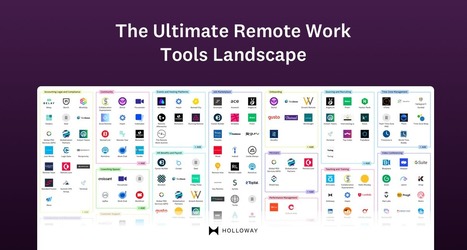
The tools you choose to support remote work have a significant impact on the levels of trust, productivity, and effective communication on a team, often in subtle and surprising ways. The number of software tools and services can be overwhelming—especially for the growing number of companies suddenly switching to a remote model.
This is a helpful article for both students and teachers during this time as many classes are teaching through zoom. This article explains how to use zoom.
With campus closures leading education institutions everywhere to scramble to move instruction to an online format, Campus Technology is convening ed tech experts and practitioners to share their ideas and best practices in a virtual event on May 5.
Whiteboards are a staple of face-to-face classrooms. During remote learning, you can still recreate that experience. Here are 10 ideas to get you started. Let's face it. When you're not present in your classroom, you miss your whiteboard. It's convenient. Everyone in the room can see it.
"Find out all about using video and live conferences in the classroom and remote learning. We go through using videos others have made, video conferences, screencasting, online video tools, and popular video techniques. You'll also find out exactly how to share a video with others or embed a video in your blog ..".
To get content containing either thought or leadership enter:
To get content containing both thought and leadership enter:
To get content containing the expression thought leadership enter:
You can enter several keywords and you can refine them whenever you want. Our suggestion engine uses more signals but entering a few keywords here will rapidly give you great content to curate.


 Your new post is loading...