


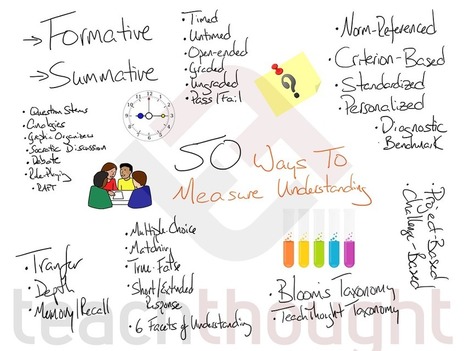
"How do you measure what a student understands?
Not give them an assessment, score it, then use that score to imply understanding. Rather, how do you truly ‘uncover’ what they ‘know’–and how ‘well’ they know it?"
Via John Evans

 Your new post is loading...
 Scoop.it! "How do you measure what a student understands? Via John Evans 
Jan MacWatters's curator insight,
May 29, 2019 7:50 AM
How can we measure what a student knows or has learned? If they learn more, rather than just achieve the standard, does that deserve a higher "grade". What are we measuring? The knowledge or the knowledge gained throughout the course?
Sign up to comment
Scoop.it!

"Far and away, the most powerful way to make YouTube safer is close supervision of children while they ‘use’ it. While television has its own challenges, FCC laws and other standards and social norms at least provide some measure of ‘safety.’" Via EDTECH@UTRGV
Scoop.it!

Three powerful lesson plan templates — and how to make your ownHaving some places for big-picture planning and tracking data can be really helpful. But, sadly, many of the lesson plan book de… Via Dr. Tom D'Amico (@TDOttawa)
Scoop.it!

Socrative is an interactive web-based student-response system (also available through iOS, Android, or Chrome apps) that can help teachers spark conversation and learning through user-created polls and quizzes. Via Yashy Tohsaku
Scoop.it!

This year faculty at our school have utilized Folio Collaborative (@foliocollab), an outstanding framework encouraging teacher peer-coaching and mentorship relationships among educational professio…
Via Felix Jacomino
Scoop.it!

These resources have helped thousands reach their goal of becoming a Google Certified Educator Level 1, Level 2, or even Google Certified Trainer! I've curated my BEST Google Certification resources to help you find what you need. Via Dr. Tom D'Amico (@TDOttawa) 
Abdul Rehman's comment,
May 21, 2019 1:40 AM
Thank sharing your articles
Pls check our articles https://its.com.pk/sms-marketing/
Scoop.it!

Listicles are a humorous way for students to condense and share information through text and images. But how do they work in the classroom? Here's why teachers and students can learn a thing or two (or nine) from BuzzFeed. Via John Evans
Scoop.it!

Thinglink est une baguette magique qui va vous permettre de transformer n'importe quelle image ou vidéo en d'incroyables ressources pédagogiques multimédia.
Scoop.it!

Nearpod, the comprehensive student engagement platform for K-12 teachers, today announces its 2019 spring release to empower educators with new content and timesaving tools, as well as drive greater student engagement. The latest release includes deeper integrations with Google Classroom and Clever, new content from Newsela, even more simulations from PhET Interactive Simulations, and enhanced productivity and organizational features for districts and teachers. Today’s educator Via michel verstrepen
Scoop.it!

"Which occupations are most at risk has been a guessing game among economists, futurists and scholars trying to predict winners and losers ..." Via Leona Ungerer
Scoop.it!

Here's how to create an animated .gif from a video clip. It's pretty easy to do and works great in your e-learning courses.
Scoop.it!

"Last month, we wrote about ways you can help your students determine real from fake news in the classroom. These tips are a way to start the conversation with your students about the importance of critical literacy and the responsibility to be digitally literate in the digital age.
What do you think? Have you had this conversation with your students? We think it’s important to continue to teach these skills to our students since this issue will continue to be something they will need to decipher as they grow up.
What we’ve found is that those original suggestions were just the tip of the iceberg. Our students are still being confronted with potential fake news every day. So, how do you continue to have these conversations with your students?
In the classroom, we can encourage our students to become careful researchers to help slow the spread of fake news. " Via Yashy Tohsaku, John Evans
Scoop.it!
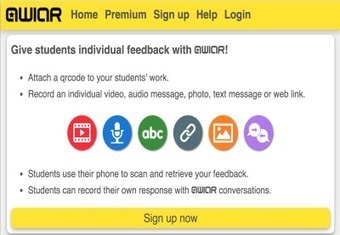
"Qwiqr is another excellent web tool you can use to provide students with individual feedback using QR technology. It's particularly ideal for formative assessment allowing you to attend to students individualized needs and maximize their learning ..." Via Leona Ungerer |
Scoop.it!

Student engagement in the classroom is dropping every year because they may be bored with that traditional stereotypical learning styles, though we can have better learning in this digitalized era. Ever wondered why they become inattentive in the classroom and fond of smartphones and tabs? Imagine what if we can introduce these technologies to school. Students will prefer technology-based learning than choosing a textbook based live class learning. Augmented reality is an emerging technology in education which can be used … Via juandoming
Scoop.it!

Last fall, professors told us about their plans to experiment this year with technology-enabled teaching. Now they reflect on the successes and shortcomings. Via Elizabeth E Charles, Alfredo Calderón
Scoop.it!

Create a List of Your Assignments in Google Classroom Every year is a new opportunity to be better than you were last year. This is one of the advantages to teaching, unlike any other profession we get a fresh start every year. The kids from last year are not the same as the kids from …
Via Felix Jacomino
Scoop.it!
Install Google Forms Add-ons I always say… Google Forms is the best thing since sliced bread. BUT… what if it could be EVEN BETTER!!! 3 Dots Menu Use the 3 dots menu in the upper right to choose the puzzle piece “Add-ons.” This is 3rd party apps that make Google Forms EVEN BETTER! Certify’em When … Via Dr. Tom D'Amico (@TDOttawa)
Scoop.it!

Gonzalo Sandoval Carrión's curator insight,
May 21, 2019 4:03 PM
Video sumamente útil que nos enseña, paso a paso, a diseñar líneas de tiempo animadas utilizando Google Slides. 
Luke Flint's curator insight,
May 23, 2019 3:06 AM
This technology opens up opportunities for students to research topics or eras that interest them and still show digital proficiency by mapping it on Google slides. Media teachers can often get into the rut of falling back the tried and tested software (Adobe, movie maker etc.) that can often be time consuming to teach and is often more technical that needed when in junior classes software such as Google slides is more than enough to exhibit the essential skills required.
Scoop.it!

From
blog

It isn’t all about the technology. In a new report released by Schoology, researchers made three key findings that have significant implications for digital learning. In a report released by the EdTech company that looked at the 2018-2019 digital state of learning (based off responses from 9,279 teachers and administrators), researchers identified three major findings … Via Dr. Tom D'Amico (@TDOttawa)
Scoop.it!
I am by no means a 3D printing expert. But I do have three 3D printers in my library makerspace (and one in my previous space). And I have a lot of students who are very interested in learning more about 3D printing. Some students have built their own 3D printers from kits and love to come hang out and tell me about their latest projects. Other students have no CAD (computer aided design) experience but are eager to start building. In order to help all of these students better utilize and access our 3D printers, I created a short, Intro to 3D printing session that I teach afterschool every quarter. It’s essentially an orientation to how 3D printing works, how to create a design and how to get it ready to print. Via John Evans
Scoop.it!

Ce module d'activité test permet de réaliser des tests et quiz sous Moodle : questions vrai-faux, QCM, questions à réponses courtes et bien d'autres encore.
Scoop.it!

Invest your students in learning how to safely navigate the online world and develop skills for school, work and life with these video lessons. Via Dr. Tom D'Amico (@TDOttawa)
Scoop.it!

Simple Solution for AutoUpdating Office Content Sometimes a solution for a problem is hiding right under your nose. For example, I recently started working on an enterprise software roll-out and one of the challenges we'll face is building content before the system is completed. The software vendor has provided a lot of documentation and other…
Scoop.it!

"Carnegie Mellon launches OpenSimon, a set of tools, techniques, content and codebase aimed at improving teaching ..." Via Leona Ungerer
Scoop.it!

From
nearpod
Resources Live Webinars On Demand Resources Instructional Videos Share NearpodEL ResourcesAttend a live webinarLearn from edtech innovators for ideas you can take back to your school and classroom!Register by clicking on a title and “show in my time zone”.Receive a recording of the webinar the day after.Can’t attend?Register to receive the recording!Share these webinars with your friends and colleagues!On-Demand ResourcesClick to watch instantly!Nearpod Instructional Videos Check out the rest of our helpful 'how-to' videos onNearpod's YouTube channel Share the Nearpod magic with your colleaguesLeading a Nearpod workshop with your colleagues or at your next event is as easy as...Invite your colleagues with this Email Template.Download the Intro to Nearpod Lesson and Facilitator's Guide.Share this checklist with your audience to help them explore the platform.Have a question?Our teacher support team is here to help!Visit our Help CenterJoin our community!Become a Nearpod Certified Educator.Learn MoreExplore the blog!Get the scoop on the latest edtech trends.Explore the blog Via michel verstrepen |






