


We provide tips on how best to use flipped classroom videos to aid classroom teaching. Learn about flipped classroom learning, and how to best implement it.
Via EDTECH@UTRGV

 Your new post is loading...
 Scoop.it! We provide tips on how best to use flipped classroom videos to aid classroom teaching. Learn about flipped classroom learning, and how to best implement it. Via EDTECH@UTRGV
Scoop.it!

Recently I’ve been trying to locate the evidence that supports quizzing, wondering if it merits the evidence-based label. Tracking down this evidence in our discipline-based research is challenging because although quizzing has been studied across our disciplines, it’s not easily searchable. My collection of studies is good, but I know it’s not complete. As you might suspect, the results are mixed; they are more positive than negative, but still, a significant number of researchers don’t find that quizzes affect learning outcomes.
Scoop.it!

Google Forms gives educators a powerful data collection tool. Check out these 20 ways to harness its power in school. Via Shona Whyte 
Viljenka Savli (http://www2.arnes.si/~sopvsavl/)'s curator insight,
February 3, 2017 3:24 AM
useful ideas for class use
Scoop.it!

Are you getting aboard the eLearning Bandwagon? Check 6 things to consider in order to decide which tools to follow, and which ones to avoid. Via EDTECH@UTRGV
Scoop.it!

"PDFs are universally useful. However, they fall short when it comes to editing. We're here to show you the best free tools to edit your PDF files ..."
Via Leona Ungerer
Scoop.it!

Have you ever thought of providing a model solution to the assignment given to the students? Generally, while teaching subjects like Mathematics and Science, the assignments are accompanied by model solutions which needs to be released to the students after they have submitted the assignment. Via Miloš Bajčetić
Scoop.it!
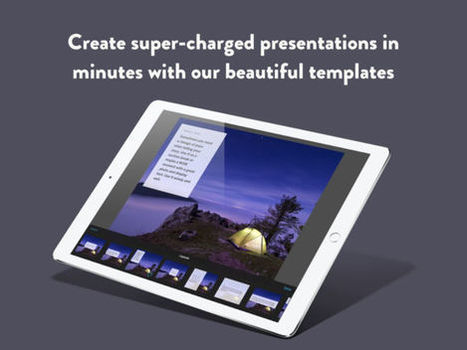
Ingage is an interactive presentation app that allows you to easily create stunning touchable experiences, automatically sync to the cloud, and share with everyone on any device. Tap and drag your photos and videos into templates to add interactivity. Your videos become touchable as you move your finger across the screen... Via Baiba Svenca 
Ricard Garcia's curator insight,
April 7, 2017 2:12 AM
Powerful easy presentation tool for mobile devices! Worth a try!
Scoop.it!

Guido Knaus's curator insight,
January 28, 2017 3:33 PM
Weitere Links: http://guidoknaus.ch/?p=341
Scoop.it!
Scoop.it!
PDFs are one of the most common file types you’ll come across when using a computer. If you need to produce a high-quality print job, make a document available online, archive old data, or combine multiple formats (text, images, tables, etc.), there’s a good chance you’ll find yourself turning to the PDF format. Via Gumersindo Fernández, Javier Sánchez Bolado
Scoop.it!
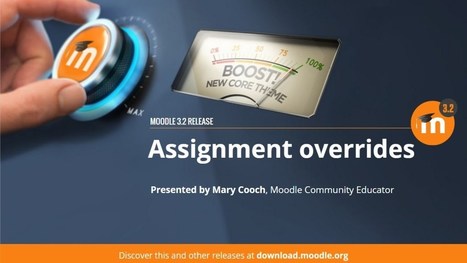
While shiny features like “Boost”, Competencies, LTI, or the dashing new media player took up our headlines, a lot of effort by true heroes who developed Moodle 3.2 has gone into smaller upgrades. They are improvements to the most popular Moodle activities and may only be noticed through real practice and sadly, chances are not everyone will get to them. Via Miloš Bajčetić 
Won Ho's curator insight,
January 28, 2017 9:43 PM
I am so happy that I am using Moodle more than 10 years and it is even getting better.
무들을 10년 이상 사용하고 있어 행복합니다.... 게다가 무들은 점점 좋아지고 있어요~
Scoop.it!
Moodle has come a long journey and overcome all the obstacles and competitions to stay among one of the best open source project in the world. Since last few years, Moodle HQ has taken a very aggressive approach to make moodle more competitive and with all the cutting edge technology. Via Miloš Bajčetić |
Scoop.it!
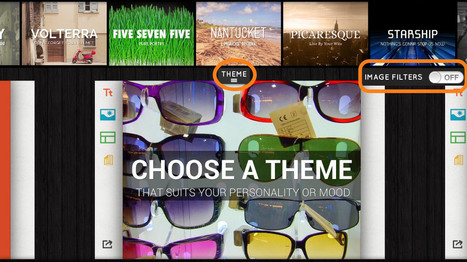
There are some fantastic online presentation tools for students that allow users to mix media and create engaging, fun and interactive slideshows. No one wants to sit through a boring PowerPoint presentation, let alone a class full of students with a low attention span. Using website presentation tools, students can collaborate in group projects or work solo, designing inspiring dynamic presentations that tell a story about their chosen topic. These tools are easy to use, and most have special education sections, so teachers can set up their class as quickly as possible. The list below includes tools for creating slideshows, digital storytelling and poster type mixed media presentations. Via Edumorfosis
Won Ho's curator insight,
January 28, 2017 9:38 PM
Make them present using updated tech~
최신 기술로 학생들을 발표하게 하세요~ 
Willem Kuypers's curator insight,
February 3, 2017 1:33 AM
Très belle liste pour des sites de présentations en ligne. Forcément Prezi est dans la liste, mais aussi d'autres nouveaux sites comme Adobe Spark.
Scoop.it!

This one includes the usual collection of links to free tools and apps with lots of really useful new apps for developing writing and peer evaluation and feedback. I also have a link to download a free lesson plan at the end of the newsletter, another entry in the new games for learning section, lots of links to really interesting articles from around the internet and also some discount codes to get 50% off two of my latest books. Via Nik Peachey, RitaZ
Scoop.it!

"15 Questions To Ask About Tech Integration In Your Classroom *this blog was originally published at TeachThought PD by Drew Perkins, Director of ..." Via Leona Ungerer
Scoop.it!

In this video, we will learn how to use the new Quizzes feature in Google Forms to create self-grading and self-assessing assignments for your students. Via Guido Knaus
Scoop.it!

Dank WLAN geht die Neunburger Realschule im Unterricht neue Wege. Smartphones und Tablets sind dabei von zentraler Bedeutung. Via Guido Knaus
Scoop.it!
Overview of the text editor in Moodle.
Via AgileBelma
Scoop.it!

Students can collaborate and share their visual ideas digitally using AWW. See the key features and how you can use it in class. Via Dr. Tom D'Amico (@TDOttawa)
Scoop.it!

You can’t use everything you find on the web on your website. Most of the laws and rules that cover fair use and education were written well before the invention of the web. They don’t appl… Via Marta Torán 
Marta Torán's curator insight,
January 20, 2017 3:11 PM
Las reglas para el uso educativo de lo que encontramos en la red. Nos lo cuenta Sue Waters. 
Dr Tee Nadan's curator insight,
January 29, 2017 4:28 AM
I wish all tutors/lecturers actually put this in practice. You can't simply use others' materials without due acknowledgement. Period.
Scoop.it!
A blog of quick videos about key teacher technologies that we can use in our teaching and learning Via Elke Höfler
Scoop.it!

It seemed a somewhat outlandish idea at the time, but after the warm reception of the news on how Moodle ―especially since the environment of features included in December’s 3.2 release― coul…
Scoop.it!

In this day and age, it’s hard to live a full life without logging onto Facebook, Twitter, and Instagram every now and then. The problem is that they can become a huge waste of time. Via Dr. Tom D'Amico (@TDOttawa)
Scoop.it!
There are some fantastic online presentation tools for students that allow users to mix media and create engaging, fun and interactive slideshows. No one wants to sit through a boring PowerPoint presentation, let alone a class full of students with a low attention span. Using website presentation tools, students can collaborate in group projects or work solo, designing inspiring dynamic presentations that tell a story about their chosen topic. These tools are easy to use, and most have special education sections, so teachers can set up their class as quickly as possible. The list below includes tools for creating slideshows, digital storytelling and poster type mixed media presentations. Via Edumorfosis, Javier Sánchez Bolado, Sonia C. Alonso
Won Ho's curator insight,
January 28, 2017 9:38 PM
Make them present using updated tech~
최신 기술로 학생들을 발표하게 하세요~
Willem Kuypers's curator insight,
February 3, 2017 1:33 AM
Très belle liste pour des sites de présentations en ligne. Forcément Prezi est dans la liste, mais aussi d'autres nouveaux sites comme Adobe Spark.
|







Flipped classroom model is similar to what we do with the NSM prep via LMS. Some feedback has been that we need to tape role play best practices and show the perfect role play so that reps can model that at the live training.