
DIGITAL LEARNING
20.7K views |
+0 today
 Your new post is loading...
 Scoop.it! 
How can you curate resources with QR codes? Follow these quick steps to place handpicked content onto your students' screens.
Via Dr. Tom D'Amico (@TDOttawa) , Juergen Wagner 
Scoop.it!

Anthippi Harou's curator insight,
November 27, 2016 1:53 PM
Cool add-in for google docs to facilitate effective writing.
Scoop.it!

Time for another end-of-year ”The Best…” list. As usual, In order to make it on this list, games had to: * be accessible to English Language Learners. * provide exceptionally engaging content.
Via Yashy Tohsaku
Scoop.it!

“ Scootle provides Australian teachers with access to more than 20,000 quality-assured digital learning resources aligned to the Australian Curriculum.”
Via Ana Cristina Pratas, Elizabeth E Charles

Claire Aitken's curator insight,
May 21, 2018 11:16 PM
Scootle is a great resource platform that is directly based off the Australian Curriculum. Could definitely be helpful for any preservice teachers going into their practical placement or any practicing educators.
Scoop.it!

“ Looking for a good microphone to record your audio narration? Want some good tips on how to record audio narration? This post provides both with examples.”
Via WebTeachers
Scoop.it!
★★★ Directory of 350+ of the best tools and services to capture, edit, publish and distribute video online. Via Elizabeth E Charles
Scoop.it!

“ The iPad has found its way into hospitals, retail stores and homes across the nation, but it’s also making a big splash in the classroom, even with some of the best online colleges. With a great selection of apps focused on everything from word processing to keeping in touch with classmates, the tablet computer can be an invaluable tool for learning — no matter your age. Online science students haven’t been left out, of course, and there are a wide range of applications offering help with chemistry, biology, astronomy and even the math that comes along with certain fields. If you’re a college student looking to supplement your science studies, these apps are some of the best for learning, sharing, researching and just plain having fun.”
Via John Evans, Yashy Tohsaku, Suvi Salo
Scoop.it!
Check out best whiteboard apps for iPad. Free download and full review of each app is right here.
Via Dr. Joan McGettigan, Juergen Wagner, Timo Ilomäki
Scoop.it!

The world wide web has afforded the common people opportunities that were literally non existent during the times of our ancestors. Opportunity grows in proportion to knowledge, and thus the age of information can also be recognized as the age of opportunity, for those who have vision. Via John Evans
Scoop.it!

If your classroom is far from a 1:1 environment (more like 1:32), it can be hard to find great technology projects that really work. Here are some simple tech tools students can use to create awesome projects. Via Nik Peachey

GwynethJones's curator insight,
November 5, 2017 2:45 PM
Great ideas for tech collaboration! Reel 'em in!
Scoop.it!

Free resource of educational web tools, 21st century skills, tips and tutorials on how teachers and students integrate technology into education Via Dr. Tom D'Amico (@TDOttawa)
Scoop.it!
Free resource of educational web tools, 21st century skills, tips and tutorials on how teachers and students integrate technology into education Via WebTeachers, michel verstrepen
|
Scoop.it!
Scoop.it!

A comprehensive guide (10 chapters) for teachers to learn the best EdTech tools, apps, blogs, tips, etc. handpicked from the web. Happy teaching!
Via Dr. Susan Bainbridge, Dean J. Fusto, Andreas Christodoulou, THE OFFICIAL ANDREASCY, John Purificati
Scoop.it!

Google Docs is a technology in the classroom learning tool that is powerful, robust, scalable, equitable solution.
Via John Purificati
Scoop.it!

“ Fulldive is an amazing app which will ease you into the world of virtual reality (VR). What do I need to buy? All you need is a VR headset, a mobile phone (tablets are too big) and the FullDive app downloaded. After, you simply put your phone into the headset and go! Here's how to…”
Via Suvi Salo, Juhani Pihkala
Scoop.it!

DailyArt is a free iPhone, iPad and Android app that every day, Via John Dalziel, massimo facchinetti
Scoop.it!

“ One of the most important parts of assessment is deciding how to organise student work. A great way for students to be more involved in the assessment process is to let them curate and present their achievements throughout your course. That’s why digital tools and platforms provide a such fantastic options for measuring progress: they... Read More”
Via paul rayner
Scoop.it!

Free resource of educational web tools, 21st century skills, tips and tutorials on how teachers and students integrate technology into education Via WebTeachers
Scoop.it!
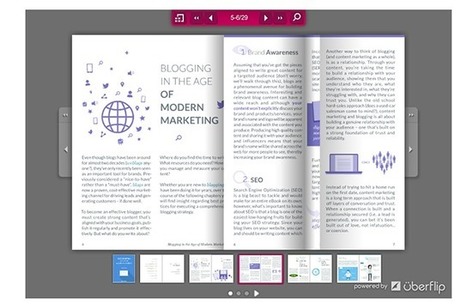
There are a number of tools that make working with PDFs a lot easier. Starting with a simple way to convert files, we feature five PDF related tools. Via Frédéric DEBAILLEUL
Scoop.it!

NowComment makes it easy to have rich, engaging discussions of online documents no matter how large (or small) your class or collaboration group. Via Nik Peachey

Nik Peachey's curator insight,
November 16, 2016 1:11 AM
A great tool for creating online discussion around documents.
Scoop.it!

Green screens, once a staple of any special effects film studio, are now becoming an exciting and realistic addition for any digital classroom. But where to begin?With a digital camera, a green backdrop, and a simple green-screen app or movie editing software, any student can incorporate this techno Via Suvi Salo
Scoop.it!

Choosing the tool for the strategy, and not the other way around, should be common sense for classroom technology integration. I was recently inspired to work through what I think is best for teaching and learning when it comes to integrating technology. Via paul rayner
|