Sway is an easy-to-use digital storytelling app for creating interactive reports, presentations, personal stories and more. Its built-in design engine helps you create professional designs in minutes. With Sway, your images, text, videos, and other multimedia all flow together in a way that enhances your story. Sway makes sure your creations look great on any screen.
“ Looking for a safe search engine to use in your classroom? Try Photos for Class, perfect for finding safe and free images for your students to use.”
Via Suvi Salo
“Looking for free online design resources for students to use in their projects? Check out these free open-source tools for design and more!”
Via Dr. Tom D'Amico (@TDOttawa)
“Learn how to create interactive Google Drawings with students. Tips and strategies for teachers using interactive Google Drawings in the classroom.”
Via Dr. Tom D'Amico (@TDOttawa)
Using GDrawings can give students an interactive experience. Any subject can find use with this application. Teachers can have students connect additional information from YouTube to a stagnant image.
“ Over the last couple of months I've shared a handful of tools that students can use to create comics. I even conducted a webinar on th”
Via Luísa Lima, Juergen Wagner
“ This article presents the outcomes of a typological analysis of Web 2.0 learning technologies. A comprehensive review incorporating over two thousand links led to identification of 212 Web 2.”
Via Cristóbal Suárez, Juergen Wagner
In yet another attempt to get at the enormous backlog I have of sites worth blogging about, I post a regular feature called “The Week In Web 2.0.” (you might also be interested in The Fifty Best We…...
Via Yashy Tohsaku
“ Aurasma is changing the way we interact with the world. Turn everyday objects, images, and places into new opportunities for engagement through striking augmented reality experiences.”
Via Nik Peachey, Filomena Gomes
A very useful and interesting tool for students to post a recording on a picture they will display on a map for instance, to display images on a background of your choice with videos or recordings for your students to click on to find information to help them in a quest for ex... and many other possible activities.
“ A list of free apps to start the base image for iPads in the Beaverton School District during the 2016-17 school year. This list is alway”
Via Jon Samuelson, paul rayner
“ While reading Connectivism: a learning Theory for the Digital Age by George Siemens, it very much reminded me of a famous French philosopher , Paul Ricoeur. This latter argued that knowledge can be build on 'collective memories' that can then shape our understanding of life. Siemens and Downer talk about the same concept which they…”
Via Dr. Susan Bainbridge
One of the most imaginative class projects I’ve consulted on was a 4th grade project about California Missions. Each year, students were required to submit written reports about the history and significance of the religious outposts. From all reports, it wasn’t exactly the most electrifying week of the year. After much discussion, we decided to throw tradition out the window and take a very different approach. This time, we asked students to demonstrate their understanding by creating video guides to the mission with the aid of some magical green screen technology.
“The Google Translate app offers many ways to connect with people across language barriers including voice, conversation, camera and offline modes.”
Via Dr. Tom D'Amico (@TDOttawa)
“This year I’ve had the chance to team up with the awesome folks at Book Creator! This app is one I use with educators all across the country. When I visit schools to talk to teachers about reaching all of their students, creating dynamic learning experiences, and connecting students to authentic audiences, I love sharing…”
Via Dr. Tom D'Amico (@TDOttawa) , Juergen Wagner
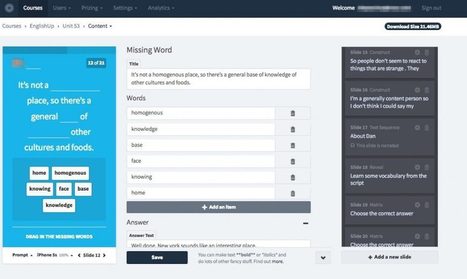
“ EDTECH4BEGINNERS presents… Create 6) ThingLink lets you add interactivity to an image with ease. Choose a picture and then mark hot-spots. When the hot-spot it is tapped, the video or text …”
Via Suvi Salo
Free resource of educational web tools, 21st century skills, tips and tutorials on how teachers and students integrate technology into education
Via John Evans, Timo Ilomäki
“Hello, photographers. For the last two months, I’ve been doing market research for my project Photolemur and looking for different tools in the area of photo enhancement and photo editing. I spent a lot of time searching, and came up with a large organized list of 104 photo editing tools and apps that you should know about.I believe all these services might be useful for some photographers, so I’ll share them here with you. And just to make it easier to find something specific, the list is numbered. Enjoy!”
Via Gumersindo Fernández, Wilmer Ramírez
New list of recently added or dramatically updated higher education apps are geared to both campus staff and students and allow for functionalities needed next year and beyond.higher-education-apps-2017From apps that manage finances and credit scores to those that find scholarships for all education levels, and from apps that better organize collaborative projects to those that allow for unprecedented organization of scholarly articles, late 2016 saw a boom in higher education apps with major potential for 2017.Used any of the apps listed? Have some suggestions of your own?
“ Google can be your best friend when it comes to searching for answers or information online. Millions of people use it every day, but only few can utilize Google to its full potential. In fact, this powerful search engine can offer lots of great services, apps and features that aren’t on many people’s radar. The Bright Side team will help you to uncover some of them. Here are 15 of the most useful Google apps that you probably didn’t know existed.”
Via John Evans
“ This presentation looks at the current trends in learning technology - competencies, personalization, and innovation. It casts them in a sceptical light, expla…”
Via Vladimir Kukharenko, juandoming
“ Remember though that finding the right tool is important, but how you structure and design interaction with the content is way more important. Taking classroom activities and materials and placing them on a web-based platform and expecting them to work is sure way to disappoint students. You need to think carefully about how the student will engage with the materials and how the materials relate to each other to ensure that your materials don’t just test the students’ knowledge and abilities, but that they guide and enable the student to hypothesise and make and confirm deductions in order to encourage deeper levels of autonomous learning.”
Via Nik Peachey
“ As we get ready for Hour of Code in just a few days on December 5-11, we are all looking for the best resources, activities and events to hook our students and get them interested in coding. Well, just look at what Disney has created for all of us to use with Hour of Code this year!”
Via John Evans
To get content containing either thought or leadership enter:
To get content containing both thought and leadership enter:
To get content containing the expression thought leadership enter:
You can enter several keywords and you can refine them whenever you want. Our suggestion engine uses more signals but entering a few keywords here will rapidly give you great content to curate.


 Your new post is loading...