Distance Learning, mLearning, Digital Education, Technology
16.5K views | +0 today
Distance Learning, mLearning, Digital Education, Technology
Your new post is loading...
Rescooped by Dennis Swender from Into the Driver's Seat
August 15, 2014 2:49 AM
Scoop.it!

Google Classroom Opens to All Apps for Education Users ~ The Next Web

Google Classroom Opens to All Apps for Education Users ~ The Next Web | Distance Learning, mLearning, Digital Education, Technology | Scoop.it

by Nick Summers


"After releasing a preview in May, Google is making its free Classroom tool available for anyone with aGoogle Apps for Education account.


"Classroom offers a single dashboard and unified system for Google’s other services, such as Docs, Drive and Gmail, so that teachers can easily deliver classroom materials and assignments with their students.


"Lecturers can create new classes and manually add students, or share a unique code so that relevant learners can add quickly add themselves. Likewise, assignments can be set up at any time from the Google Apps dashboard, with all the necessary information (assignment name and synopsis, deadline) and optional work materials linked from Drive, a webpage or YouTube video."


Via Jim Lerman
No comment yet.
Scooped by Dennis Swender
August 15, 2014 2:41 AM
Scoop.it!

The importance of eye tracking for effective website design (Infographic)

The importance of eye tracking for effective website design (Infographic) | Distance Learning, mLearning, Digital Education, Technology | Scoop.it
Earlier this year, I redesigned Social Media Slant. I made the decision after asking for constructive feedback from trusted friends and colleagues, as well as observing how visitors behaved on the ...
No comment yet.
Rescooped by Dennis Swender from Educational Technology News
August 15, 2014 2:31 AM
Scoop.it!

A 3-Level Approach to Creating Stronger eLearning Courses

A 3-Level Approach to Creating Stronger eLearning Courses | Distance Learning, mLearning, Digital Education, Technology | Scoop.it
The best way to achieve an emotional design in eLearning is by paying attention to the three cognitive levels,— visceral, behavioral, and reflective.

Via EDTECH@UTRGV
No comment yet.
Rescooped by Dennis Swender from Tools for Teachers & Learners
August 15, 2014 2:26 AM
Scoop.it!

Fly Video Editor

Fly Video Editor | Distance Learning, mLearning, Digital Education, Technology | Scoop.it

Fly is unlike any video editor you've ever seen. It's dead simple. And it's FAST.
Works best on iPhone 5 and above.
- Import from your Camera Roll, or record right in the app
- Craft videos up to five minutes long
- Add dissolve transitions, split screen & picture-in-picture
- Add music and voiceover
- Trim and rearrange clips
- Make multi-angle videos with multiple devices


Via Nik Peachey
Nik Peachey's curator insight, August 11, 2014 7:08 AM

This looks like a very useful free video editing app for the iPhone. There are some in-app prchase packs available too.

Rescooped by Dennis Swender from Tools for Teachers & Learners
August 15, 2014 2:25 AM
Scoop.it!

Readymag

Readymag | Distance Learning, mLearning, Digital Education, Technology | Scoop.it

readymag was founded in 2012 starting with the simple idea that everyone can be a publisher. Finding inspiration in the beauty of printing and functionalist design philosophy, we started to rethink digital interfaces to build the most elegant, powerful and easy-to-use online publishing tool. At Readymag, we’re passionate about thoughtful design and truly believe that better tools empower people to self-express and inspire to create a better content.


Via Nik Peachey
Lento Mar De Ana's comment, August 12, 2014 12:40 AM
Totally agree with you. My first thinking was "my students can work it as project".
ManufacturingStories's curator insight, August 12, 2014 5:59 PM

add your insight...


Luís Cálix's curator insight, August 13, 2014 3:36 PM

Mesmo a versão gratuita  de Readymag permite a criação de produtos com um aspeto muito moderno e elegante. Os portefólios e  as apresentações podem ajudar muito o trabalho dos alunos e com os alunos.

Rescooped by Dennis Swender from Educational Technology News
August 7, 2014 1:30 PM
Scoop.it!

Opinion: Tablets Are a Fad — They’ll Largely Disappear in 2–3 Years

Opinion: Tablets Are a Fad — They’ll Largely Disappear in 2–3 Years | Distance Learning, mLearning, Digital Education, Technology | Scoop.it
The iPad came out of the Apple chute in 2010 like gangbusters, setting all kinds of sales records. Schools picked up on the iPad too. But the tablet is a fad, we argue; it will pass away in short order (two to three years) because it is neither a mobile device nor a work device – and folks (and schools, we should hope) want those two types of devices!

Via EDTECH@UTRGV
Ulrike Grabe's curator insight, August 6, 2014 5:57 AM

"the implications for K-12 schools ... if our prediction about the tablets’ demise is right ... or wrong?

Possible Responses:

Schools and districts are rolling out iPads from kindergarten to grade 5, one grade per year. If we are right, then there may well be precious few tablets for those 4th and 5th graders!  It doesn’t matter whether we are right or wrong: schools are going BYOD — Bring Your Own Device, and thus it is students — and their parents — that will determine what devices are brought into the classroom.  It doesn’t matter whether we are right or wrong: Schools will come to see that, at least for K-5 or even K-8, smartphones — not tablets - are the appropriate learning tool. (Wheeling in the laptop cart when a long writing project is assigned.) One can always hope!"
gideonwilliams's curator insight, August 11, 2014 11:52 AM

The resulting comments are as equally revealing as the article itself.

Rescooped by Dennis Swender from Educational Technology News
August 7, 2014 1:24 PM
Scoop.it!

How Educators Around The World Are Implementing Mobile Learning (And What You Can Learn From Them)

How Educators Around The World Are Implementing Mobile Learning (And What You Can Learn From Them) | Distance Learning, mLearning, Digital Education, Technology | Scoop.it
In less than a decade, mobile technology has spread to the furthest corners of the planet. Of the estimated 7 billion people on Earth, 6 billion now have

Via EDTECH@UTRGV
No comment yet.
Rescooped by Dennis Swender from Educational Technology News
August 7, 2014 1:20 PM
Scoop.it!

Infographic: The Right Ways to Be a 21st Century Educator

Infographic: The Right Ways to Be a 21st Century Educator | Distance Learning, mLearning, Digital Education, Technology | Scoop.it
Check out this infographic to know what it takes to be the 21st century educator.

Via EDTECH@UTRGV
Eenariina Hämäläinen's curator insight, August 7, 2014 3:58 AM

Paljon on tehtävää, mutta tässä hyvä tsemppauslista lukuvuden alkuun :)

Scooped by Dennis Swender
August 2, 2014 12:07 PM
Scoop.it!

6 Kinds of Twitter Social Media Network Structures

6 Kinds of Twitter Social Media Network Structures | Distance Learning, mLearning, Digital Education, Technology | Scoop.it
No comment yet.
Rescooped by Dennis Swender from Into the Driver's Seat
July 21, 2014 10:59 AM
Scoop.it!

New Google Drive: Shared Becomes Incoming ~ Teacher Tech

New Google Drive: Shared Becomes Incoming ~ Teacher Tech | Distance Learning, mLearning, Digital Education, Technology | Scoop.it

by Alice Keeler


"There are a few changes in the new Google Drive. When someone shares a document with you there is no longer a “Shared with Me” option on the left hand side. Now it is named “Incoming.”


Via Jim Lerman
No comment yet.
Rescooped by Dennis Swender from Digital Presentations in Education
July 20, 2014 11:58 PM
Scoop.it!

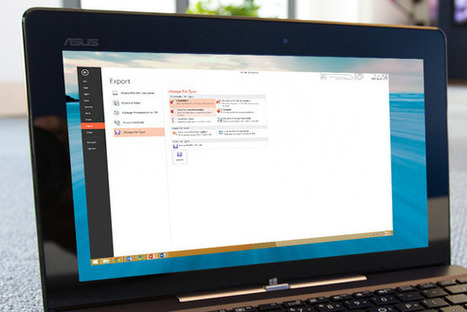
PowerPoint pro tips: Exporting to other formats

PowerPoint pro tips: Exporting to other formats | Distance Learning, mLearning, Digital Education, Technology | Scoop.it
It's a multi-platform world. Learn how the versatile Export tool can make your presentation readable on any kind of device.

Via Baiba Svenca
Baiba Svenca's curator insight, July 20, 2014 9:10 AM

Learn how to use PowerPoint 2013 Export tool to convert your presentations to other formats like PDF, video, RTF or Word documents.

Rescooped by Dennis Swender from Learning & Technology News
July 4, 2014 7:21 AM
Scoop.it!

Ebooks v paper - FT.com

Ebooks v paper - FT.com | Distance Learning, mLearning, Digital Education, Technology | Scoop.it

Yet research has already told us a lot about how we read now. First and foremost, it emphasises that even using paper, there are many different approaches. Most of us probably have a settled style: you might be a skimmer, a skipper, a front-to-back completist, a keeper of the pristine page or an obsessive writer of marginalia. Whatever the case, our habits have probably been created largely as combination of childhood experience and how the medium we read in is nudging us.


Via Nik Peachey
Nataliasterns's curator insight, July 3, 2014 3:20 PM

lectura papel vs tablet

Mirta Liliana Filgueira's curator insight, July 5, 2014 5:15 PM

Ebooks versus papel.

Debra Evans's curator insight, July 10, 2014 6:28 PM

Definitely worth reading this article. I have heard many teachers proclaim that reading a "book" is more beneficial than an ereader, etc. I have not necessarily bekieved what they say, but the evidence is just not there yet, however it is beginning to come and my own anecdotal evidence seems to resonate with what is being stated here. 

Rescooped by Dennis Swender from Educational Technology News
July 4, 2014 7:18 AM
Scoop.it!

7 Characteristics of A Digitally Competent Teacher

7 Characteristics of A Digitally Competent Teacher | Distance Learning, mLearning, Digital Education, Technology | Scoop.it
What does being a ‘digitally competent’ teacher mean? Does it mean using laptops, smartphones, or tablets in your classroom? Does it mean finding new and interesting ways to use those devices along with apps and web tools?  What level of expertise with technology constitutes ‘competent’? Or does the concept encompass more than that? Do things …

Via EDTECH@UTRGV
No comment yet.
Rescooped by Dennis Swender from iPads in Education Daily
August 15, 2014 2:45 AM
Scoop.it!

Using iMovie to introduce new topics - Teaching and Learning nuts and bolts

Using iMovie to introduce new topics - Teaching and Learning nuts and bolts | Distance Learning, mLearning, Digital Education, Technology | Scoop.it
So after years of always being asked “what are we doing next sir?” and “what is that?”  I thought it would be a good idea...

Via Jon Samuelson
No comment yet.
Scooped by Dennis Swender
August 15, 2014 2:41 AM
Scoop.it!

A 7-Step Typography Lesson for First-time eLearning Developers

A 7-Step Typography Lesson for First-time eLearning Developers | Distance Learning, mLearning, Digital Education, Technology | Scoop.it

Here is a 7-step guide to making your eLearning course more effective—with typography in mind.

No comment yet.
Rescooped by Dennis Swender from Tools for Teachers & Learners
August 15, 2014 2:27 AM
Scoop.it!

Movenote for getting presentations online

Movenote for getting presentations online | Distance Learning, mLearning, Digital Education, Technology | Scoop.it

Movenote is available on any browser and can be accessed with your Google account. Create video presentations quickly with your webcam and share them worldwide.


Via Nik Peachey
Nik Peachey's curator insight, August 1, 2014 4:07 AM

This looks like a really simple to use tool for recording presentations and getting them online.

Rosemary Tyrrell, Ed.D.'s curator insight, August 1, 2014 11:41 AM

A way to do video presentations for gmail. Looks fairly simple. 

Miguel Paul Trijaud Calderón's curator insight, August 4, 2014 6:41 AM

Movenote - Record and send your elearning lesson through your Gmail inbox. 

Rescooped by Dennis Swender from Tools for Teachers & Learners
August 15, 2014 2:26 AM
Scoop.it!

For Education - start.me

For Education - start.me | Distance Learning, mLearning, Digital Education, Technology | Scoop.it

All your websites and online resources in one place. Great for teachers, students and parents.


Via Nik Peachey
Nik Peachey's curator insight, August 11, 2014 8:18 AM

This looks like a useful tool for setting up RSS feeds and gathering all your information in one place. Looks similar to Netbibes and PageFlakes.

Sayed Saber Ali's curator insight, August 14, 2014 2:47 AM

Wonderful Tool.

Reading became easy now.

Rescooped by Dennis Swender from Tools for Teachers & Learners
August 15, 2014 2:24 AM
Scoop.it!

Slidebean for online presentations

Slidebean for online presentations | Distance Learning, mLearning, Digital Education, Technology | Scoop.it

Slidebean has been built to take the pain off making presentations. The process of converting your idea into a keynote should be efficient and straightforward, and that is our main focus.


Via Nik Peachey
Dirk Mast's curator insight, August 15, 2014 7:22 AM

PowerPoint can get really boring. Great to have alternatives!

John Rudkin's curator insight, August 16, 2014 4:10 AM

FREE! I'm not 100% making it easier is important, but looks neat all the same....and you can concentrate on the message.

Aguilar Dominique's curator insight, January 24, 2015 6:20 AM

Un outil pour faciliter l'expression et la formalisation des savoir-faire

Rescooped by Dennis Swender from iPads, MakerEd and More in Education
August 7, 2014 1:27 PM
Scoop.it!

Why Some Schools Are Selling All Their iPads - The Atlantic

Why Some Schools Are Selling All Their iPads - The Atlantic | Distance Learning, mLearning, Digital Education, Technology | Scoop.it
Four years after Apple introduced its popular tablet, many districts are switching to laptops.

Via John Evans
No comment yet.
Scooped by Dennis Swender
August 7, 2014 1:21 PM
Scoop.it!

Social Media Ads Cheat Sheet: Image Sizes for Facebook, Twitter, Instagram & More [INFOGRAPHIC] - AllTwitter

Social Media Ads Cheat Sheet: Image Sizes for Facebook, Twitter, Instagram & More [INFOGRAPHIC] - AllTwitter | Distance Learning, mLearning, Digital Education, Technology | Scoop.it
Social Media Ads Cheat Sheet: Image Sizes for Facebook, Twitter, Instagram & More [INFOGRAPHIC]
No comment yet.
Rescooped by Dennis Swender from Digital Presentations in Education
August 7, 2014 12:09 PM
Scoop.it!

DraftPlus app for creating presentations

DraftPlus app for creating presentations | Distance Learning, mLearning, Digital Education, Technology | Scoop.it

Create a slideshow in no time.
Prepare pages to be shared and discussed with colleagues.
Work in parallel with others (even from distance), make the most of sharing functionalities.

Paste text or graphics from the web or other documents to enrich your content.
Unleash your creativity with tables and graphs and provide guidelines for drafting the final version!


Via Baiba Svenca
Baiba Svenca's curator insight, August 7, 2014 12:54 AM

DraftPlus is a free new app for creating slideshows, presentations or visual stories that include images, text, graphs, and can be exported as PDF documents.

Works on iPad and smartphones.

Rescooped by Dennis Swender from Into the Driver's Seat
July 21, 2014 11:00 AM
Scoop.it!

New Google Drive: Setting Your Upload Options ~ Teacher Tech

New Google Drive: Setting Your Upload Options ~ Teacher Tech | Distance Learning, mLearning, Digital Education, Technology | Scoop.it

by Alice Keeler


"In the new Google Drive it is more obvious how you can upload files. Click on “New’ and choose “File upload.” Alternatively, you can simply drag the files right into Google Drive if you are using Google Chrome."


Via Jim Lerman
No comment yet.
Rescooped by Dennis Swender from Into the Driver's Seat
July 21, 2014 10:56 AM
Scoop.it!

10 Things Every Teacher Should Know How To Do With Google Docs - Edudemic

10 Things Every Teacher Should Know How To Do With Google Docs - Edudemic | Distance Learning, mLearning, Digital Education, Technology | Scoop.it

by Jennifer Carey


"Google Docs is a powerful word processing tool that many schools have adopted. As it’s similar to Microsoft Word and other word processing tools, most of its features are intuitive to use. However, in addition to completing many of the functions of a traditional word processor, Google Docs provides even more capabilities that can be invaluable to educators. Here are ten tricks that can make your life easier with Google Docs:"


Via Jim Lerman
No comment yet.
Rescooped by Dennis Swender from Digital Presentations in Education
July 20, 2014 11:57 PM
Scoop.it!

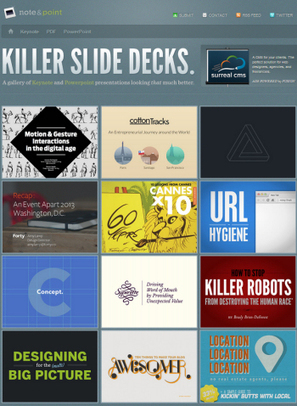
5 Cool PowerPoint Slide Design Tools

5 Cool PowerPoint Slide Design Tools | Distance Learning, mLearning, Digital Education, Technology | Scoop.it
Tired of the same-old presentations? These five free tools can help you add visual oomph to your PowerPoint slides.
Via Baiba Svenca
Cynthia Day's curator insight, July 30, 2014 2:47 PM

pp

Athena Catedral's curator insight, August 6, 2014 3:52 AM

Because a good idea will go to waste if you can't present it right. 

becool's curator insight, August 21, 2014 7:51 AM
Voor wie nog graag ppt presentaties maakt, kan dit een manier zijn om er meer variatie in te integreren. Leve Prezi :)
Rescooped by Dennis Swender from Social network.Linkedin.Google+
July 4, 2014 7:18 AM
Scoop.it!

Don't Let Your LinkedIn Profile Read Like a Resume

Don't Let Your LinkedIn Profile Read Like a Resume | Distance Learning, mLearning, Digital Education, Technology | Scoop.it
This is going to sound strange coming from an ex-recruiter but don’t let your LinkedIn profile read like a résumé. Many people think LinkedIn is site to showcase your resume and search for job opportunities, but it’s a lot more. It’s

Via Jan Vajda
No comment yet.