


Rapidly changing technology continues to make its mark on K-12 learning. The recently-released New Media Consortium Horizon Report details six up-and-coming technologies in the next five years for K-1...

 Your new post is loading...
 Scoop.it! Rapidly changing technology continues to make its mark on K-12 learning. The recently-released New Media Consortium Horizon Report details six up-and-coming technologies in the next five years for K-1... No comment yet.
Sign up to comment
Scoop.it!

"An annual report from the Babson Survey Research Group has shown that while the number of students enrolling in online courses continues to increase, it is growing at the slowest rate in almost a decade." Via EDTECH@UTRGV
Scoop.it!

We’re hard at work improving Daily Genius and our newest product DashEDU. In case you’re new to the community, Daily Genius is a place where professionals can learn something new every day. DashEDU just launched and is a ‘dashboard for education’ where you can easily submit links to interesting stories, products, events, jobs, etc. It’s all updated in real-time and runs like an app (because it’s built on an app framework actually!). Via John Evans 
Jamie Ruppert's curator insight,
February 11, 2015 11:06 AM
A crowdsourced list of 10 top education apps worth trying.
Scoop.it!

Augmented reality apps allow you to create your own interactive print documents that combine the ease of a worksheet with the engagement of digital age tools and multimedia. And it’s easy to do! Via Nik Peachey 
Nik Peachey's curator insight,
February 12, 2015 6:36 AM
Love the use of AR to make paper worksheets more interactive. 
Ruby Rennie Panter's curator insight,
March 5, 2015 10:17 AM
This looks like a great fun way to encourage learners to read information, process it, and apply it to the task. Nice!
Scoop.it!

Creating tutorials and explanatory guides is best done through the help of screenshots. These are pictures we take of our screens to share with others or include in a visual demonstration of how, for example, a process works. As teachers and educators we often find ourselves in need of such visual annotations and cues to enhance our students comprehensibility. There are several web tools that we can use to create screenshots and we have already reviewed some of them in past publications here. Today, we are introducing you to what we consider to be the best 4 web tools for creating screenshots. Besides being free, these tools are very simple to use and are also student friendly. They will allow you to capture your screen, crop and annotate your pictures using arrows, colours, shapes, text and many more. Via John Evans 
Mayra.Loves.Books's curator insight,
January 31, 2015 11:48 AM
Four apps for annotating screenshots are discussed here. I like Snagit, where it is possible to save annotated screenshots to one's Google drive. 
flea palmer's curator insight,
February 3, 2015 5:38 AM
These all look good - much easier than using a combination of tools! Remember copyright though! 
Luís Cálix's curator insight,
February 22, 2015 10:57 AM
Para capturas sobre páginas web (além de edição e anotações sobre as capturas) a extensão Fireshot (browsers Chrome e Firefox) é, para já, imbatível.
Scoop.it!

Imagine a world where resources were limited to what was found in the classroom or the school closet known as the "Curriculum Materials Room." Picture a world where students wrote letters with pen and paper to communicate with other students and adults outside of the building. Due to postage costs, the teacher either sent the letters in bulk or paid for stamps out of his or her own pocket. Can you recall a time when student interests like skateboarding or video were never used as part of learning curriculum because the tools needed were either too expensive or not yet conceptualized? Do you remember a time when non-traditional learners struggled, and absenteeism meant a high likelihood of students doing poorly in school, and possibly having to retake the course? Via John Evans 
Anita Vance's curator insight,
January 29, 2015 2:26 PM
Tools to add to your maker spaces or share with your research groups as they design their presentations.... 
CTD Institute's curator insight,
January 29, 2015 3:31 PM
Great list of 50+ websites and blogs and apps that can be woven into content to provide opportunities for differentiated instruction.
CTD Institute's curator insight,
February 2, 2015 4:31 PM
Included in the 50+ are 7 sites for ePortfolio creation and development (LiveBinder, Pathbrite, Portfolium, DoYouBuzz, FlavorsMe, Shown'd and OPResume; all things Google, and blogs.
Scoop.it!
Don’t fret, we’ve all been there: You’re up late the night before Thursday and you have to teach a lesson at 8 AM the next day. So, what do you do? Throw some text on a PowerPoint and get ready to talk through your points. Couldn’t hurt, right? You might not always read straight off of the slides--they’ll just help keep your lecture on track, and if you lose your place, the text is right there for you. Via John Evans
Scoop.it!

In this month’s best of YouTube cull, sink your senses into videos exploring multimedia learning, hybrid learning, and the potential of flipped learning. Consider the realities of the #edtech ‘revolution’ and get inspired by the transformational power of technology … Via John Evans
Scoop.it!
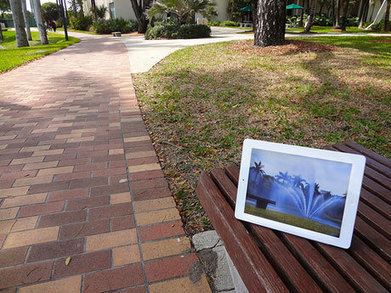
""The intuitive mind is a sacred gift, the rational mind is a faithful servant. We have created a society that honors the servant and has forgotten the gift." - Albert Einstein
We do not need to teach creativity, but rather inspire its daily practice. Somewhere along the way, we simply forgot to honor this innate gift and how to access its power. Our role as educators is to encourage learning experiences that increase the ability to recognize and listen to our inner voice."
Via John Evans 
Ruth Ersapah's curator insight,
February 7, 2015 6:24 AM
Useful ideas for using apps for creativity. 
Debbie Rogers's curator insight,
February 7, 2015 10:01 AM
consider "teaching is what someone does to you - learning is what you do to yourself" the power of facilitating creative perspectives!
Scoop.it!

Looking for tools and strategies for effective assessment in project-based learning? To support you, we've assembled this guide to helpful resources from Edutopia and beyond.
Scoop.it!

After your profile picture, your headline is the first thing people look at on your LinkedIn profile. It’s the text right under your name, which by default LinkedIn populates with your current job title and employer. Most people leave it like that (I was guilty of this until recently). But, Via Jan Vajda 
donhornsby's curator insight,
January 13, 2015 1:06 PM
(From the article): So, think about what headline approach feels most like you and go from there. Whatever your do, don’t just leave your LinkedIn headline in default mode – take a moment and think about what your “so what?” is. Why should candidates work with you? 
Jacques Tang's curator insight,
January 16, 2015 4:36 AM
Profil Linkedin Une reflexion sur votre profil Linkedin qui pourrait rendre votre présence différente sur le réseau. Le plus un ebook Linkedin
Scoop.it!

Perhaps you’ve seen this comic make its rounds on the internet [artist unknown]. Via Jim Lerman
Scoop.it!

With a growing number of users, especially on the mobile front, marketers and brands that want to survive the shift will have to throw all old-fashioned tactics away as soon as possible and instead start paying attention to online chatter. |
Scoop.it!

Naming a blog is a very important step before launch. So, no corner should be cut. Before launching Social Media Slant, I did a lot of research and spent hours discussing feedback with trusted peers and some readers of my other blogs. It truly helped. There are other steps involved, of course. They are all laid out in this excellent article by George Meszaros. Here is a short list: - All the good names are not taken - Focus on your goals - Expired domains could prove very useful - Be creative My favorite quote from the article: "There are tons of awesome names waiting for you to grab them. So don’t let everyone tell you otherwise." Read the post at http://madlemmings.com/2015/02/04/blog-name-ideas-how-to/ ------------------------ Cendrine Marrouat
Scoop.it!

We are excited to announce that App Ed Review is undergoing some big changes! Via John Evans
Scoop.it!

"As more organizations turn to online instruction to train their employees and customers, more administrators and other leaders are finding themselves in the position of having to create a lot of content. These leaders must turn their presentations, lectures, on-the-job training and years of experience into self-contained lessons that not only contain a great deal of institutional knowledge, but also convey it effectively. This task may seem intimidating and overwhelming. There are, however, a few tips that can simplify the process." Via EDTECH@UTRGV 
Drora Arussy's curator insight,
February 12, 2015 7:47 AM
Good basic advice. Again, good teaching practice as applied to e-learning. 
Tina Jameson's curator insight,
February 12, 2015 5:23 PM
While aimed at business - the advise given here (Feb 11, 2015 | Posted by Henson Gawliu Jr. ) can easily be applied to creating eLearning content for schools - simply guidelines broken down as follows: 1.Take advantage of the medium. 2. Keep it uncluttered. 3. Reinforce frequently. 4. Seek out experts. 5. Keep your goals in mind. 6. Put yourself in the students shoes.
Scoop.it!

It doesn’t take a lot of digging to find free media online, but more often than not, although these assets may be free to view and often download, copyright and licensing rules can put some pretty heavy restrictions on using them. This is where sites like the Public Domain Project can be of huge value, providing easy and searchable access to media files that are completely free of all known copyright restrictions. And that’s about as free as free gets on the modern web. Via John Evans
Scoop.it!

A few months ago Educational Technology and Mobile Learning posted a detailed guide on how Teachers can Use Blogging in Education. We are glad this post has received a wide interaction from... Via Jon Samuelson, John Evans 
SLS Guernsey's curator insight,
January 23, 2015 3:43 AM
Blogging is a really important tool to help with literacy skills. Give it a try. 
Denis Lundie's curator insight,
January 23, 2015 7:18 AM
Writing for the web, in all forms, is an essential communication skill. All languages should teach the techniques and rules that apply to writing for the web.
Scoop.it!
YouTube is definitely one of the best platforms for searching and accessing educational video resources. We have already covered several ways teachers can leverage the power of this platform in instruction. In fact, the strength of YouTube is not only in it being a resource of educational videos but is also a powerful tool for creating and editing videos. Several teachers still overlook some excellent editing features and creative possibilities that YouTube provides. For instance, you can use YouTube editor to create beautiful slideshows and presentations to share in class, or create use it to create a Hangout and invite students to take part. These and several other hacks are all available right in your YouTube account and if you need help discovering YouTube's hidden gems, this section is a good place to start with. Via John Evans
Scoop.it!

I’m a firm believer in the notion that opinionated kids are the most important resources for argument writing, so when it comes to coaching this form in classrooms, early conversations are often about inciting passion and letting kids talk about what matters…..to them. Via John Evans
Scoop.it!

After the post I shared here on how to create flipped videos via the use of annotations and other interactivity features on YouTube, I received a couple of emails from fellow teachers asking about certain functionalities on YouTube. Instead of answering each one individually, I decided to create this post and include in it the major important things a teacher should be able to do on YouTube. Via John Evans
Scoop.it!

Here is a big categorized list of YouTube channels that provide quality educational videos regularly. Via Dean Mantz, Carla Arena, Jim Lerman 
Dean Mantz's curator insight,
December 8, 2014 12:21 PM
One of my roles is to serve as the Network Coordinator and help facilitate the Internet filtering. Well, educators are awesome at finding value in tools that others may see as "entertainment". In this case, YouTube does provide a wealth of education resources and this list just touches on a few. Thanks to EdTechReview for compiling this list. Those of you reading my share please add any additional channels that are beneficial to educators in their comments feed.
Scoop.it!

Acclaim facilitates constructive, educational discussions and feedback around video content. Via Baiba Svenca
flea palmer's curator insight,
February 3, 2015 5:03 AM
This looks interesting but it would be useful to have a bit more information about it and a demo of how it works. I like the 'blackboard' style used in the video! 
Melinda Forest's curator insight,
April 2, 2015 2:12 PM
Keep an eye out for the Acclaim 2.0 new release this Fall 2015!
Scoop.it!

Looking for some extra engagement on your Google+ posts? Well, this post will help get your content flying!
donhornsby's curator insight,
February 2, 2015 7:46 AM
Google Plus is not just like other social media platforms. This is a helpful post in providing information on how to use it effectively. 
Bart van Maanen's curator insight,
February 3, 2015 5:05 AM
Google+ blijft een mooi platform om goeie info te delen. Deze infographic toont de elementen voor een aantrekkelijk bericht om te delen.
Scoop.it!

Google started as a search engine, but now it's one of the biggest collectors of data in the world. Whether it's your personal details, shopping habits, or even where you travel, Google has a lot of ways of keeping track of it. This infographic scratches the surface of Google's data collection systems. Via John Evans 
Jacqui Sharp's curator insight,
February 2, 2015 6:54 PM
Makes you aware of how much information is collected by Google about you. |






