Your new post is loading...

|
Scooped by
Thomas Kalhauge
February 27, 2013 5:32 AM
|
Wireless charging has been around for a several years now, but it’s never really been that good. Until now, that is. The Nokia Lumia 920 and Lumia 820 (with the aid of the recharging shell) are the first Nokia smartphones to support this new feature, making charging your phone even easier than before.
All you have to do is place your phone onto a Nokia Wireless Charging Plate, Nokia Wireless Charging Pillow by Fatboy, Nokia Wireless Charging Stand, or even the JBL PowerUp Wireless Charging Speaker for Nokia to begin the charging process. It’s as simple as that. But what is wireless charging? It’s a rather simplistic question, but we should probably answer it just to make sure that everybody knows. Wireless charging is a method of transmitting energy through the air to an electrical device for the purpose of charging it. Basically, in relation to smartphones, this means that your phone will be charged without having to plug the wire into your phone. While this all sounds very simple as far as us consumers are concerned, it’s actually a very technical process. The diagram below shows the basic principles of inductive power transmission. A transmitter coil is positioned at the bottom (L1) and the receiver coil (L2) is situated at the top and these coils are embedded into different electrical devices. L1 would be the Nokia Wireless Charging Plate and L2 would be the Nokia Lumia 920, for example. An alternating current in the transmitter coil generates a magnetic field, which induces a voltage in the receiver coil. This voltage is then used to charge up the device. Nokia has adopted the Qi (pronounced chi) standard in their wireless charging devices. Qi was created by the Wireless Power Consortium and is used by over 100 different companies around the world, and is the only globally adopted interface. Plus, because it’s used globally, you’ll be able to charge up wirelessly in different places around the world. Nokia already has partnerships with Coffee Bean and Tea Leaf and Virgin Atlantic that will allow users of Nokia’s upcoming Nokia Lumia 920 and Lumia 820 to charge up using table-top wireless charging stations. When you’re at home (or at work), though, there are several wireless charging devices that we’ve already mentioned above. These all provide the same function of charging your phone wirelessly, but they are designed for people with different needs. The Nokia Wireless Charging Plate is designed to be the standard, but attractive, charging option, while the Nokia Wireless Charging Pillow by Fatboy is designed for people who like to stand out from the crowd while wanting something a little quirkier. The Nokia Wireless Charging Stand is great for people that want to charge their phone and still use their phone to video calls, or to run certain apps for example. Then there’s the JBL PowerUp Wireless Charging Speaker for Nokia that stops your phone from running empty when listening to your favourite tunes. Whatever wireless charging device suits you, you only need to place your phone on the device in order to charge it. Nokia has worked hard to make wireless charging easier to use than other manufacturers of wireless charging devices. Nokia has increased the active charging area to over 80 per cent on the wireless charging plate, meaning you should just be able to put the phone down to charge and not worry about it being ‘spot on’. All of the wireless charging gadgets will be available at the time of launch of the Nokia Lumia 920 and Lumia 820 from either the retailer you buy the phone from, or from all good online
|
|
Scooped by
Thomas Kalhauge
February 27, 2013 3:00 AM
|
At the MWC 2013 keynote, Nokia announced that its location services on the current WP8 Lumia (and non-Nokia WP8) devices will be rebranded to HERE. In new Nokia fashion, the update is already rolli...
|
|
Scooped by
Thomas Kalhauge
February 27, 2013 2:57 AM
|
Stephen Elop released that the Windows Phone store has reached 130,00 apps. It's good to occasionally get these numbers, even if it is just to reassure devs and users that Windows Phone is a viable...
|
|
Scooped by
Thomas Kalhauge
February 27, 2013 2:54 AM
|
As we heard today the WP8 mapping and navigation apps were being rebranded from Nokia Maps etc. to HERE. Well the update has hit the stores and you can now get HERE maps on your own phone; of cours...
|
|
Scooped by
Thomas Kalhauge
February 22, 2013 3:40 AM
|
Nothing puts a smile on our faces like an update and today’s winner is Skype… for Windows 8. Yeah we’d like to see a little more effort from the Skype team with the Windows Phone version, but it’s great to see Windows 8 get some love too. What’s new you ask? Read on and find out. Skype for Windows 8 gets bumped to 1.5.0.109 and brings with it some welcomed features. Nothing ground breaking or earth shattering, but it’s bringing parity to the features Skype users have been accustomed to for some time. Like The ability to send and receive filesPerformance improvementsGeneral fixes Performance improvements and general fixes are things you won’t really notice consciously while using the app, but finally being able to send and receive files is great. If you’re running Skype on an RT device like the Surface RT, the inability to do that probably drove you mad. No more! You can download or update Skype for Windows 8 by grabbing it in the Windows Store.
|
|
Scooped by
Thomas Kalhauge
February 21, 2013 5:46 AM
|
If you have a Microsoft Surface with Windows RT, scanning photos and documents is a piece of cake. You can do it via Windows RT or the scanner manufacturer's app.
|
|
Scooped by
Thomas Kalhauge
February 10, 2013 6:53 PM
|
Jack of Tools Pro is to your Windows Phone 8 device much like a Swiss Army Knife is to pocket knifes... a lot of tools rolled into one package. Jack of Tools Pro is a collection of ten tools for your Windows Phone that range from a flashlight app to a decibel meter. The app is simply laid out with a series of tiles that launch each tool and that can be pinned to your Start Screen for easy access. If you're looking for a nice collection of utility oriented apps for your Windows Phone 8 device wrapped up in one package, Jack of Tools Pro is worth a look. The main page for Jack of Tools Pro is a series of tiles that adhere to your Windows Phone theme color. Each tile launches a tool, sends you to the app's settings or deals with developer information/feedback. Each tool tile can be pinned to your Start Screen by tapping/holding to pull up the menu option. The tools included with Jack of Tools Pro are: ...
|
|
Scooped by
Thomas Kalhauge
February 10, 2013 6:51 PM
|
Windows: If you need to share your computer's internet connection with the wi-fi only devices in your house—say, if you don't have a wi-fi router—Virtual Router Plus will turn your computer into a wi-fi hotspot.
|
|
Scooped by
Thomas Kalhauge
February 9, 2013 9:33 AM
|
Spotify was one of the biggest looses when switch from Windows Phone 7 to Windows Phone 8 happened, but now Spotify is finally here for Windows Phone 8. Spotify 2.0 is in beta, whatever that exactly means. Working fine on my end at least.
|
|
Scooped by
Thomas Kalhauge
February 5, 2013 1:32 AM
|
How difficult can it be for a complete novice with no programming experience to create an app? In the last couple of weeks I have spoken to a Computer Science student and a university lecturer who teaches software development. In their own ways, both of them seemed to imply that developing for Windows Phone was extremely accessible and fairly easy to get to grips with. In fact, every developer I’ve interviewed for Conversations have all made the observation that creating for Windows Phone is relatively ‘straight forward.’ It’s time to put that theory to the test. TouchDevelop (free) Obviously, I am not going to create an app from scratch. If that were the case then this post would be either very short (”Sorry, I can’t do it”) or very, very, very long (“Let’s start with the basics of coding and go step by step from there…”). Instead I am going to use a nifty little app from Microsoft called TouchDevelop. TouchDevelop boasts that by simply tapping on the screen you can create simple programmes, apps and games. There are tutorial videos and you can search for commands, or say what you want to achieve, and the app will write the code for you. It sounds too good to be true and yet TouchDevelop’s reviews are also pretty encouraging: “Fantastic, all the complex bits hidden away.” “This is really cool. It’s so easy just to make scripts to do everyday tasks, just on a whim! This really needs to be publicised more, hell why not just package it with the phone?” “Major step forward in programming history.” Take the Tour Feeling just a little bit scared, the first thing I did after installing TouchDevelop was to take the tutorial. The tour was very quick, the onscreen instructions are easy to follow and within a couple of minutes I had completed the task of creating a small script that played a random song whenever I shook my Lumia! The tutorial is no guarantee that you’ll soon be making millions from your own apps but it does give you a flavour of how TouchDevelop works. At each stage of the tutorial you’re selecting from simple options on the screen and there is never any coding or programming involved. Getting started To make the most of TouchDevelop, you’ll need to sign in with a Windows Live ID, Facebook or Google account. This will let you look at, download and share scripts. I spent a fair amount of time looking around to see what other people had done with TouchDevelop. You do this by swiping through the New, Top, Featured and Tags screens. There was a tremendous amount of variety and some of the programs were very slick indeed – many were apps that I could well imagine downloading from the Windows Phone Store. Others are more akin to nifty little features that you may want to incorporate into a larger app. Think of the whole thing as a toolkit for you to choose and pick from. If there’s something you like, you can download it and examine its inner workings. I found this a useful way of seeing how things had been done or created. Making scripts Tap the + button at the bottom and the first thing you’ll need to do when creating a script is give it a name. On the next screen you’ll see the options with which you can start building your script. It looks daunting when you first read through it but after playing around with it for a little while, it’ll make more sense. I found that the easiest place to start was with ‘events’ – this is an action that starts, such as playing music or displaying a picture, when you do something to your phone, such as shaking it or putting it face down. Tap the + sign to the right of events and you’ll be presented with a list of the different actions that can trigger an event. Tap the action you require and next you’ll see a blank screen with some words at the top. For example, if you selected ‘phone face down’ you’ll see this: As you can see, the current action is that when the phone faces down, the script will do nothing. Tap on the words, “event phone face down” to bring up more options and select edit. The next screen is where the fun really starts. A series of boxes will appear with different options. Selecting one option will bring up more boxes until you drill right down into executing an action. If you select through the boxes: Media > Songs > Random > Playand then use the Back button to save your work – whenever you run this script and your phone is facing down (remember this is the event you selected right at the beginning) then your Lumia will play a random song. After playing around and familiarising myself with TouchDevelop for an hour or so, I felt confident enough to build on top of this basic script by creating a couple of other events where they could all work together. Phone face down to start playing a random songShake the phone to play another random songEach time a new song starts display a different random picture There is much, much more to be explored in TouchDevelop and, to be honest, I would still struggle to make anything that resembles a proper app!
|
|
Scooped by
Thomas Kalhauge
February 1, 2013 3:19 AM
|
The problem with adding a microSD card to the Surface RT, is that it doesn’t allow you to add it to Windows Libraries and use with built-in apps. Here's how to make it work seamlessly.
|
|
Scooped by
Thomas Kalhauge
February 1, 2013 3:05 AM
|
As we mentioned Windows Phone 7.8 has begun rolling out to all users across the globe; while updating it turns out there was another update that I somehow missed which was a “Nokia software u...
|
|
Scooped by
Thomas Kalhauge
February 1, 2013 3:05 AM
|
KnowYourMobile take a first look at the entry level Nokia Lumia 620, which we just heard is coming to O2-UK at just £149.99 (other networks too but no price yet). Apparently, the 620 feels ridiculo...
|
|
|
Scooped by
Thomas Kalhauge
February 27, 2013 3:02 AM
|
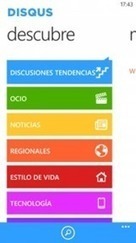
WindowsPhoneApps.es reports that DiSQUS, the website commenting people, are in the process of developing a Windows Phone app. The app is currently in beta, and the site have posted some screen shots. They report that it allows one to use almost all the functions of DISQUS, and was fast with a beautiful design and smoothly running. For moderators the app will allow moderation, and those websites can be pinned to the start screen. The app will feature a live tile and will be available for Windows Phone 7.x and 8. No release date is available yet, but it sounds like it will be quite a handy app when it is released. See more screen shots at WindowsPhoneApps.es here.
|
|
Scooped by
Thomas Kalhauge
February 27, 2013 2:57 AM
|
The final (if I haven't forgotten anything) product/service announced by Nokia at today's MWC keynote, was a car holder with Wireless Charging and NFC. Like the Wireless Charging Stand, the NFC is ...
|
|
Scooped by
Thomas Kalhauge
February 27, 2013 2:56 AM
|
Here's a quick rundown comparison between the Lumia 720, 620 and 520- in terms of internals they're all identical except for the cameras and screen material (not resolution). http://www.youtube.com...
|
|
Scooped by
Thomas Kalhauge
February 27, 2013 2:53 AM
|
Quick heads up on Play to for WP8. Share photos, videos and music from Nokia #Lumia WP8 smartphones to DLNA devices over WiFi. Play To for WP8 With Play To you can share your photos, videos and music from your Nokia Lumia WP8 phone to your DLNA-capable devices over your WLAN network. This could be that new big screen TV you have or maybe just your Windows laptop and/or desktop or XBox. Play To makes sharing easy. This is the first release for Nokia Lumia WP8 devices. In terms of functionality, it has the same functionality as the Play To application for WP7 based Lumia devices. Your feedback needed We want to get this great app out in the Store for all Nokia customers to enjoy, but we want to make sure they have a great experience. Your feedback will make that happen. We’d like your help in verifying interoperability with different devices and network configurations. We also appreciate feature suggestions you may have. Requirements Play To application will require following firmware or greater in order to work: Nokia Lumia 920 – PR1.1 (1232.5951.1249.0001)Nokia Lumia 820 – PR1.1 (1232.5951.1249.0001)Nokia Lumia 822 – PR1.1Nokia Lumia 810 – PR1.1Nokia Lumia 620 – Any firmware https://betalabs.nokia.com/trials/play-to-for-wp8 via @markdurrant
|
|
Scooped by
Thomas Kalhauge
February 21, 2013 5:47 AM
|
The metro-interface in Windows 8 displays a totally new look for its Control Panel. Accessing the traditional Control Panel you're accustomed to is easy.
|
|
Scooped by
Thomas Kalhauge
February 21, 2013 5:33 AM
|
To take a screenshot on the Surface RT hold the Windows and Volume down button. You can also use the built-in Snipping Tool, but it has lacks the ability to email shots in RT.
|
|
Scooped by
Thomas Kalhauge
February 10, 2013 6:52 PM
|
Free Mobile a dopé le domaine de la téléphonie mobile et a surtout été bénéfique pour... Le Good Morning Business a eu l’opportunité d’interroger le président de l’Arcep, Jean Ludovic Silicani. Ce dernier est assez content de la tendance qui s’est dessinée au cours de l’année 2012. Avant la venue de ce 4e opérateur, il y avait un réel problème dans le secteur notamment au niveau des prix. Les sociétés réalisaient des bénéfices très importants, mais l’argent ne retournait pas du côté des consommateurs « mais un peu à l’investissement, et surtout aux dividendes ». À cause de cette situation, les prix appliqués en France étaient il y a 4 ans supérieurs à la moyenne européenne. Le président explique dans cette interview que les marges étaient très importantes il y a 3 ans « les opérateurs avaient en moyenne des marges brutes d’exploitation de 34% à 35% ». Free a été bénéfique Le président de l’Arcep indique également que « c’est un taux similaire à celui des opérateurs mobiles américains, mais très supérieur à la moyenne de l’économie ». Face à cette situation, le partage de la valeur entre les consommateurs, les salariés et les actionnaires devaient être revus. Free Mobile faisait donc partie de cette stratégie qui a été très bénéfique. L’arrivée de ce 4e opérateur dans le paysage de la téléphonie mobile a permis de redonner aux consommateurs, 2 milliards d’euros de pouvoir d’achat sur une année. Le président constate que cette tendance positive a également créé un réel tsunami dans le domaine puisque les marges « des autres opérateurs baissent », de plus les revenus sont également plus faibles avec un recul de 10%. Les tarifs vont augmenter ? L’Arcep souhaite également donner le choix aux consommateurs qui sont libres de migrer vers un autre opérateur s’ils le souhaitent. Actuellement, le marché est dans une phase complexe, car la croissance est quasi nulle, mais l’arrivée de la 4G pourrait redonner un coup de fouet à ce marché. Cela aurait l’opportunité de créer un rebond au niveau de la croissance et les tarifs pourraient de nouveau augmenter « car on ne peut pas avoir des prix qui baissent durablement ».
Article original : http://www.begeek.fr/free-mobile-a-donne-2-milliards-de-de-pouvoir-dachat-selon-larcep-82740#ixzz2KXkvFwfK
|
|
Scooped by
Thomas Kalhauge
February 10, 2013 3:42 AM
|
Blue isn't just the codename of the next version of Windows. It also is the codename for updates to Windows Phone, Windows Server and Windows Services, I'm hearing. As we've known for a few months, the Windows client team at Microsoft is working on its first "feature-pack" update for Windows 8, supposedly due this summer/fall, which is codenamed "Blue."
But it turns out Blue isn't a Windows thing only, according to one very accurate tipster of mine who doesn't want to be identified.
Blue also is the way Microsoft is referring to the next substantial platform update for Windows Phone, the Windows Services (like SkyDrive, Hotmail, etc.), and Windows Server, according to my source. In other words, Blue is a wave of product refreshes which are not expected to arrive exactly all on the same day, but which are meant to be released more or less around the same time. Before these various Blues come to market, there will continue to be minor fixes, firmware updates and new features added to Windows 8, Windows RT, Windows Services and Windows Phone. On the phone side of the house, for example, the first minor update, codenamed Portico, already has made its way out to a number of Windows Phone users. Blue represents a major change in how Microsoft builds, deploys and markets software and services. To date, many Microsoft teams like Windows, Windows Live and Windows Server have been focused on delivering major platform updates every two to three years. The challenge is to get them to pivot around yearly platform updates, the first of which will hit as part of the Blue wave. On the Windows side, the changes required to make this happen will be especially far reaching and pronounced. Instead of RTMing a new version of Windows once every three or so years, and then hoping/praying OEMs can get the final bits tested and preloaded on new hardware a few months later, Microsoft is going to try to push Blue out to users far more quickly, possibly via the Windows Store, my contact said. There's still no word on specific new features coming to any of the Blue wave of products and services. But tweaks to the user experience, new dev-platform related bits, as well as new versions of Internet Explorer, Mail, Calendar, Bing and other integrated apps are likely to figure into the Blue picture, my source said. Blue will include some kernel and driver-level updates which could help with battery life and overall performance, according to my source, but backward compatibility with Windows 8 and Windows Phone 8 seem to be a priority. I know there are still some Blue doubters out there, but Charon at Ma-Config.com found a recent mention of Blue in a member of the Windows team's LinkedIn profile:
Windows 9 is still seemingly on the roadmap, too, by the way, but it's not clear when Microsoft intends to deliver it. Charon also found a LinkedIn poster mentioning his work on Windows 9 recently:
For the time being, as executives like Windows Chief Financial Officer Tami Reller have said repeatedly, Microsoft envisions Windows 8 as something more than a one-season wonder. (Reller has said Microsoft considers Windows 8 a product "of multiple selling seasons.") That makes more sense if you think about Blue -- and Lilac and Fuchsia or whatever Blue's successors are codenamed -- as updates to Windows 8, rather than as Windows 9, 10, and beyond.
I very, very seldom post a single-sourced rumor. But go ahead and Tracour this Blue update. I'm feeling pretty solid on this one.
|
|
Scooped by
Thomas Kalhauge
February 5, 2013 10:50 AM
|
Très attendue, la Livebox Play montre ses muscles : plus rapide, plus design et mieux équipée, elle se met au niveau de la concurrence. En attendant sa sortie le 7 février, nous l’avons testée en avant-première.
|
|
Scooped by
Thomas Kalhauge
February 2, 2013 2:16 PM
|
Why Windows Phone 8 is strictly mediocre and why Microsoft should be worried. I have been on Windows Phone for nearly 2 years now. I still have my 2010 WP7 HTC Mozart. What brought me to this shiny new ecosystem was the UI – simple and fluid – it was clearly distinct and I made the switch from iOS and never looked back. However, I am starting to look more closely at more than one ecosystem now because WP8 isn’t even half as good as I’d expected it to be. Before you read this further – I want you to keep in mind that I am someone who uses this device at a level different from your average smartphone user so they probably don’t care about most of the annoyances. Personally, I have seen people who just need Facebook and WhatsApp and they are done with their smartphone decision. Yep, that wouldn’t be me - as a “hardcore” smartphone users – I need all the new apps, new features, timely updates, good support and the list goes on. If we rewind the whole Windows Phone story to the early days, as someone who has been part of all updates from minor to major – I wanna take you through my experiences. Pre NoDo era was mostly fun and as far as I remember only Microsoft employees and handful of hardcore MS fanboys and Metro lovers actually bought the device. It was incredibly low on features (in fact it didn’t even have copy and paste and boy it was a hard decision justifying the update) but everyone was excited about a new operating system and then we had the NoDo update of course and the world moved on. What I think was the critical success point in whatever you make out of the Windows Phone 7 story was how Microsoft did the Mango update. Mango was why Windows Phone 7 caught the attention of the globe. It was absolutely a major update and that was the point where I knew this ecosystem will be here to stay. Everything was perfect – you had incredible Mango apps in work, SDK was ready and the best part? Developers got early access to the brand new Operating system and dev evangelism touched it’s peak, as we all know, post Mango. Then of course, we had Tango and then finally Windows Phone 8 announcement. Windows Phone 8 announcement was incredibly exciting since we knew how the current OS experience was restricted by hardware and hardware by the kernel so WP8 was the right thing to do. However, expectations were high since Google and Apple were iterating very quickly and Microsoft had a huge task of kernel shift and new SDK and a lot of incredibly important things. WP8 launch was pretty bad from developer point of view, only few developers actually got the SDK before launch and we had a lot of broken promises (like the so called “enthusiast program”). I am going to illustrate a few problems I have with the current version of Windows Phone 8 and right below and remember this coming up from someone who has used WP consistently and extensively for nearly 2 years: Lack of Notification Center: I remember during Mango release, I was constantly on twitter chatting with MS devs and asking them for a notification center and they gave the standard reply that you will still get if you ask the Redmond folks “Live tile IS the notification center – you get all the updates and information / notification on your homescreen”. Fair enough but am I supposed to sit blankly at the screen every second of the day or wait 30 minutes for a tile to be updated or better yet wait for a push notification to come and decide to pick between a sip of coffee or clicking on the notification before it goes to a never to be discovered black hole? The answer is simple: Get us a notification center immediately. This is 2013 and the supposed no.3 mobile ecosystem doesn’t have a notification center boggles me and there are reports suggesting that Microsoft is working on one so hopefully we’ll see it soon. What is intriguing to me is how Microsoft will bring notification center into the UX. Right now, w/o the notification center – just like wp7 – I am not paying for push notification applications and my WhatsApp and Facebook application is sorta useless when I get a lot of notifications so it’s kinda pointless at this moment. What about apps on pinned on screen? What about notifications for those apps? Yeah, no two thoughts on need of Notification Center hopefully.Me Tile: Me Tile was probably last updated when Windows 95 was released. Not really but I don’t even understand why there’s this amazing utility is sitting on my homescreen that I use all the time isn’t being updated to it’s full potential. I am a heavy twitter user and there’s no auto “Reply to all” for tweets (this should be by default btw and would be done in matter of minutes but who cares, right?) which means I have to go to a twitter client and do it. This destroys the purpose of the Me tile twitter integration mechanism. Another thing that I would love is auto complete and of course, a favorite button on the application which is probably the least time consuming task and if you think it doesn’t matter – then let me tell you, it’s the small things that matter and this statement will become even more important when Google and Apple release their new OS this year. There’s no escape but to make both large level and small level changes. Second problem with Me tile is the lack of friend tagging during check in. So basic but not implemented. I have to open the Facebook app for it which is great but then again – half baked and mostly useless. I know Me tile is for glancing at notifications but it should do more than just that. It has incredible potential, it’s fast and I would love to see MS upgrade it in next version.The upgrade:- So I upgraded from Windows Phone 7 to Windows Phone 8 last week and the upgrade was pretty good as expected but there was one critical problem : my installed apps. Just like every other OS all your app purchases and installed apps are linked to your account so when you switch devices you can fetch your applications and use on your new device – as simple as that. Windows Phone does that too but with a little twist that made me give up using this feature. WP8 doesn’t allow you (still) to download and install all the applications at once so instead you have to go to every single one of them and click on the download button on the website. Extremely frustrating and I didn’t bother with it after some time. This needs to be fixed.The elusive search button: Okay, this is where my fellow rabid MS and WP fanboys are going to rip me apart but let me be honest about it. Bing sucks. It’s decent for media queries but it’s just bad when compared to Google results. Microsoft should offer a choice to bind search key to a search engine of user’s choice. I know it’s a bad Bing business decision but I am confident it will be a great decision from consumer point of view and consequently for WP. Search button could be a bit more useful, it’s a big darn button on your phone, right? I know some of you have been asking for it since ages but a lot of people apparently like Bing so giving users an option shouldn’t be a bad thing. Search button can also be used for universal search (long press search button for universal search?) which is another BIG feature missing from Windows Phone 8.Lack of volume profiles: Lack of independent tone selection for stuff like calls, messages and Bluetooth headsets and lack of volume/sound profiles just boggles my mind. I remember using them in good old Symbian phones but I don’t understand what’s stopping Microsoft from doing it. The fact that we don’t have custom tone options for contacts is just infuriating. This reminds me of one thing that annoys me everyday – I have vibrate ON in settings along with a ringtone most of the time, now when I am in a class or at a meeting – I need to make it silent and WP8 offers a silent mode but it still has vibration and now you need to switch vibrate off and switch it ON again when you need it. Minor annoyance I know but sometimes you need a bit of peace of mind.The pseudo Windows 8 - Windows Phone 8 relationship: When WP8 was coming out, we were excited about all the amazing possibilities of synchronization among the two platforms. Now that both platforms are out and available for months – I think W8 has done an incredible job at gestures and WP8 has done nothing to improve WP7 gestures. I love the app closing gesture on W8 and would love to see it on WP8 but most importantly, what I’d like Microsoft to do is to implement the app switching gesture on Windows 8 to WP8 (left to right swipe from edge to switch between apps) – this is very cool and incredible easy to do (Ubuntu OS even has it!). A Charms bar would be a hard to do WP8 considering screen size but app switching and closing gesture would make the experience consistent and it would be refreshing for the consumers. What’s also funny is that t...
|
|
Scooped by
Thomas Kalhauge
February 1, 2013 3:08 AM
|
Kids Corner is a great addition in Windows Phone 8, for those of us who might have kids at least; or maybe not? Nokia conversations posted an interesting article about alternate uses for Kids Corne...
|
|
Scooped by
Thomas Kalhauge
February 1, 2013 3:05 AM
|
The biggest hit to Microsoft and Windows Phone lately has been Google dropping support for Exchange ActiveSync, the whole base of Microsoft’s awesome social integration with your Google accou...
|