Microsoft's big push for developers to ready their desktop and tablet Windows 8 applications continues to go on as sources reveal that the Windows Store is now up to just under 13,000 apps. According to a tweet from apps tracker WinAppUpdate, the Windows Store now stands at 12,895 applications, with the figure suggesting that 2,895 of these have been added in the last eight days. This comes despite Microsoft publicly claiming that the Windows Store has more apps at launch than any other app store, and would seem to reinforce the view that the firm has a way to go before achieving its target of having 100,000 new apps in the store by the end of January.
Microsoft is reportedly building its own “Xbox Surface” gaming tablet, which could give the company a true mobile gaming strategy.
Microsoft officials declined to comment, but the rumored 7-inch tablet could incorporate a custom ARM processor as well as “high-bandwidth RAM suitable for gaming tasks,” The Verge reported on Tuesday. In June, the site published what it believed to be the specs of the device, which included 288MB of RLDRAM 2 and a screen resolution of 1280 x 720.
Microsoft is also reportedly considering a Surface phone, according to the rival BGR site.
If the reports are true, an “Xbox Surface” tablet would give Microsoft something of a head-to-head competitor to the Sony PlayStation Vita and the Nintendo 3DS. Technically, Microsoft already has a mobile gaming platfrom: Windows Phone, which is moving into Windows Phone 8. Games like Dragon’s Blade and Dungeon Stalker take advantage of Windows Phone 7 (and 8), providing the platform with entertainment for Windows Phone users to enjoy on the subway or an airplane. But the quality of the games pales to what Microsoft’s game console, the Xbox 360, offers; gaming sites like PocketGamer usually give short shrift to Microsoft’s phone games.
Mobile Gaming On The Rise
Statistically, the rise of mobile gaming clearly justifies a Microsoft foray into the market. In September, analyst group NPD (which provides reports ranking the various game consoles and games by unit sales) said that the number of “mobile gamers” climbed 9% from a year ago, to a total of 23% of the 211.5 million U.S. gamers, or a total of 46.53 million mobile gamers. Since the number of total gamers actually decreased 5%, that means that mobile gamers are growing both in absolute numbers as well as a percentage of the whole.
What NPD doesn’t do - publicly, at least - is break out the numbers for each console. However, a recent report from the Associated Press does a nice snapshot of how console makers are faring. Microsoft, for example,...
Download the latest Nokia Maps from Windows Phone Marketplace for your Lumia Windows Phone 8: http://bit.ly/PPFNLx
Maps just got better than ever. Take a closer look at Nokia Maps for Nokia Lumia on Windows Phone 8.
Discover new places to try or just locate what you are looking for at a glance.
Get to where you are going with the help of turn-by-turn navigation made for walking or driving and smart routing for public transport.
Nokia Maps can do all this in true offline mode, so you have the ability to download cities or even entire countries to your phone and enjoy blazingly fast and reliable maps completely offline.
New venue maps let you find everything from stores to restrooms to ATMs indoors in places like shopping malls, airports and transport stations.
...In Short The Nokia Lumia 920 is the best Windows Phone handset yet. There, we said it. Yes, it's heftier than the HTC Windows Phone 8X, but Nokia has trumped HTC by including its own app suite. The company has done its best to work around the lack of apps available in the Windows Store, giving the handset several of its own apps that bring a unique selling point to the Lumia 920.
Nokia has also crafted yet another gorgous looking handset. Yes, it's heavy, but if you can look past that this is a handset that will turn heads. The camera is one of the best we've ever used on a smartphone, with its low light imaging capabilities outdoing those found on any other handset available on the market. Of course, some users might find it daunting to switch to Microsoft's Windows Phone ecosystem, but if there is one handset that's worth trying it out on, it's got to be the Nokia Lumia 920. µ The Good Well-built handset, Nokia apps are great, fantastic camera, vibrant screen, wireless charging is easy. The Bad Some might find it too heavy. The Ugly Windows Phone 8 still suffers from a lack of applications. Bartender's Score 9/10
...The new app boasts an improved user interface and takes full advantage of the now built in maps platform to deliver something a little bit more special as it hits version 3.
All of Nokia’s location based apps were going to benefit from the new underlying improvements in Windows Phone 8’s mapping, so it’s no surprise to see that Nokia Transport gets some nice bumps in performance and usability. Most notable of which is when clicking on the route itself, jumping quickly and fluidly into the map overlaid with the step by step points of the journey.
...The overall experience above what we have seen with previous versions is clearly visible, the maps look great on the Lumia 920’s screen and they update much more smoothly now. With the older version I had problems with the map showing me nothing for a good deal of time before finally coming back to life. I’d still like Nokia to bring richer features to Transport, for instance I’d like to see live travel updates for UK tube and bus networks integrated into the app and perhaps built-in metro maps? What we have now is a very capable urban route planner and it’s a pleasure to use.
Very good to see Nokia continuing to tie up the loose ends with its excellent location based apps, for many including myself these constitute reason enough to choose Nokia. There remains much promise as to what can come next for all these products but we are getting closer to that goal of location based bliss at each update.
We’re always keen to hear from you, if you have something...
Tomorrow is Election Day here in the States where millions of voters will go to the polls to not only decide the outcome of local political races but also decide the outcome of our Presidential race. There are a handful of Windows Phone apps to help you keep track of Election results and help you find your way to the poll.
We've put together a small roundup of these apps that you may find useful in keeping track of how your favorite candidate is doing from your Windows Phone.
News Apps: There are several news apps available for your Windows Phone that will provide Election Day coverage. You have CNN, Fox News, USA Today, and Time Mobile all come to mind. These are all free apps over at the Windows Phone Store.
So this is surprising, and kind of dumb. Microsoft just put a final figure on the storage numbers for Windows RT: 16GB on the 32GB model, and 18GB on the 64GB model. That's even bigger than the already hefty 12GB estimates that had been around before.
That large of an imprint for an operating system on a tablet that's only packing 32GB is a pretty rough pill to swallow. Buying anything with digital storage is always going to be slightly misleading because of the firmware footprint, but even with iOS getting pretty large itself, it's still nowhere near 16GB. Let's hope Microsoft does some fat-trimming in upcoming updates. [Microsoft via Engadget via Verge]
With the release of Surface, Microsoft is taking a serious dive into the wide world of hardware production. But this isn't the first time Microsoft has gone down that road.
SEATTLE, WA--(Marketwire - Oct 25, 2012) - Ratio Interactive (www.ratiointeractive.com), a digital agency that works with clients to create meaningful experiences on multiple platforms, today announced the availability of more than 20 apps for...
Major Brand Partners Include Allrecipes.com Video Cookbook; Condé Nast Titles Including Vogue, Wired, Vanity Fair, The New Yorker, GQ and Self, Among Others; iCookbook; Naturespace; and Meredith Corporation's Parents Magazine SEATTLE, WA--(Marketwire - Oct 25, 2012) - Ratio Interactive (www.ratiointeractive.com), a digital agency that works with clients to create meaningful experiences on multiple platforms, today announced the availability of more than 20 apps for Windows 8 available in the Windows Store. Included in the launch are: Allrecipes.com Video Cookbook; Condé Nast, including Vogue, Wired, Vanity Fair, The New Yorker, GQ and Self, among other media brands; Naturespace; Meredith Corporation's Parents Magazine; and iCookbook. Starting with the launch of iCookbook as the digital agency's first app for Windows 8, Ratio designed and developed one of the first apps on the platform that were showcased and revered during Windows 8 Consumer Preview. With sustained momentum and progress from the iCookbook launch, Ratio created and designed a number of unique digital experiences for several essential apps in categories including travel, shopping, education, healthcare, media, productivity, and sports. Taking advantage of Ratio's extensive experience and success with mobile apps, Ratio teamed with Microsoft Corp. to write an iPad to Windows 8 case study that helped designers and developers worldwide reimagine and create their iOS app for Windows 8. Click here for the case study: http://msdn.microsoft.com/en-us/library/windows/apps/hh868262.aspx "Microsoft has won the hearts of designers worldwide by developing a design language that brings content forward, reduces chrome and uses solid colors with sharp edges and large thin fonts. They've made function beautiful. After several decades of mimicking real life objects and using visual metaphors, this is a welcome refresh," says Bart Claeys, creative director and designer of iCookbook, Ratio Interactive. "Aside from its minimalistic design, key features like Share and Search and split-screen for multi-tasking place Windows 8 ahead of the game as a mobile platform." "We've worked closely with the Windows 8 team over the past 12 months to create and design apps that are not only elegant, but functional and easy to navigate. We believe in the promise of what the platform has to offer and are extremely proud to be one of the first agencies working with Microsoft to deliver smart apps that change the way people interact with and use their Windows 8 devices," said Russ Whitman, chief strategy officer of Ratio Interactive. "Ratio has done a great job designing and building experiences that let content shine and take advantage of unique features in Windows 8," said John Richards, senior director of Windows App Marketing for Microsoft. "Design is a critical part of the app creation process and we're excited to have creative companies like Ratio growing their businesses on Windows." Check out the highlights below for a snapshot of the apps Ratio designed and developed for Windows 8 for release to the Windows Store: Allrecipes.com Video Cookbook: Allrecipes.com selected the most popular recipes...
For a while now one of my major issues with the Windows Phone syncing with Twitter was that uploaded images were sent to SkyDrive, meaning that they didn’t show up in the twitter feed as images, only as links. Well now twitter has tweaked it so that image links from skydrive appear as images in your twitter stream, rather than links redirecting you to SkyDrive.
Microsoft has greatly overhauled the emoticon system for Windows Phone 8. Now you can send hundreds of different smileys and symbols with just a touch. It even remembers your most frequently used
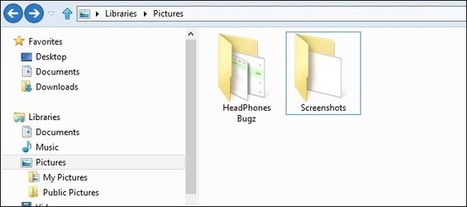
Today we are going to show you a nifty new shortcut built into Windows 8 that lets you capture everything that’s on your screen–this is the first time that Windows has really included a built-in way to capture screenshots....
Microsoft makes more than $300 on each Surface RT tablet it sells, showing that the company has adopted the business model of its rival, Apple, analysts said.
According to IHS iSuppli, which disassembled a 32GB Surface to estimate a "bill of materials" (BOM), Microsoft's component costs were $271, with another $13 to account for manufacturing. The total of $284, however, does not include other costs, such as research and development or marketing.
With the Surface RT's retail price of $599 -- iSuppli examined the model that comes with a Touch Cover, Microsoft's least-expensive keyboard-cum-cover -- the $315 difference represented a margin of almost 53%, higher than any of Apple's W-Fi equipped full-sized iPads.
"Microsoft can make money on the hardware alone," said Andrew Rassweiler, iSuppli's senior principal analyst for teardowns, in a Monday interview. "The numbers speak for themselves."
Microsoft has taken the same approach as Apple, which prices its hardware at a premium to generate profit on the devices themselves.
Other tablet makers, notably Google and Amazon, have taken a different tack, pricing their wares at or near cost, expecting to make money on software, other digital content, and services.
For example, Amazon's Kindle Fire HD, a 7-in. tablet that launched in September, is priced at $199, just $26 above its materials and manufacturing costs, iSuppli noted Monday. The Fire HD's margin, then, is a minuscule 13%.
Google's Nexus 7, which was just upgraded to 16GB for the entry-level configuration, carries a BOM and assembly cost of $167, giving the search giant only $32 in profit on the $199 list price. It's margin: a slightly-higher-than-Amazon 16%.
When Microsoft unveiled the Surface RT last June -- months before it disclosed prices -- many experts speculated that the company...
Last week, the Nokia Lumia 920 began appearing in stores, online and in people’s pockets in select countries. Already, we’re starting to see hands-on reviews coming in, so we thought we’d take a look at some of those. What have the tech news sites been saying about the Nokia Lumia 920? Let’s find out.
Engadget:
Mat Smith, from Engadget, was very thorough with his Nokia Lumia 920. He explored the hardware, the software the camera and everything else in between.
When comparing the camera on the Lumia 920 to other manufacturers, Mat said:
“We came in to these testing scenarios with exceedingly high expectations, and in the extremely low-light situations, where most phones fall flat on their face, the Lumia 920 indeed hit its stride. Yes, there was often some ISO noise to be seen and the results weren’t always spectacular, but the 920′s low-light shots were always the best of the bunch.”
And when it comes to taking videos and using the Optical Image Stabilization (OIS) feature:
“Walking with the phone introduces minimal stutter – especially compared to what we’re used to on other smartphones, while autofocus is able to latch on to points of interest quickly. You’ll make the prettiest video clips you’ve ever seen on smartphone”
The Next Web:
Matt Brian, from The Next Web, offers lots of insight into what you can expect when you buy the new Nokia Lumia 920. Matt reports:
“Microsoft has done a great job at making Windows Phone relevant again, updating its core offering to match and in some cases offer more than rival platforms from Apple and Google.”
And:
“Coming up against the HTC 8X, it’s close between the two, but the Nokia Lumia 920 edges out its HTC rival on imaging, ecosystem and its overall design.”
The Verge:
Over at The Verge, Dieter Bohn dissects the phone, looks at the design and makes some pretty bold statements – he calls this phone a “tank”:
“You know that guy who walks into the coffee shop and unapologetically slams down a gigantic, 17-inch monster of a laptop on the table, declaring “This thing is a beast, but I don’t care.” That’s the Lumia 920. It’s a muscle car. It’s a monster truck.”
But then he explains why this is the case:
“There are ostensibly good reasons for the Lumia 920′s weight and size: a large battery, 4.5-inch screen, wireless charging, and PureView camera hardware all take up plenty of space.”
ZDNet
Writing about his experiences with the Nokia Lumia 920, Matthew Miller from ZDNet also comments about how the phone feels in the hand:
“There is definitely heft to the Lumia 920; it feels like a rock solid device.”
And when talking about the Windows Phone 8 OS, Matt says:
“Windows Phone 8 has addressed several weaknesses in Windows Phone 7/7.5 and the Lumia 920 looks to set the bar for features, functions, and apps on this new platform.”
Nokia Lumia 920 and Lumia 820Our first Windows Phone 8 smartphones.Be a part of it.
Pocket-lint:
While exploring everything the Nokia Lumia 920 has to offer, Stuart Miles has this to say about the specific Nokia apps, such as Nokia Maps:
“If it’s not the core OS features, it’s the Nokia apps that will enhance your experience. It’s simple things like offline maps to save you time and money when it comes to data costs – here or abroad – the People Hub and its ability to manage your contacts really is fantastic, and much better than the mess that iPhone or Android offer”
And what about the camera?
“Stunning. That’s probably the best word to use when describing the Lumia 920′s PureView camera, especially when looking at low-light shots – something the Lumia 920 specialises in.”
Wired
When it comes to design, Alexandra Chang likes the design, and talks about the size:
“Nokia has delivered a heavyweight player (pun intended) to take on the other smartphones, Windows Phone or otherwise.”
But the size isn’t a big issue:
“But that’s one of the few drawbacks to the Lumia 920. Otherwise, it’s a stunning device with two killer features: An amazing display and an excellent camera. The 1280×768 pixel PureMotion HD+ display is one of the best I’ve seen.”
All Things Digital:
..
What comes to pricing, Bonnie Cha reports on the AT&T offer on the Nokia Lumia 920 saying:
“The Lumia 920 is an AT&T exclusive, and serves as Nokia’s flagship model. It features a 4.5-inch HD touchscreen and an 8.7-megapixel camera with advanced features such as an image stabilization system and technology to capture more light.
The smartphone’s battery can also be charged wirelessly, and to sweeten the deal, AT&T is throwing in a wireless charging plate for free, for a limited time.
With such features, I would have expected pricing for the Lumia 920 to start in the $200 range, but at $100 it’s quite the steal.”
Have you got your hands on a Nokia Lumia 920 yet? What do you think of it? Use the comments section below, to let us know.
Real people, the kind who don't read tech blogs and who buy PCs from shopping channels on basic cable, have finally got their hands on Windows 8. The early reviews will almost certainly surprise you.
As the new Nokia Lumia 920 and Nokia Lumia 820 start to appear on store shelves all around the world, you’ll all be eager to get your own, power it up and take your new shiny toy for a test drive. And we can’t blame you for that; we’d do the same. But before you do, make sure you update to the latest version of Nokia Maps to benefit from all the latest features. Nokia Maps is already installed on your new device, but why not take advantage of this newest, hot off the press version (v. 3.0)
Downloading is easy; there are actually three different ways to get the newest Nokia Maps
If the Windows Phone Store live tile is on your start screen, it will prompt you to update your current Nokia Maps version to the latest one. In the Nokia Collection of the Windows Phone Store you will find Nokia Maps at any time. If you are on your computer right now, you can click here and get Nokia Maps automatically delivered to your Nokia Lumia. When it comes to finding your way in the world, the reality is we all need a little help from time to time. And more often than not, the faster the better. That’s why this update to Nokia Maps adds the ability to store all your maps offline, giving you super-fast access to the world, in an instant. Of course, you can go online to get the latest info and reviews about places, but storing the maps offline means you’re not relying on an Internet connection to get you to where you’re going.
Turn-by-turn navigation is no longer just reserved for people who drive, you can now get precise guided instructions using the pedestrian navigation, too. Whether you’re walking down a street, cutting across parks or climbing public stairs, Nokia Maps will guide you in the right direct to ensure you get to your destination, without the need of an Internet connection.
If you prefer taking the train, you can get public transportation directions and if the need arises that you must hop on your car instead of walking, you can now start Nokia Drive right from within Nokia Maps. Just select the end destination, and then ’Car directions’. Press ’Start navigation with Nokia Drive’ to open Nokia Drive.
We also understand that often when you navigate somewhere, to a shopping centre, an airport or a stadium for example, your journey doesn’t end at the door. In fact, it continues way into the building, until you reach your desired store, departure gate or stand within the stadium. That’s why we’ve now included venue maps in this new version. While this doesn’t strictly navigate you indoors (yet), it does show you all the different locations within a building.
This additional feature extends the helping hand of Nokia Maps beyond the front of the building, and to your final destination.
For the venue maps, Nokia has mapped 18,000 unique buildings in over 40 countries around the world, with more being added all the time. These include shopping malls, retail stores, airports and transit hubs. In some of these locations, there can be multiple floors to browse. Nokia Maps knows where the escalators are in order to help you where you want to go, as well as shows you where the restrooms or ATMs are, if you need them. All with accurate guidance and routing.
So, don’t forget to update your current version of Nokia Maps in order to experience all these features.
Justin Angel, Principal Engineer for Windows Phone experience at Nokia, has released a new Bluetooth SDK for Windows Phone 8 that enables developers to take advantage of connectivity with MindWave portable EEG headsets. Said devices can pair with a Windows Phone to display readings in both data and chart form for users to look through.
Taking advantage of the possibilities in Microsoft's latest version of Windows Phone, Angel is able to provide a demo to show just what's possible for developers with platform development. Creativity really is the limit. Titled MetroEEG, Angel's kit will connect with a Mindwave Mobile Mini-EEG reader to display readings from the wearer's brain.
As one can see in the above video demonstration, attention and meditation gauges are also viewable, providing an interesting way for a Windows Phone to be utilised. The open source project is available over at CodeDuplex.
New browser speed tests reveal that the Microsoft Surface tablet is surprisingly slow at web browsing. ...
Independent benchmark tests by Futuremark have revealed that Microsoft's Surface tablet is surprisingly slow at web browsing.
When run through the Peacekeeper: Universal Browser Test, the Microsoft Surface speed test came out at just 348, almost third of the result from the new Apple iPad 4's score of 951.
The Surface also scored slower than the Apple iPad mini (515), Nexus 7 (489) and even last year's Apple iPhone 4S model (438). In fact, the Microsoft Surface only just beat the Eee Pad Transformer Prime (344).
Microsoft CEO Steve Ballmer recently told CNBC: "You can go through the products from all those guys… and none of them has a product that you can really use," Ballmer continued. "Not Apple. Not Google. Not Amazon. Nobody has a product that lets you work and play that can be your tablet and your PC. Not at any price point."
Apple's CEO Tim Cook retorted that Microsoft's Surface tablet is a "compromised" and "confusing" device.
For such a high-profile launch packing relatively modern technology, the results from the Surface must be disappointing to Microsoft. Fortunately the sluggish response may be due to Windows 8 software rather than the underlying technology, and Microsoft may be able improve the performance over time.
Now Microsoft is the visionary. With the Surface they are leading the industry out of a world of limited and limiting devices, and into a new world where the device becomes a useful, integrated component of our lives. ...
While working at Activision some 16 years ago, I negotiated with Microsoft to build out an Internet presence around our marque game title, Mech Warrior Three. Microsoft offered to build and host the site for free on MSN. I told them that we didn’t want to be trapped inside the walled garden of MSN, we wanted it out in the open, on the World Wide Web. Microsoft responded that to put it out on the web would cost $25,000 per month. For Microsoft, in those early Internet days, the dream of a captive customer base remained alive. Bill Gates had to shake up the entire company to cure it of that delusion. Now Microsoft is the visionary. With the Surface they are leading the industry out of a world of limited and limiting devices, and into a new world where the device becomes a useful, integrated component of our lives. Why am I so bullish, when the Surface failed to sell out and the reviews are so negative? First, here is some context. I run a boutique investment bank that sells software companies. Our clients expect us to stay on top of technology trends. Our staff, technology junkies all, are the earliest of early adopters, running the latest Android and Apple devices through their paces, then trading up to the newest shiny thing. Devices are so endemic that Exchange server, which initially limited to 10 the number of devices each user could connect and synchronize to, had to be reconfigured to raise the limit to 20. It was no surprise when the first Surfaces started popping up in the office on October 26th. We quickly realized, however, that this device is different. My view on the “bring your own device” movement is that the proliferation of devices has actually reduced productivity. Smart phones and tablets are great content consumption devices. People watch movies, check social status, listen to music, read a book. They also glance at email and then think to themselves, “Hmm. . . I better respond to that when I get to a desk.” Or “Hmm. . . . I will need to print that boarding pass when I get to a desk.” Or “Hmm. . . I should really get my vacation photos off the memory card in my phone. I will have to take care of that when I get to a desk, because there is no card slot or USB port on my tablet.” Or “Hmm. . . to respond to this message, I need to review a document that is on one of the file shares on the server, but I can’t access them from my tablet so I will have to take care...
The Reinstaller app for Nokia Lumia is a great way to reinstall apps from one Windows Phone to another – perfect if you’ve just purchased the new Nokia Lumia 920 or Nokia Lumia 820. We spent some time with the developer, Ashish Sahu, to find out more about the app. For anybody that’s used Reinstaller, you’ll realise that it’s a genius idea that makes moving to a new Windows Phone a doddle. How did Ashish come up with the idea?
He explains:
“I came up with the idea because my Windows Phone at the time (last year) stopped working. After I got it working again, my phone was fully reset, but clear of all my apps and data. I thought there must be a way to get it back without going through the process of searching the Windows Phone Store. After a little research I found that scraping the Windows Phone Store was possible, so I created an app that did exactly that.”
Mostly, Ashish has worked on this app alone, receiving support from colleagues to make sure he was heading in the right direction.
Written in C#, he tells us that anybody else who wants to create an app can do it. All you need is a good idea and the passion to make something.
However, there were some problems.
“Scrapping the app information from the windowsphone.com website wasn’t easy but the most difficult part to come up with was the flow of the app. I went to the whiteboard to think and decide the best experience I can provide to the users with the existing limitations.”
While Reinstaller is great for searching the Windows Phone Store for you, it does have some limitations. You still need to install the apps or games manually.
“The APIs that are currently available don’t permit that kind of automation. However, using the Web install links can perhaps make it easier than it is currently. I am planning to look at it soon.”...
After many months of waiting, Nokia's new Lumia 920 is here, hoping that you have kept a place in your heart for it in the wake of many other smartphone launches.
The Lumia 920 is ...
Conclusions
Microsoft has done a great job at making Windows Phone relevant again, updating its core offering to match and in some cases offer more than rival platforms from Apple and Google. That said, it’s lack of market share still means that developers are not eager to jump on board and develop for Windows Phone devices, making it difficult for iPhone and Android users to find the apps that they use on a daily basis.
Microsoft (and Nokia) have been doing all they can to incentivise developers to port their apps to Windows Phone, but it is still lacking the Instagrams and Flipboards of this world, as well as support from major credit and financial institutions. If you are making the jump from iOS or Android, Windows Phone is catching up but you will still find yourself aching for a particular app from your older device.
Taking into account all of Nokia’s hardware features, it’s hard not to recommend the Lumia 920 – the PureMotion HD+ display is fantastic, the PureView technology excels at its purpose and there’s no chance that Apple will be accusing Nokia of copying its designs any time soon.
Coming up against the HTC 8X, it’s close between the two, but the Nokia Lumia 920 edges out its HTC rival on imaging, ecosystem and its overall design.
However, it’s the Lumia 920′s considerable heft that will really surprise people when they first pick it up, and at times may nag at them when they compare the virtues of other devices. From my perspective, you’re not going to buy a case for the Lumia 920 as it feel considerably well built, and its weight adds to that.
The Lumia 920 isn’t small, nor is it light, but it is a complete joy to use. You will have to ask yourself some questions before you buy it, but if you want a smartphone that stands out on merit, the Lumia 920 certainly does that.
I mentioned before that I’m quite fond of my current phone, the Nokia Lumia 800 , running Windows 7.5 (Mango). I’m also massively looking forward to its soon-to-be-released Windows 8 cousins, the 820 and 920.
I thought I’d break down why it is that I like the Nokia Lumia 800 so much and perhaps dispel some of the common mythology out there about Windows Phone and its capability relative to its rivals, iPhone and Android, particularly around its app capability (or perceived lack thereof). At last count there are over 120,000 apps available for download from the Windows Marketplace. I’ll go through some of my favourites later on.
I won’t waste time explaining the physicals of the device (all the specs and details you might want are on the eMobile site), but I would just say that it’s a beautiful-looking device, subtly but distinctively designed, and at 3.7”, not too big, not too small (just). It’s a polycarbonate, uni-body design, so no battery flying across the room if you drop it, and with Gorilla Glass out front, it will survive (and has survived) a good hacking....
To get content containing either thought or leadership enter:
To get content containing both thought and leadership enter:
To get content containing the expression thought leadership enter:
You can enter several keywords and you can refine them whenever you want. Our suggestion engine uses more signals but entering a few keywords here will rapidly give you great content to curate.


 Your new post is loading...