Windows 8. + Windows Phone
75.4K views | +0 today
 
Scooped by Thomas Kalhauge
onto Windows 8. + Windows Phone
February 5, 2013 1:32 AM
Scoop.it!

Create your own Lumia apps with TouchDevelop

Create your own Lumia apps with TouchDevelop | Windows 8.  + Windows Phone | Scoop.it
How difficult can it be for a complete novice with no programming experience to create an app?  In the last couple of weeks I have spoken to a Computer Science student and a university lecturer who teaches software development.


In their own ways, both of them seemed to imply that developing for Windows Phone was extremely accessible and fairly easy to get to grips with.

In fact, every developer I’ve interviewed for Conversations have all made the observation that creating for Windows Phone is relatively ‘straight forward.’ 

It’s time to put that theory to the test.

TouchDevelop (free)

Obviously, I am not going to create an app from scratch.

If that were the case then this post would be either very short (”Sorry, I can’t do it”) or very, very, very long (“Let’s start with the basics of coding and go step by step from there…”).

Instead I am going to use a nifty little app from Microsoft called TouchDevelop.

TouchDevelop boasts that by simply tapping on the screen you can create simple programmes, apps and games.

There are tutorial videos and you can search for commands, or say what you want to achieve, and the app will write the code for you. 

It sounds too good to be true and yet TouchDevelop’s reviews are also pretty encouraging:

“Fantastic, all the complex bits hidden away.”

“This is really cool. It’s so easy just to make scripts to do everyday tasks, just on a whim! This really needs to be publicised more, hell why not just package it with the phone?”

“Major step forward in programming history.”

Take the Tour

Feeling just a little bit scared, the first thing I did after installing TouchDevelop was to take the tutorial.

The tour was very quick, the onscreen instructions are easy to follow and within a couple of minutes I had completed the task of creating a small script that played a random song whenever I shook my Lumia!

The tutorial is no guarantee that you’ll soon be making millions from your own apps but it does give you a flavour of how TouchDevelop works.

At each stage of the tutorial you’re selecting from simple options on the screen and there is never any coding or programming involved. 

Getting started

To make the most of TouchDevelop, you’ll need to sign in with a Windows Live ID, Facebook or Google account. This will let you look at, download and share scripts.

I spent a fair amount of time looking around to see what other people had done with TouchDevelop. You do this by swiping through the New, Top, Featured and Tags screens.

There was a tremendous amount of variety and some of the programs were very slick indeed – many were apps that I could well imagine downloading from the Windows Phone Store.

Others are more akin to nifty little features that you may want to incorporate into a larger app. Think of the whole thing as a toolkit for you to choose and pick from.

If there’s something you like, you can download it and examine its inner workings. I found this a useful way of seeing how things had been done or created.

Making scripts

Tap the + button at the bottom and the first thing you’ll need to do when creating a script is give it a name.

On the next screen you’ll see the options with which you can start building your script. It looks daunting when you first read through it but after playing around with it for a little while, it’ll make more sense.

I found that the easiest place to start was with ‘events’ – this is an action that starts, such as playing music or displaying a picture, when you do something to your phone, such as shaking it or putting it face down.

Tap the + sign to the right of events and you’ll be presented with a list of the different actions that can trigger an event.

Tap the action you require and next you’ll see a blank screen with some words at the top. 

For example, if you selected ‘phone face down’ you’ll see this:

As you can see, the current action is that when the phone faces down, the script will do nothing.

Tap on the words, “event phone face down” to bring up more options and select edit.

The next screen is where the fun really starts.

A series of boxes will appear with different options. Selecting one option will bring up more boxes until you drill right down into executing an action.

If you select through the boxes: Media > Songs > Random > Playand then use the Back button to save your work – whenever you run this script and your phone is facing down (remember this is the event you selected right at the beginning) then your Lumia will play a random song. 

After playing around and familiarising myself with TouchDevelop for an hour or so, I felt confident enough to build on top of this basic script by creating a couple of other events where they could all work together.

Phone face down to start playing a random songShake the phone to play another random songEach time a new song starts display a different random picture

There is much, much more to be explored in TouchDevelop and, to be honest, I would still struggle to make anything that resembles a proper app!

No comment yet.
Windows 8.  + Windows Phone
Your new post is loading...
Scooped by Thomas Kalhauge
November 8, 2014 7:24 PM
Scoop.it!

AT&T Lumia 830 Windows Phone, first impressions of the Affordable Flagship

AT&T Lumia 830 Windows Phone, first impressions of the Affordable Flagship | Windows 8.  + Windows Phone | Scoop.it
Without a lot of fanfare the AT&T Lumia 830 Windows Phone hit store shelves yesterday. Affectionately named the "affordable flagship", the 830 sports a 5" ClearBlack Screen protected by Corning's Gorilla Glass 3. Add the Quad Core Snapdragon processor, 1GB of Ram, 16GB storage with expansion card slot and the 10MP Pureview camera and the 830 isn't too shabby of a Windows Phone....

No comment yet.
Scooped by Thomas Kalhauge
November 8, 2014 7:21 PM
Scoop.it!

Microsoft Exec Talks Bigger Xbox One Hard Drives, More Couch Co-Op Games

Microsoft Exec Talks Bigger Xbox One Hard Drives, More Couch Co-Op Games | Windows 8.  + Windows Phone | Scoop.it
Phil Spencer says he understands the need for bigger hard drives and says industry needs more same-screen co-op games.
No comment yet.
Scooped by Thomas Kalhauge
November 8, 2014 7:15 PM
Scoop.it!

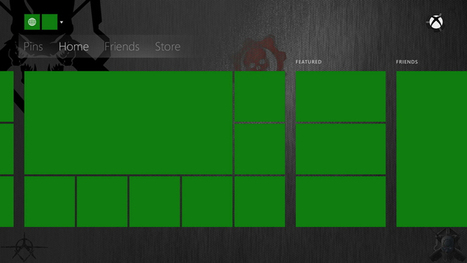
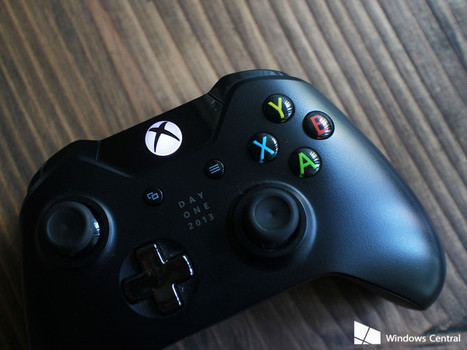
Major Xbox One update with custom backgrounds and Twitter support is here

Major Xbox One update with custom backgrounds and Twitter support is here | Windows 8.  + Windows Phone | Scoop.it
When you turn on your Xbox One this weekend, you might notice a few changes. Microsoft is rolling out one of the largest feature updates yet for its game console to all users starting this weekend....
No comment yet.
Scooped by Thomas Kalhauge
November 8, 2014 7:09 PM
Scoop.it!

HTC One M8 still tastes great in Windows flavor [REVIEW]

HTC One M8 still tastes great in Windows flavor [REVIEW] | Windows 8.  + Windows Phone | Scoop.it
The HTC One M8 for Windows is a strong contender for the best Windows Phone out there.
No comment yet.
Scooped by Thomas Kalhauge
November 8, 2014 3:12 PM
Scoop.it!

How well does the Nokia Lumia 735 handle high end games? (video)

How well does the Nokia Lumia 735 handle high end games? (video) | Windows 8.  + Windows Phone | Scoop.it
No comment yet.
Scooped by Thomas Kalhauge
November 8, 2014 2:29 PM
Scoop.it!

Windows Phone Store Collection: Hidden Object Games

Windows Phone Store Collection: Hidden Object Games | Windows 8.  + Windows Phone | Scoop.it
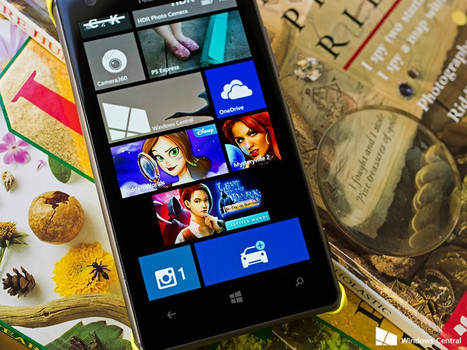
Windows Phone Game Roundup: Hidden Object Games For those not familiar, the Windows Phone Store has combed through the hundreds of thousands of apps and games to create a series of Collections to help users get started in the right direction. You have Collections for voice command apps, photo apps, Disney games, racing games and more. This week's Windows Central roundup is going to...
No comment yet.
Scooped by Thomas Kalhauge
November 8, 2014 12:49 PM
Scoop.it!

You Can Now Buy Xbox One For $200 From BestBuy

You Can Now Buy Xbox One For $200 From BestBuy | Windows 8.  + Windows Phone | Scoop.it
You can now receive $150 toward an Xbox One console when you trade in a working Xbox 360 250GB or Sony PS3 Slim console at a participating Best Buy store. The actual price of an Xbox One console is...
No comment yet.
Scooped by Thomas Kalhauge
November 8, 2014 12:43 PM
Scoop.it!

Grand Theft Auto V Features New First Person Experience And It’s The Biggest GTA Title To Date

Grand Theft Auto V Features New First Person Experience And It’s The Biggest GTA Title To Date | Windows 8.  + Windows Phone | Scoop.it
Rockstar games recently revealed that the new version of Grand Theft Auto V will include the all-new First Person Mode on Xbox One, PC and PS4 versions. This new mode gives players the chance to ex...
Scooped by Thomas Kalhauge
November 8, 2014 12:42 PM
Scoop.it!

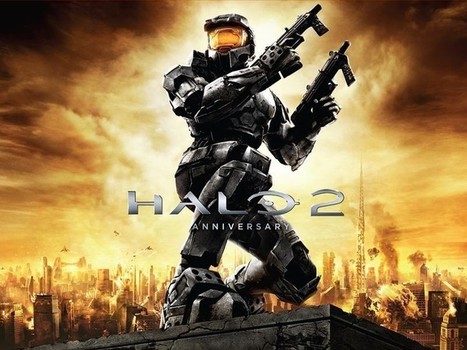
Halo 2: Anniversary will get a remastered soundtrack release next week

Halo 2: Anniversary will get a remastered soundtrack release next week | Windows 8.  + Windows Phone | Scoop.it
Microsoft will release a remastered version of the Halo 2 soundtrack on November 11, the same day that it will launch Halo: The Master Chief Collection for the Xbox One, which includes the graphically revamped game Halo 2: Anniversary. Microsoft states that Halo 2: Anniversary Original Soundtrack will be made available on CD, vinyl and digital download. In fact, you can pre-order the...
No comment yet.
Scooped by Thomas Kalhauge
November 8, 2014 9:31 AM
Scoop.it!

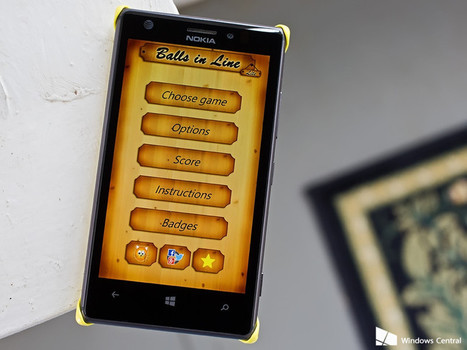
Balls in Line Lite, a casual Windows Phone puzzle game that's not half bad

Balls in Line Lite, a casual Windows Phone puzzle game that's not half bad | Windows 8.  + Windows Phone | Scoop.it
Balls in Line Lite is a Windows Phone game that is described as a remake of the classic game Color Lines that has been fine-tuned to meet today's gamers needs. I'm not exactly sure what "today's gamers needs" means but Balls in Line Lite seems to have more of a board game feel and slightly better graphics than it's predecessors . Available for low memory devices, Balls in Line Lite has...
No comment yet.
Scooped by Thomas Kalhauge
November 8, 2014 9:29 AM
Scoop.it!

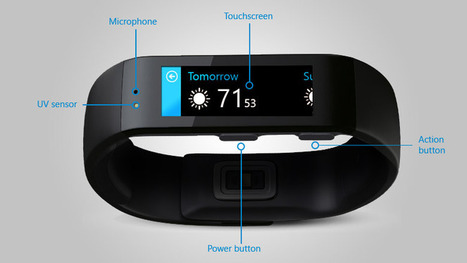
Understanding the Microsoft Band sensors » Pureinfotech

Understanding the Microsoft Band sensors » Pureinfotech | Windows 8.  + Windows Phone | Scoop.it
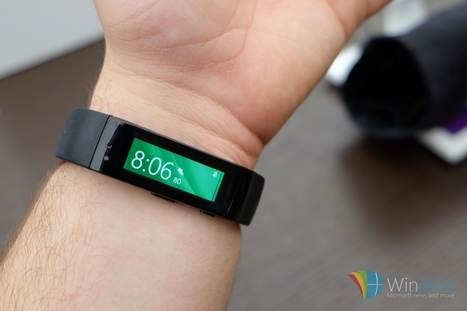
With ten sensors the Microsoft Band is the devices that offer the most measurements and here you'll find all the information about each sensor.
No comment yet.
Scooped by Thomas Kalhauge
November 8, 2014 8:42 AM
Scoop.it!

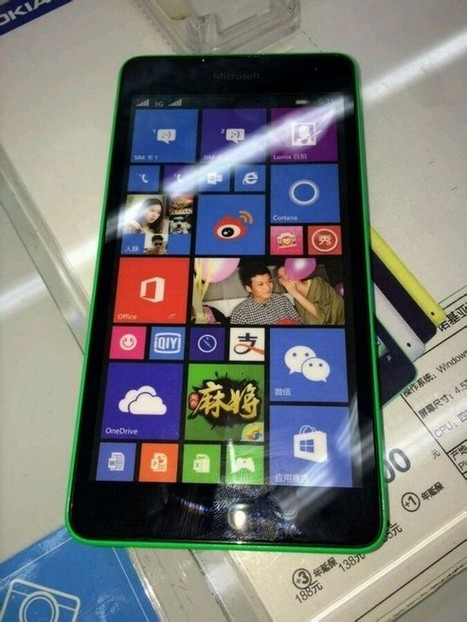
Alleged Lumia 535 with Microsoft branding leaked in China

Alleged Lumia 535 with Microsoft branding leaked in China | Windows 8.  + Windows Phone | Scoop.it
Yesterday, Microsoft announced that it will be launching the first Windows Phone with its branding on November 11. It looks like the device may turn out to be the Lumia 535, as images of a handset with that name sporting Microsoft's branding have surfaced on China's Tieba, an online community powered by Baidu. From the images, Microsoft branding is clearly visible at the front...
No comment yet.
Scooped by Thomas Kalhauge
November 8, 2014 8:40 AM
Scoop.it!

“GetOut! EDDY” is new way of playing puzzle with physics

“GetOut! EDDY” is new way of playing puzzle with physics | Windows 8.  + Windows Phone | Scoop.it
No comment yet.
Scooped by Thomas Kalhauge
November 8, 2014 7:22 PM
Scoop.it!

With Softcard app, you can use your Windows Phone device at the checkout stand - The Fire Hose

With Softcard app, you can use your Windows Phone device at the checkout stand - The Fire Hose | Windows 8.  + Windows Phone | Scoop.it
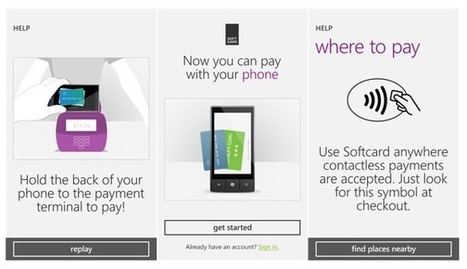
Softcard – a joint venture between AT&T, T-Mobile and Verizon that brings together leading banks, payment networks and merchants to create an open mobile payment [ ...]
No comment yet.
Scooped by Thomas Kalhauge
November 8, 2014 7:16 PM
Scoop.it!

Xbox One: How to set your own background » Pureinfotech

Xbox One: How to set your own background » Pureinfotech | Windows 8.  + Windows Phone | Scoop.it
Here is how you can create and set your own background image on Xbox One, you'll need to use the Media Player app and a JPG or PNG image.

No comment yet.
Scooped by Thomas Kalhauge
November 8, 2014 7:10 PM
Scoop.it!

Last Big Xbox One System Update of the Year Rolls Out Today

Last Big Xbox One System Update of the Year Rolls Out Today | Windows 8.  + Windows Phone | Scoop.it
Create Xbox One custom backgrounds starting today.
No comment yet.
Scooped by Thomas Kalhauge
November 8, 2014 3:15 PM
Scoop.it!

How to: Create Windows 8.1 install media if you lost your install disk - Neowin

How to: Create Windows 8.1 install media if you lost your install disk - Neowin | Windows 8.  + Windows Phone | Scoop.it
If you have an installation of Windows 8.1 and you need to re-install the OS but can't find your install media, Microsoft has made it very easy to create the contents you will need.
No comment yet.
Scooped by Thomas Kalhauge
November 8, 2014 3:12 PM
Scoop.it!

Fitbit Charge Unboxing

Fitbit Charge Unboxing | Windows 8.  + Windows Phone | Scoop.it
The new Fitbit Charge has hit the streets and is ready for action. It was announced along with the Charge HR and Surge, both of which will be available for purchase in a few more weeks. The Charge is essentially a revamped Fitbit Force, so anyone that had (or still has) one should be very familiar with the Charge. We'll give it a full review soon after we play with it for a bit — but...
No comment yet.
Scooped by Thomas Kalhauge
November 8, 2014 2:26 PM
Scoop.it!

Microsoft Band: Five basic things you need to know before making your purchase

Microsoft Band: Five basic things you need to know before making your purchase | Windows 8.  + Windows Phone | Scoop.it
We have been patiently waiting for a smartwatch-style device compatible with Microsoft’s Windows Phone platform. After listening to the rumor mill for the past year, Microsoft has finally unleashed

No comment yet.
Scooped by Thomas Kalhauge
November 8, 2014 12:44 PM
Scoop.it!

Picture of new Lumia 1330 also leaked? #MoreLumia

Picture of new Lumia 1330 also leaked? #MoreLumia | Windows 8.  + Windows Phone | Scoop.it
No comment yet.
Scooped by Thomas Kalhauge
November 8, 2014 12:42 PM
Scoop.it!

Nova Bacon a Windows Phone game full of porkbellies, aliens and farm tractors

Nova Bacon a Windows Phone game full of porkbellies, aliens and farm tractors | Windows 8.  + Windows Phone | Scoop.it
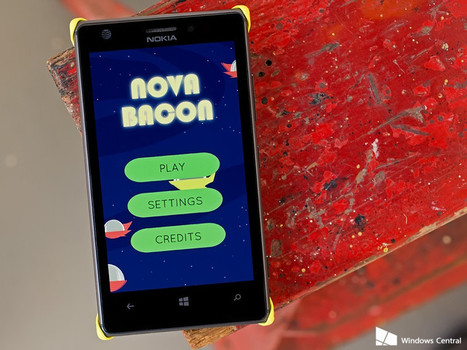
Nova Bacon is an arcade styled Windows Phone game where you are in charge of supplying the pork products (a.k.a. pigs) for an outer space fly-thru restaurant. You'll snatch up wayward pigs as they roam the earth and protect them from attempts by humans to save them from slaughter as you haul them to your restaurant in outer space. Available for low-memory devices, Nova Bacon is another...
No comment yet.
Scooped by Thomas Kalhauge
November 8, 2014 12:39 PM
Scoop.it!

Storytelling Workflow (TechEd Europe 2014: OFC-B217)

Storytelling Workflow (TechEd Europe 2014: OFC-B217) | Windows 8.  + Windows Phone | Scoop.it
Sway is an intelligent app that helps you easily create an interactive web-based canvas of your ideas. Pull your content from a variety of sources with minimal effort and use the built-in layout engine to craft a cohesive look and feel that looks great on any screen.
No comment yet.
Scooped by Thomas Kalhauge
November 8, 2014 9:30 AM
Scoop.it!

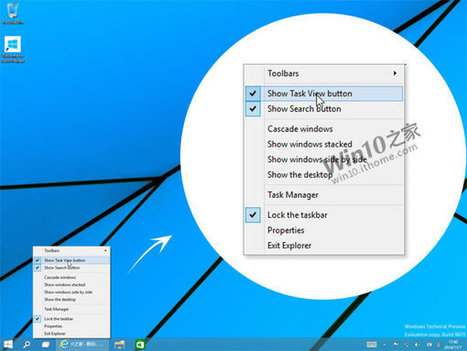
Windows 10 build 9879 screenshots reveal new changes to the taskbar, File Explorer and more

Windows 10 build 9879 screenshots reveal new changes to the taskbar, File Explorer and more | Windows 8.  + Windows Phone | Scoop.it
New screenshots leaked today of an internal build of Windows 10 has revealed a number of new changes and additions to the operating system which we can expect to see in the next public build of the
No comment yet.
Scooped by Thomas Kalhauge
November 8, 2014 9:28 AM
Scoop.it!

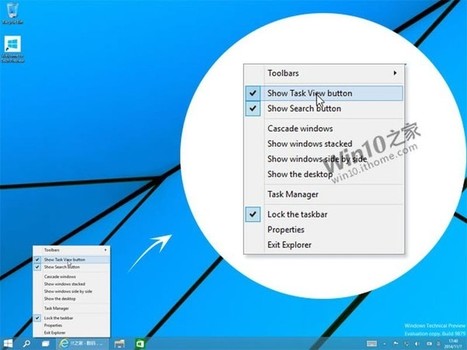
Microsoft could offer more taskbar options in future Windows 10 builds

Microsoft could offer more taskbar options in future Windows 10 builds | Windows 8.  + Windows Phone | Scoop.it
Microsoft may offer the option to remove the Search and Virtual Desktop buttons from a future build of Windows 10, if a leaked screenshot of the OS is accurate. The image shows that right clicking on the taskbar in the unreleased 9879 build brings up menu choices that include checkmarks that will allow users to not show those two buttons. This may sound like a minor feature, but...
No comment yet.
Scooped by Thomas Kalhauge
November 8, 2014 8:42 AM
Scoop.it!

November Xbox One update now live, brings custom backgrounds, trending TV and more

November Xbox One update now live, brings custom backgrounds, trending TV and more | Windows 8.  + Windows Phone | Scoop.it
After detailing the changes that will be rolling out in this month's updates in October, Microsoft is commencing rollout of the November update for the Xbox One. The highlights in this update include the ability to add custom backgrounds, addition of location information to your gamer profile, new live TV features and more. Here's a list of all the new changes: Show Who You Are We'...
No comment yet.