Via Guido Knaus

 Your new post is loading...
 Scoop.it! No comment yet.
Sign up to comment
Scoop.it!
★★★ Directory of best content curation tools and services organized by categories. Via Dr. Tom D'Amico (@TDOttawa)
Scoop.it!
Three different schools, in three different states, in a matter of two weeks. Via Elizabeth E Charles, Yashy Tohsaku
Scoop.it!

I have the privilege of teaching my gifted elementary students for multiple years. At my one school, I have them in class for a full day each week, and each year I have special thematic days for which the students get very excited, e.g., Halloween and Day of the Dead "Wars," Valentines Day, Book Celebrations,… Via juandoming
Scoop.it!

Please take a moment to let us know a little bit about yourself and the workshops you're interested in. Workshop descriptions can be found below. Via Dr. Tom D'Amico (@TDOttawa)
Scoop.it!

Sir Ken Robinson once said,“Creativity is as important in education as literacy,” and at Buncee, we wholeheartedly agree! We truly... Via Yashy Tohsaku
Scoop.it!
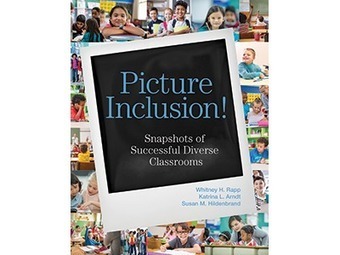
Picture inclusion in your classroom! In this edWebinar, inclusion experts present practical inclusion strategies you can easily adapt for your classroom. Via Dr. Tom D'Amico (@TDOttawa)
Scoop.it!

Google Calendar can be of tremendous help in enhancing your teaching productivity and facilitating your overall instructional workflow. As a teacher, you can use Calendar for different purposes. Via Gumersindo Fernández
Scoop.it!

"The post 30+ YouTube Channels for Teachers appeared first on Shake Up Learning. YouTube = Learning at Your Fingertips! There are so many ways to learn with YouTube channels for teachers and students! When you want to learn something new these days, most of us head over to YouTube ..." Via Leona Ungerer
Scoop.it!

Administrators must consider a number of safety and legal basics, as well as federal regulations, before green-lighting flight-capable devices for the classroom. Via EDTECH@UTRGV |
Scoop.it!
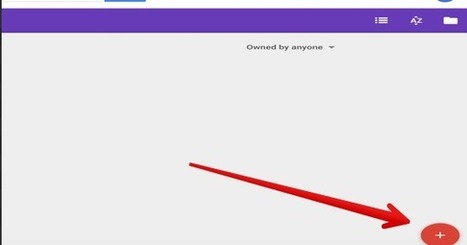
Free resource of educational web tools, 21st century skills, tips and tutorials on how teachers and students integrate technology into education Via Dr. Tom D'Amico (@TDOttawa)
Scoop.it!

If you were unfamiliar with L. Frank Baum’s Wizard of Oz and read a description of the elements of the story, you’d likely see a list something like the following: a haunted castle with flying monkeys, a poppy field. a tornado in Kansas, a village populated by wee folk. Via Yashy Tohsaku
Scoop.it!

Sketchnoting is an engaging, brain-friendly way for your students to capture their thinking. Here are 12 ways to get started using sketchnotes in your classroom. Via Dr. Tom D'Amico (@TDOttawa) 
Jan MacWatters's curator insight,
April 4, 2019 7:19 AM
Sktechnoting, mindmapping - no matter what you call it, the method works. 1
Scoop.it!

This is a review of the “Google WiFi system, 3-Pack – Router replacement for whole home coverage” (NLS-1304-25) product which I posted to Amazon today. “Google Mesh WiFi” (CC…
Via Felix Jacomino
Scoop.it!

For over a decade educational technologies are emerging at exponential rates, But many schools and educational institutes fall short on understanding and utilizing these technologies. Today we are introducing 10 emerging technologies in e-learning that educators and school management must... Via Yashy Tohsaku
Scoop.it!

HINT: It's all about the LEARNING! These are tried-and-true tips that I believe can make a big difference for you and your students. Via Yashy Tohsaku
Scoop.it!

I am aware that Google discontinued the Google Glasses (GG) back in 2015, but it was still super exciting to be able to borrow a pair for a test-drive this week (March, 2019) from one of my local blended learning friends Damian. At that time I was also unaware that apparently the Glasses had been resurrected by certain companies. What I was curious about was whether such a device could be used by professional linguists. So I turned into a version of the Terminator which would win absolutely no casting contests: After a bit of trial and error, the commands of the GG became very obvious: swiping along the right frame for scrolling, swiping down to terminate whatever you’re doing, using two fingers to zoom in. Pairing with an Android phone was also quite quick and the MyGlass Android app comes with a useful Screencast functionality which, although quite laggy on my set-up, still mirrors on your phone screen what the GG are showing the user. All of this is nice and fancy, but was there anything of interest for a translator? Yes and no in my opinion. First of all, in terms of ergonomics, the GG gave me quite a headache through needing to keep refocusing at short and long distances in order to read the GG content and then function in the world (i.e. not bump into anything). So I can see how they’d be used to simply stream video or take photos as the NBC article reports, but to be honest, for such uses you may as well get something cheaper and much more comfortable. Moreover, they didn’t really work over an existing pair of prescription glasses, so that wasn’t great, either. Nevertheless, being able to interact with such a device using speech was very cool indeed! Speech recognition was very accurate and the live disambiguation and correction mechanism worked well even on a non-native speaker of English like me. Searching for online content about whatever you were interested in finding out, but couldn’t be bothered to type into your bigger devices was neat (although, more on this a bit later) and GG speaking out the first hit was loud enough through the built-in speakers! This immediately brought up the biggest learning point I’ve spotted so far: the importance of content optimisation. A few folks in our industry have already started speaking about the impact of the rise of virtual assistants on how we publish content, especially on how we optimise and present it in short, clear sentences that live on authoritative websites which Amazon Alexa, Google Assistant, Microsoft Cortana or Apple Siri can rank at the top of the query results list and speak back to us. So something like what I’ve done on my blog (i.e. ramble on for too long in my metadata, forgetting to break content up in short sentences) ends up looking like this piece of content which nobody knows how it ends: Browsing long-form content on Mixed Reality (MR) or Augmented Reality (AR) devices is not an experience one is very likely to write home about. It’s possible, but it’s not particularly pleasant, so I don’t really see translators using such devices for ad-hoc subject matter research (although, to be honest, I suspect this was not really on Google’s priority use-case list when they designed the GG). Moreover, since a lot of websites now have privacy warnings and various cookie approval pop-ups, things get even harder for GG, as selecting the right button to close the pop-up has been something I totally failed at. The result is that you have even less space available to read the content you were looking for. With GG, the display area is kind of over your right eye, so I kept looking like I was about to have a stroke when browsing various websites. Having said that, maybe devices which look more comfortable (like the HoloLens 2) and have bigger viewing areas will address this challenge. As you’d expect, the GG browser didn’t really support multimedia content, so you’re essentially stuck with looking at text and images despite what it may seem to promise you. When seeing the previous screenshot I got excited by the prospect of watching videos before I was brought back to Earth: In addition to (not) using the GG for subject matter research, something that @gr82tweet has been involved in and I’m getting into, as well, is the usefulness of such MR/AR devices for increasing accessibility and audience engagement in a number of ways, including streaming captions or subtitles to such devices. I personally found GG’s viewing area not suitable for this application, but I am certain that MR/AR is the way to go in this respect! The reason I’m saying this is because from my experiments with Microsoft’s Presentation Translator it is far easier to learn to speak in a manner that’s suitable for automatic interpreting (essentially using a kind of controlled language for presentations together with additional factors such as human speech coherence, fluency, speed and quality of speech input technology) than to have an audience that can look at the captions/subtitles displayed live on their mobile devices through the Microsoft Translator app AND not lose eye-contact with the presenter for too long. Actually, that last bit is quite impossible, so I’m keeping my fingers crossed I can smooth-talk a couple of Microsoft HoloLens 2 developers into collaborating on a case-study. With GG’s current web browser, scrolling text wasn’t actually scrolling, it was more like jumping randomly about, which, of course, is not quite what live captioning and subtitling need – for the test I used scrolling scripts from HTML.am (which, by the way, seems much better SEO-optimised and virtual-assistant-ready than my own blog) which unfortunately didn’t display seamlessly on GG. Therefore the need for bespoke captioning and subtitling apps for MR/AR is obvious. In terms of testing content in other languages, there wasn’t much to test in terms of the GG app interface. It only supports UK and US English. Having said that, I nearly fell out of my chair when the GG speech search recognised my voice asking in Romanian for a website with Romanian newspapers. The first result was missing Romanian diacritics, so I kept scrolling, and it turned out that it was only the Romanians’ difficult relationship with writing correctly online (i.e. with diacritics); a link further on did display those characters correctly. I then cheekily tried to use Google Translate’s speech synthesis in Japanese, Arabic, Dutch and German for the translation into those languages of the question “Which is the biggest daily newspaper?”, but unfortunately the episode of GG recognising speech searches in a language other than English did not happen again. So that’s as far as I’ve got with GG. Although it’s a neat device quite capable of taking photos and videos, as well as displaying directions on Google Maps, I wouldn’t personally use it as a linguist for any of the tasks which this profession involves. Having had the chance to play with it for the last two days, though, I am convinced that content optimisation will become an even bigger area in our industry alongside internationalisation and localisation, and I also see a clear (no pun intended) future for high-quality (if not totally seamless) multilingual communication through MR/AR devices. Related posts: Via Yashy Tohsaku
Scoop.it!

There are a lot of tweets on Twitter, or things heard at conferences or in staff rooms, that can make educators feel guilty about how they do their job. I am sure that I am guilty of tweeting or sa…
Via Felix Jacomino
Scoop.it!

Setup Canned Responses in Gmail The fact that as teachers we have 30+ bodies in front of us requires that we do the same thing repetitively. This can’t be solved but the trick is to find workflows that increase your efficiency. Canned responses is one way you can send the same email message over and …
Via Felix Jacomino
Scoop.it!
Grading Across Canada: Policies, practices, and perils | Education Canada by: Dr. Christopher DeLuca
Scoop.it!

Commentary: edWeb.net’s Stacey Pusey shares considerations for educators to mull over before they commit to live-media-based lesson plans. Via EDTECH@UTRGV, John Evans
Scoop.it!

"Literacy is changing–not at its core necessarily, but certainly at its edges, as it expands to include new kinds of “reading.” ” Digital media is quickly replacing traditional media forms as those most accessible to most 21st century learners. The impact of this ..." Via Leona Ungerer |