


edWeb is a free online community for professional educators, offering networking, resource sharing, collaboration, and professional development webinars.
Via Dr. Tom D'Amico (@TDOttawa)

 Your new post is loading...
 Scoop.it! edWeb is a free online community for professional educators, offering networking, resource sharing, collaboration, and professional development webinars. Via Dr. Tom D'Amico (@TDOttawa) No comment yet.
Sign up to comment
Scoop.it!

Bundeskanzlerin Angela Merkel ist davon überzeugt, dass die Digitalisierung Anpassungen in Bildung und Ausbildung erfordert. Via Klaus Meschede
Scoop.it!

Medienkompetenz ist eine Schlüsselqualifikation für die jungen Generationen, doch in Schulen sitzen wir digital oftmals noch in der Steinzeit fest. Dies ist ein Plädoyer für den Einsatz moderner, digitaler Bildungsmöglichkeiten an Schulen und die Unterstützung von Lehrkräften, dies umzusetzen. Ein Blogbeitrag von Marina A. Henn Ich erinnere mich noch genau an den ersten Computer Via Klaus Meschede
Scoop.it!
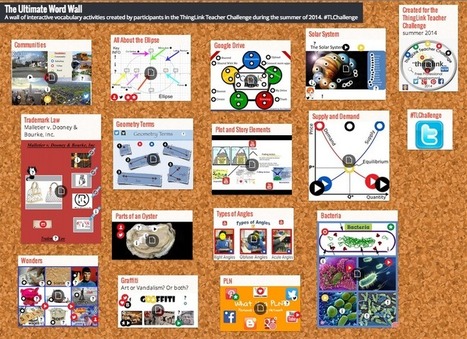
Let me introduce you to one of my new go-to tech tools: Padlet. It's free, it's easy-to-use, and it's awesome. Oh, and did I mention... no signup needed? Padlet is essentially a digital poster that can be individually or collaboratively created. Simply visit the website and click "Create" to get started building your "wall" today. Then,… Via Guido Knaus
Scoop.it!
Google Sheets: Split Text to Columns When you copy and paste into Google Sheets you will notice an option will automatically appear allowing you to split the text into columns. Choose the delineator and poof, text is split. Data Menu You can also manually activate text to columns by highlighting your data and choosing “Split … Via Dr. Tom D'Amico (@TDOttawa)
Scoop.it!

Genial.ly is the best web tool to create engaging interactive visual content (pictures, posters, presentations, etc) for people without programming skills. Via Baiba Svenca 
Baiba Svenca's curator insight,
November 9, 2016 10:49 AM
Use Genial.ly to create presentations with interactive effects and animation, add content from YouTube, Google Maps, Spotify. Monitor performance in real time. Share or embed your creation. Works in 7 languages. Looks awesome! 
Rebecca Scriven's curator insight,
November 10, 2016 3:30 AM
I've been trying Genial.ly out today, it is really easy to use. I think it would be great for students to use it for presentations and interactive mind maps, also interactive infographics! Great tool.
Scoop.it!

Free resource of educational web tools, 21st century skills, tips and tutorials on how teachers and students integrate technology into education Via Dr. Tom D'Amico (@TDOttawa)
Scoop.it!

Bildungssponsoring boomt: Privatfirmen und Verbände drängen in die Klassenzimmer und wollen ihren Einfluss geltend machen. Wie sollen Schulen und Lehrpersonal damit umgehen? Lehrerverbandspräsident Beat Zemp erklärt es im Gespräch mit Marc Lehmann. Medienmitteilung LCH: https://www.lch.ch/news/medienmitteilungen/dokument/neue_charta_zum_bildungssponsoring_an_oeffentlichen_schulen_der_schweiz/ Via Guido Knaus
Scoop.it!

"Educators must train students to think critically about the technology they will one day help create ..." Via Leona Ungerer
Scoop.it!

New Features of Moodle 3.1 that Make it the Favorite of Learning Experts http://blog.commlabindia.com/elearning-development/new-features-of-moodle Worth Reading!
Scoop.it!

If you are looking for some good and easy to use platforms to create a website or blog for your classroom, the tools below are worth your consideration. They both offer a very simple website editor, a huge library of pre-made templates and a bunch of other powerful functionalities to enable you to make professional looking websites. They also support domain name purchase in case you decide later on to buy a domain name for your website. For more options on tools to use to create a classroom website we recommend this list. Enjoy Via Lynnette Van Dyke
Scoop.it!

Wondering what are the Computer Skills that everyone should master to speed their professional development? Check 5 Computer Skills everyone should master. Via EDTECH@UTRGV 
Carolina Velásquez's curator insight,
November 6, 2016 7:17 PM
Since technology is booming, people want to master of the different platforms or tool that internet offers. I agree every person, if she/he has can connect with internet, so she/he should develop some skills .As the article says, to have master of mobile apps or social skills.
|
Scoop.it!

Google MyMaps lets students create maps with custom-pinned location. The magic, though, is in what you put in those pins. Via Dr. Tom D'Amico (@TDOttawa) , Javier Sánchez Bolado 
Lindsay Hoyt's curator insight,
June 26, 2017 11:42 PM
Helps make connections to geographical locations.
Scoop.it!

"Take a look at these high-quality, free Blogger templates that are guaranteed to offer great functionalities for your blog ..." Via Leona Ungerer
Scoop.it!

Free resource of educational web tools, 21st century skills, tips and tutorials on how teachers and students integrate technology into education Via Guido Knaus
Scoop.it!

You can edit wikis quickly, in a WYSIWIG environment. Using wikis, teachers can co-construct websites with their students. Many learning management systems have wikis embedded. Yet there is an advantage to using a public wiki (with privacy properly managed). Students will be able to access their work beyond a single school term. Their parents and friends may also be able to see it. Via Jim Lerman, Lynnette Van Dyke, Scoopingaddress 
Jim Lerman's curator insight,
November 3, 2016 8:24 PM
Yes, wikis. They're still great tools for learning.
Scoop.it!

Next week is Geography Awareness Week. That is a great time to have your students create their own multimedia maps. Yesterday, I shared five map creation activities that your students can do to increase their understanding of geography. In that post I suggested using Google's My Maps, Scribble Maps, and National Geographic's Map Maker Interactive tool. If you or your students need a tutorial on those tools, take a look at my playlist of tutorials. Via Gumersindo Fernández, Yashy Tohsaku 
EL OBSERVATORIO DIGITAL's curator insight,
November 12, 2016 1:25 PM
11 útiles tutoriales sobre cómo crear mapas multimedia.
Scoop.it!

Clyp is an excellent web tool that allows you to easily record, upload and share audio. Clyp does not require any software installation and you don’t even need any account to record or upload audio. The process to upload or record a clyp is simple and easy: just drop your audio file anywhere on the site or press the big orange record button. Once your audio clip is recorded/uploaded you can then either make it private and only those with whom you share its link can access it or make it public for everyone to listen to and interact with. You can also share your clyps through social media sites such as Twitter and Facebook or use the embed code to embed them in your website or blog. Via Gumersindo Fernández
Scoop.it!

In a world where anyone with an internet connection can access, create and share information, opinions and beliefs, it has become increasingly important that students are not only able to assess the credibility of sources but also to look more deeply at the underlying motivations, beliefs and bias of the creator. Via Nik Peachey 
Com.it's curator insight,
November 10, 2016 3:21 AM
Cuestionemos y cuidemos la credibilidad de nuestra información. Hoy en día es muy común compartir, sin antes verificar. Y verificar tus fuentes e informaciones es uno de los pilares básicos de un periodismo de calidad.
Carolina Velásquez's curator insight,
November 14, 2016 2:54 PM
It is an interesting book since help teachers to be aware on how digital media is important through tasks and information. The use of this kind of books are useful because enable teachers to use authentic material combined with several skills to develop student's critical thinking.
Scoop.it!

Browser extensions can make your life better. But they can also be hiding nefarious secrets — using lots of system resources, collecting your data, installing adware, and otherwise not doing what you want them to do. Via Gumersindo Fernández
Scoop.it!

“We need to bring learning to people instead of people to learning.” Elliot Masie, Masie Center Let’s start by talking of some, truly staggering numbers. Technavio predicts that the global eLearning market will touch $31 billion by 2020. If GM insight is to be believed, that number ... http://elearningfeeds.com/elearning-a-brilliant-technique-to-bring-learning-to-the-people/
Via Christopher Pappas
Scoop.it!
You can edit wikis quickly, in a WYSIWIG environment. Using wikis, teachers can co-construct websites with their students. Many learning management systems have wikis embedded. Yet there is an advantage to using a public wiki (with privacy properly managed). Students will be able to access their work beyond a single school term. Their parents and friends may also be able to see it. Via Jim Lerman, Lynnette Van Dyke
Jim Lerman's curator insight,
November 3, 2016 8:24 PM
Yes, wikis. They're still great tools for learning. |






