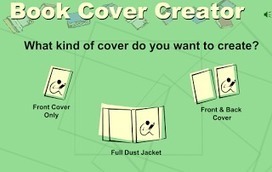
Create your own sketch Online and share it with students. It Works on all modern computers, smartphones and tablets! No plugin, installation or app required!
Via Kathleen Cercone

 Your new post is loading...
 Scoop.it! Create your own sketch Online and share it with students. It Works on all modern computers, smartphones and tablets! No plugin, installation or app required! Via Kathleen Cercone 
No comment yet.
Sign up to comment
Scoop.it!

Magic Actions for YouTube is a good Chrome app to use on YouTube to enhance your watching experience. It provides a wide variety of excellent features that allow you to make the best of your YouTube. For instance, the AutoHD feature lets you play all YouTube videos in HD. Cinema Mode shades the whole page and makes you feel like you were in a movie theatre. And with one click you can switch to browse YouTube in black and white. Via Gumersindo Fernández, Wilmer Ramírez
Scoop.it!

“July 25, 2015looking for some good apps to use on your Mac to create and edit videos? The selection below has you covered. We have carefully handpicked a bunch of powerful apps that teachers can use...” Via Becky Roehrs
Scoop.it!

The all-new Androidify app, available free from the Google Play Store, lets you take the little green Android mascot and turn it into yourself, your family, your friends… anyone! Then, share them as animated emoticons, GIFs & pics. Via Nik Peachey

Yves Carmeille "Libre passeur"'s curator insight,
July 31, 2015 3:52 AM
This is a nice website to create yourself as an Android. Works on mobile too. 
@krisdenerf's curator insight,
July 31, 2015 4:05 AM
This is a nice website to create yourself as an Android. Works on mobile too. 
Randy Borum's curator insight,
July 31, 2015 9:23 AM
This is a nice website to create yourself as an Android. Works on mobile too.
Scoop.it!

Brigitte de BOUCAUD's curator insight,
July 22, 2015 1:18 PM
Outils très interessants pour brainstorming à distance même si rien ne vaut le présentiel à mon sens.
Scoop.it!

Steven E Teator's curator insight,
July 19, 2015 10:00 AM
The Flipped Classroom can apply various aspects of Blending Learning. This video is an overview discussing the benefits of Blending Learning.
Scoop.it!

An interesting way to use iPad with students in class is through turning it into a document camera. The concept is very simple, you use your iPad as a mirroring device to project documents to a bigger screen. The whole class will be able to follow with you as you go through the document. For this to happen, you will need to connect your iPad to a projector either through a VGA Adapter Cable or wirelessly using a third party app. Check out Learning in Hand’s post to learn more about the different options you can utilize to connect your iPad to a projector. Via Guido Knaus, Juergen Wagner
Scoop.it!
From
list

“ A list of YouTube tools to help get schools and teachers started creating their own channel and videos. | TubeChop - Chop YouTube Videos, CaptureCast Chrome, quietube | Video without the distractions | Youtube, Viddler, Vimeo and more, ViewPure / videos without clutter, and YouTube Capture” Via Suvi Salo, Christiane Moisés, John Purificati
Scoop.it!

Digital storytelling (or really just STORYtelling) isn't just for one subject. The power to tell a story (and tell it well) is applicable in every aspect of life...people love stories and learn fro... Via Ariana Amorim, massimo facchinetti
Scoop.it!

The all-in-one conferencing solution for small business and medium businesses. From conference calls to video conferencing to webinars, we've got you covered. Via Luísa Lima, Juergen Wagner
Scoop.it!
Scoop.it!

From
osxdaily
We’ve shared some tips to take great pictures of fireworks with iPhone before, but fireworks are obviously in motion, so perhaps the best way to capture a firework show is with some great video. Fortunately, the iPhone and iPad have a wonderful video recording camera built right in, and with a few tricks, you’ll be able to capture stunning video of a firework reports, explosions, or even the entire show, using nothing but the iPhone and it’s built-in feature set. Via John Evans
Scoop.it!
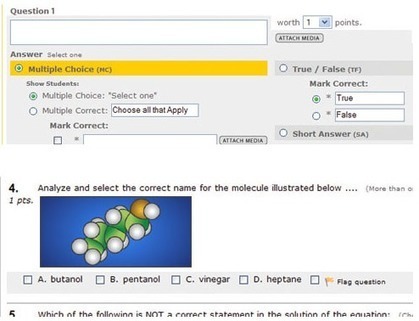
Whether you want to have students turn in homework via an online form or simply take a quiz or test, online quiz tools are critical to having a connected classroom. Most tools are free, all are robust, and they’re quite easy to use. What could be better than that? You can use any of these below tools to get feedback from parents, students, colleagues, and more.

Rosemary Tyrrell, Ed.D.'s curator insight,
July 8, 2015 10:18 PM
Some great tools here. Well worth checking out. 
Carol Hancox's curator insight,
August 1, 2015 5:18 AM
A somewhat dated, but still quite viable round up article on Quiz tools for online classrooms, blended classrooms, or even old school rooms with a computer in the corner!
Carol Hancox's curator insight,
August 3, 2015 8:35 PM
A somewhat dated, but still quite viable round up article on Quiz tools for online classrooms, blended classrooms, or even old school rooms with a computer in the corner! |
Scoop.it!
Scoop.it!

Here is a video platform that enables schools and universities to record lectures, flip classrooms, capture student recordings, and create a secure, searchable library of all their video assets. Via Yashy Tohsaku
Bhushan Thapliyal's insight:
Must try !
Scoop.it!

One could argue that, as an image editor, Adobe Photoshop is in a class by itself — a unique industry standard. So perhaps it’s counterintuitive to suggest alternatives or replacements… Via massimo facchinetti
Scoop.it!
Scoop.it!
All of the tech tools featured in this post are free, user friendly, and (likely)will be available on your school's network. These tools are best for students in grades 6-12 but the teacher creatio... Via David R. Perry, THE OFFICIAL ANDREASCY, Wilfried Andral, John Purificati
Scoop.it!

I recently updated my 1st generation iPad by gifting myself with a 4th generation iPad for Christmas. I had to give this gift to myself because I am the only one who shows Apple the love in my... Via Dorian Love
Scoop.it!

There’s nothing better than a great app or website that makes my life as a teacher easier! Below are three apps that I think teachers will love! Via John Evans
|