Via WebTeachers

 Your new post is loading...
 Scoop.it! 
No comment yet.
Sign up to comment
Scoop.it!

Happy New Year everybody, we hope you will have a wonderful year full of happiness and joy. We are officially on vacation till Monday and until then we will be sharing with you some of the popular resources we have covered during this year. In today’s post, we are featuring this collection of some popular educational Android apps to use in your class with students. Via Edumorfosis, Javier Sánchez Bolado, Juergen Wagner
Scoop.it!

Looking for the next great book to sink your teeth into? Look no further. Below are over 100 links to websites that provide free e-books on a huge variety of topics. Via Gumersindo Fernández, Juergen Wagner
Scoop.it!
Over the past several months, my team and I have been busy planning for the Via Yashy Tohsaku, paul rayner
Scoop.it!

6 Great Websites for Educators Using iPads in the Classroom - GAGGLE.NET | @scoopit http://sco.lt/...Despite news of Chromebooks surpassing iPads as the most popular devices sold to U.S. schools, iPads continue to play a very important role in K-12 education. It’s increasingly become more common for students to come to school with their own iPads, while other schools are implementing successful 1:1 programs. Via John Evans, Timo Ilomäki
Scoop.it!

“If recent predictions are to be believed, the podcasting scene will explode in 2016. For me, that's great to hear because I am a big fan of podcasts, but it is also great news for teachers who are looking for new ways for their students to communicate their ideas and reach a global audience. So,…” Via Sonina Darder, Javier Sánchez Bolado, Juergen Wagner, Jenny Smith
Scoop.it!

“Over the last 100 years in teaching, how much has changed? Could you take a teacher from 1915 and drop them into a modern classroom? Apart from the strange haircuts and unfamiliar clothes they’d barely notice the difference, because the majority of school is still lecture driven. The teacher stands at the front, disseminating knowledge to the students. Now undertake the same scenario but with a surgeon. Bring a surgeon forward 100 years and it’s a different story. In a modern operating room our time traveller would be overwhelmed with sights and sounds. This is because technology has revolutionised surgery.” Via Nik Peachey, Jenny Smith

Eric Rodriguez's curator insight,
September 23, 2015 6:34 PM
Interesting take on why the iPad boom is not working for some teachers in Europe. I agree with the article that kids are far more tech savvy than most of their teachers because the grew up with it. While we had to learn the iPhone and iPad they are given one as early as three years old. 
Santos Arturo Gamez's curator insight,
October 6, 2015 10:58 PM
Technology should be a tool to enhance education, and not to replace it. It is time to put off to the side any "scary" predictions of using technology inside the classroom. It is important for the teachers of today not to be afraid of their students knowing more from technology than they do, but learn how to administer lessons, communication and collaboration using this technology. This report will indicate important points of view for those who are going through this and how to initiate engagement in the students. 
Viljenka Savli (http://www2.arnes.si/~sopvsavl/)'s curator insight,
December 29, 2015 2:40 AM
I agree with your insight about life-long learning for teachers too, Nik. I also strongly stress this fact: "This means iPads shouldn’t scare you. They should excite you, because in that device you have literally hundreds of lessons waiting to be delivered. It’s a bold step to embrace the unknown, but your role as teacher is more valued than ever. Students may appear iPad experts in class, but they possess no framework to further their own learning. Without the right guidance, the iPad is only potential."
This means iPads shouldn’t scare you. They should excite you, because in that device you have literally hundreds of lessons waiting to be delivered. It’s a bold step to embrace the unknown, but your role as teacher is more valued than ever. Students may appear iPad experts in class, but they possess no framework to further their own learning. Without the right guidance, the iPad is only potential. This means iPads shouldn’t scare you. They should excite you, because in that device you have literally hundreds of lessons waiting to be delivered. It’s a bold step to embrace the unknown, but your role as teacher is more valued than ever. Students may appear iPad experts in class, but they possess no framework to further their own learning. Without the right guidance, the iPad is only potential.
Scoop.it!
Scoop.it!

n 2012, I attended the ISTE conference in San Diego, CA. While I was only there for about 36 hours, it was easy for me to pick up on one of the hottest topics for the three-day event. The "flipped classroom" was being discussed in social lounges, in conference sessions, on the exhibit floor, on the hashtag and even at dinner. People wanted to know what it was, what it wasn't, how it's done and why it works. Others wanted to sing its praises and often included a vignette about how it works in their classroom and how it transformed learning for their students. Still others railed that the model is nothing transformative at all and that it still emphasizes sage-on-the-stage direct instruction rather than student-centered learning. I engaged in a few of these discussions offline and online, and while I'm still on the fence about my feelings toward the model, I can offer some insight and interpretation. Via John Evans
Scoop.it!

One way to creatively integrate technology in classroom learning is through engaging students in media activities that involve the use of various digital forms. This is referred to as digital mashups. To create a digital mashup, students will have to blend different types of content including text, videos, soundtracks, visuals and many more. In doing so, students get to practice multiple literacies in a single learning activity. There are several good tools that you can use with students in class to create media mashups. Below are some examples of applications we would recommend for this purpose: Via Edumorfosis, Ressources pour les cours d'anglais

Heraclio Muñoz Cruz's curator insight,
December 19, 2015 10:09 AM
7 Grandes Herramientas para Crear Mashups en clases
Scoop.it!

Earlier this week, in the final webinar of 2015, Victoria Boobyer joined us to discuss a wide range of helpful tips and techniques for making the most from using tablets and ebooks in the classroom and beyond. Victoria is a freelance writer, trainer and E-Moderator and also acts as the ICT & Social Media consultant [...] Via Yuly Asencion, Juergen Wagner
|
Scoop.it!

“ It's been about three years since I posted my original list of iPad apps teachers can actually use. Since then I have compiled a few other app lists: Chess Apps to Improve Your Game and Your Mind Creativity Apps Critical Thinking Apps Earth Science and Geography Apps But I do think it's time I update my original post. Or at least added to it. Most of the apps and tools on the original list are still around, but there are a whole lot more that are useful.” Via John Evans, Guido Knaus, Juergen Wagner

MarkLawler's curator insight,
January 5, 2016 1:03 PM
Phenomenal apps, the must check out list for 2016
Scoop.it!
How can design make learning feel like less of a chore?
Via John Evans

magnus sandberg's curator insight,
January 3, 2016 7:41 AM
Interesting ideas on how to motivate people for learning. The only thing they dont do is to say "Focus!"
Scoop.it!
We thought it was about time we compiled a list of our favourite raster image editors for Mac OS X. Via Yashy Tohsaku
Scoop.it!

“Social media is a big part of my students’ lives. They’re always checking Facebook updates or Tweeting to each other inside and outside the classroom. So the big question is: should I use social media in my classroom and if so, how? Via Moundir Al Amrani, Peter Mellow, Suvi Salo, Maria Margarida Correia, michel verstrepen
Scoop.it!

“close-reading is the product of a dynamic and deeply personal interaction between the reader and a text. It is an active process characterized by questioning, adjusting reading rate, judgment thinking, and dozens of other “strategies” readers use to make sense of what they’re reading.” Via EDTECH@UTRGV, Jenny Smith

Tracee Orman's curator insight,
December 29, 2015 2:53 PM
While I still love reading from a paper version, there are several advantages to reading digital copies. I think a mix of both is good for students. #edtech #engchat #edchat
Scoop.it!
From
list

Audio tools for recording and editing audio on a Chromebook or inside the Chrome browser. | Mic Note -Recorder,Notepad, SoundCloud - Hear the world... Via Dr. Tom D'Amico (@TDOttawa)
Scoop.it!

In last week's survey of Free Technology for Teachers readers, Flickr The Commons, Photos for Class, and Pixabay were chosen as the best places to find public domain and Creative Commons images. Via Becky Roehrs

Becky Roehrs's curator insight,
December 26, 2015 11:08 AM
My students really like Photos for Class, and I like flickr.
Scoop.it!
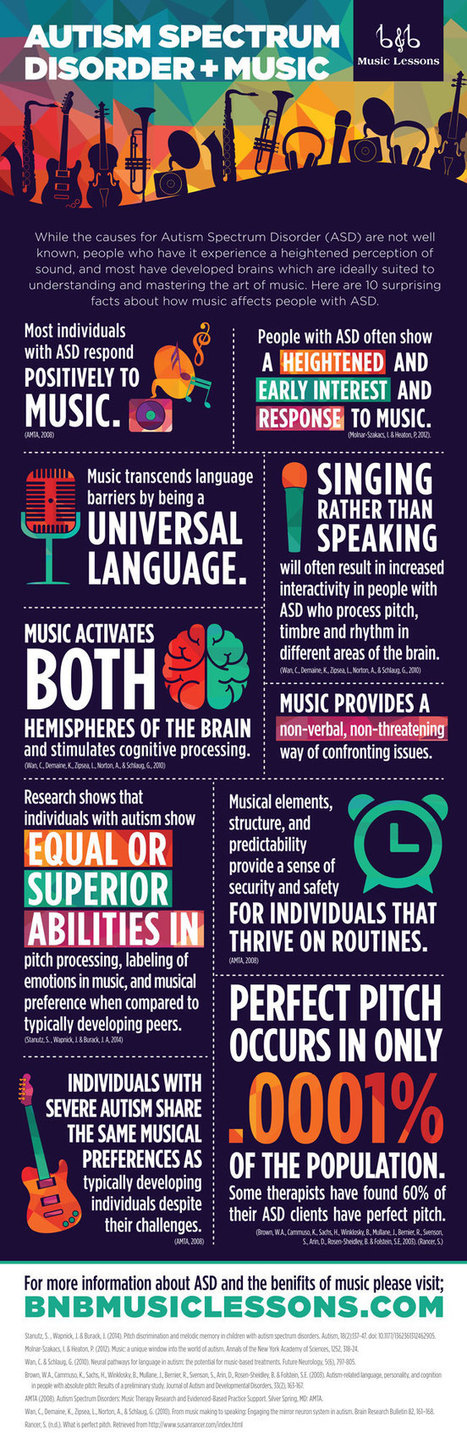
8 Good iPad Apps to Integrate Game-based Learning in Your Class https://t.co/A8qOgPd8We | Dyslexia, Dyspraxia, ADD, ADHD, LD, Autism (etc. Via Yashy Tohsaku
Scoop.it!

Verissimo Toste, an Oxford teacher trainer, joins us today to explore the benefits of using tablets in the language learning classroom.` Whenever someone mentions using technology in the classroom, my first reaction is “Why?” And that was my recent reaction to using tablets. Why should students use tablets in the EFL classroom? How does it… Via Yuly Asencion

Laura Rodríguez Vanegas's curator insight,
April 29, 2016 7:49 AM
Take into account all the learning styles in a EFL classroom is not an easy task to the teacher .For this It , is necessary the use of these type of tools in classroom activities. A 21st century teacher should makes language learning interactive. Students need to be owner of their learning.However, I think that like everything these element can become a distraction for learners. I would included in my classes, but sometimes and for some activities.
Scoop.it!

Teachers ask students to demonstrate their understanding of a topic in many different ways. Kids might show what they learned about an ecosystem by creating a movie or writing a report. Via Yashy Tohsaku, Juergen Wagner
|