


Are you struggling to find your voice online? Learn how these 43 bloggers and business owners found their voices to stand out online.
Via Ileane Smith, Lynnette Van Dyke

 Your new post is loading...
 Scoop.it! Are you struggling to find your voice online? Learn how these 43 bloggers and business owners found their voices to stand out online. Via Ileane Smith, Lynnette Van Dyke No comment yet.
Sign up to comment
Scoop.it!

Do people not like Prezi anymore? Or do they simply like PowerPoint better? Discover 10 shocking reasons many people prefer PowerPoint over Prezi Via Baiba Svenca 
Baiba Svenca's curator insight,
April 11, 2016 9:41 AM
An interesting comparison of Powerpoint and Prezi.
Scoop.it!

Although this is a follow up post to 10 PowerPoint tips for teachers, I prefer to think of it as 10 things I wish someone had told me about PowerPoint. Every teacher has their own opinion about the effectiveness of using PowerPoint in the classroom. My opinion has always been that PowerPoint is a tool, a tool… Via Baiba Svenca
Baiba Svenca's curator insight,
May 2, 2016 3:33 PM
Fantastic tips for teachers who often use PowerPoint. So many cool little things to freshen up your presentations! 
Rosemary Tyrrell, Ed.D.'s curator insight,
May 3, 2016 5:41 PM
S Some great tips here that I haven't seen in other blog posts.
Scoop.it!

Making points in the spoken word is a bit more challenging. How can you really emphasize a piece of information so your audience will pay attention? Via Baiba Svenca
Scoop.it!

Beamium makes presenting online PDF files easy. Two clicks and your documents can be in front of thousands on all devices. Via Baiba Svenca
Baiba Svenca's curator insight,
May 25, 2016 1:55 PM
Present from browser to browser on the devices of your audience.
Scoop.it!

Piktochart isn't only for infographics! We've also got a presentation tool with templates and designs for making your presentation shine. Check it out! Via Baiba Svenca
Scoop.it!
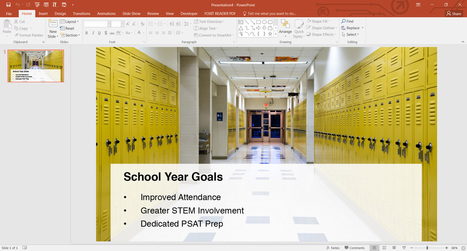
How literary devices -- the tools we use to tell stories -- can help you find the best images for your presentation deck. Via Baiba Svenca 
Nancy Jones's curator insight,
May 27, 2016 8:55 AM
Thoughtful article to help you think outside the box with your images and style of presentation.
Nancy Jones's curator insight,
December 31, 2016 11:33 AM
Love this. I think we ALL need to revisit presentation skills and what can engage an audience. I am working on that with my 6th graders.
Scoop.it!
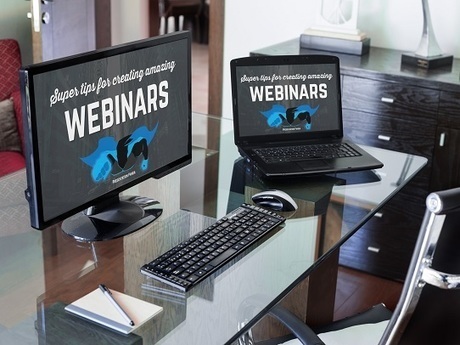
Understand the presentation secrets to creating engaging webinars that will have your audience glued to their screens. These webinar presentation tips will help Via Baiba Svenca 
Bovee & Thill's Online Business Communication Magazines's curator insight,
August 6, 2016 10:39 AM
"Understand the presentation secrets to creating engaging webinars that will have your audience glued to their screens. These webinar presentation tips will help."
Scoop.it!
Karlyn Borysenko and I discuss the elements of putting together an impactful presentation and how to submit them to conferences. Via Baiba Svenca
Baiba Svenca's curator insight,
July 1, 2016 1:52 PM
If you are not discouraged by 138 slides, watch how a nearly entire movie can be used for slide background, plus some great ideas here.
Scoop.it!

A visual comparison of these two online presentation tools, both PowerPoint alternatives that allow users to create and edit presentations with other team Via Baiba Svenca
Baiba Svenca's curator insight,
June 20, 2016 3:39 PM
A nice detailed comparison of Visme and Google Slides.
Scoop.it!

Are you a busy blogger? Discover more than 14 tools to help bloggers quickly, efficiently perform common tasks.
Scoop.it!

Looking to get started with data science but not sure how to get started? Take a look at our list of 10 programming languages and tools that are hot among data scientists and data analysts right now.
Scoop.it!

Last June, Google created a hub called “My Account” where users can easily view the information the company is collecting and change their settings. And this week the company rolled out a new tool called "My Activity" that shows you almost everything you do online related to your Google account. Via Jim Lerman |
Scoop.it!
Baiba Svenca's curator insight,
April 6, 2016 2:09 PM
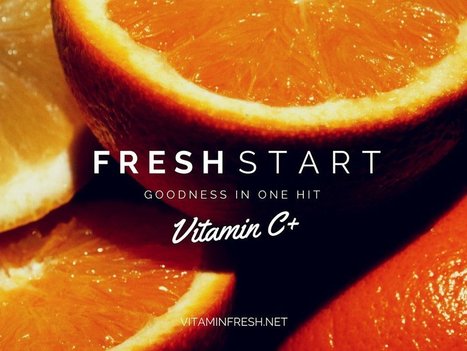
15 tips on how to design an attractive and powerful presentation, from beginning to end. 
Willem Kuypers's curator insight,
April 11, 2016 11:56 AM
Une présentation bien faite n'est pas facile.

Kim Bertrand's curator insight,
January 27, 2025 9:26 PM
This is another great resource for beginners in creating presentations! It is also valuable for those looking to expand and enhance their presentation skills and ideas.
Scoop.it!

Download How to Nail Your Next Presentation and start building skills that will transform the way you deliver your message in-person. Via Baiba Svenca
Baiba Svenca's curator insight,
April 18, 2016 10:11 AM
Free e-book with tips on how to deliver a presentation in public. May be useful to everyone who has not mastered this skill yet.
Scoop.it!

All you need to know to get started creating your own fantastic presentations! If you’ve ever had to present to a group of people, you know how intimidating it can be. You know things can go wrong. Your voice can give out, your laptop can fail, and your left leg can shake uncontrollably. These things can just… happen. But what shouldn’t happen is this... Via Baiba Svenca
Baiba Svenca's curator insight,
May 5, 2016 3:16 PM
Excellent resource with lots and lots of illustrations about presentation design. Beautiful fonts, images, layouts + templates for your own presentations.
Kim Bertrand's curator insight,
January 27, 2025 9:23 PM
This is to learn how to use a presentation in Canva. It has a great information about what type of design for each slide like charts, timeline, image, tiled layouts, etc. Not only helpful for educators but for students!
Scoop.it!
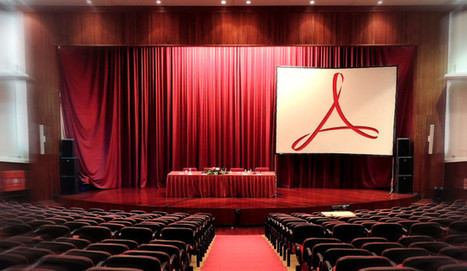
PowerPoint is seen to be boring. Presenting with PDF files can be a quicker and easier alternative. Here are seven selected tools to present & share your PDF files online. Via Ana Cristina Pratas, Baiba Svenca
Rosemary Tyrrell, Ed.D.'s curator insight,
June 16, 2016 12:24 PM
Great resources for presenting online content via PDFs.
Scoop.it!

PowerPoint presentations are generally pretty boring, so it takes really good design to make them stand out. Shutterstock wants to help with its new plug i Via Baiba Svenca
Scoop.it!

Do laser pointers help you when presenting? Here're a few tips to consider to deliver more effective PowerPoint presentations with the help of this tool.
Via Baiba Svenca
Scoop.it!

VoiceThread is an excellent online tool that promotes meaningful conversation through the use of visual prompts such as video clips, images, graphs, and more. This article gives step-by-step instructions to help educators create VoiceThreads that will engage students and stimulate thoughtful dialogue and collaboration. Via Baiba Svenca 
Melanie Cole's curator insight,
May 27, 2016 10:37 PM
Another tool that is just a bit more exciting than the standard PowerPoint presentation.
Rosemary Tyrrell, Ed.D.'s curator insight,
June 15, 2016 9:48 PM
We use Voice Thread at my institution. It's a great tool for bringing life to discussion boards.
Scoop.it!
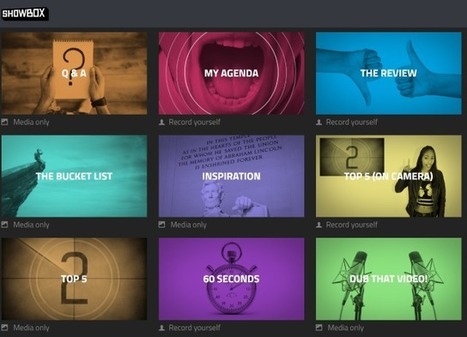
Ever felt the urge to launch a YouTube channel, only to find that the results don't quite pass muster? A new web app called Showbox is the answer. Via Baiba Svenca
Baiba Svenca's curator insight,
June 6, 2016 5:58 AM
Showbox is a new web app (in Beta stage) for creating videos. You will need a Chrome browser to use it.
Scoop.it!
Converting PowerPoint presentations into video format is a great way to give your speech extra engaging power. Here’s a quick tutorial to get you started. Via Baiba Svenca 
Jeff Domansky's curator insight,
August 4, 2016 10:47 AM
Dozens of valuable PowerPoint tips like these on converting PPT to video. Thanks to Baiba Svenca for sharing. 
rodrick rajive lal's curator insight,
August 5, 2016 5:07 AM
Move over Power Points, and static pages, enter VLogging and Youtube! The world has come a long way since the times of power point presentations, and why not when you can have the advantage of video! Videos make for better engagement of the audience, they appear to be more human, and yes there is less of print matter!

Mary Jo Davies's curator insight,
August 5, 2016 10:10 AM
You don't always need to use a video editor for professional presentations.
Scoop.it!

Sway is a novel tool for building cloud based presentations. Sway offers a rapid design experience, focusing on the collation of images, text, and video, sourced from the web or your computer. It's a canvas for your ideas, quick to create, and easy to share. Sway is still in closed preview, but we were lucky enough to have been pulled out… Via Baiba Svenca 
Alfredo Corell's curator insight,
January 18, 2015 2:56 PM
A new release of the new Microsoft presenting tool... Sway 
Mayra.Loves.Books's curator insight,
July 2, 2016 6:40 PM
I have used Sway for different presentations and I find it easy to use and intuitive. I still rather use other presentation apps but this one has its uses. I like it.
Scoop.it!

Do you create custom images for social media? Discover three tools that make it easy to quickly create multiple graphics for social media.
Scoop.it!

Browse through these excellent website homepage design examples to get inspiration for your own homepage design strategy.
|






