Text adventure games in the language arts classroom
Computer-based interactive fiction gives teachers and students fresh and exciting ways to improve their thinking and reading, and to have lots of fun along the way. I hope that this site will encourage teachers and kids to use this remarkable, but largely ignored, resource. Please feel free to contact me (bdesilet@yahoo.com), if I can be of any further help.
On this site, you’ll find two big sections. The first section is called Fun and Learning With Interactive Fiction. It’s mainly for kids aged ten to fifteen, but everyone is welcome.
The second section, Teaching With Interactive Fiction, is mostly for educators, but everyone is welcome here, too.
Brendan Desliet was the first educator to promote IF for learning and teaching via the Web. If that doesn't give him the IF for learning crown, he is even in the 'Get Lamp' documentary, which makes it official.
Extensive resources, handouts, links, and additional materials from Gerald W. Aungst's presentation on this topic ath the 2012 NAGC Conference in Denver, CO.(national Associatin for Gifted Children).
A growing collection of 57 Learnist boards (as of July 3, 2013), each concerned with some aspect of writing and the mind, the brain, and/or neuroscience. Fascinating. A great spot to while away tons of time.
This site is a guide to writing-intensive teaching and learning. Developed in Queen Mary, University of London, it is funded and promoted by the LTSN Generic Centre
A resource for teachers in Higher Education, exploring connections between thinking and writing.
A well-organized and practical collection of resources and aids for teachers of writing. Intended for higher education, it will work quite well for high school students too.
There are stories where characters are isolated or are in competition with themselves. These kinds of stories are hard to write and can easily come across as self-important and self-indulgent. Everything’s about him, nobody else counts, he has to do it all by himself.
That’s usually not the intention, but it’s hard not to come over like that if every sentence starts with the same subject. However, once you bring in a rival to your main character, things not only become more dynamic, they also help the reader see the main character more clearly.
To me the biggest difference is in how flipping adds context. For instance, working with a particular piece of literature, say, Romeo & Juliet, offers many ways to use the flipped format to add learning experiences beyond what one might have time to share within the restraints of the class hour. Some examples of what could be flipped for students reading Romeo & Juliet:
Google maps of the area of Italy where the play is setHistorical info on Queen Elizabeth I, London, or William Shakespeare3D rendering of the Globe TheaterGoogle Lit Trip, which uses Google Earth to move through the play’s localesVideo clips from West Side Story, Shakespeare in Love, or any available version of the playRenaissance food recipes and photosVideo and image parodies, such as this one.Your own screen casts explaining texts, like this one, using Jing.com.Online texts, including side-by-side modern translations, e.g. No FearBlogging as Romeo or JulietDiscussion boards regarding choices the characters makeVocabulary practice via Spelling and Vocabulary City, for instance.Suggesting students create a quick rap using uJam.com
Of course, the possibilities are nearly endless. While no teacher wants to replace the core discussions and interactions of the language arts class (nor should they), adding a flipped element creates opportunity to craft meaning and connection to the world in ways simply not possible by sending home worksheets or packets with information.
The management of this material requires a strong interactive platform for teachers to easily share these resources. There are several free or inexpensive options for this. Moodle, Edmodo,Schoology, Google Sites, Wikispaces and several others could form that connective tissue to allow for these flipped resources. I prefer Schoology, even though I used Edmodo for years, because the design is very clean, and students always know where to find resources, even if they were from many weeks ago. I think it is a matter of preference.
This article comes by way of @felixjacomino on ScoopIt. I really like this article, because it's main point is that people are trying to adapt old ways of writing to new technology. I believe the author, at some point, even points out that in education, it doesn't matter what software package a child learns as long as they learn technology and the basics of how to use word processing. I started out on WordPerfect years ago, and then had to adapt to Word 1.0 (what version are we up to now?). Same with CMS systems that I've learned in the past. People are always so stuck on knowing specific products in tech comm instead of realizing that if you know one software package, you can probably adapt fairly quickly to a new one if you are just shown the differences. That was definitely the case with my current position.
But back to iPads and writing--I took copious notes on my iPad during the STC Summit, and wrote several long blog posts on my iPad as well. Yes, it was easier to type with a wireless keyboard, but that's only because I type very fast and legibility is important to me. It's a sensory thing for me. I found that for basic writing tasks, I can use the iPad with ease, and that's the point of this article. No more excuses! Mobile is definitely an option.
One can easily become overwhelmed by the variety of Web 2.0 tools that are available online today. In order to effectively choose the appropriate tool, being aware of your intended instructional outcomes is key. To assist you in this search, educationally relevant Web 2.0 tools have been grouped into categories below, which are reflective of 21st century skills.
From the University of Houston College of Education
My latest article on using IF for language learning published in the awesome-looking In English Digital 6 magazine. And being published alongside Graham Stanley and Nik Peachey is not a bad thing either :)
ThumbScribes collaborative writing community. Co+create stories and poetry with friends or open your collaborations to the community.
...
ThumbScribes is a platform for creating collaborative content. Anyone can participate. Scribes are created and passed between ThumbScribes authors who add a new chapter or section to the work until it's completed. You can create private scribes and invite a handful of friends or open your scribe up to the world and see what happens.
You don't need to install anything to use ThumbScribes. Participate by using our web platform or submit contributions from IM and even Twitter. Sign Up Now and get started.
"The topic of the day: When do you know you’ve reached the end of your novel, story-wise? (That is, when do you know the plot’s wrapped up?)This is a huge consideration for an author, and it’s not as simple as non-writers might think (especially for those of us who don’t use outlines).
"Yesterday I talked abouthow you know you’ve finished with the blog post you’re working on. Blogs are much more informal, and the question is less critical there: you can always write another post expanding more on the topic at hand.
"Today, though, we’re applying that question to fiction, and fiction is different."
There are tons of free eBooks out on the Internet these days and if you’ve ever wanted to produce your own free eBook there is more than one good way to do so.
"Google Tech Talk (more below) March 7, 2011 Presented by Jason Scott. ABSTRACT Jason Scott will talk about making the documentary and we'll be screening some portion of the film."
This week in the Games Based Learning MOOC, we’ve been focusing on two tools for GBL: AR/ARGs and Interactive Fiction/Text Adventures. As I’ve mentioned in a previous post, I’m planning to integrate IF into my Fall FYC class. Students will both experience the course as a piece of IF and, at the end of the term, create their own IF.
Interactive grammar lessons in grammar, mechanics and punctuation.
Below that you'll find links to various online resources that may help you with your writing: dictionaries, style guides, and online reference sources.
8 Different Ways ESL Students Can Use Pictures When Learning English 1. Say what you see. (I see…) 2. List things that are in the picture (There is… There are…) 3. Make up a story about what is happening in the picture 4. Make up questions about the picture 5. Make a caption or headline for the picture 6. Describe what the person feels like and guess why they feel that way 7. Compare and contrast two pictures (similarities and differences) 8. Give your opinion / react to the picture
"I am proud to announce that I have finally released the pre-publication version of the rewritten Narrative Sensemaking chapter for the third edition of my monster book. You can find it on the Working with Stories web site (look where it says "NEW!")."
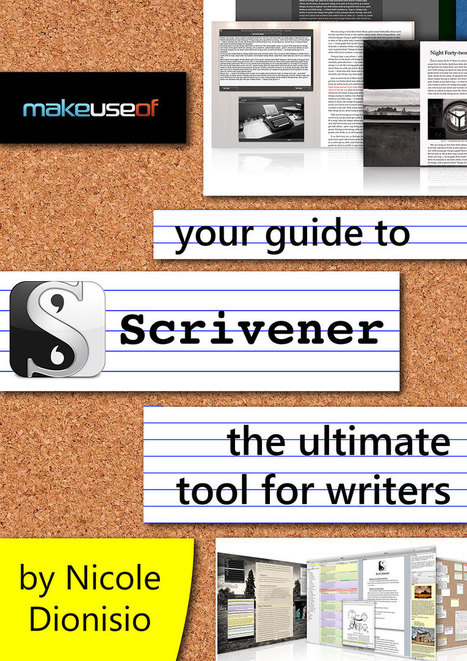
Learn to use the ultimate writing software: Scrivener. Allowing you to combine the various elements that make up your writing project, from outlines to research to note, Scrivener helped author Nicole Dionisio write two novels in a single year.
A nice a article giving info on the 4 main parser-based IF authoring tools: Inform 7, Quest 5, TADS and ADRIFT. It also mentions the very popular Twine software, used to create 'choose your own adventure'-type stories.
To help students develop their writing skills I’ve created two additional groups for my classes which we call “iBlog” and “What Do You Think?”
In iBlog, one student is chosen weekly and they are given the opportunity to blog about their personal interests. Besides having to use complete sentences and demonstrate the correct use of punctuation and spelling, they are required to include pictures and links to websites, articles and/or videos related to their specified interest.In “What Do You Think?”, students are required to respond to high interest articles with their opinions, and provide additional digital resources that piggy back upon previous responses. All posts are reviewed and critiqued on our interactive white board.
Advice for Teachers New to Edmodo
I would suggest that any new teacher interested in giving Edmodo a try should go straight to Edmodo.com and watch the introductory video as well any available tutorial videos in the Edmodo Help Center or at YouTube.
Also, seek out fellow Edmodo users at your school for a more hands on approach and join Edmodo Communities to learn about the creative ways in which tech savvy teachers are integrating this amazing educational tool! It’s easy, fun and safe to use for students and teachers alike.
This June 2013 issue of the Virtual Education Journal features articles on Digital Storytelling and announces the 2013 VEJ Reader's Choice Awards. Prepare to devour every morsel and VEJ - Out Of This World!
To get content containing either thought or leadership enter:
To get content containing both thought and leadership enter:
To get content containing the expression thought leadership enter:
You can enter several keywords and you can refine them whenever you want. Our suggestion engine uses more signals but entering a few keywords here will rapidly give you great content to curate.


 Your new post is loading...














A well-recommended site for those interested in teaching about or reading Interactive Fiction