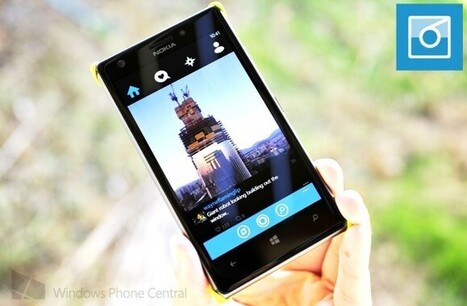
This free app will generate a nerdy or funny fortune each day. Fortune is available on Windows Phone 7 and 8.
receive a new adage, epigram, joke, proverb or saying each day on a live tilecollect your favorite fortunes in a listshare fortune on social networks such as twitter or facebookgenerate a new fortune within the app
Like other Nokia software releases, this morning also saw the arrival of their HERE Maps application for Windows 8. The Windows Store app, meant for their RT-based Lumia 2520, is their first mapping app for the desktop/tablet.
Nokia is on an updating roll this morning. The company has pushed out a new version of HERE Drive to the Windows Phone Store, introducing a batch of new features.
For Bluetooth and accessory fans, one big hole in the Windows Phone platform has been the lack of Bluetooth 4.0 Low Energy (LE) support (although Android lags here too).
I love the task-based way of handling platform features on Windows Phone. It works great for choosing or taking photos, sending email/SMS, or taking a user to Marketplace. One inexplicable omission is that you have no way to let a user select files from SkyDrive, even though Windows Phone is supposed to be connected to the cloud! To remedy this, I've created a fairly simple task-based SkyDrive browser for selecting files. I made it look like the SkyDrive browser used by Office Mobile 15. This displays the files and folders at root, along with sharing information. You can tap a folder to enter it, the "up" button to go back a folder, or a file to select it. Selecting a file passes it back to the caller (your app) so you can open it or do whatever you need. The library currently supports English, Spanish, German, and French.
Preview image of SkyDrive file browser for Windows Phone 8
To use the library:
Use NuGet Package Manager in Visual Studio to reference ArianKulp.SkyDrive.BrowseTask (direct link below). In your app, integrate Windows Live LiveClient authentication. Create the SkyDriveBrowseTask object and pass it the LiveClient. This is required as it assumes that you are already handling authentication login/logoff in your own way. Handle the Completed event to deal with the selected file path (or canceled operation). Handle the request: ...
When you email photos from your Windows Phone device, it is downsized for faster transfer. What if you want to share full resolution photos taken with the 41-megapixel sensor on the Nokia Lumia 1020?
We know you're all excited to soon be able to pick up the Xbox One, power on the beast and smash some skulls in Ryze or net some superb shots in Fifa 14.
In the Windows 8.1 update, we made some changes to the Windows Store to show you more apps and to make it easier to find apps you might like. Let’s take a quick look at what you can do with the updated Windows Store. ...
Rudy doesn’t sleep and neither do we. He’s been working full-time on developing for Windows Phone the past few weeks, which is why you’ve seen a steady update cycle with his app. 6tag for example, just received another update tonight.
On Monday, the Xbox and SkyDrive teams announced that your videos and photos will be available to you through Xbox One when it launches Nov. 22. The app takes advantage of some exclusive Xbox One features: Open photo albums from channels in OneGuide, play music with your slideshows using Xbox Music and control everything with gestures and voice using Kinect. The verbal command “Xbox: Go to SkyDrive” is all you need to get started with these experiences.
SkyDrive is the best way to see your photos and videos on the big screen via Xbox One – you’ll see what we mean when you watch the video demo above!
With SkyDrive on Xbox One, it’s easy to find photos and view them in a slideshow. Dan Somrack, SkyDrive program manager, says, “I was able to pull up pictures from a trip I took years ago to Cape Cod with my family that I had never bothered to dig through my computer to find.”
It’s also easy to view shared photos and videos, so your friends can share their content with you and vice versa, and that content shows up automatically. Conveniently, every photo you take with your Windows Phone gets automatically uploaded to SkyDrive, so there’s no separate process to upload them later to show to anyone – they’re already there.
To find content, the Xbox OneGuide is the single source you need to browse and find live TV, on-demand streaming video from apps, or even your own SkyDrive photos or videos. Apps plug into the OneGuide platform and show content as you might read a TV guide.
How does SkyDrive fit into that picture? It automatically adds your Pictures folder and the Camera Roll as channels for fast access, but you can also add any folder from the SkyDrive app into the list. So when you pick an image, you’re taken directly to a slideshow of that image and the rest of the album. “For example, if my friend was on vacation in Hawaii, he could share a photo album with me and I could add it to the OneGuide. Any new pictures he puts in his album will show up in my app channel,” Somrack explains.
Where's Office for the iPad? Maybe you're looking in the wrong place. Today, Microsoft released its latest batch of Office Web App updates, pushing its free offering well past the feature set offered by its rivals.
How do you compete with rivals that are willing to give away a product comparable to yours?
That's Microsoft's multi-billion dollar Office dilemma as it tries to compete with Google and its free Google Apps platform. For a generation raised on Gmail, Google Drive and the Google Docs family might be good enough for some potential customers to decide they don't need the "real" Office after all.
In a bid to raise the stakes, Google is making its free Quickoffice suite a standard feature of its latest Android distribution, KitKat. Meanwhile, Apple is stumbling, cutting features as it tries to make its iWork programs compatible across iPads and Macs.
All of which explains why Microsoft is evolving its Office Web Apps at breakneck speed.
The latest Office Web App updates will go live shortly for anyone who signs in at Office.com with a free Microsoft account or a paid Office 365 account. (If you're not seeing the new features yet, be patient. A Microsoft spokesperson told me the global rollout begins today, and by end of week everyone should have access to the new Office Web Apps.) These are significant improvements, enhancing collaborative capabilities and making the free online versions credible alternatives to the paid Office 2013 and Office 365 products.
office-web-apps-fall-2013
The most visible improvements in the new Office Web Apps allow anyone to create documents in the three online programs—Word, Excel, and PowerPoint—and share them with anyone else for real-time collaboration. Effective with this release, online users of the Word Web App can stop hovering over the Save button. It's gone, as that app now joins its Office-mates in the capability to automatically save changes to files while multiple users work on them simultaneously. Any changes your co-workers make show up in the document virtually instantaneously. For Word and PowerPoint, you can collaborate on documents stored in SkyDrive or SkyDrive Pro using any combination of desktop program and/or web apps; Excel doesn't support real-time collaboration using the Excel desktop client, so to share a spreadsheet in real time everyone has to be using the Excel Web App.
Word also adds the ability to find and replace text in a document, a capability that is sorely missed in the previous Office Web Apps release. In addition, you can now create, view, and edit headers and footers in the Word Web App.
The Windows Phone community is a pretty incredible place. Third party developers have constantly stepped up to the plate when an official app doesn’t exist on the platform or the current app is lackluster.
Developer Jimmy Engström has managed to build an API to control a Silverlit (www.silverlit.com) remote control car. Using Bluetooth, the Windows Phone is able to control the toy just like any supported controller.
Update 2, 6 PM ET: And just like that, Untappd (company) has pulled the API keys, disabling this app (and their own). More below. Does this sound like you? Beer drinker, somewhat into social networks, and rocking a Windows Phone?
Nokia Refocus, the cutting edge imaging app that lets you capture first and then focus and re-focus later to produce interactive photos is available today!
Microsoft's group messaging app, GroupMe, has been updated to version 4.6.4, adding support for the copying of messages, improving offline app usability, and refining overall app performance.
Microsoft is making available updates and fixes for its Surface RT, Surface 2 and Surface Pro 2 tablets as part of its November Patch Tuesday releases.
Marc Whitten and Yusuf Mehdi walk through a comprehensive demo of Xbox One, including instant switching, biometric sign-in, Live TV, Skype, game DVR, OneGuid...
Microsoft's Xbox One will dominate your living room entertainment by accessing your cable, on-demand video apps and other media, the company teased Friday.
The above new video shows a demonstration of how the Xbox One will integrate with those services, and how it will allow users to switch quickly between them with voice commands. Yusuf Mehdi, Xbox's chief marketing and strategy officer, and Marc Whitten, Xbox Live's vice president, walk us through the experience in the 12-minute video, which was recorded Nov. 1, The demo featured "live code" from the Xbox One.
SEE ALSO: Should You Buy a Next-Gen Console at Launch?
Microsoft previously detailed the Xbox One's relationship with the cable box and other applications, but this is the first time users get a big picture of what that looks like.
The Xbox One's home screen will look familiar to Windows 8 users, as it features a tile-structure similar to Windows' new Metro layout. Compared to the Xbox 360 layout, it has much less stuff on the home screen. One of the biggest features is pins, which allow users to attach as many as 25 of their most-used apps, games, television shows, websites or albums to the home screen. After users customize theirs pins and their Xbox One dashboards, it stays associated with their Xbox Live accounts, meaning it will appear on any Xbox their signed in to.
Once users' accounts are tied to an Xbox and it recognizes their faces, the Xbox One will log them in as soon as they appear in the Kinect's camera. The Kinect can detect who is holding the controller and giving voice commands, and then it gives them options associated with their profile.
Entertainment Options
For those with cable subscriptions, the Xbox One can hook to their cable box with its HDMI-in port and stream live TV through the console. The Xbox One will then supersede the cable box's built-in guide with its own "OneGuide". Users can then mark their favorite channels in the OneGuide, and also get a live view of what is playing on every channel, with thumbnails and program descriptions.
The OneGuide isn't just for cable, however. Several other entertainment apps interface with it. Users can view their Hulu Plus queue along with their live programming.
"We understand that everyone is getting bombarded with entertainment from everywhere," Xbox director of product management Albert Penello told Mashable. "We want to help organize that."
The OneGuide can also interface with SkyDrive, Microsoft's cloud storage service. Users can bring their own pictures and video in from SkyDrive and easily find them on the guide.
The Xbox One is getting many of the same entertainment apps found on Xbox 360. On its Nov. 22 launch in North America, users can download Amazon Instant Video, Hulu Plus, Machinima, Netflix, Twitch, ESPN, Redbox Instant, TED, Univision, Verizon FiOS TV, VUDU and the NFL App. HBO Go is listed, but it is marked as "coming soon".
During live TV, or any other activity, users can receive a game invite or a Skype call and connect with their friends. The Xbox One Skype app uses the Kinect's camera, which has received a huge resolution update to 1080p, and the Kinect can digitally zoom to follow the subjects if they move around the frame.
Almost every app can be brought into the Xbox One's multitasking mode, called Snap. This allows gamers to watch TV while they play a game, check their friends list while watching TV, or bring up Internet Explorer. When apps are snapped, they appear in a vertical bar on the right side of the screen.
The Xbox One will be out in North America on Nov. 22. Players can get a glimpse of the dashboard starting Friday at Microsoft's 75 stores around the country.
LockMapper is a recent addition to the growing list of Nokia Collection apps. This simple allows you to have your current location map as your lock screen. As the app developer claims, ”Get a different perspective of the world around you” with LockMapper.
App Description:
Have a map of your current location set as your lock screen, wherever you go! Chose from different map types, such as road or satelite view, change the zoom level, and display traffic. You can even save multiple locations that can be pinned to maps, shared with other LockMapper users, opened up in your navigation app, or used to “lock” your map to that location.
Updates occur roughly every 30 minutes, and there are multiple features to help conserve battery and data usage.
Microsoft recently updated their Xbox Music and Xbox Video app for Windows 8.1 devices. Both these apps has got new features and improved experience with this update.
Xbox Music:
It’s now simpler to buy the albums and songs you want to keep forever. You can redeem Microsoft gift cards, too!A brand new user experience makes it easier and more fun to find music in your collection, listen to radio, and explore the Xbox Music catalogSearch is always accessible – just start typing! A new way of showing results makes it easier to find what you’re looking forPause and play with a single tap from the new always-visible playback controlsSnap the app and have fun multi-tasking while you listenFor quick access, find your playlists the now playing list in the left-hand menuUse the Share Charm in Windows 8.1 to share any webpage to Xbox Music – we’ll look for music on it and make you a playlistManage what shows up in your Windows music library, right in the appPerf improvements make it faster to start the app and get to your collection
Xbox Video:
Improved layout for TV show extra episodesImprovements for portrait mode and high resolution screensAdditional minor fixes.
To get content containing either thought or leadership enter:
To get content containing both thought and leadership enter:
To get content containing the expression thought leadership enter:
You can enter several keywords and you can refine them whenever you want. Our suggestion engine uses more signals but entering a few keywords here will rapidly give you great content to curate.


 Your new post is loading...