


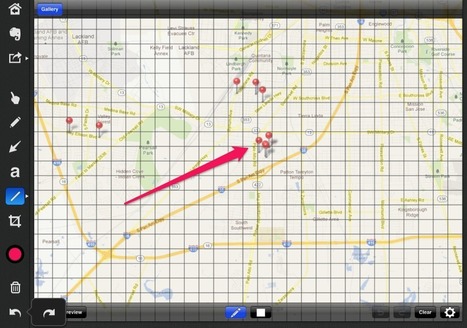
A staff development workshop to 25 Middle School Mathematics teachers..

 Your new post is loading...
 Scoop.it! A staff development workshop to 25 Middle School Mathematics teachers.. 
No comment yet.
Sign up to comment
Scoop.it!

1 In 3 Parents Sees IPad As Educational Device - 02/29/2012...
Scoop.it!
When making the move towards using mobile devices in the classroom, there are a number of practical considerations to bear in mind. This article will draw on the experience we have had this year, in implementing an iPad 1 to 1 scheme with our 6th form. We’ve made many mistakes, and I hope have learnt from them. In the spirit of collaboration, I will share some of them below, in the hope that other schools learn from both what has worked, and what hasn’t. 1. Sort your wireless out
Scoop.it!
I’ve been using the HoverCam for the last few months, demonstrating it at teacher workshops, and using it to complete the training videos for the Master Class. The HoverCam T3 is a clever, tower design, with a small but steady base for support.
Scoop.it!
/PRNewswire/ -- Aginova Inc., a sensor technology company, announced today it is launching several temperature probes for food inspection, for K-12 education and for cooking, especially grilling and BBQ.
Scoop.it!

A Texas school district is trying to close its digital divide by distributing thousands of Apple tablet computers in a move that could make it the largest iPads program for students in the nation. McAllen Independent School District in the southern part of the state began distributing 6,800 devices this week — mostly the iPad tablet computers, but also hundreds of iPod Touch devices for its youngest students. By this time next year, the district says every one of its more than 25,000 students in grades K-12 will receive an iPad or iPod Touch. The district believes it's the largest to try for complete coverage and while Apple would not confirm that, other districts the company noted as having made large investments have not made ones as big as McAllen's.
Scoop.it!
Side by Side is a multiple-window reader/browser with offline reading and note taking capabilities. It turns the iPad into multiple resizable reading devices working in parallel.
You can browse webpages, download files, read documents, or take notes on each split screen.
When reading something on the iPad, e.g. a webpage or a PDF document, you might often need some handy tools on the side, e.g. a dictionary, a notepad, your email inbox, your facebook updates, an IM tool to chat with your friends, or a youtube video with your favorite background music. This app provides you plenty of possible ways to organize your beautiful iPad screen. Via Ana Cristina Pratas
Scoop.it!

Many times I find myself in a situation where I want to do a presentation with the ability to stay mobile and move around the room.
Scoop.it!

One of the great things about being a writer in these tech-driven times is the ability to work from just about anywhere. Productivity while on the go can be a life-saver, but even bashing out a chapter of your novel or penning magazine articles from the comfort of your cushy couch has its own perks. Luckily, the App Store is brimming with handy tools for writer folks. From organizing your thoughts and taking notes to conducting research and knocking out articles without a computer, we’ve rounded up eight must-have apps to help you get the words flowing.
Scoop.it!

On his first day of using nothing but an iPad for work, Dan Moren found that it takes a bit of adjustment--but only a bit.
Scoop.it!

From
twit

"Hosts Leo Laporte and Sarah Lane show off live apps that rock: Storify, GetGlue, Oscars, help for iPad crashes, Onlive Desktop Plus, Travelocity, & more!" Via John Evans
Scoop.it!

"When Explore Knowledge Academy has its grand opening celebration in March, it will become the first iSchool in Nevada, with a 1-to-1 ratio of iPad tablets to students. Here are the 10 iPad applications used by educators at the public charter school and recommended for other schools and families with iPads." Via John Evans
Scoop.it!

Sometimes, to teach a class, its can be helpful to save a local, temporary copy of a YouTube video to your computer and transfer it to an iPad. Then the iPad can play the video from its “Photo Roll” without being connected to the Internet. This is especially helpful in places where wifi Internet access to YouTube is not available. In this four minute tutorial, Wesley Fryer explains how to use the free website saveyoutube.com along with the $2 iPad application PhotoSync (and free desktop companion software) to do this.
|
Scoop.it!

"Dreams come true, and I’m thrilled to share this one with you. Using the $15 Reflection App on an Apple computer, it’s now possible to MIRROR the screen of an iPad2 or iPhone4S right on your screen. This essentially makes your Apple computer function like an AppleTV for iOS mirroring, except you don’t need to purchase and install a $99 AppleTV with a HDMI cable. This is HUGE for teachers and anyone else needing to share an iPad screen with students over a projector." Via John Evans
Scoop.it!

The Socrative app that is available online and via apps for iPad, iPhone and also Android mobile devices. Any device that access the internet can utilise Socrative in the classroom. Socrative brings smart clickers, student response and ease of use to a whole new level. Students can be engaged all lesson with educational exercises and games. You can gather feedback instantly from all students anonymously. Socractive has a wide variety of activities to use when assessing students learning. Students can access the specific ‘room’ of the teacher to answer the question that have been verbal asked or from a pre setup quiz. All feedback can be seen instantly by the teacher and can also be shared at the end of a quiz via a report. These reports offer a breakdown of each students response to the question. It even marks the quiz and responses for you!
Scoop.it!
Readcube is a free, simple, academic software and reference manager for researchers. Read Cube helps researchers organize, annotate and stay on top of new research literature.
Scoop.it!

Seeing this iPad calculator in action, we all just stared. Then came the rush to find a scientific equation that had challenged us in the past.
Scoop.it!

Three services dominate the read later category. They are Instapaper, Read It Later, and Readability.
Scoop.it!
The presentation describes how the iPad can transform learning in a primary school classroom.
Scoop.it!

Mobile Learning apps, blogs, and webinar recordings... Resources for the effective integration of mobile learning devices
Scoop.it!

Highly Recommended! Without a doubt and without fear of contradiction I am happy to recommend Tweetbot as a Twitter client for iOS that is well worth getting and using. It might even be the best Twitter app for iPad
Scoop.it!

This is the start of what I hope will become a regular series here at iPad Insight – What’s on Your iPad.
Scoop.it!

"Plenty of apps give you stripped-down versions of Office on the iPad. But OnLive Desktop gives you the complete Windows Office suite. In Word, you can do fancy stuff like tracking changes and high-end typography. In PowerPoint, you can make slide shows that the iPad projects with all of the cross fades, zooms and animations intact." Via John Evans
Scoop.it!

A compilation review evaluating a number of note-taking apps in order to establish which one is the best for healthcare professionals. These apps all take inputs via a stylus and the 'zoom' method. Via John Evans
|





