Your new post is loading...

|
Scooped by
Mel Riddile
February 21, 2012 7:26 PM
|
Among my favorite tools on the iPad? News apps.
Recently, things got even better when some of the most popular news applications—Flipboard, Pulse, and Zite—released iPhone versions, and Google debuted its entry into the field: Google Currents.
All attempt to replicate the look and feel of a magazine; swiping through screens to advance content does recall the satisfying turn of an actual page. You can also Tweet, email, or post a story to social sites using these free apps.
"This presentation came to us via @DrLaPrairie on Twitter, and provides a fascinating insight into the educational applications of iPads in a secondary context. They were created by Cheryl Davis, from Acalanes Union High School District (USA)."
Via John Evans
"Side by Side is a versatile free app. - With Side by Side, you can split the iPad screen into as many as four windows that can be positioned and sized as needed.
- These windows can be used to view multiple websites, PDF’s or MS Word files.
- Or, any of the windows may be used for note-taking text editors. Text can be copied into a text editor from other open windows.
- Text-to-speech is available in any of the windows via Speak Selection."
Via John Evans
|
|
Rescooped by
Mel Riddile
from APPS, apps, ApPs and more apps....
February 20, 2012 10:28 AM
|
Math Duel: - Split screen mathematics game
- Pits two players against each other on the same device!
Via kathy pryor
|
|
Scooped by
Mel Riddile
February 16, 2012 10:59 AM
|
One of the most easily accessible and applicable functions of the iPad across the curriculum is to use it as a reading & note taking device and there are two fantastic websites, that when used in conjunction with the iPad, make it incredibly easy to turn any web based content ( blogs, websites, articles, primary source documents, etc...) into either a PDF or ePub document, right on the iPad.
Creating & Annotating a PDF on the iPad
|
|
Scooped by
Mel Riddile
February 16, 2012 9:13 AM
|
Thank you again to everyone who attended yesterday's webinar. The archived link is now available:
iPads in the Classroom - Creating & Reading We had a great conversation about several ways to integrate iPads into the classroom with a focus on creating and reading.
Resources Discussed During the Webinar
|
|
Scooped by
Mel Riddile
February 14, 2012 4:10 PM
|
The rumors are all converging on an end of March ship date for the successor to the iPad 2. Here’s what the rumors all say is going to be included in the iPad 3.
1. Twice the Resolution and Four Times the Pixels 2. Improved Camera 3. Improved Battery Life 4. Quad Core Processor 5. It May Use the Faster 4G LTE Mobile Network
|
|
Scooped by
Mel Riddile
February 14, 2012 1:29 PM
|
These studies show whether iPads help make learning fun or waste money.
|
|
Scooped by
Mel Riddile
February 14, 2012 1:21 PM
|
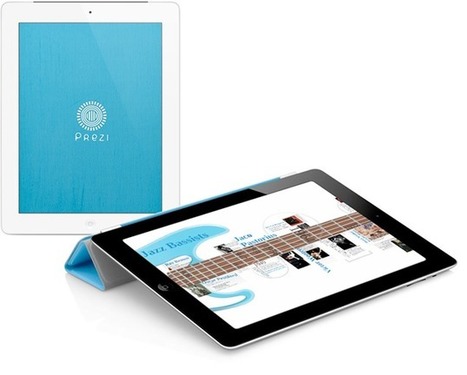
View and present your prezis anywhere with simple, intuitive multitouch gestures. Drag to pan and pinch to zoom in or out of topics, just like you do in any map apps.
"It turns out that the iPad has some magic, invisible keys. They sit at the ragged ends left over as the keyboard splits and shrinks to the sides of the screen for easy thumb typing. If you hit the space to the side of the T key, for example, iOS will spit out the letter Y, just as if it were still there. These phantom keys continue down both sides, letting you access Y,T,H,G,B and V across the void in the center."
Via John Evans
|
|
Rescooped by
Mel Riddile
from Digital Delights for Learners
February 14, 2012 12:47 PM
|
Mixlr makes broadcasting easy. Broadcast live, high-quality audio across the web, iPhone, iPad, Android and mobile devices.
Via Ana Cristina Pratas
|
|
Rescooped by
Mel Riddile
from APPS, apps, ApPs and more apps....
February 12, 2012 11:07 AM
|
Rainbow Sentences is designed to help students improve their ability to construct grammatically correct sentences by using color coded visual cues. The who, what, where, and why parts of sentences are color coded to help students recognize and understand how combinations of these parts create basic sentence structure.
Via kathy pryor
|
|
Scooped by
Mel Riddile
February 11, 2012 4:32 PM
|
IPADS IN LIBRARIES TCEA 2012 by Carolyn Foote Slideshare
|
|
|
Scooped by
Mel Riddile
February 21, 2012 7:23 PM
|
Sure, there’s plenty to love about iCloud -- after all, it’s a giant step up from Apple’s previous cloud efforts like MobileMe and .Mac and it’s free, so what’s to complain about?
Unfortunately, iCloud can’t do everything, so here’s a look at what Apple doesn’t tell you about their cloud service.
|
|
Scooped by
Mel Riddile
February 20, 2012 1:57 PM
|
via Educreations and Explain Everything - ProfHacker - The Chronicle of Higher Education
One academic task the iPad lends itself towards is screencasting. After all, the iPad is portable, powerful, and has been used with other presentation mediums (Keynote, PowerPoint, and Prezi) since its release because users have the option to create, save, and share all in one compact and visually-robust device.
However, it’s been less obvious how to find screencasting software for the iPad.
Screencasting is not a new phenomenon; previous ProfHacker and Chronicle posts have included a Screencasting 101 primer, a how-to guide on whiteboard screencasts and some lessons in screencasting, among other tutorials.
The intersection of these two teaching tools—iPads and screencasts—has been largely absent from these discussions, yet this combination has the ability to create great learning material for a variety of disciplines and classroom formats (face-to-face, mixed mode, and distance learning alike).
|
|
Rescooped by
Mel Riddile
from APPS, apps, ApPs and more apps....
February 20, 2012 10:29 AM
|
Operation Math is much more than your average math facts and flashcard app.
Currently on sale for 1.99
Via kathy pryor
|
|
Scooped by
Mel Riddile
February 16, 2012 11:05 AM
|
One of the main reasons for my launch onto the iPad bandwagon had to do with its ability to differentiate learning experiences for students.
In addition to providing instant Internet access and a host of learning tools, it gave students an opportunity to customize their own learning.
- Reading
- Note Taking
- Organization
- Audio Recording
- Research
- Studying
- Digital Textbooks
- Multimodal Presentation
|
|
Scooped by
Mel Riddile
February 16, 2012 9:19 AM
|
iPads in the Classroom - Responding & Learning
Thank you to everyone who attended yesterday's webinar. We had a great conversation about ways to integrate iPads into the classroom with a focus on student response systems, classroom management, digital notebooks, digital organizers, and digital study aids.
|
|
Scooped by
Mel Riddile
February 15, 2012 2:30 PM
|
Moving assessments onto mobile devices may open the door to quicker feedback for students and teachers as well as richer data, but integrating them into classrooms can be a challenge.
|
|
Scooped by
Mel Riddile
February 14, 2012 4:08 PM
|
East Haven, Conn., reading specialist Gina Tomassi sits with second-grader Isaac Florentino for a quick reading evaluation, listening to him read a short story about a riverside village.
IRIs on an iPad!
She’s conducted these informal, frequent assessments countless times with other students in her career, having nailed down a stop-watch monitoring, hand-tapping, note-taking routine that certainly seems a challenge for the uncoordinated or inexperienced multitaskers. But on this recent morning at D.C. Moore Elementary School, it’s all done with the touch of an iPad.
|
|
Scooped by
Mel Riddile
February 14, 2012 1:26 PM
|
ThinkBinder is an app for real-time collaboration...
|
|
Scooped by
Mel Riddile
February 14, 2012 12:52 PM
|
We use a lot of different calculators on our iPads.
The iPad is missing a calculator like our iPhones come with. Just a basic calculator that you replace the little plastic one on the desk with. It would be nice to have a couple features of course… maybe a tape, editing past calculations and the ability to share. It would appear the folks at Shift had the same need with their Digits Calculator.
"This is a growing collection of free edu apps that are considered to be "surprisingly educational". Many are edutainment in nature. We have provided ideas for integration for each app (in our "appy hours 4 u" show) that span across content areas and multiple grade levels."
Via John Evans
|
|
Scooped by
Mel Riddile
February 13, 2012 10:54 AM
|
Amazing collection of resources for using iPads in schools.
|
|
Scooped by
Mel Riddile
February 11, 2012 5:05 PM
|
An Extremely Expensive Placemat
No matter how versatile and potentially powerful a product the iPad is, it is merely an extremely expensive placemat without creative, well planned teaching behind its use.
Before Adoption
Before committing to an iPad implementation of any size, schools need to thoroughly think through how these technological marvels are going to enhance the teaching and learning process.
What Will Be Different
Ask yourself, what will be different about teaching and learning? If you don't know, don't decide! It can't be about "the same work with different tools."
It's About Learning not iPads
"It’s why we have to think of what we want them to do as learners, not what can the iPad do. We have to make the iPad suit the learning, not make the learning suit the iPad to justify having it. So think of the skills you want your students to develop and then work out if the iPad can improve that skill. If it doesn’t, don’t use it."
1. Enhanced Note-Taking 2. Writing
|