Your new post is loading...

|
Scooped by
Mel Riddile
January 24, 2012 12:53 PM
|
Operating without wires using Bluetooth, this keyboard will project a fully operational Class II laser-generated keyboard onto any flat, opaque surface.
The keyboard itself is 9 3/4″-wide x 4″-deep with 3/4″ keys once projected and promises to recognize “keystrokes in three dimensions by an optical sensor that detects finger placement at different areas on the keyboard, distinguishing between a finger hovering above the space bar or a number key.”
Keyboard functionality is enhanced by “an invisible infrared horizontal plane projected millimeters above the surface detects actual contact with “keys”-when the plane is interrupted by a finger, the projector assigns a keyboard character, passing it along to a paired device.”
Speed
Worried this keyboard won’t be able to keep up with your amazing touch-typing? As long as you don’t exceed about 400 characters per minute you should be safe.
|
|
Scooped by
Mel Riddile
January 24, 2012 12:47 PM
|
Young learners are using iPads in the classrooms of Burris Laboratory School. Will mobile device use become the future for classroom education?
|
|
Rescooped by
Mel Riddile
from Learning with Mobile Devices
January 24, 2012 12:12 PM
|
Individual Education Programs (IEP) can be difficult to put in place at the best of times. IEP's are sometime a source of concern and frustration. The more informed people are about the IEP process the better the IEP can be. Parents will normally work with teachers to develop a plan to help the students succeed in school. The IEP assists this process by describing the goals the whole team sets for a student during the school year, as well as any special support needed to help achieve them.
Via Sam Gliksman
|
|
Scooped by
Mel Riddile
January 23, 2012 3:20 PM
|
- Awesome Note
- Spring Pad
- Evernote
|
|
Scooped by
Mel Riddile
January 23, 2012 2:20 PM
|
Recently, there has been a rash of screencasting apps appearing on the App Store – each one vying for a place on your home screen in place of the competition. They are great for creating tutorials and how-tos with students but teachers can also use them to differentiate by recording additional lesson content and showing it on the iPad or by linking to it online. So, I here is a quick roundup of the four that I think are most worth your time and effort.
|
|
Scooped by
Mel Riddile
January 23, 2012 2:04 PM
|
Today another data point emerged, demonstrating that the iPad can be a valuable asset in education.
|
|
Rescooped by
Mel Riddile
from TechTalk
January 23, 2012 1:46 PM
|
This site contains links to apps that have been reviewed and tested in Burlington classrooms. All of the apps on this site are being used by BPS teachers and students.
|
|
Rescooped by
Mel Riddile
from TechTalk
January 23, 2012 1:45 PM
|
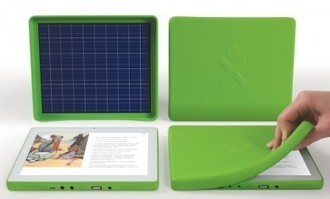
"I’m a huge fan of iPads. That’s been documented quite frequently on this site. I’ve advocated for more classrooms to adopt them and even given a few away to teachers. That being said, the new OLPC (One Laptop Per Child) Tablet, dubbed the XO-3, may very well be the answer to your interactive learning prayers. Here’s 5 reasons why..."
Via EDTECH@UTRGV, Mel Riddile
|
|
Rescooped by
Mel Riddile
from TechTalk
January 23, 2012 1:45 PM
|
|
|
Rescooped by
Mel Riddile
from TechTalk
January 23, 2012 1:44 PM
|
Tech geeks Leo Laporte and Sarah Lane love their iPads so much, they've created "iPad Today," the TWiT network's first show highlighting the best apps, most helpful tools, coolest tricks, and essential news surrounding the iPad revolution. "iPad Today" is smart, informative, and lots of fun. Recorded live Thursdays at 1:30pm PT/4:30pm ET on http://live.twit.tv
|
|
Rescooped by
Mel Riddile
from TechTalk
January 23, 2012 1:44 PM
|
|
|
Rescooped by
Mel Riddile
from TechTalk
January 23, 2012 1:43 PM
|
"I had high hopes when I handed out iPads to students in my graduate seminar this semester. I wanted to explore the possibilities of tablet computing and see firsthand how tablets might be used in higher education. I also wanted students to see for themselves where the iPad might fit into their lives and their careers – and into the future of media and communication."
Via John Evans, Mel Riddile
|
|
Rescooped by
Mel Riddile
from TechTalk
January 23, 2012 1:43 PM
|
A one-to-one computing environment is not only a possibility, but also a reality in more school districts than people realize. With all that being said, below are my 10 favorite sites for finding educational apps. - APPitic - Great site with over 1300 reviews done by Apple Distinguished Educators. These apps have been tested in different grade levels with different instructional strategies.
- Mind Leap - Excellent site with reviews built on a five-star scale. Reviews are done on a wide range of subjects and offers a nice breakdown of statistics such as educational quality, engagement factor, and shelf life.
|
|
|
Scooped by
Mel Riddile
January 24, 2012 12:49 PM
|
Epson has recently launched an app that will allow users to wirelessly project images and files stored on an iPad or iPhone/iPod touch running iOS 4.2 or higher using one of the company’s compatible projectors.
|
|
Scooped by
Mel Riddile
January 24, 2012 12:14 PM
|
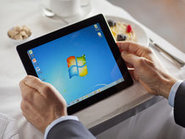
"OnLive Desktop is the first app to deliver a no-compromise, media-rich Windows desktop experience to iPad, opening up powerful new possibilities for consumers and businesses," said Steve Perlman, OnLive Founder and CEO.
"iPad users will now be able to simply and securely view and edit cloud-hosted documents with full-featured Windows desktop applications like Microsoft Office, just as if they were using a local high-performance PC.
"Multi-touch gestures respond instantly and smoothly, while HD videos, animations and PC video games—never before usable on a remote desktop—play seamlessly."
|
|
Scooped by
Mel Riddile
January 23, 2012 3:25 PM
|
How do I find the best apps for education?
App Advice is not only a website but an app: appadvice $1.99. Enjoy reading App Guides, Lists, Reviews and Charts. IEAR- I Education Apps Review- Read reviews on apps, schools spreadsheets of Apps, student reviews and more.
SNapps4Kids- SNapps review adds an embedded list of skills that are addressed in every app they review.
Scoop it- Recommended Educational App Lists- You can join the site or simply use this link to see what they are reviewing. The information is current and presented in a user-friendly manner.
Apps in Education- Great blog spot! Includes apps for music, math, English teachers, special needs and more.
|
|
Scooped by
Mel Riddile
January 23, 2012 3:14 PM
|
Apple's devices are appearing more frequently in business...
Research firm IDG revealed: - over 90 percent of iPad owners worldwide use the tablet primarily for work
- one in four iPad users surveyed got the device from their employer, highlighting increasing use of Apple’s tablet as a business tool.
- 12 percent of workers have entirely replaced their laptop with an iPad
- three out of four IDG survey respondents reported they “carry their laptop around less,” choosing the iPad as their go-to business device on most occasions.
- General Electric is conducting a pilot project that allows employees to choose Mac notebooks or desktops instead of Windows PCs. The company has about 1,000 Mac users and expects more employees to make the switch once the program gets wider promotion this year.
|
|
Scooped by
Mel Riddile
January 23, 2012 2:13 PM
|
Our goal at myLanguage is to solve the language barrier.
|
|
Scooped by
Mel Riddile
January 23, 2012 2:02 PM
|
Pew Research conducted a pre-holiday survey among people age 16 and older between November 16th and December 21st, and two additional surveys of adults...
|
|
Rescooped by
Mel Riddile
from TechTalk
January 23, 2012 1:40 PM
|
iBooks Author, Apple's new iPad textbook maker, is purported to be so easy to use that we could go and make one. So we figured we'd try our hand at it.
|
|
Rescooped by
Mel Riddile
from TechTalk
January 23, 2012 1:45 PM
|
|
|
Rescooped by
Mel Riddile
from TechTalk
January 23, 2012 1:45 PM
|
- How has it (implementation of iPads) gone for you and the students?
- What percentage of class time do the students use the iPads?
- What types of activities are they using them for?
- How do they handle the onscreen keyboard? Is it an issue?
- How do you get apps installed?
- Are the textbooks on the iPad? good or bad?
|
|
Rescooped by
Mel Riddile
from TechTalk
January 23, 2012 1:44 PM
|
"Unsurprisingly, it won’t just be consumers and business users that are desperate to get their hands on Apple products this year. With a high resale value, Macbooks and iPad are also incredibly attractive to thieves. To help you keep your iPad and Macbook protected from theft, I’ve put together some Apple security tips:"
Via John Evans, Mel Riddile
|
|
Rescooped by
Mel Riddile
from TechTalk
January 23, 2012 1:44 PM
|
1. Cell Sharing 2. Question Selector 3. Texting Interviews
|
|
Rescooped by
Mel Riddile
from TechTalk
January 23, 2012 1:43 PM
|
On Friday, we gave students the opportunity to choose a math app for personal learning. Students provided some short answers to questions about the app while playing them.
|