


CEO Mobile Cartoon Illustration for PowerPoint is a free cartoon design and free business vector with a CEO cartoon talking by phone and carrying his suitcase.

 Your new post is loading...
 Scoop.it! CEO Mobile Cartoon Illustration for PowerPoint is a free cartoon design and free business vector with a CEO cartoon talking by phone and carrying his suitcase. 
No comment yet.
Sign up to comment
Scoop.it!

This free image is a free business presentation cartoon and presentation situation that you can download and use in your PowerPoint presentations or business needs.
Scoop.it!

How to share PowerPoint presentations and upload PPT online. You can also upload PDF slides or presentations that are automatically converted to an online version. Via FPPT
Scoop.it!

Flow Charts offer a great visualization tool, a flowchart is a type of diagram that represents an algorithm or process, showing the steps as boxes of various kinds
Marilyn M.'s insight:
great online tools to generate business flow charts
Scoop.it!

PowerPoint Presentations gained their share of recognition and fame, as soon as they were introduced to the technical and not so technically strong world
Scoop.it!

Control chart in PowerPoint is a tool used for SPC (statistical process control) in manufacturing operations. The chart graphically shows process steadiness by plotting the occurrence of defined events or particular values or measurements.
Scoop.it!

A jigsaw puzzle is a compelling presentation tool. By piecing together the parts or your project, organization or product in PowerPoint, you help make a critical point to your audience.
Scoop.it!

In PowerPoint presentations, Analyzing chart data involves utilizing data obtained from research and representing it using PowerPoint features, such as charts and tables.
Scoop.it!

Although numerous tutorials recommend that too much text on a single slide is not a good idea and less text with only key points is the golden line. But it’s not necessary that PowerPoint with much text is absolutely worse.
To blend the image into your text, wrap text around the image. Wrapping text means the text completely surrounds the image on all available sides. By wrapping text around imagesin PowerPoint, you can place your image anywhere on the presentation and still have your text look great. You can also wrap text around an image to add details about the image around the actual image.
Scoop.it!

Checklist Templates in PowerPoint are used worldwide in many different fields of study. To create checklist template in PowerPoint, grab some images to be used for Yes and No options on slide...
Scoop.it!

Colllor is a free online resource where you can do operations with colors and find good color schemes for your designs. With Colllor.com it is much easier to generate a consistent web color palette with just a few clicks Via FPPT
Marilyn M.'s insight:
will help people working on graphic designs, web designs, etc.
Scoop.it!

Gears and animated cogs can be used to decorate your industry PowerPoint presentations but also to show ideas and demonstrate that teamwork works in a organization
Scoop.it!

|
Scoop.it!

Woman Business Presentation Illustration vector is a free vector for Adobe Illustrator and to be used in any PowerPoint presentation with a business woman entrepreneur hosting a business presentation.
Scoop.it!

Here we will show you how to create a fake organization chart using a free online org chart generator
Scoop.it!
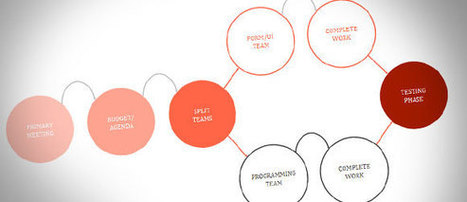
Use Excel to make elegant and neat flowcharts in a spreadsheet using this template. You can download this free flowchart template as a free sample that will help you to design flow charts in Excel 2013 or earlier versions. If you was ever wondering what kind of flowchart diagrams you can create with Excel or PowerPoint then this free sample will demonstrate that it is possible to create all kind of flow charts and process diagrams for your presentations Via FPPT
Scoop.it!

Simetimes you need to hire an executive from outside and only for a short term period, however if you need an executive for long term then it is recommended to build, develop and maintain a leadership pipeline of skilled, preparated managers and leaders...
Scoop.it!

PowerPoint allows opening the same document in two windows. This feature let you open a new window containing the information of first presentation file. In order to use this feature, open ‘View’ from menu on top and then go to ‘New Windows’ button.
Scoop.it!

In this tutorial we will create a quick Gantt Chart in PowerPoint. A Gantt Chart is a horizontal chart that shows project progress over time. They can show weeks, months, or even years. First go to Insert, Chart, and then Bar.
Scoop.it!

There are several sound effects for slide animations that come prepackaged with PowerPoint 2010. Office PowerPoint 2010 offers a variety of sounds to really talk to your audience, with slide transitions of your presentation.
Scoop.it!

PowerPoint 2010 presentation provides Chart layout tool that is used to communicate data graphically.
Scoop.it!

Microsoft Office website has thousands of free animated PowerPoint templates and backgrounds on Business, Education, Energy, Finance and Holidays, to be used in slides. Breathe life into your photo collection with this PowerPoint template.
Scoop.it!

PowerPoint 2010 allows you to easily and quickly animate any object in your presentation. Objects include images, charts, shapes, text, and SmartArt. Animations may also contain sounds.
Scoop.it!

If you need to add famous quotes into your presentations then you can get free resources on the Internet where to get ideas and famous quotes. One of these resources is Pinterest, where you can find boards on Famous Quotes like this board here.
Scoop.it!
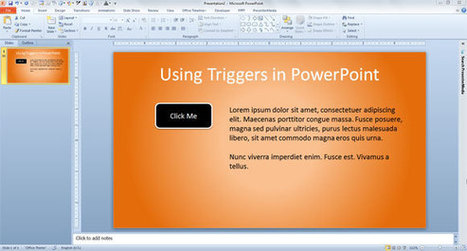
Triggers in PowerPoint are a great feature that lets us configure some events to start playing certain animations. You can use Triggers for example to configure a button to play an animation during a PowerPoint presentation slideshow Via FPPT
|




