


Some people like exploring statistical data to learn about interesting facts, however stats are the last thing that most people consider fun to work with.

 Your new post is loading...
 Scoop.it! Some people like exploring statistical data to learn about interesting facts, however stats are the last thing that most people consider fun to work with. 
No comment yet.
Sign up to comment
Scoop.it!

One small eye tracking study in PowerPoint presentations shows the influence of eye gaze in guiding the viewer's eye on the page
Scoop.it!

Ever since Microsoft unveiled it’s new establishment, Office 2013 and released it’s consumer preview, one of the most intriguing feature that persuaded many users, into upgrading is theComments feature. Comments is the easiest platform to communicate with other users, in collaboration with your presentation Comments present text in the Powerpoint documents. If you designing a huge presentation, it will help you give a basic info of any specific slide. In a nutshell, it is the primary way to communicate while collaboration Via FPPT
Scoop.it!

SmarDraw is a famous application for creating diagrams, mind maps, presentations and other types of elaborate charts (e.g. flow charts and floor plans), using readymade templates
Scoop.it!

MyPlick is a web service that allows uploading and sharing presentations and slideshows. It is quite similar to SlideOnline, as users can create an account to upload PowerPoint presentations and share them using a plethora of options including an embed code, sharing URL, via social media buttons and more. MyPlick allows uploading presentations from numerous formats, including MS PowerPoint, PDF, and OpenOffice ODP files. On top of that, users can even add their own narration or sound effects using an audio file. This audio file can be synchronized with your slides with the help of the sync tool available at MyPlick Via FPPT
Scoop.it!

In PowerPoint you can create diagrams using SmartArt. This feature let you create diagrams on the fly in PowerPoint from a text list or just entering the text into the diagram stages or shapes. Via FPPT

FPPT's curator insight,
December 11, 2012 1:33 PM
In PowerPoint you can create diagrams using SmartArt. This feature let you create diagrams on the fly in PowerPoint from a text list or just entering the text into the diagram stages or shapes. Here we will show you how you can create nice diagrams like this free emotional intelligence diagram for psychology presentations.
Scoop.it!

You can create an eye-catching presentation with two different power point presentation files, instantly merge them using built-in tools of MS PowerPoint.
Scoop.it!

OmniGraphSketcher for iPad is an iOS application for creating graphs to visually display quantitative data
Scoop.it!

Impress.js is a presentation framework built on Javascript and based on the power of CSS3 transforms and transitions. You can run Impress.js presentations in any modern browsers and it was originally inspired by the idea behind Prezi using zoom effects for the presentations Via FPPT
Scoop.it!

Free PowerPoint alternative for HTML web based presentations. If you already know about S2 for presentations then Deck.js will look much more impressive since it allows to create attractive presentations with native HTML and jQuery animations and transitions. By using deck.js you can make HTML presentations compatible with modern browsers and even mobile devices or smartphones Via FPPT
Scoop.it!

PowerPoint 2010 has a nice feature that helps you to make a digital Photo Album with a few clicks. By using the Photo Album feature you can create a nice Photo Album presentation in PowerPoint embedding your favorite photos and pictures. This can be really great and handly to make a family photo album as well as a wedding photo album in PowerPoint, but also for other corporate usages for example if you need to make a portfolio photo album or slide show using PowerPoint.
Via FPPT
Scoop.it!
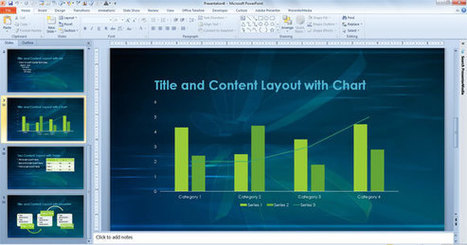
Zebra on Wheel’s Add-in is an intuitive addon for PowerPoint, Which is compatible with PowerPoint 2007 or older and Windows XP or older versions of Operating system Via FPPT
Scoop.it!

Vector images have not fix resolution, that means they can be boost up to any dimension without loosing the image quality. They are great for print ads, flash animations and designers loved them because it gives great flexibility.
|
Scoop.it!

A business presentation has high potential to influence thinking of individuals. The current business scenario highly requires effective business presentation skills. Via FPPT
Scoop.it!
In previous posts we have reviewed a number of online training courses by Lynda.com, including thePowerPoint 2010 Essential Training Course, PowerPoint Shortcuts Training, PowerPoint Tips And Tricks For Business Presentations and the PowerPoint Audio And Video in-Depth training course. If you are a Mac user and wish to learn some fine tips for making robust presentations using Microsoft PowerPoint 2011, then PowerPoint for Mac 2011 Essential Training Course is just what you need.
Via FPPT
Scoop.it!

Hosting a webinar or audio conference can be difficult to conduct due to lack of collaboration options using conventional conferencing solutions. Fortunately, web based services have made it possible to not only conduct webinars and audio conferences but also to help users acquire a number of online collaboration options. ReadyTalk is a service which offers webinar and audio conferencing solutions which can be implemented in an enterprise environment to conduct virtual meetings, large scale events like webinars and audio conferences, at an affordable price.
Via FPPT
Scoop.it!

In this tutorial you will learn how to create a Quad Chart in PowerPoint 2010. This type of slide essentially allows for four slides, charts, and any manner of content to be shown on only one slide. The creation of the quad chart requires very few steps. Once your PowerPoint quad chart is created you just need to put in your content, PowerPoint charts, etc Via FPPT
Scoop.it!
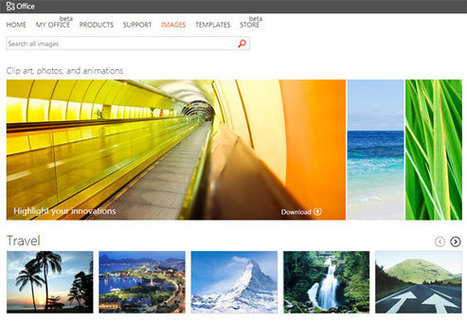
Microsoft Office online website is a great resource for those who want to learn about Microsoft products and download assets and resources like free clipart for PowerPoint and other Microsoft Office products Via FPPT
Scoop.it!

A large number of people create presentations in MS PowerPoint, however many devices nowadays do not support the PPT format. For example, many people now carry tablets and smartphones instead of laptops, which do not necessarily have PowerPoint installed on them. For this reason, we earlier provided you with a post about how to get PowerPoint features on Amazon Kindle Fire. If you frequently require sharing PowerPoint presentations, PDF documents or image files, then try theReel web app. It is a free service that allows users to upload and share the aforementioned file types via a a unique sharing URL and an embed code. Via FPPT

Baiba Svenca's curator insight,
December 28, 2012 11:35 AM
With Reel you upload your PowerPoint presentation or PDF files, edit slide information or remove slides, get your URL and share your presentation on the web. Once you have saved your presentation, you won't be able to edit it but the viewers can vote on your slides. This feature makes Reel presentations great for polling purposes. It is suitable for students because it is free and does not require registration.
Scoop.it!

If you want to make your presentation effective you must be thoughtful of information you need to include in your presentation and you must have essential presentation skills to deliver it in a best way. Here we are discussing a few things that are required to be kept in mind while delivering presentation to make it effective and successful.
Scoop.it!

Making presentations using PowerPoint is a great way to attract your audience, in some occasions you may need to add music into your slides to make the background more comfortable. Today we are going to explain how to set background Music for a PowerPoint File. Via FPPT
Scoop.it!

2013 will be the year of the big data, cloud computing, and many other top trending technologies, however we can’t dismiss that millions of presentations are held every new year around the world and not only PowerPoint is the tool that presenters use to make presentations. With the progress on cloud computing, mobile and HTML5 consolidating as the new HTML standard (beyond Adobe Flash), we can still look for new and modern ways to present beyond PowerPoint presentations. Here are a few PowerPoint ideas and alternatives to PowerPoint and even Prezi, that can help you prepare and design your presentations in 2013.
Via FPPT
Scoop.it!
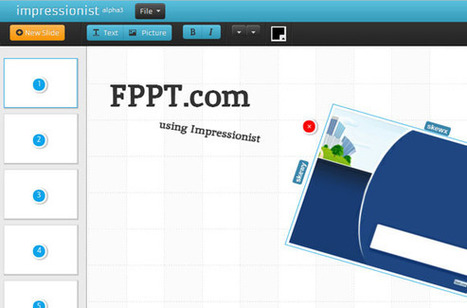
Prezi is a famous presentation platform that is based on Saas (Software as a service) and known for its Zooming UI. What distinguishes Prezi from other web application is its ability to allow users to seamlessly zoom into certain parts of the presentation in a convenient manner. While Prezi is an excellent web app, it can cost users as much as $159 (a year) to use it. If you are looking for a free alternative to Prezi, then try Impress.js and Impressionist Editor. Impress.js is a free presentation tool inspired by the Prezi platform that can be used for creating attractive presentations. Furthermore, you can utilize the Impressionist Editor for creating and editing presentations with impress.js.
Via FPPT
Scoop.it!

Here we will show you how to create a Gantt Chart template for PowerPoint presentations. This Gantt chart PowerPoint template will be created from scratch so you can use it in our organization or for business projects. If we have a Gantt chart already created in another software, like Microsoft Excel or even in Microsoft Project, we may be interested to export it and open in PowerPoint. We can export it or just copy and paste since the interoperability between Microsoft programs are enough to complete this task.
Via FPPT
Scoop.it!

Finding High Resolution images for my Presentations wasn’t always easy. Hold on, here’s an innovative way which let you find out an appropriate high resolution images for your presentation. Via FPPT
|





