PowerPoint Presentation Library
14.0K views | +0 today
PowerPoint Presentation Library
PowerPoint tips, Presentation Tools for PowerPoint, Keynote, Prezi, etc
Curated by Marilyn M.
Your new post is loading...
Scooped by Marilyn M.
February 28, 2013 10:12 AM
Scoop.it!

Delivering a Presentation via Web Conference

Delivering a Presentation via Web Conference | PowerPoint Presentation Library | Scoop.it

Web Conferencing is a style, a grooming technique in itself that teaches you how one needs to handle and carry out demonstrations of their skills with automation.


In corporate world, this technology is lot more beneficial as a presenter can deliver a presentation, over the internet to a number of geographically dispersed people. Not only this, it can be efficiently utilized in educational institutes where teachers or students can share their ideas with the rest.

Being a somewhat foolproof method, it is very crucial to create and deliver an engaging presentation. Here are a few tips...

No comment yet.
Rescooped by Marilyn M. from PowerPoint presentations and PPT templates
February 28, 2013 9:04 AM
Scoop.it!

Animated Images for PowerPoint Presentations

Animated Images for PowerPoint Presentations | PowerPoint Presentation Library | Scoop.it
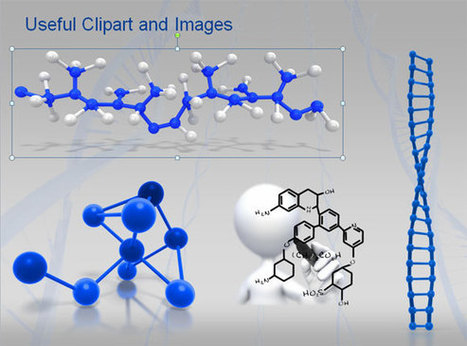
Often we need to decorate our PowerPoint presentations with animated GIF and other animated images to represent different situations, gestures as well as scenarios

Via FPPT
No comment yet.
Rescooped by Marilyn M. from PowerPoint presentations and PPT templates
February 28, 2013 8:53 AM
Scoop.it!

Create Sophisticated Charts Using PowerPoint With Mekko Graphics | PowerPoint Presentation

Create Sophisticated Charts Using PowerPoint With Mekko Graphics | PowerPoint Presentation | PowerPoint Presentation Library | Scoop.it
Mekko Graphics is a tool that has been designed to deliver elaborate business charting capabilities using Microsoft PowerPoint.

Via FPPT
No comment yet.
Rescooped by Marilyn M. from PowerPoint presentations and PPT templates
February 22, 2013 7:33 AM
Scoop.it!

FlowChart.com: Free tool to make diagrams online | PowerPoint Presentation

FlowChart.com: Free tool to make diagrams online | PowerPoint Presentation | PowerPoint Presentation Library | Scoop.it

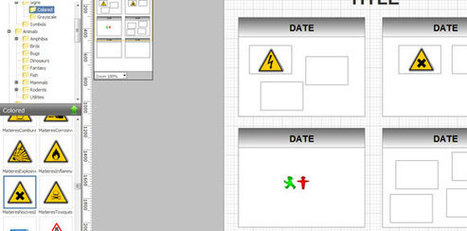
FlowChart is another free tool that you can use to make online diagrams and then share online with your colleges. FlowChart is in beta and only available with invitee, but as soon as you reach their webpage and enter your email you will get an invitation to join. Then you can enjoy the application to make online diagrams using the wysiwyg interface.


Via FPPT
No comment yet.
Rescooped by Marilyn M. from PowerPoint presentations and PPT templates
February 22, 2013 7:24 AM
Scoop.it!

Create Flow Diagrams in PowerPoint using Shapes | PowerPoint Presentation

Create Flow Diagrams in PowerPoint using Shapes | PowerPoint Presentation | PowerPoint Presentation Library | Scoop.it
Shapes in PowerPoint are fabulous also to create flow diagrams in PowerPoint. Here we will see how we can create attractive flow diagrams using shapes in PowerPoint.

Via FPPT
FPPT's curator insight, December 11, 2012 1:31 PM

Shapes in PowerPoint are fabulous also to create flow diagrams in PowerPoint. Here we will see how we can create attractive flow diagrams using shapes in PowerPoint. These flow diagrams can be used for different purposes, including business presentations but also engineering or software development. You can design your own flow diagrams in PowerPoint using shapes

Scooped by Marilyn M.
February 21, 2013 11:15 AM
Scoop.it!

pptPlex for interactive PowerPoint presentations

pptPlex for interactive PowerPoint presentations | PowerPoint Presentation Library | Scoop.it
pptPlex is an addin available for Office 2007 only that makes possible to create interactive PowerPoint presentations with a new style
No comment yet.
Rescooped by Marilyn M. from PowerPoint presentations and PPT templates
February 21, 2013 10:32 AM
Scoop.it!

Build Sophisticated Dashboards To Present Data With SAP Crystal Dashboard | PowerPoint Presentation

Build Sophisticated Dashboards To Present Data With SAP Crystal Dashboard | PowerPoint Presentation | PowerPoint Presentation Library | Scoop.it

In previous posts we have covered many web services that allow keeping an eye on important business tasks by making a custom dashboard. Some examples include, Geckoboard andDucksboard. However, when it comes to acquiring more elaborate business data from databases and spreadsheets, Xcelsius Dashboards (now known as SAP Crystal Dashboard Design) is one of the best tools for business professionals.


Via FPPT
No comment yet.
Scooped by Marilyn M.
February 17, 2013 8:58 AM
Scoop.it!

Business Speech and Presentation Tips | Brad Montgomery, Motivational Speaker

Business Speech and Presentation Tips | Brad Montgomery, Motivational Speaker | PowerPoint Presentation Library | Scoop.it
The backbone of giving a speech for business speakers.
No comment yet.
Rescooped by Marilyn M. from PowerPoint presentations and PPT templates
February 16, 2013 3:41 AM
Scoop.it!

How to Create a Photo Frame using Gradient and Advanced Image Processing Techniques in PowerPoint

How to Create a Photo Frame using Gradient and Advanced Image Processing Techniques in PowerPoint | PowerPoint Presentation Library | Scoop.it
If you wanted to learn about advancing image processing techniques in PowerPoint then this simple but useful article can help you to understand how to add a simple photo frame in PowerPoint 2010 using gradient fill and transparency.

Via FPPT
No comment yet.
Scooped by Marilyn M.
February 10, 2013 8:57 AM
Scoop.it!

PowerPoint Presentation in Modern Devices (Smartphones)

PowerPoint Presentation in Modern Devices (Smartphones) | PowerPoint Presentation Library | Scoop.it
Instead of lugging a laptop bag,  nowadays you can simply use smartphones to deliver a effective PowerPoint Presentation as they have enough processing power.
No comment yet.
Scooped by Marilyn M.
February 10, 2013 2:57 AM
Scoop.it!

Learn Microsoft PowerPoint 2013 Step by Step

Learn Microsoft PowerPoint 2013 Step by Step | PowerPoint Presentation Library | Scoop.it

Amazon - Microsoft PowerPoint 2013 Step By Step (Step By Step (Microsoft)) (Paperback)

No comment yet.
Scooped by Marilyn M.
February 7, 2013 9:44 AM
Scoop.it!

Lean Downtime and 8 Central Wasting | PowerPoint Presentation

Lean Downtime and 8 Central Wasting | PowerPoint Presentation | PowerPoint Presentation Library | Scoop.it

In PowerPoint you can model an 8 central wasting diagram by using SmartArt objects. You can use for example the Nondirectional Cycle diagram in PowerPoint SmartArt to make the model used for this presentation. Use nondirectional cycle diagram to represent a continuing sequence of stages, tasks, or events in a circular flow. Each shape has the same level of importance. Works well when direction does not need to be indicated.

No comment yet.
Rescooped by Marilyn M. from PowerPoint presentations and PPT templates
February 7, 2013 9:04 AM
Scoop.it!

Creating a Red No Sign in PowerPoint 2010 using Shapes | PowerPoint Presentation

Creating a Red No Sign in PowerPoint 2010 using Shapes | PowerPoint Presentation | PowerPoint Presentation Library | Scoop.it

PowerPoint has a nice shapes gallery that lets us create awesome graphics for different purposes. If we need to create symbols and signs for PowerPoint presentations and other purposes, we can use the PowerPoint shapes gallery. Here we will show you how to create a simple red No sign in PowerPoint using shapes.


Via FPPT
No comment yet.
Rescooped by Marilyn M. from PowerPoint presentations and PPT templates
February 28, 2013 9:33 AM
Scoop.it!

Paid And Free Skype Alternatives For Presentations and Business

Paid And Free Skype Alternatives For Presentations and Business | PowerPoint Presentation Library | Scoop.it

In a recent step Microsoft has merged its Windows Live Messenger (MSN Messenger) with Skype. While this might be great news for common users it is perhaps not the best mashup for business use. This is because enterprise users prefer a more business oriented service and have little or no use for merging personal Windows Live contacts to Skype


Via FPPT
No comment yet.
Scooped by Marilyn M.
February 28, 2013 9:01 AM
Scoop.it!

i-Clickr: Control PowerPoint With iPhone, Android Or Windows Phone | PowerPoint Presentation

i-Clickr: Control PowerPoint With iPhone, Android Or Windows Phone | PowerPoint Presentation | PowerPoint Presentation Library | Scoop.it
i-Clickr PowerPoint Remote is a mobile application for iOS, Android and Windows Phone devices which makes it possible to use your mobile device as a remote control for PowerPoint
No comment yet.
Scooped by Marilyn M.
February 23, 2013 10:17 AM
Scoop.it!

Management Presentation vs. Education Presentation

Management Presentation vs. Education Presentation | PowerPoint Presentation Library | Scoop.it
Presentations in various forms, different types and pertaining to variety of requirements, form a vital part of the communication related activities.
No comment yet.
Rescooped by Marilyn M. from PowerPoint presentations and PPT templates
February 22, 2013 7:29 AM
Scoop.it!

Create Mind Maps And Diagrams For Presentations With MindMapper | PowerPoint Presentation

Create Mind Maps And Diagrams For Presentations With MindMapper | PowerPoint Presentation | PowerPoint Presentation Library | Scoop.it
MindMapper is an application for creating elaborate diagrams and mind maps.

Via FPPT
FPPT's curator insight, December 11, 2012 9:12 AM

MindMapper is an application for creating elaborate diagrams and mind maps. While it has been primarily designed to created mind maps, you can also use this application for making other types of complex diagrams including; organizational charts, business models, cause and effect diagrams, SWOT analysis and the like. While mind mapping is usually used to visually outline information, you can also use MindMapper as an alternative to something as diverse as Microsoft PowerPoint for creating presentations.


PowerPoint & Keynote Solutions from Chillibreeze's curator insight, December 12, 2012 3:18 PM

Use MindMapper to quickly create flow charts, hierarchy diagrams and other visual content to make your slides self-explanatory.  


If you are too busy to create diagrams and flow charts froms scratch would like to buy individual diagrams, check out our collection of PowerPoint diagrams: http://www.24point0.com/ppt-shop/business-diagrams


Rescooped by Marilyn M. from PowerPoint and Presentations
February 22, 2013 6:54 AM
Scoop.it!

VoiceThread: Create And Share Presentations Online With Voice Over

VoiceThread: Create And Share Presentations Online With Voice Over | PowerPoint Presentation Library | Scoop.it

VoiceThread is a web service which makes it possible to create and share presentations with a voice over. It is compatible with a wide range of devices as anyone with a browser can access the presentation via a shared URL. Moreover, VoiceThread also has apps for iOS devices, a Chrome extension and the content created with VoiceThread can even be easily viewed across screen readers without any issues. What makes this web service quite special is the fact that the audience can also respond with text and voice comments using an audio file, phone or microphone


Via SlideHunter
No comment yet.
Rescooped by Marilyn M. from PowerPoint presentations and PPT templates
February 21, 2013 11:05 AM
Scoop.it!

Send your PowerPoint templates and presentations to the cloud SkyDrive using Cloud Save

Send your PowerPoint templates and presentations to the cloud SkyDrive using Cloud Save | PowerPoint Presentation Library | Scoop.it

Cloud Save is a free extension for Chrome that lets us save any content to the cloud so you can keep everything under control in your Dropbox account, Box.net, Amazon or even SkyDrive from Windows Live.


Via FPPT
No comment yet.
Scooped by Marilyn M.
February 17, 2013 9:01 AM
Scoop.it!

Presenting Online: How To Guide For Digital Presentation

Presenting Online: How To Guide For Digital Presentation | PowerPoint Presentation Library | Scoop.it

In today’s business world online presentations are a fact of life and they continue to advance the way business people communicate ideas. 


Dale Carnegie Training’s Online Presentation Guidebook gives you practical tools to design, develop, prepare, and present your next online presentation.

No comment yet.
Rescooped by Marilyn M. from PowerPoint and Presentations
February 16, 2013 12:22 PM
Scoop.it!

How to Create a Custom Connector Line using PowerPoint Shapes

How to Create a Custom Connector Line using PowerPoint Shapes | PowerPoint Presentation Library | Scoop.it
If you need to connect shapes using lines in PowerPoint then the connector lines can be very helpful. You can use anchors in shapes to connect lines and this way connect different shapes together.

Via SlideHunter
No comment yet.
Rescooped by Marilyn M. from What makes Prezi Beatful ?
February 10, 2013 10:06 AM
Scoop.it!

Copy of Easy-to-Use Valentine Prezi

KadoKiosk Passi, Valentine (Bij Passi, Den Bosch, http://t.co/0CCGuthQ , op alle "Harley Davidson"-asseccoires 25% korting !

Via Toshiyuki Kameyama
No comment yet.
Scooped by Marilyn M.
February 10, 2013 3:02 AM
Scoop.it!

Cannot Share PowerPoint Presentation in Lync on Mac

Cannot Share PowerPoint Presentation in Lync on Mac | PowerPoint Presentation Library | Scoop.it
If you are trying to share a PowerPoint presentation using Lync on Mac then you should be aware that this feature is not available yet


As a workaround, you can share the entire desktop using Lync for Mac but there is not an option to share the PowerPoint application or slideshow.


Another workaround if you need to share a PowerPoint presentation on Mac is that a Windows Lync client join to the meeting and they can upload the PowerPoint presentation and then the Lync for Mac user can take over the presenting, or you can use an online sharing website such as SlideOnline to share PowerPoint presentations.

No comment yet.
Rescooped by Marilyn M. from PowerPoint presentations and PPT templates
February 7, 2013 10:00 AM
Scoop.it!

Premium & Free PowerPoint Templates and Backgrounds for Medical & Healthcare | PowerPoint Presentation

Premium & Free PowerPoint Templates and Backgrounds for Medical & Healthcare | PowerPoint Presentation | PowerPoint Presentation Library | Scoop.it

Doctors and physicians often need to prepare PowerPoint presentations for their seminars and hospital presentations. Preparing a medical PowerPoint presentation is not the same as preparing any other presentation including business slides. 


Check all these premium PowerPoint templates and backgrounds for medical and healthcare industry powerpoint presentations for free download. This will help you save precious time.


Via FPPT
No comment yet.
Scooped by Marilyn M.
February 7, 2013 9:19 AM
Scoop.it!

Using Emboss Effect in PowerPoint Shapes and Text | PowerPoint Presentation

Using Emboss Effect in PowerPoint Shapes and Text | PowerPoint Presentation | PowerPoint Presentation Library | Scoop.it
In PowerPoint 2010 you can create shapes and apply different effects using shadows, 3D effects and other properties.
No comment yet.