PowerPoint Presentation Library
14.0K views | +0 today
PowerPoint Presentation Library
PowerPoint tips, Presentation Tools for PowerPoint, Keynote, Prezi, etc
Curated by Marilyn M.
Your new post is loading...
Rescooped by Marilyn M. from PowerPoint presentations and PPT templates
April 4, 2013 1:59 PM
Scoop.it!

5S Organization in PowerPoint Presentations

5S Organization in PowerPoint Presentations | PowerPoint Presentation Library | Scoop.it

In a rapidly developing market scenario, overall productivity and optimizing efficiency is the main objective of all organizations. In present times, various companies are seen adopting popular methodologies to stay ahead of competitors and of them is 5S organization. It lays emphasis on encouraging employees to contribute towards company’s growth and nurturing greater calibration


Via FPPT
No comment yet.
Rescooped by Marilyn M. from PowerPoint presentations and PPT templates
March 30, 2013 11:40 AM
Scoop.it!

Premium & Free Screen Beams Download for PowerPoint Presentations

Premium & Free Screen Beams Download for PowerPoint Presentations | PowerPoint Presentation Library | Scoop.it

When creating PowerPoint presentations stick men and other figures make an important role to get the audience attention and highlight important concepts. You can support your PowerPoint presentations with original 2D & 3D figures to make presentations and share the message while making effective presentations. Here we will show you how to download either premium & free Screen Beams Download for PowerPoint presentations. You can refer to our older post download stick figures and cliparts for PowerPoint.


Via FPPT
No comment yet.
Scooped by Marilyn M.
March 28, 2013 7:17 PM
Scoop.it!

How to Make a Burgoyne's Stakeholder Analysis in PowerPoint 2010 for Free | PowerPoint Presentation

How to Make a Burgoyne's Stakeholder Analysis in PowerPoint 2010 for Free | PowerPoint Presentation | PowerPoint Presentation Library | Scoop.it

If you need to make a presentation with a stakeholders analysis then you can use Burgoyne’s model. 


Senior Managers and leaders can use this template to describe the interrelationship and interest of stake holders for example during a change management task or organizational change process. To make this simple stakeholders analysis template in PowerPoint we have used our free table PowerPoint template and edited the table to include the required fields.

No comment yet.
Scooped by Marilyn M.
March 28, 2013 6:44 PM
Scoop.it!

Quickly Create Slides from the Outline Pane in PowerPoint 2010 | PowerPoint Presentation

Quickly Create Slides from the Outline Pane in PowerPoint 2010 | PowerPoint Presentation | PowerPoint Presentation Library | Scoop.it
Here is another quick tip that may help you to speed up the presentation design process.
No comment yet.
Rescooped by Marilyn M. from PowerPoint presentations and PPT templates
March 13, 2013 3:06 AM
Scoop.it!

Get Free Photos For Your PowerPoint Presentations Using Stockvault | PowerPoint Presentation

Get Free Photos For Your PowerPoint Presentations Using Stockvault | PowerPoint Presentation | PowerPoint Presentation Library | Scoop.it

Ever got stuck on a presentation for which you couldn’t find suitable stock images? While one can wonder across Flickr, deviantArt, Picasa and Google Images to find stock images for a PowerPoint presentation, finding suitable high quality photos isn’t always easy. Stockvault is a website that offers high quality stock images.


Via FPPT
No comment yet.
Scooped by Marilyn M.
March 10, 2013 10:57 AM
Scoop.it!

How to Insert PDF File into PowerPoint 2010

How to Insert PDF File into PowerPoint 2010 | PowerPoint Presentation Library | Scoop.it
The Insert function enables users to add various useful contents into PowerPoint, but absolutely it is far from enough.
No comment yet.
Scooped by Marilyn M.
March 9, 2013 8:44 AM
Scoop.it!

Good Ways to Present Your Ideas Effectively while Delivering a PowerPoint Presentation

Good Ways to Present Your Ideas Effectively while Delivering a PowerPoint Presentation | PowerPoint Presentation Library | Scoop.it
In the words of O. Henry “Write what you like; there is no other rule.” the realm of writing may recognize with it, but for a presentation there are certain standards, which you must follow, to escalate it to the level of sales generation.
No comment yet.
Scooped by Marilyn M.
March 8, 2013 6:59 AM
Scoop.it!

Embed Prezi in PowerPoint With SlideDynamics PowerPoint Addin | PowerPoint Presentation

Embed Prezi in PowerPoint With SlideDynamics PowerPoint Addin | PowerPoint Presentation | PowerPoint Presentation Library | Scoop.it
SlideDynamic PowerPoint Add-in is a MS PowerPoint add-in for embedding Prezi in PowerPoint, including both online and offline Prezis.
No comment yet.
Rescooped by Marilyn M. from PowerPoint presentations and PPT templates
March 8, 2013 4:41 AM
Scoop.it!

Four Easy Ways Of Creating Awesome Flash Presentations | PowerPoint Presentation

Four Easy Ways Of Creating Awesome Flash Presentations | PowerPoint Presentation | PowerPoint Presentation Library | Scoop.it
When it comes to producing visually appealing content, not many platforms can match the effect that Flash can have on an audience

Via FPPT
No comment yet.
Scooped by Marilyn M.
March 2, 2013 10:29 AM
Scoop.it!

Designing Graphs in PowerPoint 2010

Designing Graphs in PowerPoint 2010 | PowerPoint Presentation Library | Scoop.it
A graph can be undirected or directed. This slightly difference can be clarified in the following way. Undirected graphs means that there is no distinction between the two nodes associated with each edge.
No comment yet.
Scooped by Marilyn M.
March 2, 2013 10:13 AM
Scoop.it!

Insert PDF in PowerPoint Presentations With SlideDynamic

Insert PDF in PowerPoint Presentations With SlideDynamic | PowerPoint Presentation Library | Scoop.it
Learn how to use another handy functionality of SlideDynamics add-in, i.e. to insert PDF files in MS PowerPoint presentations
No comment yet.
Scooped by Marilyn M.
March 2, 2013 9:59 AM
Scoop.it!

How to Mirror an Image in PowerPoint 2010

How to Mirror an Image in PowerPoint 2010 | PowerPoint Presentation Library | Scoop.it
If you need to mirror an image in PowerPoint then you can achieve this task easily by using the Rotate options under Format menu
No comment yet.
Rescooped by Marilyn M. from PowerPoint presentations and PPT templates
March 1, 2013 8:56 AM
Scoop.it!

Create Church Worship PowerPoint Presentations With ExaltNow | PowerPoint Presentation

Create Church Worship PowerPoint Presentations With ExaltNow | PowerPoint Presentation | PowerPoint Presentation Library | Scoop.it

ExaltNow is a plugin for Microsoft PowerPoint that makes it possible to create attractive Church Worship presentations with seamless integration of text over video. The main purpose of this plugin is to make it possible for end users to easily create presentations which may help organize a Church worship service. ExaltNow is compatible with both Windows and Mac computers and works with the latest versions of PowerPoint.


Via FPPT
No comment yet.
Rescooped by Marilyn M. from PowerPoint presentations and PPT templates
March 30, 2013 12:01 PM
Scoop.it!

Business Clipart Silhouette of a Man in Suit and Tie for PowerPoint Presentations | PowerPoint Presentation

Business Clipart Silhouette of a Man in Suit and Tie for PowerPoint Presentations | PowerPoint Presentation | PowerPoint Presentation Library | Scoop.it

Sometimes using cliparts in PowerPoint presentations can be helpful to make effective presentations and captivate your audience. You can use business cliparts and silhouettes instead of real pictures and this will benefit your presentation and avoid displaying real faces. Moreover, silhouettes are more universal and you can also edit them easily to represent a desired gesture or professional pose


Via FPPT
No comment yet.
Scooped by Marilyn M.
March 28, 2013 7:27 PM
Scoop.it!

Use a Map from Google Maps in PowerPoint 2010 Presentations

Use a Map from Google Maps in PowerPoint 2010 Presentations | PowerPoint Presentation Library | Scoop.it
If you need to use maps in your presentations then you can generate them in Google Maps and here we will explain you how to extract maps from Google Maps and use them in PowerPoint 2010
No comment yet.
Scooped by Marilyn M.
March 28, 2013 6:55 PM
Scoop.it!

6 Top Tools For Creating Presentations In 3D | PowerPoint Presentation

6 Top Tools For Creating Presentations In 3D | PowerPoint Presentation | PowerPoint Presentation Library | Scoop.it
Creating a presentation with attractive designs can sometimes be the difference between a good presentation and a failed one
No comment yet.
Scooped by Marilyn M.
March 14, 2013 11:30 AM
Scoop.it!

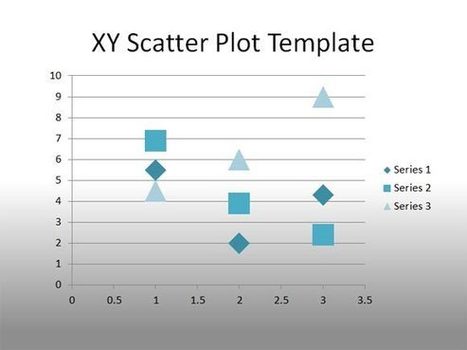
How to Make a simple XY Scatter Chart in PowerPoint | PowerPoint Presentation

How to Make a simple XY Scatter Chart in PowerPoint | PowerPoint Presentation | PowerPoint Presentation Library | Scoop.it
In PowerPoint we can create diagrams and charts easily with a few clicks thanks to some of the built-in features for this purpose. For example, we can insert a chart into a PowerPoint slide or use SmartArt to make awesome graphics.
No comment yet.
Rescooped by Marilyn M. from PowerPoint and Presentations
March 12, 2013 11:52 AM
Scoop.it!

Preparing and Presenting for an Effective Sales Presentation

Preparing and Presenting for an Effective Sales Presentation | PowerPoint Presentation Library | Scoop.it
Systematic planning, product expertise and good relationship skills contribute in profitable selling. The kind of presentation techniques you use will definitely have a strong impact on overall success and sales growth.

Via SlideHunter
No comment yet.
Scooped by Marilyn M.
March 10, 2013 10:48 AM
Scoop.it!

Sales Presentation and Boardroom Presentation, a Comparative Study

Sales Presentation and Boardroom Presentation, a Comparative Study | PowerPoint Presentation Library | Scoop.it

There are differences between these two forms of Presentation. Are you about to give a Boardroom Presentation? If so, then certainly it requires superior presentation skills to be successful when you present in the boardroom. 


When it comes to Sales Presentation, well if presented in a proper way it can actually compel a customer to make buying decision instantly. Read more...

No comment yet.
Scooped by Marilyn M.
March 9, 2013 5:36 AM
Scoop.it!

How to Add a Google Maps Map to PowerPoint Presentation

How to Add a Google Maps Map to PowerPoint Presentation | PowerPoint Presentation Library | Scoop.it
You can use different approaches to add maps to your presentations but if you are looking for a way to add Google Maps map as a background of your PowerPoint presentations here we will show you a solution.
No comment yet.
Scooped by Marilyn M.
March 8, 2013 6:38 AM
Scoop.it!

Using Sections in PowerPoint to Change your Presentation Flow

Using Sections in PowerPoint to Change your Presentation Flow | PowerPoint Presentation Library | Scoop.it
Here we will see how to use a simple Macro and Sections in PowerPoint to change the presentation flow on the way.
No comment yet.
Scooped by Marilyn M.
March 8, 2013 4:37 AM
Scoop.it!

Convert PowerPoint To Flash With Wondershare PPT To Flash Pro | PowerPoint Presentation

Convert PowerPoint To Flash With Wondershare PPT To Flash Pro | PowerPoint Presentation | PowerPoint Presentation Library | Scoop.it
While PowerPoint is a great application for creating presentations, you can also create Flash presentations to have a more lasting impact on your audience
No comment yet.
Scooped by Marilyn M.
March 2, 2013 10:21 AM
Scoop.it!

How to Make a Nutrition Facts Label for Free for your Nutrition PowerPoint Templates and Presentations

How to Make a Nutrition Facts Label for Free for your Nutrition PowerPoint Templates and Presentations | PowerPoint Presentation Library | Scoop.it

If you need to show the nutritions fact in a PowerPoint presentation then you can use a free nutrition facts generator tool like the one that we will introduce here to create an image from a  nutrition facts template.

No comment yet.
Rescooped by Marilyn M. from PowerPoint presentations and PPT templates
March 2, 2013 10:09 AM
Scoop.it!

Graphs in PowerPoint using Graphviz - Graph Visualization Software

Graphs in PowerPoint using Graphviz - Graph Visualization Software | PowerPoint Presentation Library | Scoop.it

GraphViz is an Open Source Graph Visualization software that contains many different layout programs enabling you to select a different type of graph based on an input, that can be a simple text file with the graph information.


Via FPPT
No comment yet.
Scooped by Marilyn M.
March 2, 2013 9:49 AM
Scoop.it!

Create Gauges In MS PowerPoint And MS Excel With BeGraphic Add-in

Create Gauges In MS PowerPoint And MS Excel With BeGraphic Add-in | PowerPoint Presentation Library | Scoop.it
BeGraphic is an add-in for MS PowerPoint and MS Excel that allows users to create and add gauges to PowerPoint presentations and Excel sheets.
No comment yet.