The app runs on a mobile device and allows users to add animated speaking characters to a selection of backgrounds or to the users' own images. You can then either use text to speech to write a script for the character, or you can record your own voice and the app will lip-synch you text to the character. This is very quick and easy to do. Here's how.
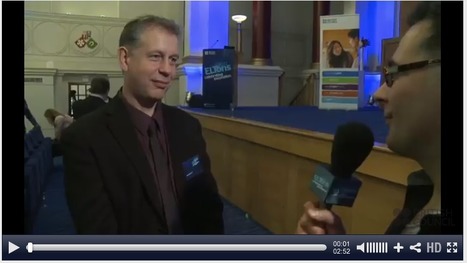
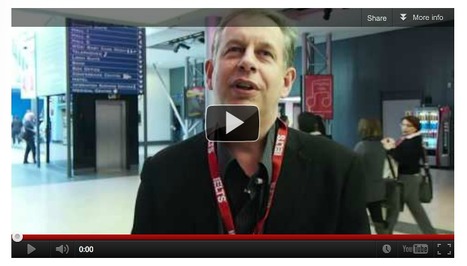
In our latest addition to the “Interview with the Experts” series, Kaplan are delighted to get the chance to speak to Nik Peachey. Nik has been involved in ELT since 1992 and has worked all over the world as a language teacher, teacher trainer, technology trainer and consultant.
This is an interview I did for Kaplan. Relieved that they actually found a decent picture of me (rather than one of the multitude of awful ones floating about on the web).
It is a great article to build a lesson around as it's a topic which students can easily relate to and because it explores a number of controversial issues about which students are likely to have an opinion.
This is the first of a new series from the Guardian which gives tips and ideas on how to exploit their online materials. This one looks at an article about dogs in China. There is also a link to an audio version of the article.
This is the first of a new series from the Guardian which gives tips and ideas on how to exploit their online materials. This one looks at an article about dogs in China. There is also a link to an audio version of the article.
Nik Peachey, digital guru and author of our Tech Tools for Teachers series, talks about the highs and lows of his personal experiences of education and explains how a lazy workaholic (his own words) came to get so interested in learning technologies. He also imparts some valuable advice on becoming a materials writer and gives tips on the wonders of self publishing online through blogs and e-books.
Here's another very easy to use app. There's lots of scope for learners to use their English taking snaps and commenting on them. Another simple idea is for the teacher to take a snap of their whiteboard and then add a commentary and use this resulting video to remind learners of the point covered in class.
With the inclusion of literacy as a general capability within the Technologies Curriculum along with students being able to use a range of digital systems for diverse purposes (ACARA, 2013), this resource would be beneficial. It allows educators to use Fotobabble on the iPad to add audio recordings to images and then convert them to short video clips. This would also increase students engagement and would allow them to be involved in their learning.
For this example activity we’ll use a poem and show how it can be illustrated, but the text could be anything from short stories that your students write to phrases, or even single word vocabulary books.
This is an example of the kinds of tasks and activities I can produce for teachers to help them understand both the technological aspects of how to use technology as well as the more pedagogical aspects of how to implement it within the learning context.
Nik Peachey talks about his work at Bell and this innovative approach to developing teachers’ knowledge and abilities to understand and develop their own blended learning courses for students.
In this lesson students hear a man being interviewed about his life in London. He talks about the different parts of London he has lived in and how things have changed in these areas. The tasks focus students on learning more about London from Google Maps and images and the listening tasks focus them on reading between the lines of what the man says and understanding inferred meaning. Lastly, the lesson finishes with an optional grammar focus with a speaking activity based around ‘used to’ and ‘didn’t use to’.
Having your own Flickr account with a collection of images that you can use for teaching can be really useful. Flickr is a great place to store, share and find useful images and there are many other sites and web 2.0 type tools that take images from flickr and use them in applications, so if you have your own Flickr account you can make sure you use your own images when working with students.
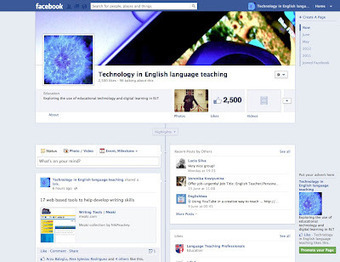
The issue of how we use social media for our own development as teachers and as digitally skilled individuals, is one that I believe is of vital importance though, not just because it can enable us to keep developing as teachers through the content, ideas, resources and above all people it gives us access to, but also because the way use digital media for our own development should guide and influence the way we use it with our students and build their digital literacies and communication skills.
Making the move from our safe and trusted traditional literacy habits to newer digital skills can be quite a challenge, but as teachers I think we are really unlikely to be able to use technology and help our students use technology really effectively unless we are prepared to face this challenge. Technology needs to be more than part of the way we teach but it also has to be part of the way we ourselves continue to learn and part of our everyday professional practice.
Nik Peachey shows how a social bookmarking tool can be used in ESL/EFL instructional activites. There are some interesting ideas here on how the highlighting and commenting features can be used to stimulate students' learning process using this technology.
As a final thought, it struck me as really interesting that both Nik Peachey (one of ELT’s main proponents of using educational technology) and Scott Thornbury (who has in the past seemingly looked upon educational technology as the devil incarnate) both talked about the main strengths of educational technology being for use by the students at home, rather than in the class.
This is an article I’ve wanted to write for a long time. Before I even had a facebook account or a personal learning network, I was reading Nik Peachey’s blogs and blending his EdTech k...
Many thanks to Sylvia Guinan for writing this personal retrospective of my work since I became a freelance. Hard to recognise myself in this very flattering description. Thanks Sylvia. Now I'll have to try to live up to your description.
I felt so happy reading this blog because that happened to me as well. Many thanks to Nik Peachey for opening my eyes to teaching English with technology
Some of you may be working in a technology-rich environment where you have interactive whiteboards and students have access to the internet in the classroom, or a computer lab that you can take students to. Some of you may only have a single computer in your classroom or, perhaps, like the majority of schools around the world, you may have no computer access in school at all. Whichever is the case, this series will still have something to offer you and will enable you to offer something more to your students, either in class or through the development of more motivating homework tasks that students can access outside of school.
This resources is extremely valuable for educators when teaching digital technologies. It allows students to learn how to design and implement visual programs, use a range of digital systems and use safe online communications (ACARA, 2013). It provides many explanations surrounding many available digital technologies for the classroom which is titled 'Tech Tools for Teachers' and would allow educators to effectively implement digital technologies into their planning.
"In many of the schools I visit student are demanding that their teachers 'friend' them. The use of Facebook is being driven by students who don't want their interaction with their teachers to be limited to classroom time."
I was very flattered to be called by the Guardian and asked for comment on a news release from the British Council. Some of my comments were published in the article that later appeared in the Guardian's Learning English section.
This is a short talk I gave way back in 2009 about the possibilities of developing education using the same business model that Google use for their business. This was done in a tongue in check way at the time, but seems to be more and more possible.
This talk looks at how business English teachers can access online networks and resources to ensure that they stay in touch with their profession and continue to grow as professionals. This area is of particular importance for BE teachers who often work in an environment that isolates them from other language teaching professionals. Awareness of online resources, digital networking practices and information literacies can help them to ensure that they continue to develop whilst building a personal profile within the global online community. You can watch the Adobe Connect version and follow the online chat and links at: http://connectpro10829081.adobeconnect.com/p5hh93loa86/
This links to a talk I delivered at the 2012 Business English Special Interest Group Conference in Stuttgart. The theme of the talk is on how teachers can use the internet to develop their own teaching and to promote themselves as a teacher.
This lesson takes a process approach to developing writing skills. It is staged so that students are guided through the processes of collecting information and deciding how they will structure it within the text before they begin to write. They are then guided through the process of drafting, editing and redrafting the text to produce a final copy.
The final thing that strikes me about these two videos is how they reflect the kinds of societies that the system of education seeks to create. For me the first is a society of obedient unquestioning worker drones being spoon fed information that will enable them to fulfil their predefined roles. The second is a society in which individuals are encouraged to think, act and explore, to question and to create. I know which I would prefer to live in.
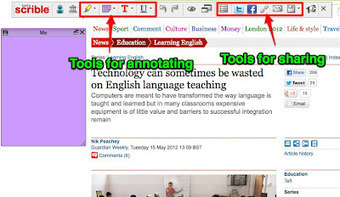
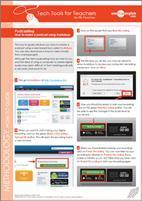
Nik Peachey explores social-bookmarking and how we can use it to save bookmarks online to access them from any computer. Nik provides a comprehensive overview article on the use of social-bookmarking, including a list of tools to collate web pages like scrible and Delicious, a downloadable lesson plan, a video screencast tutorial and a printable how-to guide.
I've started this article with quite a bold statement, but it's a conclusion that I have been coming too over the course of quite a few years now. I should really put this into context though, as most of the teacher training I do deals with pedagogical training for the use of technology and is most often delivered during intensive face to face sessions, usually with groups of teachers working in a computer lab. Though, having said that, I do still believe that many of the reasons I have listed below do also apply to other kinds of more 'mainstream' teacher development too, especially intensive courses.
The Bell Blended Learning in ELT course which won the "Excellence in Course Innovation" category has been developed by Bell's teacher trainer, Nik Peachey. It is designed for practicing teachers of English who want to use digital, technological and web-based platforms to develop course materials and teaching techniques to support their students' language learning.
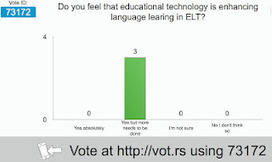
For a long time now I have been looking for a tool that enables instant polling in the classroom or in the lecture room. I specifically wanted something that; doesn't require registration (especially from the people I'm polling), updates very quickly, works on any platform from computers to mobile devices.
It looks like I have finally found what I've been looking for and best of all it's free. The tool that I have found is Mentimeter and it does all of the above.
Most important is the need for a different approach to teacher development that focuses on helping teachers with their own digital literacies. These are the skills to integrate technology into our daily lives and practices. Technology use, just like the language our students learn, needs to focus on things that are useful and that enrich and enable lives.
He makes some good points in this article with perhaps the most crucial being the need for adequate pre-service, and in-service, training for teachers. It's great to have the technology, but not being able to use it effectively really does hinder its efficiency. Interesting article..
MikeMathaess's comment May 16, 2012 1:56 AM
An interesting article and I must agree. Classroom based technology and inter-active language technology will bring only limited benefits to the language student vis-à-vis deeper cognitive development, unless accompanied with rich tools to develop full social integration skills with information technology and these skills start with the teacher.
This article is about how the bad use of technollogy in education can affect it and how government in some countries just give money to buy the devices but do not make an effort to educate teachers about the use of these technollogy, also the government invest for example in expensive interactive whiteboard without really considering the benefits inside classroom. I onsider that techollogy provides education many advantages if educators know how to use it in their classes, but if they do not, it could be a wate of time and money.
To get content containing either thought or leadership enter:
To get content containing both thought and leadership enter:
To get content containing the expression thought leadership enter:
You can enter several keywords and you can refine them whenever you want. Our suggestion engine uses more signals but entering a few keywords here will rapidly give you great content to curate.


 Your new post is loading...

























This is my most recent blog post which includes ideas for activities to get students speaking outside the classroom.
This is something I've gotta try. During their two week vacation, my students are sharing Voicethreads. This looks like fun! Something new!