Your new post is loading...

|
Rescooped by
Juergen Wagner
from Moodle Best LMS
February 15, 2015 12:35 PM
|
A course format in Moodle refers to its particular layout. You can select the course format in Edit settings from the Course administration under the Administration tab. You can also change Moodle course formats from the main page by going to the tab Managing a Moodle course then choosing Courses and finally click on Course formats. There are many changes you can make, including adding a new course, selecting course categories, uploading courses, and changing course settings.
Via Miloš Bajčetić
|
|
Scooped by
Juergen Wagner
February 15, 2015 3:59 AM
|
|
|
Scooped by
Juergen Wagner
February 14, 2015 6:13 AM
|
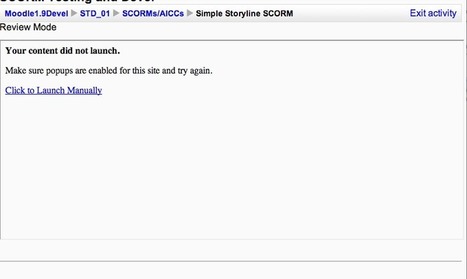
I've done quite a bit of work in using Moodle coupled with Articulate Storyline to provide optimum results on the iPad with HTML5 content. As a result, some small changes were made to the SCORM mo...
|
|
Rescooped by
Juergen Wagner
from Educación, TIC y ecología
February 13, 2015 11:49 PM
|
A continuación presentamos el Top 10 de novedades, mejoras y características de la última versión de Moodle, el LMS, líder en el mundo. 1. Auto guardado de texto El editor de texto Atto automáticamente guarda los textos mientras se van construyendo los escritos. De esta manera, se mantiene seguro el contenido antes de que se publique. 2. Valoración Like Esta característica ahora puede implementarse como una escala de un solo ítem, trayendo la funcionalidad de los medios sociales hasta el mismo interior de Moodle. 3. Respuestas por E-mail a publicaciones en los foros Para mayor conveniencia, se puede responder por e-mail a las publicaciones de los foros. De esta manera, se optimizan las opciones de respuestas para los usuarios – estudiantes. 4. Un nuevo menú de usuario Ahora se puede acceder de manera rápida a las páginas más personalizadas del menú de usuario. El principal alcance de esta característica es satisfacer a los usuarios..
Via Guisella Infantes Bracamonte, juandoming, Ramon Aragon
|
|
Rescooped by
Juergen Wagner
from TIC & Educación
February 13, 2015 12:00 PM
|
Creative Ways To Use Skype In The Classroom
The answer: in more ways than you could imagine. While Skype was not designed as an educational tool, it’s quickly becoming one as teachers discover the many ways it enriches their lessons and the lives of their students. Even something as simple as hosting a guest speaker through a video call can add excitement to a lesson.
As with any tech tool, it can seem daunting to introduce this into your classroom at first. If you don’t know where to start, try one of these five creative ideas. Learn more: - http://www.scoop.it/t/21st-century-learning-and-teaching/?tag=Skype
Via Gust MEES, Mª Jesús García S.M.
|
|
Rescooped by
Juergen Wagner
from Lernen mit iPad
February 12, 2015 7:32 AM
|
Viele kennen das Prinzip von Quiz-Duell, einer App, in der mensch nach erfolgreicher Anmeldung sein allgemeines und spezielles Wissen mit anderen bekannten und
Via Guido Knaus
|
|
Rescooped by
Juergen Wagner
from Tablets in der Schule
February 11, 2015 12:54 PM
|
Der liebe und überaus engagierte Kollegen Jürgen Wagner vom anderen Ende der Republik wies mich auf seine Webinar- Reihe hin, die spannende Themen enthält. Ziemlich kurzfristig möchte ich auf das Online- Seminar zum o.g.
Via Andreas Hofmann
Google tips and tricks presentation to educators on Nov. 6, 2014 at BIT14 (ECOO) in Niagara Falls Ontario Canada.
Via Dr. Tom D'Amico (@TDOttawa)
|
|
Rescooped by
Juergen Wagner
from Tools and Applications
February 10, 2015 1:02 PM
|
|
|
Scooped by
Juergen Wagner
February 10, 2015 12:55 PM
|
Recently a Moodler asked, “What are the best options for creating Geography Quizzes in Moodle?”
Two suggestions were made which could provide students a really great experience:
|
|
Rescooped by
Juergen Wagner
from Tools and Applications
February 9, 2015 8:37 AM
|
February, 2015
There are several web tools that you can use to record your computer screen, this post features some of the best out there. However, if you are using a Mac you might want to try this...
Via Elke Höfler
|
|
|
Rescooped by
Juergen Wagner
from Medien – Unterrichtsideen
February 15, 2015 4:02 AM
|
Now that so much of what students create in school is in the digital realm, teachers have an opportunity to help students value their work more & longer.
Via Guido Knaus
|
|
Scooped by
Juergen Wagner
February 14, 2015 3:09 PM
|
Explore the Moodle Gradebook and discover how to set up and customize it to track students' progress
|
|
Rescooped by
Juergen Wagner
from TIC & Educación
February 14, 2015 6:10 AM
|
These posts provide tips and tricks to help you get the most out of the audio & video you do use in your elearning courses.
Via Gumersindo Fernández
|
|
Rescooped by
Juergen Wagner
from TIC & Educación
February 13, 2015 11:57 AM
|
Can't afford Microsoft's venerated program? Or maybe you want to build slide decks that really stand out? Try one of these PowerPoint killers.
Via Gumersindo Fernández
|
|
Scooped by
Juergen Wagner
February 12, 2015 7:34 AM
|
Creating your Moodle course can be a timely affair so in this post I am going to focus on ways that you can speed up the process
|
|
Rescooped by
Juergen Wagner
from Moodle Best LMS
February 11, 2015 12:57 PM
|
BigBlueButton is an open source web conferencing and webinar/virtual classroom tool which has been available since 2007. The project has come along way since then, in 2013 it introduced recording, LTI integration, and other long sought after features [release notes: https://code.google.com/p/bigbluebutton/wiki/ReleaseNotes]. In 2015 the platform for synchronous communication also introduced pausing to recording, the ability to do an audio check before starting a session, listen only mode and more (above and beyond the already vast feature list introduced in the previous releases).
Recently, and updated plugin for Moodle 2.6, 2.7 and now 2.8 was released by Blindside Networks, the creator of BigBlueButton. The Moodle activity allows users to leverage all service capabilities directly from a Moodle course where the integration has been made.
Check it out at: https://moodle.org/plugins/view/mod_bigbluebuttonbn
From Moodle, the activity will let you,
* schedule
* record
* join live sessions
* restrict access
* and much more
Via Miloš Bajčetić
|
|
Rescooped by
Juergen Wagner
from Moodle and Web 2.0
February 11, 2015 2:25 AM
|
|
|
Rescooped by
Juergen Wagner
from Moodle and Web 2.0
February 11, 2015 2:04 AM
|
The Connecting Online Conference on WizIQ just ran on February 6th through 8th with speakers from around the world presenting on various topics. The first speaker was Justin Hunt, aka the PoodLL Guy who presented on the history and use of PoodLL with Moodle.
For more information on CO15 or additional recordings visit https://www.wiziq.com/course/48839-connecting-online-mooc-co15
The webinar session is recorded and available on WizIQ to watch for free (note that registration is required). Justin highlights what Moodle is, about PoodLL, shows the activities and plugin set available for PoodLL in Moodle and more. For more information for PoodLL or to try it out visit http://www.poodll.com or http://demo.poodll.com.
Check out the recording: http://go.wiziq.com/2vvf
Via Miloš Bajčetić, Juergen Wagner
|
|
Rescooped by
Juergen Wagner
from TELT
February 10, 2015 1:06 PM
|
Adi Rajan: A webinar a day keeps atrophy at bay.
Via Shona Whyte
|
|
Rescooped by
Juergen Wagner
from Moodle Best LMS
February 10, 2015 1:02 PM
|
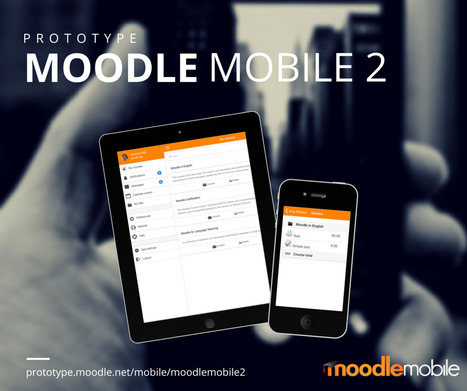
We are excited to introduce this demo of Moodle Mobile 2. This demonstrates the updated look and feel of the incoming second version of the application. At this stage, the launch is set for June this year.
Via Miloš Bajčetić
|
|
Rescooped by
Juergen Wagner
from Moodle Best LMS
February 9, 2015 3:03 PM
|
The Connecting Online Conference on WizIQ just ran on February 6th through 8th with speakers from around the world presenting on various topics. The first speaker was Justin Hunt, aka the PoodLL Guy who presented on the history and use of PoodLL with Moodle.
For more information on CO15 or additional recordings visit https://www.wiziq.com/course/48839-connecting-online-mooc-co15
The webinar session is recorded and available on WizIQ to watch for free (note that registration is required). Justin highlights what Moodle is, about PoodLL, shows the activities and plugin set available for PoodLL in Moodle and more. For more information for PoodLL or to try it out visit http://www.poodll.com or http://demo.poodll.com.
Check out the recording: http://go.wiziq.com/2vvf
Via Miloš Bajčetić
|