Once you've used multiple screens, it's hard to go back to using just one. Multiple displays are useful for more than just watching your two favorite sports teams at the same time (though, you can most certainly do that, too). Having two displays can actually increase your productivity a great deal. That's right, if you…
Moodle allows teachers and students to use a streamlined, simple and efficient interface. It is a platform that allows education to move online. With the influx of students preferring to work online, and the addition of online apps such as Turnitin and Google Docs, Moodle is a valuable program to use.
However, teachers and students alike are often still reluctant to use it. This can be due to a host of reasons – whether they are intimidated by the software, refuse to use technology no matter how useful it may be, or simply because it is an unfamiliar program that comes with a learning curve.
Despite these reasons, Moodle is a relatively easy program to use and familiarize yourself with. It is a program for those who are unfamiliar with technology or have a difficult time grasping new concepts. The learning curve is not steep and can be learned quickly. Once users become comfortable with the interface, Moodle proves to be a worthwhile program. If you are not convinced, here are some reasons below to persuade you to consider using the program.
The Use Of Widgets In Video eLearning To Improve The Learning Experience TheTalkList augments many online and face-to-face language learning environments by connecting students with tutors for 1-to-1 video eLearning conversation practice sessions.
How to use embed or link audio and video in the Learn Moodle site – an introduction to adding a Youtube video, recorded audio file or other multimedia to Moodle including repositories.
Two authors share tips that school technology administrators can use to make their own jobs easier while supporting their institutions with solid, safe IT practices.
One school in Pennsylvania is using open-source tools wherever possible to keep students close to the code behind the machines they use. This stance is opposite to the very restrictive policies of many schools, but could allow students more freedom to explore what makes devices work.
Infinitely flexible. Incredibly easy to use. Great mobile apps. It's free. Trello keeps track of everything, from the big picture to the minute details.
Las insignias son representaciones gráficas, generalmente divertidas o atractivas, que justifican visualmente que has alcanzado una serie de logros. El sistema de Insignias de Moodle, puede suponer un gran cambio en la certificación de acciones formativas y otros méritos, especialmente con el desarrollo en paralelo con Firefox.
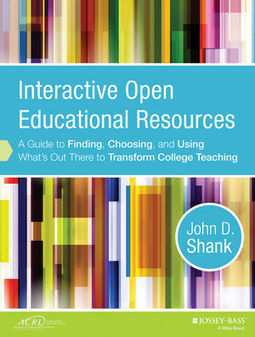
Sponsored by the Association of College and Research Libraries (ACRL), this one-of-a-kind book demonstrates the best tools, resources, and techniques for discovering, selecting, and integrating interactive open educational resources (OERs) into the teaching and learning process. The author examines many of the best repositories and digital library websites for finding high quality materials, explaining in depth the best practices for effectively searching these repositories and the various methods for evaluating, selecting, and integrating the resources into the instructor’s curriculum and course assignments, as well as the institution’s learning management system.
Webinar im DaF Lehrer Netzwerk mit Ilpo Halonen am 15.04.15. Wie weit sind die finnischen Schulen im Prozess der Digitalisierung gekommen? Dominieren Mobilge...
April 19, 2015 Admittedly, the use of Facebook in education is a contentious topic that raises a lot of controversy and debate among educators. Some view it as irrelevant social media platform to be...
“This guide for personalized learning is designed to help today’s educators make sense of the shifting landscape in modern education. Find out how you can receive a free copy of the digital facilitators guide.”
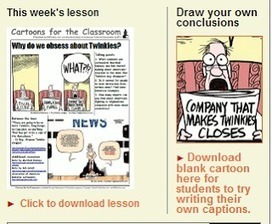
Comic strips and cartoons are great learning and teaching materials. Students love them and you can see the excitement in their eyes the moment they know they are included in their lesson. Well, think of yourself when you were a student, I bet you had the same feelings about these materials.
In this episode I interview Reshan Richards, an Apple Distinguished Educator and co-founder of the wonderful iOS app, Explain Everything. Interested in writing a book, creating a hit app in the App Store? Dr. Reshan Richards is an educator, researcher, and entrepreneur. Check out this interview podcast!
Within the standard MCQ question type in Core Moodle where questions generally have only 1 correct answer there is an option to allow multiple answers (check all that apply).
If this option is selected each answer carries it’s own grade % of the question so if A and B are both correct, the configuration would be that A and B carry 50% each and that C and D are worth 0 (zero). A student answering only A or only B would receive partial credit.
The All or Nothing MC Qtype fixes that issue,
The all-or-nothing multiple choice question is a version of the core multi-answer multiple choice question with modified grading. In an all-or-nothing multiple choice question, a respondent can choose one or more answers. If the chosen answers correspond exactly to the correct choices defined in the question, the respondent gets 100%. If he/she chooses any incorrect choices or does not select all of the correct choices, the grade is 0%.
To get content containing either thought or leadership enter:
To get content containing both thought and leadership enter:
To get content containing the expression thought leadership enter:
You can enter several keywords and you can refine them whenever you want. Our suggestion engine uses more signals but entering a few keywords here will rapidly give you great content to curate.


 Your new post is loading...