


In diesem Tutorial wird insbesondere für Lehrkräfte erklärt, wie man digitale Pinnwände (Padlets) erstellen, modifizieren und im Unterricht einsetzen kann. Mehr Tutorials und Erklärvideos für die Schule unter ivi-education.de.
Via Guido Knaus

 Your new post is loading...
 Scoop.it! In diesem Tutorial wird insbesondere für Lehrkräfte erklärt, wie man digitale Pinnwände (Padlets) erstellen, modifizieren und im Unterricht einsetzen kann. Mehr Tutorials und Erklärvideos für die Schule unter ivi-education.de. Via Guido Knaus No comment yet.
Sign up to comment
Scoop.it!

Neue Zahlen geben Einblick in das verschwiegene Unternehmen. Sie zeigen erstmals, mit wie vielen Schweizer Firmen der US-Konzern zusammenarbeitet. Via Guido Knaus
Scoop.it!

Many educators don’t realize that Skype could be a valuable classroom asset that gives students lots of new opportunities to learn. When you hear about Skype, you most likely think of video calls that you might make in your spare time. However, there is an entire world of untapped resources available through Skype for your school. Via John Evans
Scoop.it!

Wherever you fall on the teacher continuum, you can make small changes toward the primary goal: coaching your students for today's workforce. Via juandoming
Scoop.it!

Strategies range from building a sense of belonging to generating robust data analytics to helping with parking tickets. Via Mariano Fernandez S.
Scoop.it!

odcasts can serve a crucial role in preparing your students for the future and helping their learning to be meaningful. Via John Evans
Scoop.it!

"Change in the digital age affects every sector, from banking and retail to healthcare, hospitality and non-profit. Higher education is no different ..." Via Leona Ungerer
Scoop.it!

Sketchnotes im Unterricht - „Was sind überhaupt Sketchnotes*?“ - Wie und womit erstellen wir Sketchnotes? - In welche http://globinars.blogspot.com/2018/02/webinar-sketchnotes-im-unterricht.html
Juergen Wagner's insight:
Scoop.it!

Immersives Lernen mit Virtual Reality Sowohl die passive Nutzung von VR-Inhalten mit Schülern als auch die aktive Gestaltung vo http://globinars.blogspot.com/2018/04/webinar-immersives-lernen-mit-virtual.html
Juergen Wagner's insight:
Scoop.it!

Free audiovisual web tools for teaching The last decades have brought a vast change in the way the students learn. The use of screen
Scoop.it!
It’s that time of year when the snow finally melts (well, at least for those of us south of the Mason-Dixon line), the school year is wrapping up, and we’re all planning for summer. This is also traditionally the time when households go through “spring cleaning” as we clean out our closets or kids’ closets, re-arrange the jars of random screws in the garage, and finally knock out some items on our to-do list. Via John Evans
Scoop.it!

Lors du séminaire des IAN (Interlocuteurs Académiques au Numérique), j'ai rencontré des collègues extrêmement avancés et d'une grande humilité. Citons pêle-mêle Marie, Nicolas, Jean-Charles, Germer, Greg, Laure, Juliette ... Via michel verstrepen |
Scoop.it!

Zürichs Datenschützer Bruno Baeriswyl hat sich gegen die Nutzung verschiedener digitalen Tools an Schulen ausgesprochen. Via Corinne RAMILLON 
Corinne RAMILLON's curator insight,
July 4, 2018 7:16 AM
Datenschützer warnt vor Whatsapp, Dropbox und Co. an Schulen - News Zürich: Region - tagesanzeiger.ch
Scoop.it!
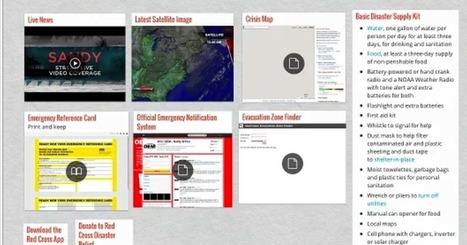
"The web is a treasure trove of interesting resources to use for a variety of educational purposes. To leverage the educational potential of the web and be able to make the best of it in your instruction, you need to be equipped with tools that will enable you to curate, save and share the content you come across online ..."
Via Leona Ungerer
Scoop.it!

7 alternatives to TodaysMeet - Each option has different advantages and limitations, but all of them have great free options, don’t require students to create accounts, and are easy to use. Nick's Picks for Classroom Backchannels. Via John Evans
Scoop.it!

Scoop.it!

Sometimes it’s just quicker and easier to show someone an idea or concept rather than try to say it to them. Other situations demand that you present an idea in multiple formats. I know when I was … Via Dr. Tom D'Amico (@TDOttawa)
Scoop.it!

From
zapier

Thanks to cloud storage and file syncing apps, you can create a file on your computer at work, edit it on your phone on the subway home, and then finish working on that same up-to-date file from your laptop in your living room. Or, in minutes, you can shar Via Dr. Tom D'Amico (@TDOttawa)
Scoop.it!

Le Sketchnoting « Venez découvrir comment prendre des notes sous forme de dessin et participez au défi en dessinant avec nous e http://globinars.blogspot.com/2018/03/webinaire-le-sketchnoting.html
Juergen Wagner's insight:
Scoop.it!

- why a MoodleBox ? Definition and advantages - how does it work ? - how to use it in class for personalized learning: give students http://globinars.blogspot.com/2018/03/webinar-moodlebox-for-teachers.html
Juergen Wagner's insight:
Scoop.it!

Einladung zum Webinar "Der Schwarzfahrer" Fremdenfeindlichkeit, Vorurteile und Zivilcourage an einem preisgekrönten Film digital mi
Juergen Wagner's insight:
Scoop.it!
Mit Gamification-Ideen verwandeln Lehrer den Unterricht in ein Rollenspiel. Autor: Laura Stresing Schnitt: Michael Fandel Kamera: Mario Bergmann Musik Via Guido Knaus
Scoop.it!

StudentQuiz - Putting students into the Moodle driver's seat Students like questions to help them prepare for exams. However, it'
Scoop.it!

This week, Gmail was updated with a brand new version introducing several new features. At first glance, much of Gmail may seem the same as the previous version however with a close eye, you will notice several important updates. Here are three new features I am excited about. Via Dr. Tom D'Amico (@TDOttawa) 
Karen Quintero's curator insight,
April 30, 2018 11:00 AM
In my opinion gmail is a very useful tool for alll the population, and for example in my case that I am teacher in development it is very important because using this tool you can send documents to your classmates.Besides, inform educators about possible problems that you could present for coming to class or with a homewrok.In regards to these advances in the app, I believe that have a significant positive impact in the use of the application because sometimes you forgot the date that you have assigned to a meeting specially for business population, they could find it very interesting.Also, the availability to snooze e- mails until you can access to them and the advance at the moment of attaching an image you can take at look at it for not repeating it, and it is awesome because you save time, that what the advance that I liked the most.

Daniela Tabares Restrepo's curator insight,
May 11, 2018 10:29 AM
Gmail is a very useful tool that serve us in the way of communicating important information, especially for academic or job matters. This text called my attention since I did not know that there is a new application for Gmail. Now, It has better integration with Google applications such as Google calendar, and Google Keep. In addition, it is able to snooze your emails, so if you want a reminder of an email in a specific hour, it does. Finally, another new feature is that the files that you are going to send are visible, so you can be aware of what you are going to share.
|






