JavaScript for Line of Business Applications
606.6K views | +11 today
JavaScript for Line of Business Applications
Keeping track of current JavaScript Frameworks that help design your clientside Business Logic Layers.
Curated by Jan Hesse
Beam to my Inbox:
Your new post is loading...

Popular Tags - Filter using the Funnel

Scoop.it!

How To Build A CLI Tool With Node.js And PhantomJS

How To Build A CLI Tool With Node.js And PhantomJS | JavaScript for Line of Business Applications | Scoop.it

In this article, we’ll go over the concepts and techniques required to build a command line tool using Node.js andPhantomJS. Building a command line tool enables you to automate a process that would otherwise take a lot longer.

Command line tools are built in a myriad of languages, but the one we’ll focus on is Node.js.

WHAT WE’LL COVER:
* Secret sauce
* Installing Node.js and npm
* Process
* Automation
* PhantomJS
* Squirrel
* How it works
* The code
* Packaging
* Publishing
* Conclusion

No comment yet.
Scoop.it!

Taming Asynchronous Tasks in JavaScript with Zone.js

Taming Asynchronous Tasks in JavaScript with Zone.js | JavaScript for Line of Business Applications | Scoop.it

I recently learned about a new project by the Angular team called Zone. This project is one of those rare gems that is only a few lines of code but is so groundbreaking it literally takes time to wrap your mind around it. The easiest way to get started with Zone is to watch the excellent talk by its creator, Brian Ford. He demos some pretty cool scenarios that are all in the project repository.

In a nutshell, Zone provides what you might consider a “thread execution” context for JavaScript. It basically takes the current “context” you are in and intercepts all asynchronous events so they “map” to the same context. This enables you to do some pretty interesting things such as view stack traces through the original wire-up (i.e. you no longer get “disconnected” at the point the event was raised) or add tooling. You can use Zone to change the behavior of events (such as implementing your own version of setTimeout) and to keep track of tasks.

Zone works by simply running something in the context of the Zone. You can have multiple Zones with their own context. 

No comment yet.
Scoop.it!

HTML Table Pagination using Knockout JS and ASP.NET Web API

HTML Table Pagination using Knockout JS and ASP.NET Web API | JavaScript for Line of Business Applications | Scoop.it
Use Knockout JS, ASP.NET Web API and ADO.NET Entity Framework to enable pagination in a HTML Table

The question that arises is in what kind of scenarios can we use Knockout JS? Lets’ consider that an HTML page is to be created which makes a call to an external service (WCF Service/Web Service or ASP.NET WEB API) for fetching data and once the data is loaded in the HTML element (e.g. table), pagination is to be implemented. Now this can be done using any JavaScript library like jQuery. However there are some challenges to be thought of like how does the UI update when the underlying data model changes, how to store data on the client side which responds to the change notification for pagination (move previous, next etc.) and calls some logic. Another challenge could be how each user may display different number of rows initially when the page is loaded e.g. (4 rows/ 8 rows etc) and so on. Although these challenges can be coded with libraries like jQuery, it becomes easier if we choose a library that provides binding between UI and data model and has in-built change notification capability.

No comment yet.
Scoop.it!

Dive into Node.js development with this Visual Studio plugin

Dive into Node.js development with this Visual Studio plugin | JavaScript for Line of Business Applications | Scoop.it
Tony Patton reviews a plugin that brings Node.js development to Visual Studio 2012 and 2013. See what his tests reveal.

Node.js is a powerful platform for building all kinds of applications. One caveat with using different platforms is that some tools cannot be used for certain technologies. This was true for Node.js and Visual Studio, but the Node.js Tools for Visual Studio plugin allows you to use a familiar tool to build Node.js applications. 

No comment yet.
Scoop.it!

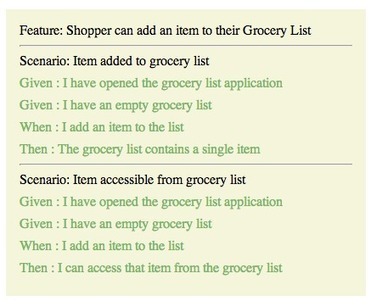
BDD in JavaScript IV: CucumberJS and The Browser

BDD in JavaScript IV: CucumberJS and The Browser | JavaScript for Line of Business Applications | Scoop.it

In my previous post in this series detailing how I use CucumberJS, I addressed a few common bulid tools in JavaScript to automate the watching and running of tests. While beneficial to a proper agile workflow, I did not introduce any new concepts or development information directly associated with using CucumberJS, itself.

In this article, I intend to take on a pretty meaty subject - running your cukes in the browser. It is a subject I have grappled with for some time and have tried different solutions, eventually creating my own.

CucumberJS is built on Node. As such, the CLI tool that we have been running to verify our tests in previous articles is living in that environment.

This is well and good if we were creating an application that was intended to live within Node. However, what if we are building an application that is to live inside the browser, which is often the case for me as a, primarily, Front End Developer? How do we go from Features detailing DOM interaction to passing Step Definitions that require a browser environment using CucumberJS?

No comment yet.
Scoop.it!

Introduction to Sails.js

Introduction to Sails.js | JavaScript for Line of Business Applications | Scoop.it

Sails is a Javascript framework designed to resemble the MVC architecture from frameworks like Ruby on Rails. It makes the process of building Node.js apps easier, especially APIs, single page apps and realtime features, like chat.

No comment yet.
Scoop.it!

Remote Desktop Client with AngularJS and Yeoman

Remote Desktop Client with AngularJS and Yeoman | JavaScript for Line of Business Applications | Scoop.it

In this blog post I’m going to show you how to build a VNC client using AngularJS and Yeoman.

We should have a VNC server on the machine we want to control. This machine provides interface accessible through the RFB protocol. The proxy in the middle has RFB client, which knows how to talk to the RFB server. The proxy also provides HTTP server, which is responsible for serving static files to the client and also allows communication through socket.io. The last component in our diagram is the “AngularJS VNC client”, which consists few HTML and JavaScript files provided to the browser by the proxy. This is what actually the user of our VNC client sees. He or she use the form provided in the “AngularJS VNC client” in order to enter connection details and connect to the machine he or she wants to control

No comment yet.
Scoop.it!

Rapid Emberjs app development workflow

Rapid Emberjs app development workflow | JavaScript for Line of Business Applications | Scoop.it

In recent few months, I am learning and developing Emberjs apps. There are so many ways to setup an Ember app. Instead of the Ember internals and how-tos, here I like to post about the development workflow and tooling around it. Since I am a Rails dev, my first attempt was obviously to go with it. There are 2 rubygems, as of this writing, that sets up the ember with rails. First is the ember-rails which integrates with Asset pipeline. It provide the generators to install the latest releases of emberjs. This gem generates the folder structure inside the app/assets/javascriptsfolder and also builds with development or production variants of emberjs according to environment.

Pretty much I hope, many of us have come around the Ember Starter Kit project. Its a Grunt based project and has various features. Grunt is a general purpose Javascript task runner. Its entire architecture is based upon the Plugin system. When my app started to evolve little bigger, file numbers increased, the same feeling of slow-ness started to come up when it tries to compile those files. When I change and save a single file, its compilation started to take few seconds.

My simple requirements:
* No dependency on Ruby
* Faster compilation
* Organized/Structured code/folder
* Coffee-script support
* Faster test runner/feedback
* Environments in the JS framework

The above development framework or setup lack at least one of my requirements. So, my quest didn’t stop here and continued on. Then I found this project Tapas with Ember. It is a Brunch skeleton for rapid Emberjs app development. It is an ultra-fast HTML5 build tool. But first, a basic look upon Brunch.

No comment yet.
Scoop.it!

Service Providers in AngularJS and Logger Implementation

In this article I’ll explain what a provider is and what is the difference between a provider and other services declaration in AngularJS. Through this article I’ll also create a tidy Logger for your AngularJS application.

What is wrong with $log?

Nothing! Really, $log is doing it’s work. It is a simple service for logging, including a default implementation that writes messages into the browser’s console. And that’s it. But when talking about logging, I’d like a service that will print my messages nicely, something like a timestamp and maybe a hint about where the message was created. I would also like to turn off all the messages during application configuration when running on production, and maybe expose a way to turn it on.

No comment yet.
Scoop.it!

JavaScript Web Development Quiz By David Shariff

JavaScript Web Development Quiz By David Shariff | JavaScript for Line of Business Applications | Scoop.it

Take the JavaScript Web Quiz by David Shariff. Warning: It will hurt your feelings! See what areas you could improve on.

No comment yet.
Scoop.it!

Creating and publishing a node.js module

Creating and publishing a node.js module | JavaScript for Line of Business Applications | Scoop.it

Creating a node module and publishing it to npm is a fairly straightforward process. Haven't done it yet? Not sure what I'm talking about? Here's a quick tutorial to speed you along.

Let's get started by configuring npm a little bit. Go ahead and enter these commands in a terminal, using your own information. This way, when we run some npm commands later, it will already know who we are and will be able to autocomplete some information for us.

This next command will prompt you for an email and password, create or verify a user in the npm registry, and save the credentials to the ~/.npmrc file.

No comment yet.
Scoop.it!

Game On: Backbone and Ember

Game On: Backbone and Ember | JavaScript for Line of Business Applications | Scoop.it

So you've accepted the challenge to go thick on the client-side; well done. You've considered all the frameworks out there and are unsure which one to choose? You're not alone. Read on.


My experience, when learning the way of writing client-side apps is proving to be steep and hard. It's not easy to deliberately choose to use MV* on the client for someone who wrote JavaScript, based entirely on jQuery and its plugins. This is an entirely new paradigm; it requires basic programming skills and a considerable understanding of JavaScript (the language) design. If your experience relates to mine, then read on!

I will be explaining the main differences between two of the most popular JavaScript clientside frameworks: Backbone.js and Ember.js. Each of these tools has strong points, as well as weaknesses that might help you make a more thoughtful choice.

No comment yet.
Scoop.it!

Applying Transformations To Responsive Web Design with XSLT and Tritium

Applying Transformations To Responsive Web Design with XSLT and Tritium | JavaScript for Line of Business Applications | Scoop.it

Transformations are a simple yet powerful technique for separating content and presentation in Web applications. Yet, outside of enterprise and data-processing circles, transformations have failed to gain popularity through XSLT. As a result, Web developers are liable to think that transformations “don’t apply to me,” even though they work with HTML, a structured format ripe for transformation. Thankfully, new transformation frameworks are on the horizon, including work by the inventor of Sass, that hold the promise of a revival.

In this article, we will reintroduce transformations and explore their applications to mobile and responsive design. We will not only teach the old dog new tricks, but show that transformations are relevant to everyone who deals with HTML.

No comment yet.
Scoop.it!

AngularJS Custom Directives

AngularJS Custom Directives | JavaScript for Line of Business Applications | Scoop.it

AngularJS directives are what controls the rendering of the HTML inside an AngularJS application. Examples of directives are the interpolation directive ( {{ }} ), the ng-repeat directive and ng-if directive.
It is possible to implement your own directives too. This is what AngularJS refers to as "teaching HTML new tricks".

You can implement the following types of directives:
* Element directives
* Attribute directives
* CSS class directives
* Comment directives

Of these, AngularJS recommends that you try to use element and attribute directives, and leave the CSS class and comment directives (unless absolutely necessary).
The type of a directive determines how the directive is activated. An element directive is activated when AngularJS finds a matching HTML element in the HTML template. An attribute directive is activated when AngularJS finds a matching HTML element attribute. A CSS class directive is activated when AngularJS finds a matching CSS Class. And, a comment directive is activated when AngularJS finds a matching HTML comment.

No comment yet.
Scoop.it!

[TDD] Testing Your Ember Applications

Presentation given at SLC Ember Meetup - Jan 23, 2014 http://www.meetup.com/EmberJS-SLC/ Slides: http://coderberry.herokuapp.com/testing-your-ember-applicati...


Things we'll cover:

* Setting up Ember App for Testing
* Integration Tests
* Custom Test Helpers
* Testing XMLHttpRequests (XHR)
* Testing Handlebars Helpers
* Testing Routes
* Unit Testing

No comment yet.
Scoop.it!

NQUnit: JavaScript testing within .NET / CI

NQUnit: JavaScript testing within .NET / CI | JavaScript for Line of Business Applications | Scoop.it

QUnit is an awesome unit testing framework for JavaScript that is written by the jQuery team for unit testing jQuery.

This post describes a package I created to be able to run QUnit testing from within any .NET testing framework, and thus also from continuous integration servers.

If you manage to achieve the difficult task of getting your JavaScript unit tests to run and return results within the context of your server-side testing framework then that is a huge win. I think it’s a win because it means you can run all of the tests for your application within the same context resulting in:
* Better efficiency for doing your testing
* More likelihood you will actually run your JavaScript unit tests regularly since it’s convenient to do so
* You get continuous integration for free if you already have a CI server set up.

That last point is important – this means you get continual regression testing of your JavaScript, and if multiple people are working on the same JavaScript then you get notification as soon as a bug is introduced as a side-effect of integrating the code.

No comment yet.
Scoop.it!

Durandal.js with ASP.NET 4.5.1

The posts that follow this will document the steps in achieving that:

* creating a new ASP.NET SPA,
* stripping out the default SPA,
* implementing Durandal,
* integrating the new authentication features into Durandal,
* handling roles based authorization,
* creating the SideWaffle template

Jan Hesse's insight:

Blog series on bringing together Durandal with ASP.Net

No comment yet.
Scoop.it!

JavaScript Promises ... In Wicked Detail

JavaScript Promises ... In Wicked Detail | JavaScript for Line of Business Applications | Scoop.it

I’ve been using Promises in my JavaScript code for a while now. They can be a little brain bending at first. I now use them pretty effectively, but when it came down to it, I didn’t fully understand how they work. This article is my resolution to that. If you stick around until the end, you should understand Promises well too.


We will be incrementally creating a Promise implementation that by the end will mostly meet the Promise/A+ spec, and understand how promises meet the needs of asynchronous programming along the way. This article assumes you already have some familiarity with Promises. If you don’t, promisejs.org is a good site to checkout.


Why bother to understand Promises to this level of detail? Really understanding how something works can increase your ability to take advantage of it, and debug it more successfully when things go wrong. I was inspired to write this article when a coworker and I got stumped on a tricky Promise scenario. Had I known then what I know now, we wouldn’t have gotten stumped.

No comment yet.
Scoop.it!

The magic of $resource (or simply a client-side Active Record)

The magic of $resource (or simply a client-side Active Record) | JavaScript for Line of Business Applications | Scoop.it

At first sight AngularJS seems like a magical framework, which does some weird but awesome things like dependency injection, data binding only by setting a single property to the magical object named $scope and many other things.

If you look at the source code of Angular you’ll see a lot of smart and simple solutions for these magical problems. In this blog post I’ll describe the magic which stays behind $resource. I decided to write this blog post because of my recent experience in StackOverflow. One of the most misunderstood components of AngularJS was exactly the $resource service. $resource is two levels of abstraction above the XMLHttpRequest object (ok, may be three if we count $httpBackend). I’ve illustrated the usage of $resource through example which can be found at GitHub.

Before continuing with $resource I’m going to explain few important concepts. The first one is:
Active Record ...

No comment yet.
Scoop.it!

Making Angular.js Real-Time with Pusher

Making Angular.js Real-Time with Pusher | JavaScript for Line of Business Applications | Scoop.it

Front-end application frameworks have given developers the tools to build client side applications with rich user experiences. Let’s say your application is built with one of these frameworks and you want to notify connected clients that something on the server has changed – how can you do that while keeping a rich user experience? This is where Pusher and angular-pusher come into play.

Using Pusher will allow us to subscribe to events triggered by other clients. First I’ll show you the simple changes needed in our ItemListController to use angular-pusher. Then I’ll show you an example of using Pusher in a Node.js server when an item is updated.

No comment yet.
Scoop.it!

Angular's Event Bus FTW!

Angular's Event Bus FTW! | JavaScript for Line of Business Applications | Scoop.it

In Angular, scopes organized in a hierarchy can be used as an event bus. What this means is that you can propagate custom events through the hierarchy of scopes. To propogate an event upwards through the hierarchy of scopes you would use the $emit method of the $scope object. To propogate an event in the opposite direction you would use the $broadcast method. An event handler for any of these custom can be registered via the invocation of the scope's $on method.

No comment yet.
Scoop.it!

Automating JavaScript testing in a Microsoft environment

Automating JavaScript testing in a Microsoft environment | JavaScript for Line of Business Applications | Scoop.it

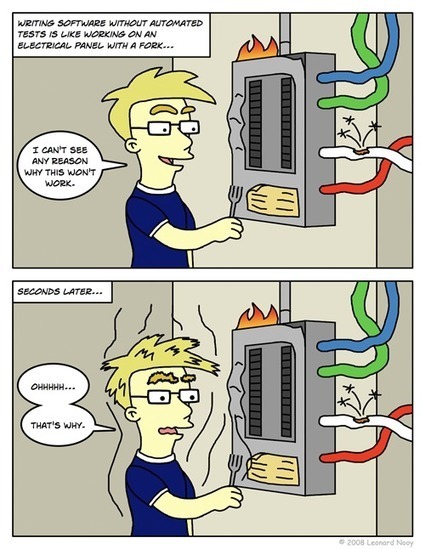
Writing software with JavaScript can be a lot like writing software in the dark. There is no static typing and no compiler, most errors are not found untill the code is executed. Hopefully that is in a test environment, and not when a user is working with your software. I think that a lot of emphasis should be on automated testing and analysing the code. At my current project, we have a rather nice setup in place to do this and guard our quality.

The thing that caused a bit more work is that we are working in a Microsoft environment. So we have Visual Studio (2013) and TFS (2013). The rest of our project consists of C# and we like to work in Visual Studio. Any tooling that we add is preferred to integrate with our current tools. We already have gated checkins and continous integration builds for the .NET code. The CI build runs everything that is in the gated checkin build plus more (and slower) tests.

No comment yet.
Scoop.it!

Managing Node.js Callback Hell with Promises, Generators and Other Approaches

Managing Node.js Callback Hell with Promises, Generators and Other Approaches | JavaScript for Line of Business Applications | Scoop.it

Callback hell is subjective, as heavily nested code can be perfectly fine sometimes. Asynchronous code is hellish when it becomes overly complex to manage the flow. A good question to see how much “hell” you are in is: how much refactoring pain would I endure if doAsync2 happened before doAsync1?The goal isn’t about removing levels of indentation but rather writing modular (and testable!) code that is easy to reason about and resilient.

In this article, we will write a module using a number of tools and libraries to show how control flow can work. We’ll even look at an up and coming solution made possible by the next version of Node.

Let’s say we want to write a module that finds the largest file within a directory.

* A nested approach
* A modular approach
* An async approach
* A promises approach
* A generators approach


No comment yet.
Scoop.it!

Get your Backbone straight

Get your Backbone straight | JavaScript for Line of Business Applications | Scoop.it

One of the major problems that I had with Backbone.js I had when I was starting to adopt, it's that Backbone is not a typical framework. It is more of a micro-framework, actually it's just a very light library. It is also a very unopinionated one. That is the reason it doesn't provide you with patterns to structure your code or write your apps in a certain way.

It is a mind bongling problem for every Backbone beginner and it forces you to mature through the process of identifying and selecting the best patterns for each project. When I started with Backbone, although I understood Backbone's concepts and way of thinking, most of my research went down on finding viable patterns to structure my code, my components and my files.

After working with Backbone for quite some time, I've learned some of these patterns that may help you get started more easily with Backbone.js.

No comment yet.
Scoop.it!

Video Series: ExtJS Single Page Application Tutorial

Video Series: ExtJS Single Page Application Tutorial | JavaScript for Line of Business Applications | Scoop.it
6-part video series on guiding principles for writing a maintainable, easy-to-use, and easy-to-code Single Page Application with ExtJS.

Part 1
What an ExtJS MVC Single Page Application looks like and how its code can be structured.
Part 2
High-level overview of the code used to power a Single Page Application.
Part 3
How the Grid Controller shown in our example application is coded in ExtJS.
Part 4
Discusses the ExtJS representation of the view that is in our example application. We see why we view certain configurations over others and how you can use those configurations to create interfaces of your own.
Part 5
Discusses the form controller that represents the pop-up window in our example ExtJS single page application.
Part 6
Details how the communication between the edit controller and the grid controller takes place with ExtJS.

No comment yet.