
The General Election in the UK is fast approaching and many schools are using it as a theme in next term's lessons. I am beginning to map out a few activities I plan on carrying out with my classes next term using iPads.
Annotating Political Party Web-Sites using Explain Everything
Explain Everything allows you open up a web-browser within it. The annotation tools could then be used by pupils to highlight certain language styles and key words in political party websites that would be useful in their own campaign.
Explain Everything can be found here https://itunes.apple.com/gb/app/explain-everything/id431493086?mt=8&uo=4&at=11lIT4
Analysing Party Political Broadcasts
If your pupils do not have access to YouTube as ours do not then I use Titan Downloader app to save videos from the web to the iPad's camera roll. I then distribute these to the pupils using showbie.com
Titan Downloader can be found here https://itunes.apple.com/gb/app/video-download-player-pro/id496121823?mt=8&uo=4&at=11lIT4
Recording a Party Political Broadcast
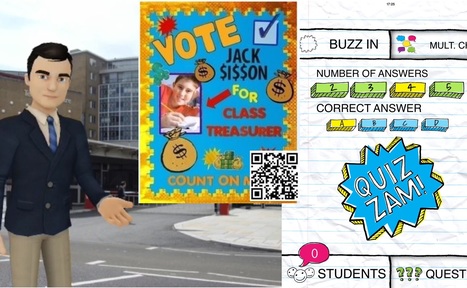
iMovie is a great app for this as students can stitch together video segments, add voiceovers and import music created in GarageBand. If the pupils want to place themselves into a different background to connect with their audience they could use Do Ink Green Screen and if they don't want to be on camera at all then Tellegami has an animated character dressed in a suit who they could add a voice to.
iMovie https://itunes.apple.com/gb/app/imovie/id377298193?mt=8&uo=4&at=11lIT4
Do Ink Green Screen https://itunes.apple.com/gb/app/green-screen-by-do-ink/id730091131?mt=8&uo=4&at=11lIT4
Tellagami Edu https://itunes.apple.com/gb/app/tellagami-edu/id893386556?mt=8&uo=4&at=11lIT4
Interviews and Debates
The split screen tool in iMovie can also aid interviews with the interviewer on one side of the video and the candidate/politician on the other. This also works well for debates with two sides of an argument. Find out about using the different features of iMovie in our app:
https://itunes.apple.com/gb/app/teacher-guide-to-ipad/id936097964?mt=8&uo=4&at=11lIT4
QR Codes in Manifesto Posters
Pupils can create manifesto posters but to really connect with their audience they could add a QR codes with short sound bites. Croak It App allows pupils to record a 30 second audio clip which then creates a web-lnk. This could be attached to a QR Code generator such as http://www.qrstuff.com/
Pre-Campaign Voting and Election Results
Quizzam is quick and easy polling app where the teacher can quickly take the answers from a multiple choice question. The results are shown as a graph. A vote could be taken prior to the campaigns and then again afterwards as a comparison of how effective each campaign has been.
Quizzam can be found here https://itunes.apple.com/gb/app/quizzam!/id529962644?mt=8&uo=4&at=11lIT4
Via iPad Teachers


 Your new post is loading...