


Google has released a significant update to Google Translate for iOS, including a visual redesign that is similar to that of the “flat” design...
Via Dr. Tom D'Amico (@TDOttawa)

 Your new post is loading...
 Scoop.it! Google has released a significant update to Google Translate for iOS, including a visual redesign that is similar to that of the “flat” design... Via Dr. Tom D'Amico (@TDOttawa)
Scoop.it!

Jim Lerman's insight:
Scoop.it!

Unlimited access to hundreds of leveled news articles and Common Core–aligned quizzes, with new articles every day. Via AdinaSullivan
Scoop.it!
Scoop.it!

With every new operating system comes shiny new interfaces, and one of the web companies who have brought out nice new shiny things this time is Evernote.
Scoop.it!

by Eric Limer and Kyle Wagner "You got a new iPhone! Maybe it's a thumbprint-reading 5S or a pastel rainbow 5C. Either way, what now? Here's what you need to get started with your new iPhone, whether you're a first-timer or an iOS pro."
Scoop.it!

Apple's new mobile operating system offers more than a bright and shiny exterior — it has powerful new features for education, too. Via John Evans 
Maggie McGuirk Veres's curator insight,
September 20, 2013 11:25 AM
Just upgraded three devices. I will explore.
Scoop.it!
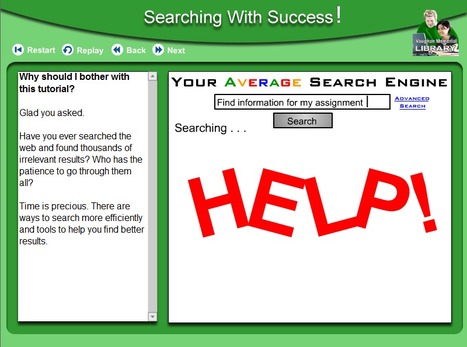
"Vaughn Memorial Library at Acadia University hosts four free animated tutorials designed to teach lessons on web research strategies. The four tutorials are Credible Sources Count, Research It Right, Searching With Success, and You Quote It, You Note It." Via Beth Dichter 
Maryalice Leister's curator insight,
September 20, 2013 8:43 PM
Research/web searches don't come naturally to young learners and these tutorials form a foundation on which teachers can build. excellent and worth checking out. 
Dean Mantz's curator insight,
September 22, 2013 8:29 PM
This is a helpful share from Richard Byrne's site Free Tech 4 Teachers. I encourage all educators to add this resource site to aid in the development/strenthening of student searching skills. 
Sue Alexander's curator insight,
September 23, 2013 9:28 AM
just can't have too many tools in our 1:1 toolbox. These are aimed at intermediate and middle grades. Thanks Beth for another helpful Scoop!
Scoop.it!
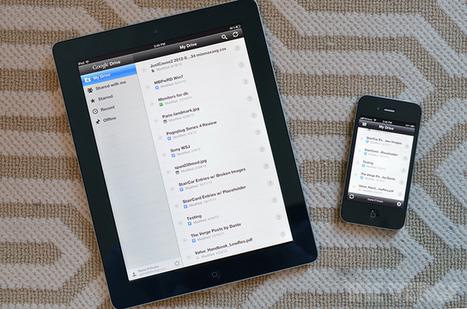
As iPads proliferate in schools around the world, and students as well as teachers create more and more content, questions about what to do with all of those learning objects have arisen. Via Lynnette Van Dyke
Scoop.it!
Scoop.it!

by Miguel Guhlin "Ah, life is a bit boring now that I have Peppermint Four installed on all the computers I use and customized with "my special software." While the goal for end-users is hassle-free computing, I have to admit that this is ridiculous. Since I installed Peppermint Four on various computers--ranging from a year old Macbook Air to 2007 Macbook to various old Dell desktops that are about a decade each--I have been enjoying trouble-free computing.
Scoop.it!

by David Pogue "A $13 program called Reflector transmits the video image from your iPhone, iPod or iPad to your Macintosh or PC for easy recording or projecting. It’s a great help for anyone making videos or trying to conduct a presentation."
Scoop.it!

by Jeff Dunn "Teachers are on Twitter every minute of every day. There are daily hashtag chats where educators from around the globe collaborate, share interesting tidbits, and make lifelong connections never before possible. There are people with tens of thousands of followers who are viewed as thought and opinion leaders. It’s a minute-by-minute pulse of the education world. "It’s exhausting. "It’s overwhelming. "It’s hard to imagine where to start. "That’s the idea behind this simple visual guide to Twitter for teachers who are either new to the social network or simply need a refresher about why they got started in the first place. In case you’re new to the scene, " |
Scoop.it!

Mind mapping as a method for organizing thoughts, connecting concepts, and visualizing the big picture of concept.
Scoop.it!

"Everyone likes free stuff, which is why starting today we’re making Quickoffice available for free, for everyone. With Quickoffice, you can edit Microsoft® Office documents across your devices, giving you the freedom to work with anyone no matter what hardware or software they’re using. Quickoffice also integrates seamlessly withGoogle Drive storage so you can safely access your files from anywhere. And while the easiest thing to do is simply convert your old files to Google Docs, Sheets and Slides, Quickoffice gives you another way to work with people who haven’t gone Google yet." Via John Evans, WebTeachers 
Becky Roehrs's curator insight,
September 20, 2013 10:14 AM
Sounds like a huge improvement for collaboration. 
Humberto Manuel Salinas's curator insight,
September 20, 2013 2:42 PM
Hurray for open source programming and social media! 
Mike Dilger's curator insight,
September 22, 2013 4:58 AM
For those who need an MSOffice connection, this may be one possibility. Haven't looked at it yet but will attempt to look into this option and report back to you. Otherwise check it out for yourself.
Scoop.it!

50 Best iPhone Apps, 2013 Edition Via Jon Samuelson
Scoop.it!

How is Twitter interesting for a teacher or educational personnel in general? How to use Twitter for teaching? Why Teachers need Twitter? Via Dan Kirsch, Felix Jacomino 
Oscar Melendez's curator insight,
October 20, 2013 4:36 PM
Helpful videos on incorporating Twitter to the digital classroom 
GwynethJones's curator insight,
January 2, 2014 7:38 PM
Always looking for new ways to energize teachers about Twitter!
Scoop.it!

by Richard Byrne "Earlier this month David Andrade published a good collection of resources for teaching about forensic science. In his list he mentioned a couple of resources that I had written about but since forgotten about. Those resources are CSI: The Experience and the Smithsonian's Catching Killers."
Scoop.it!

by Melanie Pinola "Mind mapping is one of the best ways to capture your thoughts and bring them to life in visual form. Beyond just note-taking, though, mind maps can help you become more creative, remember more, and solve problems more effectively."
Jim Lerman's insight:
Quite a comprehensive article with numerous helpful suggested uses and resources. Well worth reading. 
Jim Lerman's curator insight,
September 20, 2013 4:35 PM
Quite a comprehensive article with numerous helpful suggested uses and resources. Well worth reading.
Scoop.it!

Would you be interested in the ultimate list of free tools for teachers? At the following post you will found 321 Free Tools for Teachers separated in 18 educational technology categories. Enjoy! Via Danita Russell, Jamie Forshey, John Purificati
Scoop.it!

We all have to get up in front of a group of our peers and deliver a presentation at some point. Whether it’s a TED talk or a book report in your elementary school classroom, there’s a pressure and sense of nervousness that strikes us all. And that’s just the mere thought of giving a presentation.
What about the actual presentation itself? How do you make it successful and awesome? In an effort to help you become the next Steve Jobs of presenting, here are more than two dozen different presentation tips perfect for both students and teachers alike.
Scoop.it!
Scoop.it!
Scoop.it!

by David Pogue "The big Apple news this week might seem to be the new iPhones. But truth be told, the bigger news is iOS 7. This is the free software update for iPhones (iPhone 4 and later), iPads (iPad 2 and later) and iPod Touches (fifth generation). It’s a radical, huge redesign. Its master architect was Jonathan Ive, the Apple designer who has brought us astonishing hardware designs for many years; now, for the first time, he’s been put in charge of a whole software universe."
Scoop.it!

by Sharon Hurley Hall "Need a tool that wraps up content curation, social sharing and social analytics? Read this in-depth comparison to see how Scoop.it and Swayy compare." |









Iinteresting!