


Via Becky Roehrs

 Your new post is loading...
 Scoop.it! 
Ce dossier a pour objectif de montrer l'intérêt pédagogique des tablettes tactiles, de l’école au lycée, en France et à l'étranger et de rendre compte des expérimentations en cours. Il apporte des repères techniques. 
Scoop.it!

From
edudemic

Colleen Lee:
I remember when I first figured out the “power of the pair”. I had walked onto our school library and the noise was way above what I would expect. I asked our librarian how it could be like that and she told me it wasn’t ‘noise’ – that if I listened closely it was ‘learning’. As I looked around the room it was evident. Students were working together to help each other in learn. For me the ‘pair’ is now one of my most powerful tools. I use it in all my foreign language classes and see it increasingly used in other disciplines. Here’s a few reasons why:
Scoop.it!
Scoop.it!
Prezzip offers Prezi presentation templates & more. With mixing and matching our visuals you can optimize your presentations. Via Baiba Svenca, Yashy Tohsaku

Jo Blannin - The Know Tech Teacher's curator insight,
November 10, 2013 11:44 PM
And try these great templates that are built into the Prezi now...
Scoop.it!

"WIX permet de créer vraiment facilement un site Web à partir de modèles professionnels. Le prof peut s’en servir à des fins pédagogiques et l’étudiant, à des fins d’apprentissage."
Scoop.it!
From
edudemic
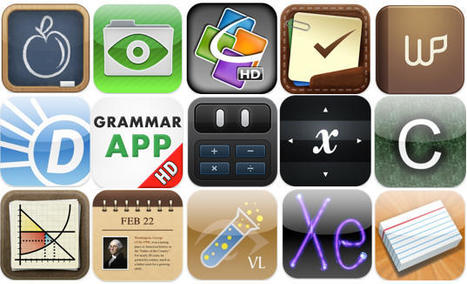
Katie and I can't cover the entire education app industry by ourselves. Luckily, there are dozens of other sites specifically devoted to education app reviews for teachers and students. Via Becky Roehrs

Becky Roehrs's curator insight,
May 18, 2013 8:48 PM
Even though it looks like many sites are geared for K-12, there are plenty of good finds for K-12+ such as App Learning Tasks and Kathy Schrock's Guide to Everything 
Laina McDonald, Ed.D's curator insight,
May 20, 2013 5:18 PM
Always great to have sites that help teachers understand the value of apps in their classroom
Scoop.it!

CloudConvert est un nouvel outil en ligne de conversion de fichiers qui permet de les convertir dans plus de 100 formats différents. Via Freewares&Tutos

Freewares&Tutos's curator insight,
May 18, 2013 5:56 PM
CloudConvert est un nouvel outil en ligne de conversion de fichiers qui permet de les convertir dans plus de 100 formats différents.
Scoop.it!

Ginger Gregory is the Gifted Resource Teacher at Lakeview Elementary School in Yukon, Oklahoma, and currently has 117 videos on her classroom YouTube channel. Ginger has used the six iPads in her classroom and her free, district-provided YouTube channel (since the Yukon school district participates in the Google Apps for Education program) to help her students develop oral communication skills, oral fluency, as well as digital literacy skills this semester. In the following six minute video, Mrs. Gregory and eight of her students explain what they have learned as a result of their assignments this year using iPad videos and YouTube.
Read the full story at: http://www.speedofcreativity.org/2013/05/16/developing-communication-skills-with-youtube-ipad-videos/ Via Cyndi Danner-Kuhn, John Purificati
Scoop.it!

10 Steps To A Successful School iPad Program
Scoop.it!

From
visual
Facebook, Twitter, Pinterest, Google+, LinkedIn. Etc. So many social media platforms. And so little time. (And manpower. And ideas.) There are costs involved to maintaining a social presence. It is vital for brands / companies / organisations to market on the right platform(s) in order to optimize their resource allocation. Use this infographic to help you choose the most efficient social media platform(s) according to factors like your goals, target audience and capabilities. Via Frédéric DEBAILLEUL

Franck Violet's comment,
May 17, 2013 4:37 PM
i'm sure it's gonna help few marketing manager to find the appropriate socail media to suceed their digital marketing policy
Scoop.it!

These 10 apps for iPad and Android will help you organize project-based learning in your classroom.
|
Scoop.it!

From
osxdaily
"One little feature that iOS really needs is the ability to natively “print to PDF” directly on the iPad and iPhone, a popular trick on the Mac and in the PC world that allows you to digitally print anything and, in this case, save the contents of any web document or web page as a self-contained PDF document, allowing it to be read later, printed, or used for whatever other purpose. Since this great feature isn’t around on the iPhone and iPad at the moment, we can use a nice bookmarklet trick combined with a free third party web service to be able to add a “Save as PDF” option to Safari in iOS, which allows you to ‘print’ or convert any web page to a PDF file that is then accessible to apps like iBooks. Let’s walk through the process of setting this up:" Via John Evans

BEST-CAEXI 's curator insight,
May 19, 2013 8:36 PM
Comment enregistrer des pages Web sous forme de fichiers PDF sur l'iPad et l'iPhone - OSX quotidien
Scoop.it!

"Have you tried 30 Hands yet? This free iOS app is a great storytelling or presentation app that has lots of potential for the classroom. I first learned about it from the TCEA iPad site, and my head has been spinning with classroom applications ever since." Via John Evans

Carey Leahy's curator insight,
May 20, 2013 8:03 PM
Another app to support digital technologies into language programs.
Scoop.it!

Scoop.it!

iPad research from the Victorian Department of Education and Early Childhood Development. Via BilingualStudyGuides
Scoop.it!

Primary teachers share their top tips for turning younger pupils into linguists Via BilingualStudyGuides, Evdokia Roka
Scoop.it!

"Il y a peu, j’ai eu l’occasion de lire sur un site un article intitulé « 7 bonnes raisons de ne pas utiliser les tablettes à l’école ». Il m’a fait beaucoup sourire et c’est clairement un texte rédigé par quelqu’un qui n’a pas cherché très loin avant de se prononcer. Cet article regorgeant d’idées reçues basées sur des à priori et des impressions m’a donné envie de passer point par point sur ces arguments qui pourraient, si on les lisait vite, sembler intéressants . Je reprends donc le même plan, mais j’y apporte mon humble vision (d’enseignant) des choses."
Scoop.it!

"Mozilla's Popcorn Maker is a free tool for crafting videos that incorporate images, remixed video clips, links, and social feeds. It can take some time to get the hang of all of the features of Popcorn Maker, but it is a powerful tool. Kevin Hodgson recently published a nice screencast that walks you through the process of using Mozilla's Popcorn Maker." Via Becky Roehrs
Becky Roehrs's curator insight,
May 17, 2013 4:43 PM
This tool will take me a while to learn, but this screencast and the PopCorn Maker Tutorial at https://popcorn.webmaker.org/ will give you lots of ideas and instructions.
Scoop.it!

There has been a lot of talk about the use of social media tools in formal workplace learning; and I am regularly asked to review initiatives of this kind. In many instances, the use of social tool... Via Becky Roehrs
Becky Roehrs's curator insight,
May 18, 2013 9:37 PM
Even though I love Tech Tools-the author is right-you have to know how to use them effectively to create a successful online learning event.
Scoop.it!

Visualiser un site internet sous différentes résolutions (tailles) d’écran vous permet de tester la compatibilité d’un design avec des petites et grandes résolutions d’écran. Via Freewares&Tutos
Scoop.it!

If you've got a pulse, using the iPad in the classroom is something you're at least interested in on some level. It's either why you're…

Carmenne Kalyaniwala's curator insight,
May 18, 2013 5:45 AM
Some great presentation ideas with the iPad
Scoop.it!

29 Apps For Teachers: The Educator's Essential iPad Toolkit
Scoop.it!
Présentation par Louise Maton aux rewics 2013 de comment créer et animer une page facebook. Via Frédéric DEBAILLEUL
|







You'll recognize many of these web resources, but it's separated by educational categories, such as mathematics, science, and language arts.
Image: 'taking it up a notch'
http://www.flickr.com/photos/10687935@N04/5585507277
Found on flickrcc.net