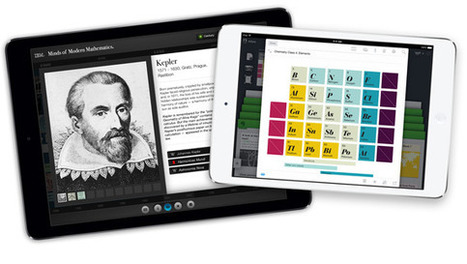
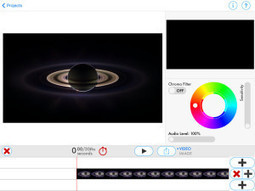
Get appear.in — free group video conferencing on the App Store. See screenshots and ratings, and read customer reviews.
Via Timo Ilomäki

 Your new post is loading...
 Scoop.it! Get appear.in — free group video conferencing on the App Store. See screenshots and ratings, and read customer reviews. Via Timo Ilomäki 
No comment yet.
Sign up to comment
Scoop.it!

"Notezilla is a neat iPad app that features sheet music synchronized to recordings. As you listen the recording the sheet music scrolls along. You can choose to see a red line moving to indicate the notes being played or choose to not see the red line at all. You can select sections of a recording to hear and see in your Notezilla library." Via John Evans
Scoop.it!

It's time for the annual mega-list of the best of the best tools for teachers. From A to Z, more than 900 resources were submitted and this is the final list. Do you know each of these tools? Via Kathleen Cercone
Scoop.it!
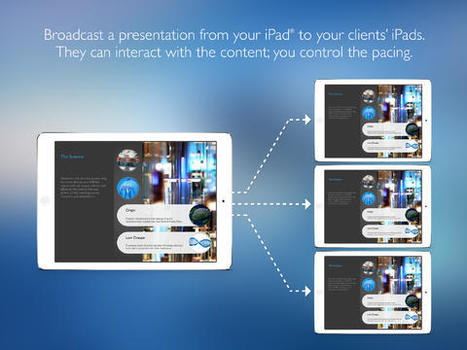
Get StoryDesk - Interactive Presentations on the App Store. See screenshots and ratings, and read customer reviews. Via Ana Cristina Pratas
Scoop.it!
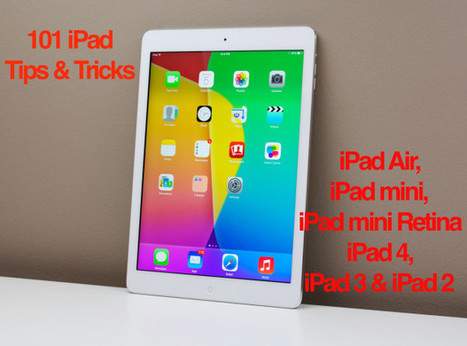
"Use these iPad tips and tricks to do more with your iPad Air, iPad mini and every other iPad running iOS 7.
This list of over 100 iPad tips and tricks is broken down by tips to help you get started, use the keyboard better, surf the web on the iPad easier, sync your photos, data and calendars as well as get the most out of your iPad with entertainment apps and services." Via John Evans

Darleana McHenry's curator insight,
June 29, 2014 3:07 AM
I need to learn more about the Ipad before I buy one.Maybe I can check one out from the library and play with it. 
Jamie Ruppert's curator insight,
July 2, 2014 2:06 PM
This list of over 100 iPad tips and tricks is broken down to help you get the most out of your iPad.
Scoop.it!

"Shadow Puppet is an iPad app for creating short audio slideshow videos. Yesterday, the same developers introduced Shadow Puppet Edu. Shadow Puppet Edu is a free iPad app that students can use to create audio slideshow videos. The app offers an integrated search tool that students can use to find pictures from the Library of Congress, to search for images from NASA, and to find Creative Commons licensed images from Flickr. Students can also import pictures from the camera roll on their iPads." Via John Evans
Darleana McHenry's curator insight,
June 29, 2014 3:10 AM
Ok this is so cool. I am willing to buy an Ipad to learn how to do this :-) It's a lot like movie maker but it looks easier tome.
Scoop.it!

From
oedb

In February I organized a pecha kucha style panel discussing topics related to law librarianship in the digital age and I ran a live competition looking fo Via Dr. Tom D'Amico (@TDOttawa)
Scoop.it!

Why animation? The first thing I look for when I visit a new website is a short video describing what the organization or person does. If I don’t see a v
Scoop.it!

'It is the ability to marry teacher and tech that makes the iPad so formidable.' Will Strange explains his innovative approach to teaching modern foreign languages Via Yuly Asencion, Elke Höfler, Juergen Wagner
Scoop.it!
|
Scoop.it!


Beth Dichter's curator insight,
July 3, 2014 10:11 PM
Google has just released a new game called Smarty Pins: Putting Trivia on the Map. It uses Google maps and allows you to pick a category and then pin the map with the correct answer (as in location). The closer you get to the correct location, the more "miles" you have. You can gain miles by answering quickly, but the clock ticks down. Featured topics on this day included March Madness and World Cup Trivia. The other topics to choose from are: * Arts and Culture * Science and Geography * Sports and Games * Entertainment * History and Current Events For students who like trivia this would be a good game. It might also be used as a classroom activity with groups playing when you need a break.
Scoop.it!

From
www
"The 2014 Best Websites for Teaching & Learning foster the qualities of innovation, creativity, active participation, and collaboration. They are free, Web-based sites that are user friendly and encourage a community of learners to explore and discover." Via Beth Dichter
Beth Dichter's curator insight,
July 2, 2014 7:49 PM
Yesterday I posted the top choices from the American Association of School LIbrarians (AASL) on the best apps for 2014. Today they listed the top websites in the following categories: * Media Sharing * Digital Stories * Manage & Organize * Social Networking & Communication * Content Resources * Curriculum Collaboration As you review the websites you will find one or more standards that are addressed by the websites. Although I know many of the websites, there are some that are new to me that I look forward to exploring. Below are several that I have used and really like, or are ones I have checked out and will be using in the future. Are you looking for new tools and want ideas on how to use them as well as examples and links to learn more about the tool. Check out Remix-t, a site from the University of Notre Dame, that is chock full of great ideas and resources. Although this site is geared to college teachers the resources and examples will provide you with great ideas and you will be able to modify them for your classroom. You will find in under Content Resources. Mixed Ink is a new site to me. It allows you to create a group of students who will write together. They may comment and evaluate the submissions and each students' writing will show up in a different color. This looks like a great site, esp. for schools that are not using Google apps. There are many more that I will be exploring. Do you have a favorite website? Share them in the comment section and let us know why it is a favorite of yours. 
Murielle Godement's curator insight,
July 3, 2014 1:54 AM
Annuaire (partiel et) commenté par catégorie. 
Rosemary Tyrrell, Ed.D.'s curator insight,
July 3, 2014 1:01 PM
the American Association of School LIbrarians (AASL) listed the top websites in the following categories: * Media Sharing * Digital Stories * Manage & Organize * Social Networking & Communication * Content Resources * Curriculum Collaboration
Scoop.it!
Scoop.it!

At memplai.com, our goal is to provide our customers with an easy and useful environment to collaborate with your friends and family to create fun and exciting video clips. We aim to give you all the tools you need to create lasting memories in a medium that makes it easy to share with your social network. In our site, you are in charge of your own production, we allow you to create your own virtual work space, which we call Video Projects. You can create projects, invite the people that you would like to participate, create as many videos as you want by using our online video editors. Via Baiba Svenca, Becky Roehrs

Baiba Svenca's curator insight,
June 29, 2014 11:02 AM
Memplai is a free service for creating collaborative videos by uploading photos and video clips and putting them together in Memplai editor. Greatly suitable for school video projects. 
Dennis Swender's curator insight,
June 29, 2014 12:07 PM
A possible tool for the upcoming Cultural Clip presentation. 
Begoña Iturgaitz's curator insight,
June 30, 2014 2:57 AM
Programatxo erraza argazkiekin bideoak egiteko.
Scoop.it!

Teacher discounts, freebies, special promotions, and deals to help educators save on tons of educational and consumer products. Via Mel Riddile
Scoop.it!

"Yesterday, at the Catholic Schools Foundation Summer Tech Conference at Boston College I saw a fantastic panel discussion on using technology in K-2 classrooms. One of the really neat things that I saw was an example of students using Morfo 3D Faces to create short biographies. Morfo 3D Faces is an iPad app that you can use to create a talking picture of person’s face. You can take a picture of a person or you can take a picture of a picture of a person (think taking a picture of a picture of George Washington). Once you’ve captured the picture you can customize the face by altering the eyes, mouth, and nose to move as you talk. After customizing the picture you can record yourself talking." Via John Evans
Scoop.it!

Twibfy is an inspirational platform where you can discover, share, submit and organize the content you love. Via Baiba Svenca
Baiba Svenca's curator insight,
June 26, 2014 9:35 AM
Twibfy is a platform for sharing beautiful photos and videos. All the images are high-quality and inspirational, you can make your own collection from the photos displayed on the site, download them or upload your own images. Lots of creative photos for your presentations!
Scoop.it!

The iPad is a great device for learning how to do stop motion animation, because you can achieve great results with very little effort. Here's what you need to know. Via John Evans, Reg Corney
Scoop.it!
6 Fun and FREE Avatar Creators for the iPad! In preparations for my session at iPadpalooza next week, "Gamifying the iClassroom," I have been researching avatar creators for the iPad. There are so...
Scoop.it!

Educator, Administrator, Technology Leader David Mahaley Helps Teachers get to the Next Level With his Newest iPad eBook Are you using iPads in your classrooms and thinking about how you and your... Via AgileBelma
|