Windows 8. + Windows Phone
75.4K views | +0 today
Windows 8.  + Windows Phone
Your new post is loading...
Scooped by Thomas Kalhauge
March 27, 2013 7:10 PM
Scoop.it!

Xbox Live's Gravity Guy 2 is a rare Windows Phone 8 premier

Xbox Live's Gravity Guy 2 is a rare Windows Phone 8 premier | Windows 8.  + Windows Phone | Scoop.it
Gravity Guy 2 is one of this weeks Xbox Live releases. 

 Unusually the game, which is published by Miniclip and is a sequel to theoriginal Gravity Guy, is getting its premier on Windows Phone 8, with iOS and Android releases to follow at a later date. 

Gravity Guy 2 sees you control a character as he runs (continuously) across a series of platforms. There are two on-screen controls, the first of which makes the titular character jump, and the second of which causes the platform you are currently on or above to move upwards. Between these two control elements the idea is to safely navigate Gravity Guy from platform to platform, by passing any obstacles or enemies as you go, to the maximum possible distance.

Compared to the original Gravity Guy 2 has higher resolution (and higher quality) graphics and other areas of the game have also received extra polish. The game play is also subtly different, with more of an emphasis on jumping (and platform movement), rather than gravity reversal. Collection of coins, which are used to unlock power-ups, has also been introduced as a...

No comment yet.
Scooped by Thomas Kalhauge
March 27, 2013 6:30 PM
Scoop.it!

Microsoft updates Bing to let you sort your search results by time period: Past 24 hours, week, or month

Microsoft updates Bing to let you sort your search results by time period: Past 24 hours, week, or month | Windows 8.  + Windows Phone | Scoop.it
Microsoft on Wednesday updated Bing with a new option for users to sort results by time period. After you perform a search, you can choose to reorder the results by "Past 24 hours", ...
No comment yet.
Scooped by Thomas Kalhauge
March 27, 2013 5:27 PM
Scoop.it!

Nokia Lumia 920 Update 1308 Now Rolling Out

Nokia Lumia 920 software update 1308 is now rolling out to AT&T customers in the US. This update (version 1232.5957.1308.0001) brings improvements to the proximit sensor, automatic display brightness, and overall performance.

The Nokia Lumia software update also adds storage check in the phone settings. You can see how much space you are using and you can also clear temporary files manually to free up some space.

To get the update, go to settings, phone update, and click check for updates.

No comment yet.
Scooped by Thomas Kalhauge
March 27, 2013 10:15 AM
Scoop.it!

Nokia's HERE location suite apps get bug fix updates on Windows Phone 8

Nokia's HERE location suite apps get bug fix updates on Windows Phone 8 | Windows 8.  + Windows Phone | Scoop.it
Today Nokia's HERE Maps, HERE Drive+, HERE Transit, and HERE City Lens al received minor updates. The updates, described in the apps' Windows Phone Store description as
No comment yet.
Scooped by Thomas Kalhauge
March 27, 2013 9:24 AM
Scoop.it!

Windows 8 update coming this summer

Windows 8 update coming this summer | Windows 8.  + Windows Phone | Scoop.it
Like a blushing fiancé eager to step up to the altar, Microsoft picked a date and sent out invitations for the latest Build developer conference on Tuesday, where the Windows giant is likely to announce early availability of an update to the...
No comment yet.
Scooped by Thomas Kalhauge
March 26, 2013 9:52 AM
Scoop.it!

LockWidgets 8 Now in the Store - Windows Phone Hacker

LockWidgets 8 Now in the Store - Windows Phone Hacker | Windows 8.  + Windows Phone | Scoop.it

After 10 days in certification, LockWidgets 8 finally got unstuck and is now live in the Windows Phone Store!

I submitted this again due to popular request, and hopefully people will enjoy it.

It's pretty simple. It's a Windows Phone 8 application that allows you to put weather info, battery info, and weather effects on your lock screen, which can be set to NASA, Bing daily, or your own photo. I'm open to suggestions ;)

In the time it took to be approved, a couple of knockoffs have showed up, but maybe my app will still be appreciated. If you like it, it's available in the Windows Phone Store.

It's $0.99 with a free trial; there's no difference between the two versions at this time, but it does cost me bandwidth to run LW8, so if you want to contribute to hosting it (or other WPH projects), feel free to purchase it. If there's too much load on the server at some point, I may differentiate the versions. We'll see.

Anyhow, as you guys requested, LW8 is now a reality. Enjoy, and thank you much for everyone's enthusiasm!

No comment yet.
Scooped by Thomas Kalhauge
March 26, 2013 9:43 AM
Scoop.it!

Xbox Music updated with volume control, cloud sync options, and performance improvements

Xbox Music updated with volume control, cloud sync options, and performance improvements | Windows 8.  + Windows Phone | Scoop.it
Hot on the heels of a significant Windows 8 Mail app update, Microsoft's Xbox team is releasing a new version of Xbox Music. The update brings performance improvements on the RT side, making it a...
No comment yet.
Scooped by Thomas Kalhauge
March 26, 2013 9:39 AM
Scoop.it!

Nokia unveils Premium Developer Program for Asha

Nokia unveils Premium Developer Program for Asha | Windows 8.  + Windows Phone | Scoop.it
Yesterday we wrote about our developer rewards program, DVLUP, and today we are happy to introduce the latest addition to our Premium Developer Program, this time focusing on Asha full touch developers.
No comment yet.
Scooped by Thomas Kalhauge
March 26, 2013 2:57 AM
Scoop.it!

DVLUP: A winning program for Windows Phone developers and Nokia fans

DVLUP: A winning program for Windows Phone developers and Nokia fans | Windows 8.  + Windows Phone | Scoop.it
Late last year Nokia created DVLUP, a new web-based community and rewards program for Windows Phone app developers. It combines the best features from video gaming (who wants to level up?
No comment yet.
Scooped by Thomas Kalhauge
March 26, 2013 2:22 AM
Scoop.it!

Podcast Lounge for Nokia Lumia devices updated with new features | SymbianTweet

Podcast Lounge for Nokia Lumia devices updated with new features | SymbianTweet | Windows 8.  + Windows Phone | Scoop.it
'Podcast Lounge' the popular mobile podcast client for Nokia Lumia smartphones is updated to v1.6.0.1. The latest version brings support for new WP8
No comment yet.
Scooped by Thomas Kalhauge
March 25, 2013 4:23 PM
Scoop.it!

Mobile Development: How to debug Windows Phone HTML5 Apps

Mobile Development: How to debug Windows Phone HTML5 Apps | Windows 8.  + Windows Phone | Scoop.it
Debugging HTML applications is never an easy task and until today I did not know how to approach this for Windows Phone HTML5. The technique I will describe in this post can be applied also for Windows Phone 7.1 applications using Phonegap or Android/iOS applications.   The "secret" tool for debugging the html content inside our applications is called WEINRE which comes from WEb INspector REmote. Weinre is a debugger for web pages, like FireBug (for FireFox) and Web Inspector (for WebKit-based browsers), except it's designed to work remotely, and in particular, to allow you debug web pages on a mobile device such as a phone.     In order to install Winre you will need to download and install NodeJS. ...
No comment yet.
Rescooped by Thomas Kalhauge from Gadgets - Hightech
March 25, 2013 4:02 PM
Scoop.it!

Microsoft News | Windows File Manager For Modern UI Revealed In Leaked Blue Build

Microsoft News | Windows File Manager For Modern UI Revealed In Leaked Blue Build | Windows 8.  + Windows Phone | Scoop.it

As part of the upcoming Windows Blue update, Microsoft is working on a Modern UI version of File Manager. Windows File Manager is one of the most used desktop app to date and Microsoft is working to port it to Modern UI. The File Manager is touch friendly, with options for SkyDrive files offline access. It also lets you perform basic file operations such as rename, create folder, delete, etc, through App Bar in the bottom.


Via Nicolas Deloyer
Nicolas Deloyer's curator insight, March 25, 2013 2:11 PM

C'est quand même très moche...comme WP8, Windows 8, y a que l'écran d'accueil qui est beau, après c'est vraiment pas beau

Scooped by Thomas Kalhauge
March 25, 2013 1:27 PM
Scoop.it!

The Mail, Calendar and People apps are getting better!

The Mail, Calendar and People apps are getting better! | Windows 8.  + Windows Phone | Scoop.it

Starting tomorrow, you will be able to download an update for the Mail, Calendar, and People apps from the Windows Store. These apps are designed to manage communication seamlessly on Windows PCs and tablets across multiple accounts—Outlook.com, Exchange, and others. We know our customers typically have two or more email accounts for personal use and work use, they use these accounts throughout the day, and they have a large volume of email they’re continuously managing. So this update will bring improvements to your Windows experience across your whole life - your personal communication and your work. You will see big improvements to performance and additional new features to make it easier to connect with friends and colleagues, manage your inboxes, create and send email, and manage your calendar.

Once the update is available tomorrow, just tap or click on the “Updates” link that appears in the top right-hand corner of the Windows Store to install the update.If you have the Windows Store pinned to your Start screen, its live tile will alert you that you have an update available. You are required to go to the Windows Store to get the update as it won’t install automatically.

I am really excited about this update for the Mail, Calendar, and People apps. The rest of this post provide more details on many of the new features included in the update.

Keeping my inbox organized:

Like many of us, I consistently check email throughout the day and have multiple accounts for work and my personal life. I am always going between multiple email accounts: one for personal email and another for work. The Mail app allows me to view all of my email accounts and toggle between them to manage all of my email. With the Mail app update – staying in touch and organized across your work and personal life gets easier.


Everyone has their own set of habits when it comes to checking email. For me, I check all my unread messages first, and the Mail app now lets me filter to see only unread emails. I’m also big on organizing my email into folders. You can create and delete folders directly within the Mail app and also select all items within a folder and move them (or delete them all).


I also often flag important emails that will need more of my attention, and the Mail app now lets me do this. Flagged emails will show in your inbox (or any other folder in the account) and in a “Flagged” folder within the Mail app so you can see all flagged email messages. Quick power user tip: the insert key toggles the flag on a selected email message.

Many of these new features are now part of the app commandsin the Mail app that can be brought up by swiping from the bottom or top of your screen or by right-clicking with a mouse.


I spend a lot of time writing and replying to emails so being able to manage draft email messages is essential. When you first start a new email draft, the “To” line is populated by “smart contact suggestions”. Essentially, the Mail app will remember and suggest the contacts that you email regularly. And if you’re working on a draft message, that message will now show up automatically at the top of your inbox. If you’re replying to an email, the draft will show up within the email conversation. Going back to find and finish draft emails is super easy.

Speaking of drafting email messages – improvements have been made for composing email messages too. You can now add, edit, and delete hyperlinks and edit bulleted or numbered lists more easily in email messages. Again, this can all be found as part of the app commands in the Mail app. The Mail app also works a lot better in keeping the format of content pasted into an email message from web pages, Microsoft Word documents, and other apps.

By default, the Mail app only keeps email messages within a two-week timeframe. This is done in order to preserve disk space and battery life on your device, and you can always change that setting. However with the update to the Mail app, you can now search for email on the server making it easy to find any email message you might be looking for.

Everything I mentioned above applies to both personal and work email accounts. If your business supports rights-managed email, you can do that now too. The Mail app now supports reading and composing rights-managed email messages. The Mail app will also pull contacts from a Microsoft Exchange global address list and will provide contact information from Exchange—just click on the person’s name in email.

Coordinating my calendar(s):

The Calendar app is designed to align with the different habits people have for managing their calendars. That means being able to stay organized across your personal and work calendars.


Visually, the Calendar app has been updated to make looking at your calendars easier to read. Gone are the solid blocks of colors – instead, those colors are reflected in a small bar on the left of each appointment.


A new “Work week” view has been added to the app commands.

The Calendar app now accommodates the use of scheduling assistant for business accounts that use Microsoft Exchange. Anyone used to scheduling meetings in Microsoft Outlook and being able to see a person’s availability will be able to see the same thing in the Calendar app.


You can now also forward meeting invitations, send email to all meeting attendees (great for sending out meeting agendas), choose more recurrence options for reoccurring meetings or events and set end dates for recurring events.

Connecting with people:

The People app is your one stop destination for the important people at work and in your personal life. It’s easier to stay in touch, manage and connect with the people in your life across multiple services such as Outlook.com, Facebook, Twitter, Skype - and your work.


You can now navigate the People app more easily by swiping from the top (or right-clicking) to bring up the app commands. There is new navigation at the top that allows you to quickly move between your profile where you can post status updates and Tweets or see what your friends are posting on the “What’s new” feed. You can also now post to your friends’ Facebook wall.


And finally, you can more quickly filter your “What’s new” feed by social network.

Improving your Windows experience:

The features that are part of this update for the Mail, Calendar, and People apps are designed to align with the different habits people have for staying on top of their email and schedule and staying organized. These updates are part of our ongoing focus and commitment to continually improving your Windows experience. This means that the experience on Windows PCs and tablets will keep getting richer.

No comment yet.
Scooped by Thomas Kalhauge
March 27, 2013 6:32 PM
Scoop.it!

Unity Technologies announces Unity 4 open beta for Windows Phone 8

Unity Technologies announces Unity 4 open beta for Windows Phone 8 | Windows 8.  + Windows Phone | Scoop.it
Unity Technologies has announced the availability of the Unity 4 open beta for Windows Phone 8. Unity is a developer environment that enables the creation of cross-platform games and other interactive content.
No comment yet.
Scooped by Thomas Kalhauge
March 27, 2013 6:29 PM
Scoop.it!

Evernote updates its Windows Phone app with a redesigned home screen, better tags and checkbox support

Evernote updates its Windows Phone app with a redesigned home screen, better tags and checkbox support | Windows 8.  + Windows Phone | Scoop.it
Evernote has updated its Windows Phone app to version 3.0, featuring a redesigned home screen with shortcuts, easier browsing of tags, plus support for Notebook Stacks and checkboxes.

This ...
No comment yet.
Scooped by Thomas Kalhauge
March 27, 2013 1:23 PM
Scoop.it!

Catapult Propel Man to dizzying heights on Windows Phone

Catapult Propel Man to dizzying heights on Windows Phone | Windows 8.  + Windows Phone | Scoop.it
Propel Man, a popular iPhone and iOS gaming title, is now available on Windows Phone 8.
No comment yet.
Scooped by Thomas Kalhauge
March 27, 2013 9:26 AM
Scoop.it!

How to Enable or Disable Notifications For a Specific Email Account in Windows 8

How to Enable or Disable Notifications For a Specific Email Account in Windows 8 | Windows 8.  + Windows Phone | Scoop.it
Notifications can sometime become overwhelming, especially if you receive as much mail as we do.
No comment yet.
Scooped by Thomas Kalhauge
March 27, 2013 9:02 AM
Scoop.it!

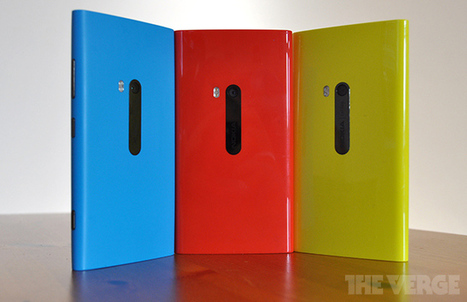
Guide on replacing your Nokia Lumia 920 battery

Guide on replacing your Nokia Lumia 920 battery | Windows 8.  + Windows Phone | Scoop.it
I am sure the vast majority of us are still fully within our Nokia Lumia 920 warranty period, but I know there are many adventurous souls who do not mind violating their warranty to get things done...
No comment yet.
Scooped by Thomas Kalhauge
March 26, 2013 9:45 AM
Scoop.it!

Windows Phone 8 update to activate FM radios, enable double-tap to wake Lumia 920

Windows Phone 8 update to activate FM radios, enable double-tap to wake Lumia 920 | Windows 8.  + Windows Phone | Scoop.it

Microsoft is currently preparing a new Windows Phone 8 update, The Verge has learned. Sources familiar with Microsoft's plans have revealed that the software maker plans to support FM radio hardware in its latest update, returning a hardware feature that the company dropped with its latest mobile OS. Windows Phone 7 used to support FM radio hardware, and Microsoft has been working to bring this support back to Windows Phone 8. The hardware support will be part of a General Distribution Release (GDR2) for Windows Phone 8. We understand that the Lumia 920 and Lumia 820 will support FM radio, while other compatible handsets will also include the support.

Nokia is also building in its own firmware improvements into GDR2. Sources familiar with Nokia's plans have revealed to The Verge that the company will add a new screen activation gesture. Lumia 920 and Lumia 820 owners will be able to double-tap the screen to wake the device from standby. Other firmware specific improvements from Nokia include a flip to silence option, and Lumia color profile settings for the device screen. We're told that the update, which is minor, will be made available over the coming mo

No comment yet.
Scooped by Thomas Kalhauge
March 26, 2013 9:42 AM
Scoop.it!

Chinese HTC 8S phones being bricked after firmware update, HTC offering compensation | Windows Phone Central

Chinese HTC 8S phones being bricked after firmware update, HTC offering compensation | Windows Phone Central | Windows 8.  + Windows Phone | Scoop.it

Good news for Chinese HTC 8S owners: there's a firmware update over the air. Bad news: the update may just kill your phone. On March 21st, owners of HTC 8S in China started to get a firmware update, and a fair portion of them were permanently stuck on the start up screen after the installation and reboot. HTC and Microsoft are trying to figure out what exactly is wrong with the firmware. Meanwhile the OTA update has been suspended.

Today the Taiwanese phone maker announced a compensation policy for those affected by the faulty firmware:

Bring bricked 8S to any nearby HTC service center to perform a firmware restoration for free.If firmware restoration is not possible, the motherboard of the phone will be replaced, again for free.Each owner of bricked 8S gets 3 months of extra warranty, plus a pair of earplugs.

We don't know what kind of earplugs HTC is giving away. Would be nice if they are those expensive Beats branded ones. And apparently HTC hasn't informed its own service staff of this yet. There are Chinese users complaining on the web, saying that HTC service centers giving them neither free service nor free earplugs.  Hopefully HTC gets the mess fixed sooner.

Source: WPDang

No comment yet.
Suggested by Arun
March 26, 2013 3:01 AM
Scoop.it!

How to Track and Find Your Lost or Stolen Windows 8 Phone.

How to Track and Find Your Lost or Stolen Windows 8 Phone. | Windows 8.  + Windows Phone | Scoop.it
Lost your windows 8 phone? Don't worry, you can track it in a map, forcefully ring it, lock it or even erase it remotely.
No comment yet.
Scooped by Thomas Kalhauge
March 26, 2013 2:32 AM
Scoop.it!

5 ways you can use NFC right now

5 ways you can use NFC right now | Windows 8.  + Windows Phone | Scoop.it
You’ve probably heard about Near Field Communication (NFC), the technology, which allows for simplified transactions, data exchange, and connections with a touch.
No comment yet.
Scooped by Thomas Kalhauge
March 25, 2013 8:32 PM
Scoop.it!

Doubling down with Dual Lock Crop for Windows Phone 8 | Windows Phone Central

Doubling down with Dual Lock Crop for Windows Phone 8 | Windows Phone Central | Windows 8.  + Windows Phone | Scoop.it

Looking for an easy way to create a panoramic lockscreen for your Windows Phone 8 device? Dual Lock Crop is a simple, easy way to crop an image in half to create a seamless panorama lockscreen when shifting from your main lockscreen to your Kid's Corner lockscreen.

Dual Lock Crop has a simple instructions page where you can crop a single image to your liking to create the dual lockscreens or have the app crop split a single image for you. ....

No comment yet.
Scooped by Thomas Kalhauge
March 25, 2013 4:20 PM
Scoop.it!

Domino’s Pizza gets a great Windows Phone 8 app

Domino’s Pizza gets a great Windows Phone 8 app | Windows 8.  + Windows Phone | Scoop.it
Domino’s Pizza have upgraded their app to Windows Phone 8, and have added some great features. The pizza ordering app now allows users to sign in with the same account as they would use on the webs...
No comment yet.
Scooped by Thomas Kalhauge
March 25, 2013 2:52 PM
Scoop.it!

Now in the Store: Uber

Now in the Store: Uber | Windows 8.  + Windows Phone | Scoop.it
The official Windows Phone Blog is the place for Windows Phone news, tips & tricks, app reviews, podcasts, and more!
No comment yet.