


Moodle and Web 2.0
176.9K views |
+1 today
Filter by date
Tags
 Your new post is loading...
 Scoop.it! A quick look at how advancements in technology have impacted teaching and learning over time
Scoop.it!

Save to Drive is a handy Google Chrome extension that makes it easy to save images, links, audio files, and video files in your Google Drive account. With Save to Drive installed you can simply right-click on a file or link to send it to your Google Drive account. To do this just right-click then select "save to Google Drive" to send it to your Google Drive account. This works for images and links. Save to Drive also works for HTML5 audio and video files, but it does not work for Flash files. Via Sylvia Crozemarie, CECI Jean-François
Scoop.it!

Blogging About The Web 2.0 Connected Classroom. A Blend Of Technology And Education. Monday, December 10, 2012. Flipping For Your .... Classroom 2.0. Visit Classroom 2.0. Subscribe. Bookmark and Share · Subscribe ...
Scoop.it!
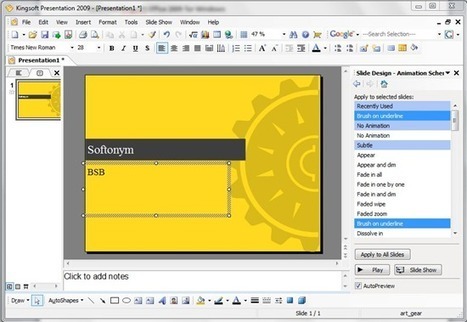
“Why will PowerPoint alternatives be favored by users?” As is known to all, users can only enjoy the functions of PowerPoint in exchanges of money. However, as Office 2010 becomes more pricy than Office 2007 and Office 2013 turns more costly than Office 2010, private users may take free or cheaper PowerPoint alternatives into serious considerations. Therefore, this post will cover top 5 PowerPoint alternatives with which one can make good presentations.
Via Baiba Svenca 
Casey Smith's curator insight,
February 28, 2013 12:39 AM
Alternatives for PowerPoint Presentations.
Scoop.it!
The release of 'Web 2.0 im Fremdsprachenunterricht' is accompanied by a series of free webinars where the authors will present and discuss their articles. Information about ... Related Posts Plugin for WordPress, Blogger.
Scoop.it!
I've a noob question... Which is the best Web 2.0 creation tool? 
plerudulier's comment December 12, 2012 4:18 AM
Wordpress is rather complete and in that sense, for me, the best web 2.0 plateform.
Scoop.it!
Recursos Web 2.0 con Moodle y Google Apps Apuntes y conceptos by Franklin Calle Zapata (http://www.innovavirtual.org fcallez@gmail.com) Copyright © 2009 by F Via manuel area, Rui Guimarães Lima 
Jimena Acebes Sevilla's curator insight,
January 1, 2013 4:04 PM
Presentación con información y explicación de recursos web para optimizar el proceso de enseñanza-aprendizaje. 
Hector Rosero's curator insight,
January 17, 2013 8:00 AM
Son muchas las ventajas que Moodle tiene a la hora de escoger un LMS.
Scoop.it!

It’s been an amazing year of growth for Edmodo. We started the year off with just under 5 million users and today, we’re pleased to share that we have officially crossed over the 15 million user mark!
To highlight this milestone, we want to share the following infographic which displays fun facts about Edmodo usage throughout the world. As we continue to grow, our focus will always be on connecting learners with the people and resources they need to reach their full potential. Thank you to the entire Edmodo Community for your continued support and making Edmodo the place where learning happens. Via Heiko Idensen, Carola Brunnbauer 
Heiko Idensen's curator insight,
December 12, 2012 2:49 AM
... the community aspect and the very intuitive interface for adding content (via bookmarklet direct from your browser) is for me most important to use edmodo in different courses, classes & projects.
Scoop.it!
Scoop.it!

Do you use both Camtasia Studio and Moodle in your classroom? Want to make it easier to record the results of your Camtasia Studio quizzes in your Moodle g. |
Scoop.it!

If you're curious how and what students are doing in your course on Moodle, the Activity Logs can give you some keen insights. You can see when students are logging in, how often, to what resources, and more.
Scoop.it!
En este vídeo aprenderás a instalar Moodle 2.4 en una PC con Windows 7 utilizando la aplicación WampServer Via Raúl Luna
Scoop.it!

...Below you’ll find a video of each card and from within the preview you’ll be able to download the PowerPoint file for the card. As the cards have been created in PowerPoint, you can alter almost all* of them to include your name (or company name) and then share with the world, hopefully spreading a little Christmas cheer in the process.
Via Baiba Svenca 
Baiba Svenca's curator insight,
December 16, 2012 9:54 AM
Lovely animated Christmas cards which you can edit to your own taste and needs. Free download.
Scoop.it!

Moodle is the leading Open Source e learning management system. Using Moodle, teachers and professors can easily construct richly textured web-based courses. Whether you want to support traditional class teaching or ...
Scoop.it!
We are happy to announce that Turnitin now integrates with Moodle, Fuller's Course Management System. To consolidate and integrate support and services, beginning January 2013 Fuller's Distributed Learning (DL) staff ...
Scoop.it!

This free guide for teachers explains how teachers can interact with students online using the Moodle course management system. 12 Moodle tools are discussed for using Moodle for e-learning. Via Dr. Tom D'Amico (@TDOttawa) , Rui Guimarães Lima, Alfredo Calderón, juandoming
Scoop.it!

Markus Thyberg's comment,
December 23, 2012 4:17 PM
Beth, thanks for posting! What we have out at the moment is a pretty stripped down beta. We are adding features continuously and encourage users to get in touch to let us know what they would like to see.

Ferananda's comment,
December 23, 2012 6:55 PM
Beth, when you say 'new beginners tool' what do you mean? I use diigo as it gives me so many capacities, like highlight and notes and very good ways for sharing. For good beginner tool you mean for those new to curation and/or social bookmarking?
Scoop.it!

The Best Web 2.0 Applications For Education In 2012. December 11, 2012 by Larry Ferlazzo | 0 comments. It's that time of year again when I start posting year-end “The Best….” lists. There are over one thousand lists now.
Scoop.it!

2minuteslearning est un site d'apprentissage permettant d'acquérir des compétences via des tutoriels vidéos de 2 minutes. Via Audrey Boussicaud
Scoop.it!
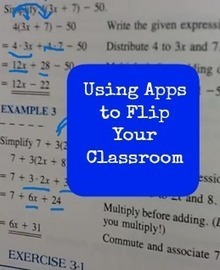
A nice blog about some free apps that can help teachers rollingout a flipped classroom. Via Laura Spencer 
Monika Macias's curator insight,
December 11, 2012 11:50 PM
Explain Everything is just the ticket for those of us who endeavor to be the "guide on the side"... Students can repeat the explanations as many times as needed. 
Dico Krommenhoek's curator insight,
December 12, 2012 4:15 PM
Flip de klas, een redelijk eenvoudig principe als uitbreiding van je gereedschapskist.
Scoop.it!
Explore the largest community of artists, bands, podcasters and creators of music & audio (#Checkout #M8D's new track "Jay-Z Interview" (REMIX) Free Download! |







To open a Word (Docx) file in Google Drive after it has been uploaded to your account click the check box next to the file name. After clicking the check box you have two options. Option 1 is to right-click on the file name. Option 2 is to use the "more" menu at the top of your Google Drive home. Either way you will have an option to select "open with Google Docs." See the screen captures below for details.