Take this course:http://tinyurl.com/q5xammn WHAT IS MOODLE? Just in case you are wondering what Moodle is exactly... Moodle is this free, open-source, learni...
Your new post is loading...
Take this course:http://tinyurl.com/q5xammn WHAT IS MOODLE? Just in case you are wondering what Moodle is exactly... Moodle is this free, open-source, learni... No comment yet.
Sign up to comment
Gilles Le Page's curator insight,
January 28, 2014 4:47 AM
100 outils numériques pour apprendre ...et former, enseigner, collaborer, etc.
If you are interested in finding out how to create your own digital e-book and discovering some of the problems I come across and some of the resources I find to overcome these problems, then you can follow my digital magazine on Flipboard, where I’ll be sharing some of the ups and downs and insights into the project. Via Nik Peachey, Marie-Hélène Fasquel-Erhart
Mirta Liliana Filgueira's curator insight,
February 2, 2014 6:58 PM
Libros digitales para el Profesorado.
Ness Crouch's curator insight,
March 28, 2014 7:59 PM
Some tips for creating your own e-books.. sounds good to me! I'd like to try this with my class.
Juergen Wagner's insight:
E4.512-0534: Live zusammen an Inhalten arbeiten - Google Drive im Unterrichtsalltag
E4.123-0634: 21st century ICT tools to engage your language students
A2.112-1934: Jugendliteratur im Netz E4.111-0334: Tablets im Unterricht – von der Idee bis zum Einsatz
This infographic chronicles the history of feed formats, from its humble search engine origins to the dominance of feed-based news readers and networks. Via catspyjamasnz
FrancoisMagnan's curator insight,
January 26, 2014 5:01 AM
Une infographie, et un point de vue sur l'histoire récente des "feeds"" ou flux d'information, qui des flux RSS à Twitter métamorphosent notre consommation de l'information. A titre personnel, j'ai un peu de mal à considérer de la même manière les formats libres des RSS qui me permettent de suivre sur les flux de mon choix sur les outils libres, et les flux des réseaux sociaux disponibles sur des plateformes propriétaires, mais sans doute de nombreux usagers voient tout cela d'un seul tenant.
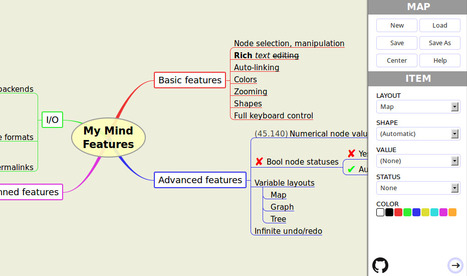
Esta aplicación permite aos usuarios crear os seus propios proxectos multimedia sen saber nada de programación, co que o profesorado pode desenvolver e publicar contidos ou materiais de aprendizaxe sen a necesidade de coñecer en profundidade o HTML, o XML, ou aplicacións complicadas para publicar en Internet. Via Gumersindo Fernández, juandoming
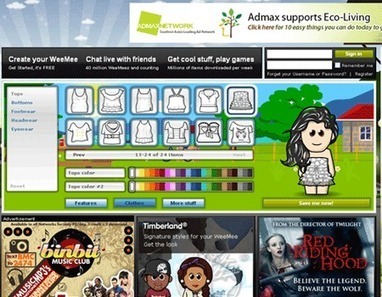
1. WeeWorld WeeWorld is a social network and a virtual world for teens where you can meet and make friends, send messages, play games, and create your own avatar.
2. South Parker Studio South Parker Studio is a site where you can create yourself, your family or friends a South Park character.
3. Portrait Illustration Maker Portrait Illustration Maker is a site where you can generate an avatar or carton a character for free. A lot of character icons are provided in this site completely free of charge.
4. Joystiq Joystiq has a custom tool for creating your Nintendo’s mii avatar for its Wii game console.
5. Befunky Befunky is an online application that lets you apply photo effects, enhance, edit pictures and photos online. It also ables you to cartoonize photos and turn videos into cartoons.
6. SuperPortraits SuperPortraits is a gifting service which offers custom digital and printed character portraits and caricatures for special occasions.
7. Meez Meez is a social network service where you can create animated 3D avatars and dress up the avatars.
8. zwinky zwinky enables you to create your own customizable Zwinky character by just choosing a variety of clothes and accessories.
9. Simpsons Movie The Official Simpsons Movie Avatar Maker has been discontinued by Fox. There are however several other Simpsons Avatar Creators that are good enough. Visit Sites : http://goo.gl/GGe7Xl, http://goo.gl/N0f2fL
10. FaceYourManga FaceYourManga is a free service which lets you create custom avatars or online cartoon to be used on various social media sites and other online networks.
11. Kuso Cartoon Kuso Cartoon is a free online photo to cartoon converter that offers you fast and simple way to convert your pictures into cartoon effects in just a few clicks.
12. IMVU IMVU enables you to make your own 3D avatar and do a lot of cool things.
13. SuperAvatar SuperAvatar is another site wherein you can turn your digital photo into a cartoon or comic character.
Via 173 Sud, michel verstrepen
Free online Google Image tutorial for teachers and students. TeacherTrainingVideos.com provides free step by step camtasia screencasts that take you through a whole range of ict and web2.0 tools Via Ana Cristina Pratas
niftyjock's curator insight,
January 22, 2014 4:35 PM
we should all remember to ask permistion to use images
Ce document synthétise des usages pédagogiques pour intégrer Twitter dans son enseignement. Il distingue les activités du coté enseignant des activités à Via alexislucas, En Français - Alix Creuzé
Marina Vera-Perez's curator insight,
January 22, 2014 11:53 AM
Certainement pas faisable avec des collégiens.
Christiane DUPUY's curator insight,
January 27, 2014 1:05 PM
Twitter : des pistes d'usages à "piocher" et à transposer à l'école...
Moodlerooms is proud to release Advanced Forums, which enhances Moodle Forums by providing teachers and students with quick, simple views into the forums and their discussions. Allowing users to sort and search discussions easily and in multiple layouts is key to Advanced Forums increased usability. Read tracking is a feature in Advanced forums that highlights unread posts, making it even easier to manage a forum. This saves the student time in viewing and responding to posts, and saves the teacher time in finding the posts that are most relevant to the class. Teachers are empowered to create anonymous interactions with students while still being able to provide accurate grading with advanced grading methods. Teachers are confident that their grading of the forum content reflects the content the student is posting, by allowing a teacher to grade a forum while viewing the student's posts. Via Miloš Bajčetić
Flipping is easy – and with a little thought and planning, teachers can use the flipped model to create engaging learning experiences for their students. Via tom jackson |
Google Drive is one of the fundamental tools in our digital toolkits as teachers and educators. Whether you want to compose a document, create a presentation, design a sheet, or share a beautiful drawing you made, Google Drive provides you with the tools to do that on any device and anywhere you are with an internet connection . Given this huge importance of Google Drive for teachers, I have created an entire section here packed full of tips, tricks, ideas, and third party tools to enable you to better tap into the full educational potential of this platform. Via Frédéric DEBAILLEUL, rthibert
Whether you’re a student or lifelong learner, Google is an essential tool for your education. Here are a few tips for using Google search and ot... Via Luísa Lima
There is lots of talk about flipping. I have noticed that many people I talk to (mostly higher ed faculty) think... flipping= putting the lecture online (instead of in the class). I suggest that fl... Via Consultants-E
The simplest & most elegant web publishing tool Via Ana Cristina Pratas, Mbarek Akaddar, Aulde de Barbuat
Creative Commons (CC) is a nonprofit organization that enables the sharing and use of creativity and knowledge through free legal tools. Its free, easy-to-use open copyright licenses provide a simple, standardized way to give public permission to share and use creative works — with conditions or copyright terms which the author specifies. Dr. Cable Green, Director of Global Learning at Creative Commons, will discuss how the Internet, increasingly affordable computing, open licensing, open access journals and open educational resources provide the foundation for a world in which a quality education can be a basic human right. He will also explore how to build effective teams for institution / system-wide OER projects in a way that both builds high quality OER and OA and takes your institutions through the cultural shift to open.
Well it has taken a few months more than I expected but the latest and greatest PoodLL plugin is finally here. PoodLL Anywhere adds icons to the TinyMCE html editor. So you can have one click recording, from pretty much anywhere in Moodle. Via Patric Lougheed
This ‘Speed up Moodle’ series of 4 posts will teach you step-by-step how to optimise your Linux server for Moodle. It is aimed at beginner server administrators. This first post is about optimising Apache for Moodle.
Via Miloš Bajčetić
These tools can be very helpful for language teachers. Students can use them to impprove their pronunciation and develop their reading skills. All these tools are easy to use and above all free of charge. Most of these tools are extensions that you can install on your browser. Via Gust MEES, Magni Claudeline, Bhushan Thapliyal
Profesor Mills's curator insight,
January 25, 2014 4:59 AM
Great for preparing for language assessments
Training in Business's curator insight,
January 28, 2014 7:32 PM
10 Free Text to Speech Tools for Educators
Progressive training's curator insight,
January 28, 2014 7:34 PM
10 Free Text to Speech Tools for Educators
Begoña Iturgaitz's curator insight,
January 29, 2014 6:29 AM
Me encanta. Se queda un poco corto para insertar y enlazar cosas desde tras webs, pero es muy eficaz y muy simple. Fundamental para primaria para hacer esquemas de unidades didácticas por ejemplo. sería estupendo tener nustro propio banco de resúmenes para el aula elaborado por alumndo de más de 10 años.....
BIENVENIDO AL CREADOR DE WEBQUEST ON-LINE Podrás tener facilmente tu webquest - miniquest - caza del tesoro La webquest quedará alojada en el servidor y será accesible cuando decidas hacerla pública, además también se puede descargar en formato zip para llevártela donde quieras. Se puede cambiar el diseño eligiendo entre una gran variedad de plantillas. En el menú WEBQUESTS se pueden ver las webquests publicadas. Via villaves56, Gumersindo Fernández, harold cruz correa
Here's some links to help and advice to get the most from your Interactive Whiteboard. Via Luísa Lima
LundTechIntegration's curator insight,
January 20, 2014 9:48 AM
Great resources for understanding your boards and ways to use for implementation. |
Your new post is loading...