It seems like it would be a simple and reasonable fix, but a lot of thought and trial and error has gone into the solutions the UX team at Moodle HQ has put in place to make navigating across Moodle courses and sections a more immersive experience. The fact of the matter is, UX is a quickly-evolving discipline whose development often only looks simple and easy in hindsight.
Part of the problem of faster speed UX development is the difficulty of gathering the right answers from users. Parts of the experience in using a tool, including software, takes place on levels we are unaware of. As a result, the best enhancements in usability and design are often the result of “quirks” that slowly grow into acceptability, then desire, then requisite.
The new navigation improvements in Moodle 3.4 are dazzling and innovative, even if some of them are already offered in competing systems. In the case of navigation features, Moodle is expanding the ways and channels by which users can reach the vast amount of options available, something with which competing LMS do have trouble keeping up.
Do you struggle to format your content in Books within your Moodle or Totara Learn site? You may find that you are copying your existing content from your word-processed documents into the editor, only to find its formatting looks wrong or your images are missing from the page once your book has been saved and viewed. We're here to show you why this may happen, and what you can do to bring back that fantastic content for your Moodle or Totara Learn site. So, why is my content not formatting correctly?
Modern word processors do not just store the words and images, they also store data that controls how Text and Images are formatted and displayed on the page. This means that if you copy content directly from the word processor into the book editor window, you will also be bringing with it most of the hidden formatting control information and this information is not always compatible. This particularly applies to images, often resulting in broken image links.
Don’t let fear or indecision around student blogs freeze you into inaction. Worrying too much about whether you’re ‘doing it right’ can lead to not doing it at all. At any level, student blogs provide benefits. Embrace them.
At this time, blogging assists students to become more ICT literate which is a crucial 21st century skill. Through blogging, we’re able to incidentally discuss many ICT skills such as keyboard shortcuts, Creative Commons, researching online and troubleshooting. Creating a class blog requires teamwork and collaboration. Students and teachers learn and share together. A real sense of classroom community can be developed through blogging and establishing a class identity Also, with this we can create an authentic audience, In the traditional classroom, the only audience of student work was the teacher and sometimes classmates and parents. Blogs provide a much larger audience for student work and an opportunity for feedback and self-improvement through commenting. I have found that students really take pride in the work that goes on the blog and want to do their best for their impending audience. In fact, is important to take into a consideration that the use of a blog increased motivation for writing, all students are happy to write and complete aspects of the post topic. Many will add to it in their own time. As well, improved the reading skill. Blogging is a great technique to introduce the technology into the classroom. Additionally, there are so many online tools out there which have more assessment when you can implant them in a blog. Blogging can provide a really different learning stage and while it takes a lot of work.
Information and articles about developments in English teaching, themes covering different aspects of culture, news and events in the English-speaking world
This article will guide you step-by-step how to create the split image effect. Breaking an image into multiple pieces gives a unique visual look to design.
"It can be a struggle for schools and teachers to figure out how to balance ed tech learning opportunities and student privacy. Watch our Above the Noise video ..."
In the report, EFF makes several recommendations for schools, teachers, parents and students. Some of the suggestions for teachers include teaching digital literacy to students, advocating for digital literacy teacher training, picking ed tech tools carefully and getting parental consent.
"Do you really believe that watching a lecturer read hundreds of PowerPoint slides is making you smarter? I asked this of a class of 105 computer science and software engineering students last semester. An article in The Conversation argued universities should ban PowerPoint because it makes students stupid and professors boring."
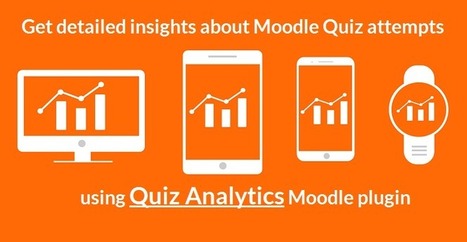
DualCube team has released a new Moodle plugin – “Quiz Analytics”. The quiz analytics plugin extends the reporting capability of Moodle quizzes. The user can see different graphs portraying relevant data as follows:
* Attempt Summary – This graph has the logged in user’s statistics for the last attempt he/she made on that quiz. In case of quizzes allowing single attempt, that attempt is considered the last attempt.
* My Progress and Predictions – This tab contains several sub-tabs which gives the idea of how the logged in user has fared over time and the hardest question he/she faced. There’s also a tab specifically for quizzes offering multiple attempts to show the logged user a predictive analysis depending on other users’ attempts and best scores.
* Question Categories’ Analysis – This tab is dedicated to the categories/tags all the questions are associated with. The graphs here in the sub-tabs shows the question distribution among categories and an idea of how challenging the categories proved to be.
* Scores’ and Questions’ Stats – This tab contains two sub tabs, one showing the number of students in each grade category and the other providing a through analysis of all the questions present in the quiz.
Against the ominous signs that Canvas LMS would take the silver medal, Moodle remains the second most popular LMS of 2017 across US and Canada colleges and universities, At least according to figures by e-Literate and LISTedTECH, which give Blackboard Learn the elusive top spot.
The research project will collect and evaluate a range of practices where video, screen capture and audio-visual tools and frameworks are used in innovative ways in teacher training and development. The project will have three outputs: there will be a research report of teacher training and development practices using video, screen capture and audio-visual tools; there will also be a website where examples of video practices with commentaries and pdf files can be uploaded and made available to interested parties. Towards the end of the project, there will be a video conference for participants and to disseminate findings and good practice to a wider audience of teacher educators (via Adobe Connect).
Like many teachers and language course designers, I’m usually pretty sceptical about a computers’ ability to evaluate student speaking, especially given the range of variation in native speaker output, but I think SpeechAce does a really good job of getting students to produce language, giving them feedback on their performance and encouraging them to listen and try again.
Wer Google nutzt, hinterlässt Datenspuren. Suchanfragen, App-Nutzung, angesehene Youtube-Videos oder besuchte Orte - alles wird gespeichert. Diese gesammelten Aktivitäten können Nutzer einfach einsehen, löschen oder die Sammlung anhalten.
As mentioned, Moodle 3.4 has focused heavily on enhancing user experience to make sure our users are able to navigate and use all of Moodle’s tools easier and faster.
Fitting in with that focus, one of the improvements in Moodle 3.4 is the ability for to enrol and manage their learners from a single screen. This results in a smoother course management process, enhancing usability.
Philippe Wampfler ist Lehrer für Deutsch an der Kantonsschule Enge, Dozent für Fachdidaktik Deutsch am IFE der Universität Zürich, Kulturwissenschaftler und Experte für das Lernen mit Neuen Medien.
To get content containing either thought or leadership enter:
To get content containing both thought and leadership enter:
To get content containing the expression thought leadership enter:
You can enter several keywords and you can refine them whenever you want. Our suggestion engine uses more signals but entering a few keywords here will rapidly give you great content to curate.


 Your new post is loading...