Creating a Moodle Glossary for History to look at the most significant events of the Cuban Missile Crisis.
How the Head of History at Perins School worked with the Director of eLearning to create a Moodle Glossary for a task where students evaluated the relevance of images related to the Cuban Missile crisis.
The PowerPoint slide explains the rationale behind the task, how the Glossary was made and what settings were chosen.
There is an evaluation of the task from the teacher and feedback comments given by students who carried out the task.
Feel Free to Embed the Slideshare Presentation at your site or blog! 105 Free Moodle Video Tutorials! We know that you love Moodle. This is why we created th...
Si nos preguntamos qué tipo de herramienta es Edmodo, seguramente la primera respuesta que nos surge es la siguiente: una plataforma educativa. Comenzaremos comparándola con Moodle, puesto que es, probablemente, la plataforma educativa más utilizada e interesante del momento. Compartimos aquí el análisis.
Este enlace puede servir de gran ayuda a los docentes. En él, se encuentran las diferencias existentes entre dos plataformas que se utilizan cada día más a menudo entre el profesorado y los estudiantes. En ellas, se puede intercambiar material didáctico de una manera más eficiente y efectiva, acelerándose el proceso de enseñanza-aprendizaje. Además, estas herramientas suelen motivar mucho al alumnado porque, gracias a ellas, trabajan con dispositivos digitales.
This past Sunday the Moodle tracker (Atlassian JIRA) was upgraded by Moodle HQ. Version 6.2 of the software includes Jira Capture (a screenshot plugin that works with Jira and your internet browser) and easier to use interfaces without having to frequently reload pages.
The most easily noticeable feature though is the theme upgrade consistent with Moodle.org’s new look and feel.
Martin Dougiamas, Lead Developer and Founder of Moodle has posted an update well in advance of the 2.7 release this May regarding themes. According to the announcement at Moodle.org: the Bootstrap-...
So… you’ve read all the blogs and articles you can find telling you what you should do when designing Moodle courses, but you’re still not 100% happy with what you’ve developed? Well, welcome to the post that tells you what not to do. Typically, I wouldn’t use negative examples to express how to implement best practices in Moodle course design, but sometimes we all just need a clear and concise ‘what not to do’ list, don’t we? For today’s blog, I’m going to share with you my personal, top ten “Moodle course design no-no’s”!
LearningHouse is an organization that specializes in creating and bringing college programs online. Generally they do so using Moodle as the LMS. Thankfully they've shared their 50+ Moodle tutorial...
4 plataformas gratuitas de formación online #infografia #infographic #education. Publicado en Formación, Infografía, Sociedad de la información por Alfredo Vela. Hola: Una infografía con 4 plataformas gratuitas de formación ...
Moodle filters are a way to automatically transform content before it is output.
Filters are a way to automatically transform content before it is output. For example
- render embedded equations to images (the TeX filter)
- Links to media files can be automatically converted to an embedded applet for playing the media.
- Mentions of glossary terms can be automatically converted to links.
The possibilities are endless. There are a number of standard filters included with Moodle, or you can create your own. Filters are one of the easiest types of plugin to create. This page explains how
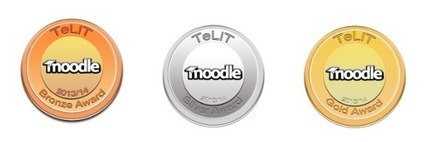
The TEL IT team at City College Plymouth have successfully developed a set of standards for courses within their Moodle VLE (virtual learning environment). Using a Bronze, Silver and Gold award-based model they have successfully enhanced the quality of materials, resources and content of courses.
The quality framework provided through Moodle Medals is helping teaching staff to work towards a much more structured approach to their courses, which provides students with a much better learning platform and repository of interactive resources.
.....
The medals have made teaching staff more interested in developing their courses to a minimum standard and beyond. This in part has been encouraged due to introducing a competitive aspect to the medals. This means that staff are more involved and interested in gaining awards. In addition, Adam Harvey, Learning Technology Managerthe introduction of the medals has set a benchmark for this department, which is attractive for senior management teams
Students are getting much more out of the VLE and their courses through Moodle, especially if their courses have gained a silver rating, which contains more interactive resources and materials. It has provided a more immersive environment and one in which students can be more engaged with.
As a direct result of the introduction of Moodle Medals, some teaching staff now deliver all their teaching exclusively through Moodle, an unexpected outcome for the TEL IT team.
Here’s a 162 page resource compiled by Moodle Partner HowtoMoodle that covers a host of need to know Moodle processes for course creation and management in 2.5. Within the pages of Course Creator Essential 2.5 are easy keys to help you understand what you’re looking at (which view, if it’s an admin setting, etc.) and loads of information on anything from course creation, to specific use of various activities to conditional activities. While much of this information is available within the Moodle docs, this resource has helped to distill the information into one easy to access, free PDF that you can share with colleagues or just keep handy.
Creating a new activity module in Moodle will let you realize exciting range of prospects because of which getting along with your latest requirements is something that is easily possible on an overall. There are a wide range of modules that you need to consider in this regard because of which exploring the ultimate features is easily possible that extends the functioning of Moodle to an even further extent.
Following few basic steps will help you in creating the best features that you anticipate on the whole. After all, it is the increased importance to the quality prospects that matter you the most.
How to implement star-ratings and other ratings in Moodle to support engagement, constructive discourse, and learning
Moodle already has an elaborate, editable, and adaptable grading and rating system built in so the process is relatively simple:Log in to Moodle as an administrator
Jmol/JSmol filter for embedding interactive 3D chemical structures in Moodle. The master branch uses JSmol, the HTML5/JavaScript version, tested with Moodle 2.3.x and later versions. The MOODLE_2_STABLE branch uses the Jmol Java applet with Moodle 2.0.x and later versions. The MOODLE_19_STABLE branch uses the Jmol Java applet with Moodle 1.9.x and earlier. The Jmol filter was originally written by Dan Stowell.
"Blended Learning is not so much an innovation as it is a natural by-product of the digital domain creeping into physical boundaries. As digital and social media become more and more prevalent in the life of learners, it was only a matter of time before learning became “blended” by necessity.
That said, there’s a bit more to Blended and “Hybrid” Learning than throwing in a little digital learning." Terry Heick
A nice infographic providing a good overview of multiple conceptions of blended learning.and how these conceptions are influencing all educational sectors.
To get content containing either thought or leadership enter:
To get content containing both thought and leadership enter:
To get content containing the expression thought leadership enter:
You can enter several keywords and you can refine them whenever you want. Our suggestion engine uses more signals but entering a few keywords here will rapidly give you great content to curate.


 Your new post is loading...