JavaScript for Line of Business Applications
606.6K views | +4 today
JavaScript for Line of Business Applications
Keeping track of current JavaScript Frameworks that help design your clientside Business Logic Layers.
Curated by Jan Hesse
Beam to my Inbox:
Your new post is loading...

Popular Tags - Filter using the Funnel

Scoop.it!

Reactive Google Maps Markers with Meteor JS

Reactive Google Maps Markers with Meteor JS | JavaScript for Line of Business Applications | Scoop.it

In this article I will write about how to implement the Google Maps API version 3 in Meteor JS to achieve reactive Google Maps Marker functionality. When we are done we will be able to add markers reactively to our Google Map app so when MongoDB gets hit with new Geolocation data we see the new markers added automagically.

In this article I will assume you already know how to setup a new Meteor.js project. I use a folder structure that has client, server, collections and lib in the root directory. The clients directory has views, components and a few other folders not needed for the scope of this article. My example app has collections already set up with data that contains latitude and longitude data which will be used to add the Google Maps Markers to the map.

No comment yet.
Scoop.it!

WebRTC in the real world: STUN, TURN and signaling

WebRTC in the real world: STUN, TURN and signaling | JavaScript for Line of Business Applications | Scoop.it

In this article we show you how to build a signaling service, and how to deal with the quirks of real-world connectivity by using STUN and TURN servers. We also explain how WebRTC apps can handle multi-party calls and interact with services such as VoIP and PSTN (aka telephones).

No comment yet.
Scoop.it!

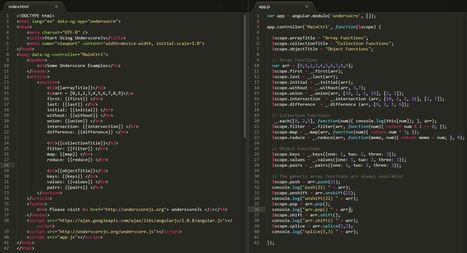
Using UnderscoreJS with AngularJS

Using UnderscoreJS with AngularJS | JavaScript for Line of Business Applications | Scoop.it

I will say just few words about AngularJS, specifically the module, the controller and the data binding in order to make sense of the given code, before describing Underscore in more detail.

AngularJS is a structural framework for dynamic web apps, is what HTML would have been had it been designed for applications. AngularJS lets you extend HTML vocabulary for your application. AngularJS is a toolset for building the framework most suited to your application development. It is fully extensible and works well with other libraries.

In JavaScript|MDN or in W3Schools you can find the generic methods in order to manipulate your data that you store in an array, an object or in a collection.

Just to remind you the 14 Array Object Methods. But is that all? Is there any way to enrich our utility belt?

UnderscoreJs is a javaScript library that provides a series of functional utilities. It makes working with collections, arrays, objects and functions much easier, compared to the native support found in the javaScript.

Manipulating an array, filtering a collection, applying a function over each item in a collection, extracting the keys or the values from an object  are much easier operations by means of the many more functions that you can just call like _.difference(array, *others)


No comment yet.
Scoop.it!

JsPackage : Creating classes

JsPackage is a javascript framework for oriented object programmation. It allow the creation of several objects such as classes, packages, interfaces or namespaces faciliting the design and readability of complex applications. Furthermore, the creation of private elements can effectively create a strong and safe code.

JsPackage allows for the creation of classes. Classes can have public, protected and private attributes, methods or constants. It also supports inheritance and in the future, abstract classes.

No comment yet.
Scoop.it!

R&D | AngularJS Learning Resources

R&D | AngularJS Learning Resources | JavaScript for Line of Business Applications | Scoop.it

* AngularJS Overviews/Whirlwind Tours

* One Hour AngularJS Boot Camp

* In-Depth Online Courses

* Learn-By-Example

* Paid Video Courseware

* Unit Testing Resources

* AngularJS Best Practices

* Cheat Sheets

* Additional Resources


No comment yet.
Scoop.it!

Object properties in JavaScript

Object properties in JavaScript | JavaScript for Line of Business Applications | Scoop.it

Properties determine the state of an object in JavaScript. This blog post examines in detail how they work.

JavaScript has three different kinds of properties: named data properties, named accessor properties and internal properties.

No comment yet.
Scoop.it!

Make Your Own AngularJS, Part 1: Scopes And Digest

Angular is a mature and powerful JavaScript framework. It is also a large framework with many new concepts one needs to grasp before becoming truly effective. As web developers flock to Angular, many of them face the same hurdles. What exactly does the digest do? What are all the different approaches to defining a directive? What's the difference between a service and a provider?

While the Angular documentation is getting very good, and there's an increasing number ofthird-party resources, there's really no better way to really learn a technology than to take it apart and see what makes it tick.

In this article series, I'm going to build an implementation of AngularJS from the ground up. As I take you through it step by step, you'll gain a deep understanding of exactly how Angular works.

In this first installment of the series we'll see how Angular scopes work and what things like$eval, $digest, and $apply actually do. The dirty-checking logic of Angular may seem somewhat magical, but it really isn't, as you'll see.

Jan Hesse's insight:

Step by Step Tutorial in which you create a framework with AngularJS capabilities

No comment yet.
Scoop.it!

Datatable with fully dynamic columns in angularJS

Datatable with fully dynamic columns in angularJS | JavaScript for Line of Business Applications | Scoop.it

While doing some testing for a possible new project which we want to do in angularJS I discovered that its quite hard to implement a datatable which should have fully dynamic columns which can be reordered and toggled to display or not.

Many datatable implementations have either hard-coded columns which you can’t change at all or you can’t change the order of the columns in which they should be rendered. ngTable does it like that for instance.

So, I spent a rainy sunday afternoon to implement my own version and after much poking around and some frustrating moments, I finally got it.

No comment yet.
Scoop.it!

AngularJS example more advanced than the tutorial on angularjs.org

AngularJS example more advanced than the tutorial on angularjs.org | JavaScript for Line of Business Applications | Scoop.it

I have just been learning AngularJS and decided to build demo application that cover more techniques than the tutorial on angularjs.org. This application is only demo so it do not have complete server side, some features have the todos and there is not any test. 

This demo application is some kind of automotive adverts portal, so I called it MotoAds. It has two main features:

* List of adverts – includes an advanced filtering and sorting.

* Add advert – a form with some client side field validations.

No comment yet.
Scoop.it!

AngularJS Review – A Sweet Client Side JavaScript Framework

AngularJS Review – A Sweet Client Side JavaScript Framework | JavaScript for Line of Business Applications | Scoop.it

AngularJS makes everything else look obsolete. I’m looking at you Backbone and Ember… It is one of those things where in hindsight the approach appears obvious because it is so elegant. However it took the web a good 15 years to arrive at this point. It makes jQuery look like VHS.

AngularJS’s biggest strength is how it automatically binds form data and DOM state in an intuitive spot called $scope. It keeps track of populating everything, firing events, showing/hiding blocks, even looping, sorting and filtering of arrays. It just works.

No comment yet.
Scoop.it!

A Tale of Frankenstein and Binding to Service Values in Angular.js

A Tale of Frankenstein and Binding to Service Values in Angular.js | JavaScript for Line of Business Applications | Scoop.it

While learning AngularJS I have often banged my head against the wall when being faced with values defined on my controller scopes that just won’t change along with the things they are representing. This post is about a common error that beginners are prone to make in such a situation, a small dive into the angular $digest loop, a short explanation of assignment of values in javascript and, finally, a way to confidently have values updated in your controllers.


So let’s say you are a mad scientist that is trying to create a living being that will commit acts of cruelty and murder driven by its loneliness and despair. Let’s also say you have set up your whole machinery and what-not, leaving you waiting for a thunderstorm that will provide enough energy through lightning to finally ‘shock’ your creature to life.

No comment yet.
Scoop.it!

Using Breeze JS to Consume ASP.NET Web API OData in an Angular JS Application

Using Breeze JS to Consume ASP.NET Web API OData in an Angular JS Application | JavaScript for Line of Business Applications | Scoop.it

As stated in previous post, Breeze required data.js for to understand OData conventions. All functions performing CRUD operations in Breeze return a Q promise. Any changes made to properties of $scope inside then method of Q are not watched automatically by Angular, as Q is a non-angular component. To make the changes visible, we need to explicitly call $scope.$apply(). To avoid this difficulty, Breeze team created an extension to convert Q to$q. Name of the extension is to$q, it can be found on GitHub. 

We don’t need jQuery anymore as Breeze detects presence of Angular and configures its AJAX adapter to use $http.

As both Angular and Breeze are JavaScript libraries, they can be easily used together. But we can’t enjoy the usage unless we follow the architectural constraints of Angular JS. The moment we include Breeze.js in an HTML page, the JS object “breeze” is available in the global scope. It can be used directly in any of the JavaScript components, Angular controllers and services are no exceptions. Best way to use an object in any Angular component is through Dependency Injection. 

No comment yet.
Scoop.it!

Riot.js — The 1kb client-side MVP framework

Riot.js — The 1kb client-side MVP framework | JavaScript for Line of Business Applications | Scoop.it
An incredibly fast, powerful yet tiny client side framework for building large scale web applications.


Riot.js is a client-side Model-View-Presenter (MVP) framework that weighs less than 1kb. Despite the unbelievable size, all the building blocks are there: a template engine, router, event library and a strict MVP pattern to keep things organized. Your views are automatically updated when the underlying model changes.

Riot.js is faster and simpler — in fact, on a completely different scale — and applications built with it are also faster and simpler. For real.

Let's go deeper...

No comment yet.
Scoop.it!

Loading AngularJS Components After Your Application Has Been Bootstrapped

Loading AngularJS Components After Your Application Has Been Bootstrapped | JavaScript for Line of Business Applications | Scoop.it

Up until now, I have only ever defined my AngularJS components (ie, controllers, services, factories, etc.) before AngularJS has bootstrapped my JavaScript application. And, as it turns out, defining components after bootstrapping is somewhat tricky since it appears the given components don't get added to the right dependency-injection container.

The problem is that after your AngularJS application has been bootstrapped, you can only define new components using the relevant "providers". Furthermore, you can only gain access to these providers within the config() callbacks executed during the bootstrapping process. As such, you need to save a reference to these providers if you wish to load subsequent components after your AngularJS application has been bootstrapped.

In the following demo, I'm doing just that. Within the config() callback, I'm actually overwriting the original "shorthand" module methods with the provider-driven equivalents that can be used after bootstrapping. This way, the modules that I define after page-load don't have to use any special syntax - they can define components the same way you would pre-bootstrap.

No comment yet.
Scoop.it!

Parsing Code In A Search Engine With Node.js

Parsing Code In A Search Engine With Node.js | JavaScript for Line of Business Applications | Scoop.it

In my last article I presented a simple tool for discovering senior developers from source code history, which imports Git history into a search engine. This lets you do searches like “who is our Sharepoint expert,” or “who fixed all our Oracle problems.” There are a few code search products that handle similiar problems, e.g. Krugle,Github, and Fisheye, however they tend to be focused on who made specific changes, rather than finding out who ran a project.

Version control history typically shows file changes using text diffs – in theory we could instead reconstruct a file before and after a change, then compare the parse trees instead. This is impractical in the general case, and if you read on I’ll show how to handle this correctly.

These results can be obtained from commit history, which includes metadata for commits (e.g. the author and commit comments), as well as the actual changes.

No comment yet.
Scoop.it!

ASP.NET - Single-Page Applications: Build Modern, Responsive Web Apps with ASP.NET

ASP.NET - Single-Page Applications: Build Modern, Responsive Web Apps with ASP.NET | JavaScript for Line of Business Applications | Scoop.it

Single-Page Applications (SPAs) are Web apps that load a single HTML page and dynamically update that page as the user interacts with the app.

SPAs use AJAX and HTML5 to create fluid and responsive Web apps, without constant page reloads. However, this means much of the work happens on the client side, in JavaScript. For the traditional ASP.NET developer, it can be difficult to make the leap. Luckily, there are many open source JavaScript frameworks that make it easier to create SPAs.

In this article, I’ll walk through creating a simple SPA app. Along the way, I’ll introduce some fundamental concepts for building SPAs, including the Model-View-Controller (MVC) and Model-View-ViewModel (MVVM) patterns, data binding and routing.

No comment yet.
Scoop.it!

Hardening node.js for production part 2: using nginx to avoid node.js load

Hardening node.js for production part 2: using nginx to avoid node.js load | JavaScript for Line of Business Applications | Scoop.it

This is part 2 of a quasi-series on hardening node.js for production systems. The previous articlecovered a process supervisor that creates multiple node.js processes, listening on different ports for load balancing. This article will focus on HTTP: how to lighten the incoming load on node.js processes.

Our stack consists of nginx serving external traffic by proxying to upstream node.js processes running express.js. As I’ll explain, nginx is used for almost everything: gzip encoding, static file serving, HTTP caching, SSL handling, load balancing and spoon feeding clients. The idea is use nginx to prevent unnecessary traffic from hitting our node.js processes. Furthermore, we remove as much overhead as possible for traffic that has to hit node.js.

Jan Hesse's insight:

http://blog.argteam.com/coding/hardening-nodejs-production-process-supervisor/

http://blog.argteam.com/coding/hardening-node-js-for-production-part-2-using-nginx-to-avoid-node-js-load/

http://blog.argteam.com/coding/hardening-node-js-for-production-part-3-zero-downtime-deployments-with-nginx/

No comment yet.
Scoop.it!

Hey! Rails dev! Emberjs

Hey! Rails dev! Emberjs | JavaScript for Line of Business Applications | Scoop.it
Using ember with ember data in rails app for Rails dev

A walkthrough on setting up EmberJS and providing data through Rails.

No comment yet.
Scoop.it!

Spy on JavaScript Methods Using the Jasmine Testing Framework

One of the primary aims of unit testing is to isolate a method or component that you want to test and see how it behaves under a variety of circumstances. These might include calls with various arguments - or even none at all, - or whether it calls other methods as it should. Unfortunately, many methods and/or objects have dependencies on other methods and/or objects, such as network connections, data sources, files, and even previously executed methods. This is where mocks come in. A mock is a fake object that poses as the real McCoy in order to satisfy the inherent dependency(ies) without having to go through the overhead of creating the real object.

Mocks work by implementing the proxy pattern. When you create a mock object, it creates a proxy object that takes the place of the real object. We can then define what methods are called and their returned values from within our test method. Mocks can then be utilized to retrieve run-time statistics on the spied function.

No comment yet.
Scoop.it!

Dismissing Meteor.js as a Toy

There was a recent thread on Hacker News titled Why Meteor will kill Ruby on Rails. Let's ignore the actual content of the blog post and focus on the Hacker News discussion.

Here are some quotes from the comment thread (each line break denotes another quote):

No comment yet.
Scoop.it!

Contrasting Backbone and Angular

Contrasting Backbone and Angular | JavaScript for Line of Business Applications | Scoop.it

Contrasting ideas and tools is a great way to understand them better. In this series of articles I will go down the list of the things we have to deal with day to day when building web applications, and show how Backbone and Angular can help with each of them.

Most of the things we do as web developers fall into one of the following categories:
* Implementing business logic
* Constructing the DOM
* Implementing view logic (declarative and imperative)
* Syncing up the model and view
* Managing complex UI interactions
* Managing state and routing
* Creating and wiring up components


Not surprisingly most client-side frameworks address these in one way or another.

No comment yet.
Scoop.it!

Complete Web Application: Angular Twitter Bootstrap Spring MVC, Data and Security

Complete Web Application: Angular Twitter Bootstrap Spring MVC, Data and Security | JavaScript for Line of Business Applications | Scoop.it

Today we will see how to create a complete Java web application using Spring, Angular, JQuery, Twitter Bootstrap, Tiles, Maven, Tomcat, JPA/Hibernate.

The project that will be done here in this post will be used in another post that I will write, because of this future post, in this post will be described a detailed environment configuration. I will be using linux as my operational system (OS), but almost nothing will change if you use Windows or other OS.

In this post we will see a project using Spring framework with the following modules: Spring MVC, SpringData e Spring Security. We will see how to do internationalization (i18n) with SpringMVC and templates with Tiles framework.

Postgre will be the database used here, but if you want use it with MySQL just add the MySQL jar to the project and change some configuration. In this post will be displayed both Postgre and MySQL configurations.

What we will see in here:

Page 02: Environment Setup
Page 03: Creating the project
Page 04: Understanding the “pom.xml”, “log4j.xml” and the “context.xml” files
Page 05: Creating the Spring and the project XMLs
Page 06: Tiles – Page templates
Page 07: Project Model Classes
Page 08: Using SpringData as Repository (DAO); creating User Service
Page 09: Using SpringData as Repository (DAO); creating Contact Service
Page 10: Creating the Controllers
Page 11: Using Restful approach with SpringMVC
Page 12: Understanding the Login, SpringMVC Interceptor and the Security Rules
Page 13: First Contact with Angular.js and the SpringMVC
Page 14: Using Angular.js bind in a HTML table
Page 15: Internationalization (i18n) with Spring
Page 16: Understanding the Twitter Bootstrap role
Page 17: Running the project

Leonardo Cortes Ponce's curator insight, August 5, 2014 11:32 AM

Excelente mini curso de Java Spring MVC con BootStrap 

Siófok Buli's curator insight, November 28, 2017 12:02 PM
yes
Scoop.it!

KnockoutJS and cross-model communication

KnockoutJS and cross-model communication | JavaScript for Line of Business Applications | Scoop.it

Knockout supports the ability to bind your model to only a certain portion of your UI, which makes it really easy to build partial views in MVC that encapsulate a single piece of functionality that can be reused in multiple locations within your site. One problem that quickly becomes apparent when doing this is what happens when you have a page/view composed of multiple Knockout view models and you need to communicate between them (such as making an update in one panel and having another panel update simultaneously) without tight-coupling of the view models and breaking their independence?

What I have found recently is a Knockout extension called Knockout-Postbox. This extension allows for a messaging pub/sub mechanism (similar to amplify.js and postal.js) that leverages the existing framework in Knockout but can also be used with other, non-knockout, JS code.

No comment yet.
Scoop.it!

Why I love JavaScript and Meteor.js

When you write in one universal language, development speed is increased because you focus on one language and you don't have to learn another. And you bet JavaScript is universal language. You can write Windows 8 apps, mobile apps (Phonegap/Cordova), server side apps (NodeJS) and even operating systems.

There are lots of great JavaScript frameworks. Client side: Angular, Backbone, Ember,... and server side: Express, Sails, Geddy, Meteor... and many more. When I just took a quick look at the frameworks I fell in love withMeteor. It was love at first sight. My first Meteor project is http://todotoday.meteor.com and it's quite fast. And realtime.

No comment yet.
Scoop.it!

Introduction to AngularJS - Directives, Controllers, Filters, Services

Introduction to AngularJS - Directives, Controllers, Filters, Services | JavaScript for Line of Business Applications | Scoop.it
For an introductory level quick understanding of what AngularJS is, if you are a web developer with little knowledge of jQuery, you know with jQuery you can manipulate the DOM elements to make it dynamic. In jQuery, selectors(id, name or class of an element) are used to find DOM elements(ex. div,h1,p etc.) and then bind/register event handlers to them. When an event triggers, that code executes to update/change the DOM. This we call as Imperative programming. With jQuery you tell the DOM what needs to happen, step by step. With AngularJS you describe what results you want but not how to do it. This we call as declarative programming. 
So, now let us come out of jQuery and think purely in AngularJS way. AngularJS is a Javascript Framework that simplifies web development by automatically taking care of DOM Manipulation, setting up listeners and notifiers, and form input validation. Apart from this, AngularJS is amazed upon by most of the web developers with these following features...
Jan Hesse's insight:

http://www.programming-free.com/2013/09/introduction-to-angularjs.html

http://www.programming-free.com/2013/10/understanding-controllers-in-angularjs.html

http://www.programming-free.com/2013/10/exploring-angularjs-built-in-filters.html

http://www.programming-free.com/2013/11/angularjs-services-simple-example.html

No comment yet.