Your new post is loading...

|
Scooped by
Jim Lerman
January 18, 2013 1:02 PM
|
By Katie Lepi "Google Chromebooks are quickly becoming one of the go-to resources for cash-strapped school districts, innovative teachers, and students who need something a bit more than an iPad. They’re cheap, fast, leverage the cloud, and are starting to make big waves in the world of edtech. "In an effort to show how you can use Chromebooks AND your full-featured tools you know and love, Google has held a Google+ Hangout with a team of experts from the search giant. I watched it live and it was a terrific discussion. During the half-hour discussion (worth getting comfy for and watching the whole way through!), they details how virtualization works on Chromebooks. What is virtualization? Essentially it’s running other non-native software on your particular device. In this case, it’s virtualizing and using non-standard tools in an effort to make your Chromebook a bit more useful."
Evernote is one of the ultimate tools in productivity, and with a wide variety of multiplatform apps, there’s no limit to the way that you can use the service.
Via Stephanie Sandifer, Heiko Idensen
|
|
Scooped by
Jim Lerman
January 17, 2013 10:50 PM
|
"An Arduino is a popular open-source single-board microcontroller. Learn how to program one and let the possibilities take shape."
|
|
Scooped by
Jim Lerman
January 17, 2013 10:40 PM
|
By Miguel Guhlin "If you don't know about Readdle Documents, then you need to run out and install it on your iOS (e.g. iPad, iTouch, iPhone) device right away! I use it every day and it's taken the place of my old favorites, iFiles (sorry), GoodReader ($4.99) and Stanza (free ebook reader).
"A little about Readdle Documents, which launched a new version today that is FREE (no cost) and if you haven't installed it yet, why haven't you?!? "Today we are launching a new application – Documents. It is a robust document reader, media player and file manager for iPad.Why should you install Documents on your iPad?The application is super useful. A child could use it, but is can do so much, that we have a 20-page guide to cover everything. With all this power, Documents is completely free (with no ads or in-app purchases).The ultimate goal was to create an app that everyone will use. It had to be elegant, easy to use and powerful. (read more)"
|
|
Scooped by
Jim Lerman
January 17, 2013 5:56 PM
|
By Amanda Christ Brown and Katherine Schulten "Why is it important to be critical consumers of news media? How do we discern fact from opinion in The New York Times, and in other news reports? In this lesson, students will become familiar with the layout of the NYTimes.com home page and learn how news and opinion articles are labeled and organized for clarity. Then students will carefully consider the difference between fact and opinion and create guiding questions to help discern between the two when reading a news or opinion piece from any news source. Finally, they will use their guiding questions to compare two pieces on the same news event, separating opinion from fact on the sentence level."
|
|
Scooped by
Jim Lerman
January 17, 2013 4:55 PM
|
Description by EdSurge "GOOGLE TREKS is a comprehensive set of web 2.0 lessons built primarily on top of Google Maps. Created by Dr. Alice Christie and a core team of collaborators, Google Treks offers lessons in science, mathematics, social studies, language arts, art, music, and health-- all in the context of geographic locations. Curious about the history of famous earthquakes? There's a map for that. Need to convey the scope and complexity of the Underground Railroad? There's a map for that, too. Looking to demonstrate good accounting practices by planning a vacation? Yup, well you get the picture. Google Apps for Education this is not-- Christie and co. have set out to create an entire ecosystem around Google's suite of free apps. Anyone, including students, is welcome to submit their own Trek for inclusion in the library. There's a detailed tutorial for creating and saving Treks, as well as a rubric that sets the baseline for acceptable quality. "What makes Google Treks truly amazing is the process by which its creators have adapted effective pedagogy for a digital medium. Regardless of product fit for your classroom needs, the format, rubric, and tutorial are each excellent examples for teachers looking to increase their web 2.0 savvy."
|
|
Scooped by
Jim Lerman
January 17, 2013 4:16 PM
|
By Nicole Legault "After humming and hawing I decided that my third instructional design/learning themed infographic would be the Principles of Adult Learning. Now, I will be honest and say that while I knew a few principles (adults have experience, adults like control over their learning experiences, etc.) I was lacking in my overall knowledge in that area. Creating an infographic is a great cure to this. I need to research, read articles and gather the appropriate information. Then I have to boil it down to its most simple form and try to find visuals that represent what I am trying to communicate. Anyways, it’s a good learning process. I "thought I would jump online and quickly find the “list” of the 6 adult learning principles, or whatever. No such list exists. After much reading I have come to find out that there is no actual official consensus on what the principles of adult learning are. Many are generally agreed upon, but there is still much theoretical debate going on for each proposed principle. "So here’s my disclaimer: there is no proven adult learning theory and the information in the infographic below is subject to much debate and differing opinions."
|
|
Scooped by
Jim Lerman
January 17, 2013 2:42 PM
|
Figuring out how to be creative when your creativity is blocked can depend on simply choosing appropriate creative thinking techniques to boost your creative inspiration. Here are 26 creative ideas...
|
|
Scooped by
Jim Lerman
January 17, 2013 2:12 PM
|
|
|
Scooped by
Jim Lerman
January 17, 2013 9:18 AM
|
By Sarah Butrymowicz "A report released Tuesday aims to debunk claims that the United States lags substantially behind the international competition in education. The study, released by the Stanford Graduate School of Education and the Economic Policy Institute, argues that looking only at the United States’ average score on international exams is problematic and can lead to unwarranted policy conclusions. By disaggregating the data of the Programme for International Student Assessment (PISA), researchers concluded that U.S. students fared better on the exam in 2009 than most had originally believed. In particular, low-income students appear to have gained ground on disadvantaged students in other countries.
|
|
Scooped by
Jim Lerman
January 16, 2013 2:12 PM
|
By Jim Forde\ "The ELA Common Core State Standards (CCSS) suggest the use of more primary source materials in science and social studies classes. I agree that this will bring some interesting experiences to class and expose kids to some historically important documents. These documents will also challenge them to read “closely” and will offer great ways to generate, and reflect on, text dependent questions. But where are these resources available? They were not as easy to find as I thought, but here is a set of starting points that’ll point you in the right direction!"
|
|
Scooped by
Jim Lerman
January 16, 2013 9:33 AM
|
By Danny Sullivan "With a typical Google search, the objects we search for are web pages, with the connections (or graph) that help determine the pages that rise to the top primarily being links from across the web. Links, simple form, are like votes, helping Google decide which are the most popular pages to show for a particular topic. "With Facebook Graph Search, the objects we search for aren’t web pages but instead virtual representations of real world objects: people, places and things. The connections are primarily Facebook Likes. Did such-and-such a person like a particular photo? A particular doctor? A particular restaurant? Those likes are the ties that bind the information in Facebook together."
This TEDxVillageGate video feature Alex Kajitani, 2009 California Teacher of the Year and a Top-Four Finalist for National Teacher of the Year.
Via Dr. Tom D'Amico (@TDOttawa)
|
|
|
Rescooped by
Jim Lerman
from Teaching in the XXI Century
January 17, 2013 11:24 PM
|
Here are more than 20 eLearning essentials we learned in 2012, and we need to reinforce and keep in mind this year.
Via Bucky Dodd, João Greno Brogueira
|
|
Scooped by
Jim Lerman
January 17, 2013 10:58 PM
|
|
|
Rescooped by
Jim Lerman
from :: The 4th Era ::
January 17, 2013 10:44 PM
|
By Miguel Guhlin "Earlier today, the following tweet found its way into my twitter feed: 34 kayjohnranch: @mguhlin i am wanting to transfer videos, imovie projects etc from stdt iPads set up on a school acct to my ipad, ideas on how to do it? This kind of request is becoming a clarion call for making it easy to get student work--or anything--of the iPad (read Tim Holt's Petition to App Developers).
Ok, the conditions for resolving Kay's question are pretty straightforward. Let's review them: No computer in sight or available...just iPads, the teacher's and students'.No "cloud-based" storage location (e.g. eBackpack, Edmodo, WebDav Server running OwnCloud, Google Drive, Dropbox, etc.) Simply, how does the teacher get students' Camera Roll projects onto teacher's iPad without a computer or cloud storage? It's like a riddle, isn't it?
Here's one possible solution--turn your teacher iPad into a server! My response in 140 characters or less: Setup your iPad up as a server. Use Readdle'sDocuments to turn ur iPad into a server. Students use WebDavNavigator Read the rest of this blog entry to get the step by step approach!
|
|
Scooped by
Jim Lerman
January 17, 2013 10:28 PM
|
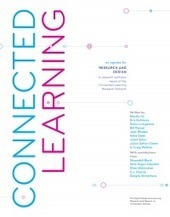
From the website "A new research report released by the Connected Learning Research Network is a call for educators, parents, youth, media-makers, geeks, creatives and intellectuals everywhere to work together to make the learning riches of the online world accessible to everyone. The researchers provide evidence of the importance of making, tinkering, exploration, collaboration, and problem-solving in learning to thrive in today's networked world. They also cite growing equity gap between young people who are highly connected and activated 21st Century learners and those who are subject to no-frills education and have little support for enriched, socially networked, or inquiry-based learning. 'We're seeing the tremendous potential of new media for advancing learning,' said says lead author Mimi Ito, a professor of anthropology, informatics and education at UC Irvine. 'But, right now, it's only the most activated and well-supported learners who are using connected learning to boost their learning and opportunity. We believe many more young people can experience this kind of learning, but there's no question we're at risk of seeing yet another way privileged individuals can gain advantage -- even though the Internet and digital technology has the potential to even the playing field and multiply the opportunities for all youth to find their place and achieve.'
|
|
Scooped by
Jim Lerman
January 17, 2013 5:07 PM
|
Description by EdSurge " HAPYAK is re-inventing social commentary around video by allowing users to create drawings, record narration and add comments directly onto a video in YouTube or Vimeo. It's difficult to know if HapYak can be the type of collaboration to that educators have come to enjoy in VoiceThread and GlogsterEdu -- the market is already saturated with video commentary products. But the growing collection of videos is a great resource for first person accounts of those marvelous fringe topics such as How to Make a Nether Portal in Minecraft or How Big is Infinity?"
|
|
Scooped by
Jim Lerman
January 17, 2013 4:51 PM
|
By David Pogue "Here are three completely overlooked features in Windows 8, discovered while mucking around in the operating system's deepest, darkest corners"
|
|
Scooped by
Jim Lerman
January 17, 2013 3:08 PM
|
By Justin Vale Summary by EdSurge " Here's a wonderful account of 250+ 7th graders from different schools engaging each other for an entire day of project-based learning. In an amazing display of teacher professional development, the 7th grade team at Wabash Middle School in Indiana, planned a "complex murder mystery project" that incorporated Common Core math and English standards and Indiana state science standards. Even more impressive: they bused the entire 7th grade class from Wabash to another school and implemented the project through a mix of school-supplied 1:1 computers and BYOD -- a unanimous "10" on the difficulty-meter. The stats alone are staggering: 250 students, 20 teachers, and plenty of curious administrators chugging along for an entire class-less day of learning."
|
|
Scooped by
Jim Lerman
January 17, 2013 2:37 PM
|
Do you use images or photos? Do you check with the owner before saving or copying or using? Are you using Creative Commons (CC) images and think that it’s all OK because the image labelled as CC therefore you’ve done all your supposed to?
|
|
Scooped by
Jim Lerman
January 17, 2013 1:58 PM
|
The more efficient your teaching technique the better your students’ comprehension level. This is just one of the benefits of mind mapping and encouraging students to work together as they learn new things.
|
|
Rescooped by
Jim Lerman
from :: The 4th Era ::
January 17, 2013 9:01 AM
|
By Nicole Ligault "This weekend I decided it was about time I created a new instructional design themed infographic. I’ve created a few in the past, which I’ve shared on my blog (here, here and here), and they’ve proven to be some of my most popular postings. "How did I go about creating this infographic? For starters, I browsed online through some instructional design sites to get ideas for what I wanted my subject to be. In the past I’ve designed an infographic illustrating the ADDIE model and Kirkpatrick’s Levels of Evaluations so when I stumbled across an article mentioning Gagne’s 9 Events of Instruction I was intrigued. Of course I had heard about Gagne and his nine events, but I wasn’t too familiar with them. In fact, I couldn’t even name one event! Since I like to use my infographic development process to learn something new about instructional design, I thought this would be a good topic. The next step in my process was to do a Google Images search for some infographic design ideas, to help me get inspired. Then I created the infographic in Adobe Photoshop, starting with the design of the heading/title of the infographic. Once I had the title narrowed down, I used those same fonts and colours throughout the rest of the graphic. I’d say it took about an hour, maybe an hour and a half, to complete. I got to be creative and learn something new about instructional design, so I think it’s a success!"
|
|
Scooped by
Jim Lerman
January 16, 2013 9:34 AM
|
By Danny Sullivan "With a typical Google search, the objects we search for are web pages, with the connections (or graph) that help determine the pages that rise to the top primarily being links from across the web. Links, simple form, are like votes, helping Google decide which are the most popular pages to show for a particular topic. "With Facebook Graph Search, the objects we search for aren’t web pages but instead virtual representations of real world objects: people, places and things. The connections are primarily Facebook Likes. Did such-and-such a person like a particular photo? A particular doctor? A particular restaurant? Those likes are the ties that bind the information in Facebook together."
|
|
Scooped by
Jim Lerman
January 16, 2013 9:29 AM
|
By Somini Sengupta " Facebookhas spent eight years nudging its users to share everything they like and everything they do. Now, the company is betting it has enough data so that people can find whatever they want on Facebook. And on Tuesday, it unveiled a new tool to help them dig for it. "The tool, which the company calls graph search, is Facebook’s most ambitious stab at overturning the Web search business ruled by its chief rival, Google. It is also an effort to elbow aside other Web services designed to unearth specific kinds of information, like LinkedIn for jobs, Match for dates and Yelp for restaurants."
|