Your new post is loading...

|
Scooped by
Jim Lerman
January 21, 2013 11:12 PM
|
By Richard Byrne "Gooru is a free service that launched earlier this year with the goal of organizing educational videos and other resources according to subject and grade level. Over the weekend Gooru launched a free iPad for that purpose too. The app is called Gooru Collections. "Gooru Collections is designed for students in grades five through twelve. Through the app students can find collections of resources for studying and learning about mathematics and science. To find some resources select science or math then choose a subject within either of those categories. Before you open a collection of resources you can preview the material to see if it contains videos, text, or links to websites. Watch a tour of Gooru Collections in the video below."
|
|
Scooped by
Jim Lerman
January 21, 2013 11:05 PM
|
By Mike Suszek "EA recently announced SimCityEDU, an online community that allows educators to create and share lesson plans based on the upcoming SimCity game. The community will include a curriculum and suite of tools that fall in line with the US Common Core State Standards Initiative, with the goal of stimulating student interest in STEM subjects (science, technology, engineering and mathematics).
"In development by GlassLab, a non-profit that creates educational environments for existing games, SimCityEDU is launching in March, around the time SimCity will arrive. In other words, just in time for spring break. Teachers that are looking to check out the program can head to the official sign-up page for the SimCityEDU beta."
|
|
Rescooped by
Jim Lerman
from Scriveners' Trappings
January 18, 2013 11:12 PM
|
|
|
Scooped by
Jim Lerman
January 18, 2013 10:39 PM
|
By Andrew Miller "I know that, in my project-based learning classroom, students did presentations all the time for a variety of purposes. One of the key components of a PBL project is the 21st-century skill of presentation or communication. We know that this presentation can take on any number of shapes, from something formal to a podcast or even a poster session. I always struggled with getting quality presentations from my students. I used a variety of teaching techniques and examples, but there is one that I know can really help improve presentation skills: Ignite! "Ignite is a specific genre of presentation. An Ignite presenter only has five minutes to speak about the topic, and 20 slides to do so. Every 15 seconds, slides are moved along automatically. The overall purpose of an Ignite session is to empower and excite the audience around a specific subject matter, idea or topic. Ignite is used at conferences all around the world, at EdCamps, and even within professional organizations and businesses. "Ignite is similar to PechaKucha, where you have 20 slides that change every 20 seconds. Usually, someone is "offstage" to time the event by changing slides, which forces the presenter to stay on task and move forward in the presentation. The slides contain only images, which the presenter prepares. However, the presenter is usually not allowed to prepare a script. This demands improvisation and creativity while still trying to craft a message."
|
|
Scooped by
Jim Lerman
January 18, 2013 6:03 PM
|
During our recent chat with Breaking Bad creator Vince Gilligan on subject of the fifth and final season of the show, he illuminated several storytelling principles that have helped make the series such a success.
|
|
Rescooped by
Jim Lerman
from Great Books
January 18, 2013 5:43 PM
|
Idaho developed Common Core toolboxes for English langauge arts and mathematics. Each toolbox provides an overview of the standards, instructional materials and resources, and information on the new assessments. Embedded are links to videos and reports to assist educators and the public in better understanding the standards.
Via Mel Riddile, Mark Gillingham
|
|
Rescooped by
Jim Lerman
from Great Books
January 18, 2013 5:27 PM
|
By todd Finley "Edward Charles Francis Publius de Bono is a bona fide genius. The author, inventor, Rhodes scholar and Nobel prize-nominated economist graduated from college at age 15. In the field of education and business, he is famous for originating the term lateral thinking. In his spare time, he also wrote Six Thinking Hats and several other books on creativity. Of all his contributions to the field of education, there is one critical thinking method that I use in classes more than any other: the PMI, a brainstorming model built on the categories of plus, minus and interesting. "
Via Mark Gillingham
|
|
Scooped by
Jim Lerman
January 18, 2013 5:13 PM
|
Our educational, professional development resources, provide educators with powerful, practical ideas that inspire change and motivate learning.
|
|
Scooped by
Jim Lerman
January 18, 2013 3:23 PM
|
105 Free Moodle Video Tutorials! We know that you love Moodle. This is why we created the following list. Show your appreciation and share it with people interested in Moodle.
|
|
Rescooped by
Jim Lerman
from Technology Advances
January 18, 2013 2:42 PM
|
SlideIdea is a new presentation tool especially designed for mobile devices. ... With SlideIdea you can create a presentation wherever you are and easily play it using our tools that help the speaker convey information seamlessly.
Via HIND ABDELRAHMAN, Lynnette Van Dyke
|
|
Rescooped by
Jim Lerman
from Technology Advances
January 18, 2013 2:35 PM
|
From the website "Notes are, by definition, snippets of information— more like a fragment than a whole sentence. Note taking apps, then, are apps designed to help you capture thoughts or ideas quickly and easily, not edit or compose long form documents like your favorite text editor or write daily journal entries. There are a large number of apps that could potentially fall under the umbrella of “note-taking”; however, this AppGuide is for apps devoted to text notes, not text editors (e.g., IAWriter, Pages, or DocumentsToGo), handwriting apps (we covered those in a different AppGuide), or apps designed for use with Dropbox (those were also covered in a separate AppGuide). The remaining apps were evaluated based on their connectivity, speed, organizational options, export options, and reliability. The resulting collection should have something to please everyone. "
Via Timo Ilomäki, Lynnette Van Dyke
|
|
Scooped by
Jim Lerman
January 18, 2013 2:16 PM
|
Description by Internet Scout Project "The BrowserBite application gives web designers the ability to test out their designs on different browsers without much fuss. This application uses complex image processing algorithms to detect differences in snapshots captured through different browsers. It's a rather useful tool, and the free version gives users access to browsers such as Chrome and Firefox. This version is compatible with all operating systems:"
|
|
Scooped by
Jim Lerman
January 18, 2013 1:08 PM
|
By Rob Kelly "Online instructors are being asked to accommodate an increasing number of students in their courses. The challenge is to manage the workload associated with these high-enrollment courses."
|
|
|
Scooped by
Jim Lerman
January 21, 2013 11:09 PM
|
By Mr. Kaiser "Looking at the list, one might be tempted to say that students already know how to do all of this. That is only true to a certain extent. Having worked with over a thousand students this year, I can tell you that the percentage of students who are proficient at these skills is quite low. "Yes, many students know how to post a video to Youtube, but they have no idea how to actually put a video together using rendering software. Many read blogs, but few have ever written their own. The same goes for pictures. Students are always posting pictures on Facebook, but many don’t know how to transform a picture by add some flare with photo editing tool. Here are the 5 skills that every student (and let’s include teachers) needs to have:"
|
|
Scooped by
Jim Lerman
January 21, 2013 10:37 PM
|
By Nancy Messiah "While there is simply no comparing robust photo editors like Photoshop or Gimp to online alternatives, sometimes a simple online tool is all you need to get the job done. Whether it’s content aware cropping and filling, applying filters and textures, or even doing a little bit more Photoshop-like tasks like using a cloning stamp, there’s a wide array of online tools that will get the job done, and for free. "We’ve put together a list of four online tools that should be in the arsenal of any photographer, designer, or blogger, making it easy to get basic photo editing tasks done on the fly, and in some cases, even on your mobile phone. In no particular order, here they are."
|
|
Scooped by
Jim Lerman
January 18, 2013 10:59 PM
|
By Leslie Meredith "Leap Motion today (Jan. 16) announced its gesture-controlled device — designed to replace the computer mouse — will be available at Best Buy stores this spring. "The much-anticipated gadget lets you control your computer using only your hands. Better yet, the Leap Motion controller is breakthrough technology priced at an affordable $70. "The USB device plugs into your computer — PC and Mac — and then creates a bubble of 3D working space in front of the screen. Image sensors and infrared light translate even the smallest gestures into signals your computer can read — no awkward arm-waving like we've seen in other systems. For instance, you can sign your name in the air with your finger and your signature will appear on the screen." Read more: New Chip Adds Kinect-Like Control to More Gadgets.
Want to improve your own reading speed, but still be able to understand everything? This app can help you out with that.
Via Jon Samuelson, John Evans
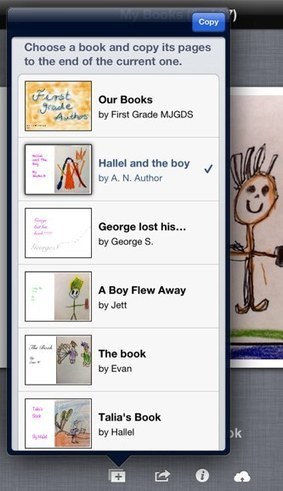
Tweet It is no secret that I am a fan of the iPad app BookCreator since its release in 2011. Our students have created several eBooks with the app. You can read about the creation, its process and ...
Via John Evans
|
|
Rescooped by
Jim Lerman
from Great Books
January 18, 2013 5:37 PM
|
In this post, we present Vicky Vinton and Dorothy Barnhouse's book What Readers Really Do as one of our highly recommended text for learning what it means to read closely.
Via Mark Gillingham
|
|
Scooped by
Jim Lerman
January 18, 2013 5:16 PM
|
From the website "RSS, podcasts, screencasts and more. How can you stay on top of them all? The November Learning team has designed a series of educational handouts that can make any user comfortable with the latest technology tools. Each sheet can be read, printed and passed out as needed. Use them in your next professional development session." Via Melinda Sears
|
|
Rescooped by
Jim Lerman
from #EdTech
January 18, 2013 5:09 PM
|
|
|
Scooped by
Jim Lerman
January 18, 2013 3:14 PM
|
" Added by Jeff Dunn on 2013-01-18 38 "Gamification and project-based learning have jumped into the 21st century at the Viktor Rydberg school in Stockholm, Sweden where all 13-year-old students must now take a manadatory course on Minecraft. For those not familiar, Minecraft is a video game that lets you use blocks to build up just about whatever you want in a virtual world. You can then show off, share, and learn from what others are building in a safe and virtual environment."
|
|
Rescooped by
Jim Lerman
from Technology Advances
January 18, 2013 2:40 PM
|
Apowersoft free online screen recorder makes it a breeze to capture screen activity with audio in one click and share your recording to web immediately.
Via Ana Cristina Pratas, Lynnette Van Dyke
|
|
Rescooped by
Jim Lerman
from Technology Advances
January 18, 2013 2:32 PM
|
The Arizona K12 Center at Northern Arizona University has developed aTechnology Integration Matrix (TIM) designed to help K–12 teachers understand whether they are “doing it right” when it comes to integrating technology in the classroom. The matrix aligns five levels of technology integration—entry, adoption, adaptation, infusion and transformation—with five characteristics of meaningful learning—active, collaborative, constructive, authentic and goal directed. Together, the five levels of technology integration and the five characteristics of meaningful learning environments create a matrix of 25 cells.Click Here to Access Free Matrix
Via Lynnette Van Dyke
|
|
Scooped by
Jim Lerman
January 18, 2013 2:06 PM
|
By Matt Smith "Crashes aren’t just a part of using Windows. The operating system is stable for many people, so if your PC consistently crashes there is most likely a reason. Let’s take a look at the 10 most likely reasons why Windows crashes."
|