Your new post is loading...

|
Rescooped by
Jim Lerman
from iEduc
January 25, 2013 11:53 PM
|
By Med Kharbach "One of the things I love the most about iPad is its portability. You can take it to bed, crawl in and read your PDFs ( hopefully not school readings or assignments because that is no fun ! ). I said PDFs because these are probably the best document format , I personally prefer them to other docs and I know many of you do. However PDFs do have a serious shortcoming : readers are not always able to interact with them in the sense of being able to highlight chunks of text , or annotate them. Luckily there are now some great apps to help you enhance your reading PDF reading experience. I am sharing them with you below and if you have other suggestions or additions , please share them with us below. The apps below are for iPad and for those of you who are looking for PDF annotating tools that work on the web version, check out this LIST."
Via NikolaosKourakos
|
|
Rescooped by
Jim Lerman
from iEduc
January 25, 2013 11:43 PM
|
Creating a colour scheme is essential to good design. We’ve gathered together 20 fantastic tools to help you perfect your colour choices.
Via Mark Strozier, foglio, NikolaosKourakos
The New York Times is now going to offere weekly prompts and memes to integratate its paper with other learning texts and events to help teachers meet CCSS (new kids of text complexity, integration of texts, argument vs. persausion, and non-fiction texts). "So, beginning Sept. 21, each Friday you’ll find three quick, classroom-tested tasks that ask students to do Common Core-focused work with that week’s Times.'
Via Meryl Jaffe, PhD
|
|
Rescooped by
Jim Lerman
from Alternative education
January 24, 2013 11:55 PM
|
ALISON Free Online Courses: Free Online Courses, Workplace Skills Training, Interactive Education and Multimedia Learning | ALISON
Via Catherine
This Thanksgiving-shortened week's posts all spring from something I'm thankful for: two recent social media strategy training presentations for non-profit organizations.
Via Zbynek Kysela ✔, ABroaderView
|
|
Scooped by
Jim Lerman
January 24, 2013 8:50 PM
|
By Kit Eaton "Remember pocket voice recorders, and their fiddly (but cute) miniature cassette tapes that stored your business memos and interviews? These gadgets have largely gone the way of the dodo, because digital voice recorders replaced them. Digital recorders don’t need the tiny tapes, they can record with less audio distortion and they offer extras like easy downloading of your recordings to a computer. "But nowadays even digital voice recorders are at risk of extinction because smartphone apps can do many of the same tasks. "One of the most highly regarded voice recorder apps is Voice Recorder HD by eFusion. It is a $2 iOS app (also a $2 app for Samsung Android tablets). Its maker says it appeals to business users and even sound professionals. The app is graphically sophisticated and its interface is stripped down to the minimal components you need for recording sound."
|
|
Scooped by
Jim Lerman
January 24, 2013 8:32 PM
|
By Larry Ferlazzo "John Yan was the creator of ShowBeyond, a very nice alternative to VoiceThread that was on The Best Ways To Create Online Slideshows until it shut down last year. "Now, John has just unveiled his new tool for education, UTellStory, and it’s a good one. It’s sort of a streamlined VoiceThread that I think is easier for both teachers and students to use. "You can make slideshows with your own images or grab ones off the web and easily add a audio you record, as well as text, to it. You can make them private or public, and they’re embeddable. You can also let your slideshows be re-used and mixed by others."
|
|
Scooped by
Jim Lerman
January 24, 2013 12:05 AM
|
By Roger Riddell 'With the proliferation of online degree programs, it was only a matter of time before U.S. News & World Report expanded their college rankings to reflect higher education’s growing presence in cyberspace. In 2012, 62.4% of colleges and universities offered fully online programs—almost twice as many as a decade before. "Of the 237 online bachelor’s programs evaluated by U.S. News, these are the schools that made the top 10, based on a wide range of factors including assessments, faculty, graduation rates and technologies accessible to students."
|
|
Scooped by
Jim Lerman
January 22, 2013 11:55 PM
|
By Wesley Fryer "Yesterday I worked with a librarian who is going to help 4th and 5th grade students next week record “narrated slideshows” to practice their oral communication skills telling stories with “story cards” from different perspectives. (1st person singular, 1st person plural, 2nd person, 3rd person singular, etc.) This is an excellent Common Core-aligned language project. She helped me record a 4.5 minute video tutorial about this, in which I show the steps for creating a narrated slideshow using the free iPad app “ShowMe.” We recorded this with my iPhone, as I demonstrated the required steps on an iPad."
|
|
Rescooped by
Jim Lerman
from WEBOLUTION!
January 22, 2013 5:51 PM
|
Over the years, LinkedIn has become one of my favorite social networks to use. The site has allowed me to meet some great people in my niche, find unique content, and most importantly, be recognize...
Via Jimi Paradise
|
|
Scooped by
Jim Lerman
January 22, 2013 4:22 PM
|
By Tina Barseghian "Google has made it possible for us to have instant information gratification. Just start typing the first letters of your search word and the site intuits your question and offers you the smartest choice of answers. "Seems simple enough. But as quick and facile as the process is, there are ways to be even more efficient, more search-savvy. And it’s our responsibility to teach kids how to find and research information, how to judge its veracity, and when it’s time to ask for a grownup’s help. I spoke to Daniel Russell, Google’s “search anthropologist” in charge of Search Quality and User Happiness (yes, really), who brought to light some important tips you may not have known." Via Committed Sardine blog
|
|
Scooped by
Jim Lerman
January 22, 2013 8:21 AM
|
Description by Netted by the Webbys "There are good photobombs, bad photobombs, and downright ugly photobombs.
"But there’s only one tool for fixing them: Snapheal.
"The magical Mac app gives you the ability to highlight anything in a picture – be it a stranger, an object, or an ex-boyfriend or -girlfriend – and remove it with the click of a button.
"If that sounds humdrum, consider this: The program detects what lies beneath the deleted portion and fills in the background . . . as though the offending object never existed in the first place. The program is fast, easy, and costs a fraction of what most professional editing software costs.
"Snapheal features a variety of other useful tools to adjust light levels, sharpen images, reduce noise, and more – all of which can be applied to a specific portion of the photo, keeping the rest untouched.
"Indeed, this is a see-it-to-believe-it type of app. Your mind will be blown."
|
|
Scooped by
Jim Lerman
January 21, 2013 11:15 PM
|
By Richard Byrne "Inkflowis the perfect app for people like me who like to sketch out their ideas before sharing them in presentations, in writing, or in video productions. Inkflow is also great for people who like to take notes in a free-hand format in which they can easily include little sketches and diagrams along with their written words. "Inkflow is an iPad app that can be used to sketch mind maps, draw pictures, write free hand, and just about anything else you might do with a pencil and paper. All of the pages that you sketch on and write on can be organized into little books that include page-turning effects."
|
|
|
Rescooped by
Jim Lerman
from iEduc
January 25, 2013 11:47 PM
|
Read a sample or download The Student Guide to iPads & iOS 6 by Jac de Haan with iBooks.
Via NikolaosKourakos
|
|
Rescooped by
Jim Lerman
from :: The 4th Era ::
January 25, 2013 11:32 PM
|
Description by Internet Scout Project "Szoter is a great way to annotate screenshots and images so that information can be shared with a wide range of people, organizations, and colleagues. Visitors can also sketch shapes, scale and rotate any image, adjust colors and outlines, or load local and network images. Visitors should look over the Features area before they dive in. This version of Szoter is compatible with all operating systems running Flash Player 10; Java Runtime is recommended."
|
|
Rescooped by
Jim Lerman
from Digital Presentations in Education
January 24, 2013 11:58 PM
|
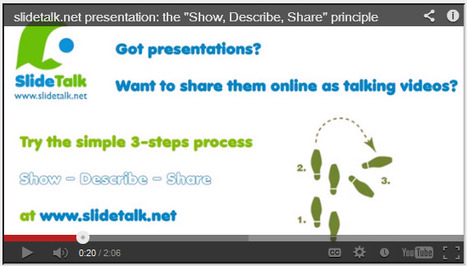
SlideTalk makes it easy to publish, edit and share PowerPoint presentations, business presentations, tutorials, eLearning material, education material and documentation of events as talking presentations, thanks to using high quality text-to-speech and image processing software to hide from you all boring details of creating a talking video, and leaving you free to focus on the creative and pedagogical tasks.
Via Baiba Svenca
|
|
Rescooped by
Jim Lerman
from Technology in Education
January 24, 2013 11:53 PM
|
|
|
Rescooped by
Jim Lerman
from iEduc
January 24, 2013 11:50 PM
|
|
|
Scooped by
Jim Lerman
January 24, 2013 8:36 PM
|
By Miguel Guhlin " Some time ago, I invested in PrintCentral ($8.99), an iPhone app that works on the iPad. After trying to print with it once or twice, I gave up on it, not realizing I'd missed the key feature. Then, just yesterday, months after I originally purchased it, I tried to print again to satisfy a colleague's request. Sure enough, PrintCentral worked. Two seconds later, my colleague had purchased the app and was printing as well."
|
|
Scooped by
Jim Lerman
January 24, 2013 9:46 AM
|
For mobile learning and teaching to be effective, teachers have to help students to use cell phones wisely. It is up to the teachers how to use cell phones as tools for learning.
|
|
Scooped by
Jim Lerman
January 24, 2013 12:02 AM
|
By Dave Wingler "No matter what the educational focus is, there is an app which supports practically any curriculum target imaginable. Finding them involves the arduous task of downloading, appraising, ranking and discarding apps based on usefulness and engagement. While apps provide numerous educational benefits as well as entertainment they are not always appropriately connected to curriculum targets. Kathy Shrock provides an excellent evaluation rubric for download which judges applications across multiple areas including effect on student motivation, user friendliness and how it incorporates the levels of Bloom’s Taxonomy. "Teachers and institutions can also rely on some of the many quality iBooks that have been written up in the last 2 years that provide constructive reviews of applications for use in education environments. Among the most recent and useful publications currently in the app store is Annalisa Kelly’s guide: “iPads in the Classroom 2013” The publication serves as a beginner’s reference for teachers in primary and secondary schools. This guide discusses aspects of using iPads with students across grades and is inclusive of special needs, regular stream and gifted students. The text not only provides guidance to teachers who currently augment their lessons with iOS devices but it is also intended for those who are planning deployments in their schools. A useful “App-endix” has also been added to the guide which lists over 35 applications that educators will find useful based on their usability for educators and their pertinence to curriculum."
|
|
Scooped by
Jim Lerman
January 22, 2013 11:51 PM
|
By Richard Byrne "One of the most popular posts that I've published on Free Technology for Teachers is a list of ten free tools for creating comics online. I wrote that post three years ago. Since then some of the tools have gone offline or started charging users. So I think it's time to share a new list. Here are five free tools for creating comics online."
|
|
Scooped by
Jim Lerman
January 22, 2013 4:33 PM
|
Summary by SmartBrief on EdTech :"Teacher-librarian Joyce Valenza in this blog post highlights a Web-based program called Edcanvas that helps teachers and students organize work by dragging and dropping resources from a computer or the Internet -- such as videos, links or files -- into "tile" templates in the program. The program also allows teachers to create a classroom file in which multiple students can create projects."
|
|
Scooped by
Jim Lerman
January 22, 2013 4:17 PM
|
By Kin Firtson "New York technology teacher and trainer Rob Zdrojewski is flipping the flipped classroom--or, rather, his students are. "Using a video technology known as screencasting, Zdrojewski, who will host two workshops at the upcoming FETC Conference in January, turns the popular phrase on its head by asking his students at Amherst Middle School to create instructional videos for their teachers. "The term 'flip your classroom' is really for the teachers to flip the classroom for the students, but this is like flipping the professional development for your staff--but having students teach the teachers," Zdrojewski says. "It's another catchphrase we've been using." "He calls the student productions "Tech Under 90 Sec" or, alternatively, "Teaching the Teachers." The content focuses on educating teachers on how to use everyday technological tools like Gmail and Google Drive in under 90 seconds. Zdrojewski first assigned the projects this year when he realized valuable staff development days--the time when teachers typically receive technology training--were put aside in favor of sessions on Common Core State Standards, performance review, and teacher evaluation systems. "We talk about not having enough time in our day to do stuff; well, now if you can find those pockets of time and you have 90 seconds or less, you can scroll through our mobile blog site, check out different videos, and learn something right on the spot," Zdrojewski says." Via Committed Sardine Blog
|
|
Scooped by
Jim Lerman
January 21, 2013 11:18 PM
|
By Richard Byrne "Earlier this month I wrote a glowing review of the Book Creator iPad app. Book Creator allows you to create narrated books on your iPad. Today, Book Creator 2.4 was releasedwith some nice new tools. "The latest version of Book Creator allows you to combine books that you have created using the app. In fact, you can even combine books from multiple iPads. What this means is that you could have students work on the creation of a book together from separate iPads. Have each student work on a chapter then combine all of the chapters into one book. Click here for complete directions on combining books. "With the latest update to Book Creator you can now include hyperlinks in your books, style individual words in your books, and import books. But to me the most exciting option is the option to combine books. To use the latest updates you will need to be using iOS 6."
|