Your new post is loading...
As social media become more and more predominant as platforms of connection and collaboration, the need for creating and maintaining a PLN ( Personal/Professional Learning Network ) becomes more pressing. As teachers and educators we are expected to be on top of the latest trends that can inform and enhance our classroom teaching as well as our professional growth.We are also expected to know the web tools that our students use and the new ones we can use with them in the future; but this is not always possible and because not all of our time constraints it becomes difficult to keep up the the new releases . It is at times like these that you can call upon your PLN.
Via Kim Flintoff, Heiko Idensen

|
Rescooped by
Jim Lerman
from Wepyirang
January 27, 2013 3:00 AM
|
|
|
Rescooped by
Jim Lerman
from Wepyirang
January 27, 2013 2:25 AM
|
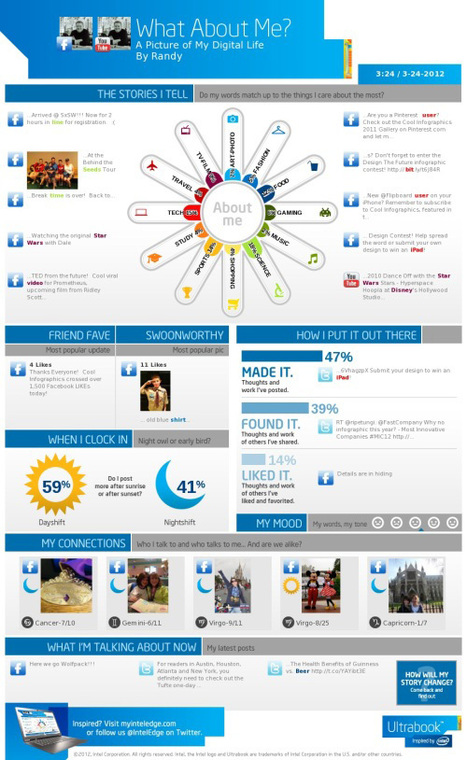
A picture is worth a thousand words – based on this, infographics would carry hundreds of thousands of words, yet if you let a reader choose between a full-length 1000-word article and an infographic that needs a few scroll-downs, they’d probably prefer absorbing information straight from the infographic. What’s not to like? Colored charts and illustrations deliver connections better than tables and figures and as users spend time looking back and forth the full infographic, they stay on the site longer. Plus, readers who like what they see are more likely to share visual guides more than articles. While not everyone can make infographics from scratch, there are tools available on the Web that will help you create your very own infographics. In this article, we’re listing more than 20 such options to help you get your messages across to your readers, visually.
Via michel verstrepen, Dolly Bhasin , Jimun Gimm
|
|
Rescooped by
Jim Lerman
from Eclectic Technology
January 27, 2013 1:32 AM
|
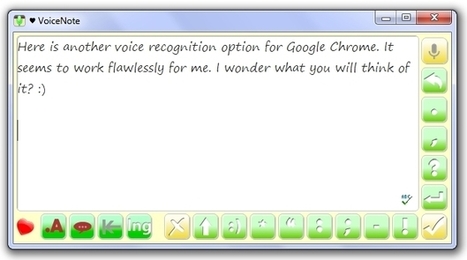
Once again Paul Hamilton brings us another great tool to use with Chrome, VoiceNote. He states that it "offers excellent voice-to-text...VoiceNote opens as a dictation window." Therefore it may "sit on top of a document being written" (or occupy your entire screen). A few of the features he mentions are: * dictating directly into a text box facilitates creating paragraphs or longer selections of text * on-screen buttons for adding punctuation * suport for multiple languages For more information click through to the post.
Via Beth Dichter
|
|
Rescooped by
Jim Lerman
from Eclectic Technology
January 27, 2013 1:22 AM
|
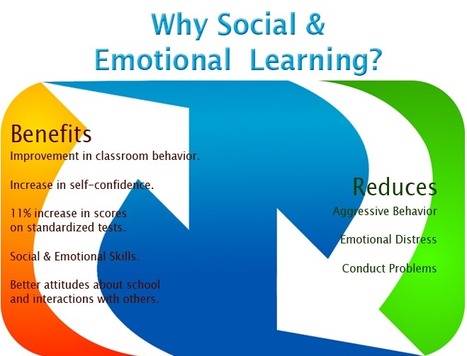
"Educators are always striving to find ways to make curriculum relevant in students’ everyday lives. More and more teachers are using social media around lessons, allowing students to use their cell phones to do research and participate in class, and developing their curriculum around projects to ground learning around an activity. These strategies are all part of a larger goal to help students connect to social and cultural spaces."
Via Beth Dichter
|
|
Rescooped by
Jim Lerman
from Tools for Teachers & Learners
January 26, 2013 8:53 PM
|
Convert PDF presentations into PowerPoint slides free. Hassle free, online conversion service without the need to install anything on your computer.
Via Nik Peachey
|
|
Scooped by
Jim Lerman
January 26, 2013 2:12 AM
|
Description by EdSurge "SYMPHONICAL helps you get 'er done with digital post-it note templates that help you organize, brainstorm, and analyze tasks, ideas, and discussions. The pre-made templates make it clear that Symphonical is targeting the business-minded but there are plenty of applications for the classroom and beyond. Planning a new unit with the teaching team? Try out the handy SWOT analysis template. Dare to let students create their own learning path? Create a fluid weekly lesson plan and make students collaborators. Better yet, give their parents read-only privileges! There's even a blank canvas that allows you to build templates for any rubri... uh row/column format that you can conceive. The icing on the cake however is the seamless integration with Google Hangouts-- every great collaboration should be full of smiling (or smirking) faces."
|
|
Rescooped by
Jim Lerman
from Presentation Tools
January 26, 2013 1:13 AM
|
|
|
Rescooped by
Jim Lerman
from Online Collaboration Tools
January 26, 2013 1:00 AM
|
|
|
Scooped by
Jim Lerman
January 26, 2013 12:56 AM
|
You are cordially invited to attend CO13, the Connecting Online 2013 conference, from 1-3 Feb, 2013. It's the 5th edition of free annual conference on WizIQ. "The theme of the conference is, connecting online for instruction and learning that goes beyond the classroom. Presenters from around the globe will discuss the following topics: Connecting Online to Improve Instruction and Learning: Online Learning and Instructional ExperiencesExperiences with technology in face-to-face and online classes. What worked and what didn't work for you?How do you use technology to promote your online workshops, consultation, and communities?Research conducted on e-learningBooks written on e-learning21st Century learning and teachingChallenges of the 21st Century learning/teaching environmentLeading a business with e-learning technology"
|
|
Rescooped by
Jim Lerman
from Tools for Teachers & Learners
January 26, 2013 12:47 AM
|
EyeReport provides a quick, simple and effective method to combine visual presence of the user on filmed material as picture-in-picture.
Via Nik Peachey
|
|
Rescooped by
Jim Lerman
from Digital Presentations in Education
January 26, 2013 12:43 AM
|
|
|
Scooped by
Jim Lerman
January 26, 2013 12:03 AM
|
By Med Kharbach "Google Sites is a great tool for creating webpages . It is in fact a wiki, blog,portfolio, all rolled into one easy to use package. Google Sites brings together all of the other great Google services in that it allows users to embed Google Docs, Calendar, YouTube, Picasa albums, and much more. In this post Educational Technology and Mobile Learning is going to explore with you different ways and tips on how to tap into the educational potential of this tool and provide you with some practical ideas on how to use it with your students in the classroom."
|
|
|
Rescooped by
Jim Lerman
from An Eye on New Media
January 27, 2013 1:56 PM
|
You've probably heard people tell you should back up your computer, or you should have more secure passwords.
Via Evdokia Roka, Ken Morrison
|
|
Rescooped by
Jim Lerman
from Wepyirang
January 27, 2013 2:54 AM
|
ÜberConference provides a rich visual interface for conference calls. Simple, visual, and free to use, it's audio conferencing done right.
Via Ana Cristina Pratas, Jimun Gimm
|
|
Rescooped by
Jim Lerman
from Daily Magazine
January 27, 2013 2:17 AM
|
What we have for you today is a great series of videos on critical thinking. As a teacher, you can use these videos with your students to start a discussion on what it means to think critically and introduce them to the concept of logical fallacies. The videos are animated in such a way that your students will find it easy to grasp hard concepts .Enjoy
Via Dr. Susan Bainbridge, Ramon Aragon, THE OFFICIAL ANDREASCY
|
|
Rescooped by
Jim Lerman
from Eclectic Technology
January 27, 2013 1:29 AM
|
"Publishing student thinking can be among the most powerful ways to improve learning. There are a variety of reasons for this, but the biggest reason is that the 'threat' of publishing moves the lodestone from the classroom to the 'real world.' This, of course, changes everything."
Via Beth Dichter
|
|
Rescooped by
Jim Lerman
from Eclectic Technology
January 27, 2013 1:19 AM
|
|
|
Scooped by
Jim Lerman
January 26, 2013 8:51 PM
|
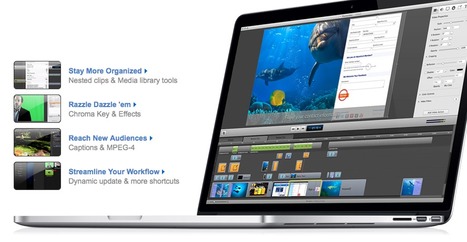
ScreenFlow is my favourite screencasting software tool and the one that I use to make all the video tutorials for my Tech Tools for Teachers series on OneStopEnglish and for the award winning Blended Learning in ELT course I designed for Bell. I'm now using it to create iPad tutorials and it works really well.
~Record from desktop, a video camera, microphone and computer's audio all at the same time
~Full screen HD capture, optimized for the best, most efficient screen capture
~Intuitive editing interface allows you to add professional touches
~Keynote and PowerPoint support
~Full range of elegant 2D & 3D transitions
~Publish directly to YouTube, Vimeo or Flash movie
~Optimized to take advantage of productivity enhancements in Mac OS X Lion
|
|
Scooped by
Jim Lerman
January 26, 2013 1:16 AM
|
** Watch the 20 Ways to Use Edmodo webinar for more details. ** 1. Assessments Utilize the Edmodo quiz builder or poll feature to assess students’ learning during or after a unit of study. &...
|
|
Rescooped by
Jim Lerman
from Digital Citizenship in Schools
January 26, 2013 1:01 AM
|
Pinterest is a promising visual bookmarking platform. It is gaining in popularity more and more and of course teachers and educators are part of this success for there are now a burgeoning number of educational boards on Pinterest where you can get free access to tons of web tools and teaching tips.There are also some great educational Pinners that are committed to sharing useful resources with their fellow teachers. In this regard, Educational Technology and Mobile Learning has its own Pinterest Board where we have been pinning everything we publish here or we find in other blogs and websites, make sure to follow us to stay updated about our future pinnings.
Via Andrea Zeitz, Les Howard, Lynnette Van Dyke, Gust MEES
|
|
Rescooped by
Jim Lerman
from English teaching & Learning
January 26, 2013 12:50 AM
|
Digital comics are a great way to practise language learning in the classroom. Presentation given at AGIS 2013 in Hanover. (@wmjackson RT @slideshare: '20 effective ways to use digital comics in the classroom' is featured on our homepage.
Via Jason Dargent
|
|
Rescooped by
Jim Lerman
from Interactive Teaching and Learning
January 26, 2013 12:44 AM
|
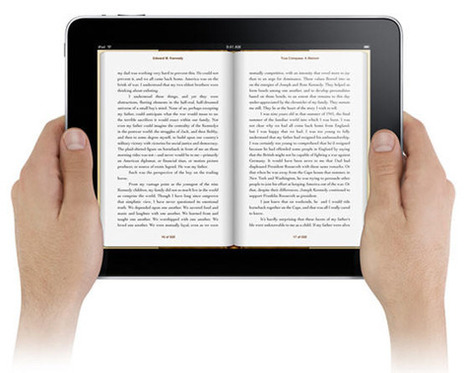
With all the great digital technology around these days, we don’t need a tree to make a book. More and more of us are choosing the convenience of digital content over actual books, CDs, DVD and Blu-ray discs as time passes. And as with everything that comes in digital – there’s a plethora of free options available. We can download eBooks onto our kindles, iPads, iPod, phones, laptops… the list is endless. Here’s a useful collection of sites and sources for getting free eBooks (yes, free!) for all of you virtual bookworms.
Via Anne Whaits
|
|
Scooped by
Jim Lerman
January 26, 2013 12:11 AM
|
By Med Kharbach "These guides come in very handy for every teacher looking to better integrate technology into his/her teaching. They are very simple,developed in a step by step process, illustrated by pictures, diagrams, video tutorials, and examples, and concluded with a webliography containing links to a variety of other websites relevant to the topic under discussion. Needless to mention the pedagogical implications we include in the review of the web tools we feature in our guides."
|