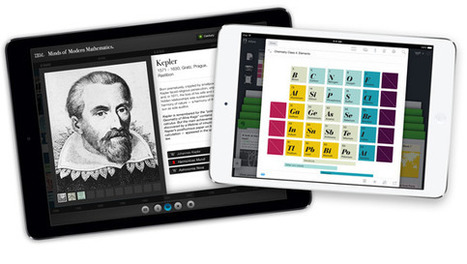
"iBooks Author is a powerful tool for creating interactive textbooks for your students. Whether you work together as a class to gather content or simply curate resources to share with a class, the possibilities are endless.
If you’re looking to check out high quality content that is designed for the iPad, you’ll want to download E.O. Wilson’s set of interactive biology textbooks. You’ll see just how powerful an interactive textbook can be! These iBooks might supplement your science curriculum or just inspire you to dive into iBooks Author to create your own."
This session takes you beyond "cool apps" for the iPad to how to best use the mobile device in your classroom for authentic learning. Participants will be imme…
"Notezilla is a neat iPad app that features sheet music synchronized to recordings. As you listen the recording the sheet music scrolls along. You can choose to see a red line moving to indicate the notes being played or choose to not see the red line at all. You can select sections of a recording to hear and see in your Notezilla library."
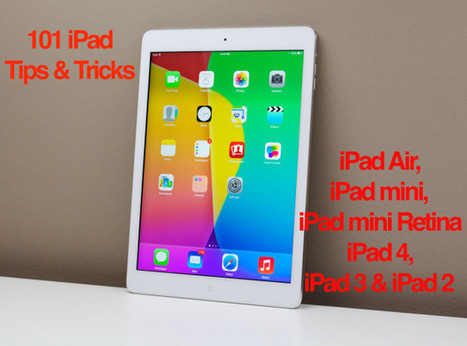
"Use these iPad tips and tricks to do more with your iPad Air, iPad mini and every other iPad running iOS 7.
This list of over 100 iPad tips and tricks is broken down by tips to help you get started, use the keyboard better, surf the web on the iPad easier, sync your photos, data and calendars as well as get the most out of your iPad with entertainment apps and services."
"Yesterday, at the Catholic Schools Foundation Summer Tech Conference at Boston College I saw a fantastic panel discussion on using technology in K-2 classrooms. One of the really neat things that I saw was an example of students using Morfo 3D Faces to create short biographies. Morfo 3D Faces is an iPad app that you can use to create a talking picture of person’s face. You can take a picture of a person or you can take a picture of a picture of a person (think taking a picture of a picture of George Washington). Once you’ve captured the picture you can customize the face by altering the eyes, mouth, and nose to move as you talk. After customizing the picture you can record yourself talking."
'It is the ability to marry teacher and tech that makes the iPad so formidable.' Will Strange explains his innovative approach to teaching modern foreign languages
If you're reading this, I assume that you lost your beloved iPhone or iPad or, even worse, someone stole it. Thankfully, there's a way to track it down, lock it or wipe its data.
"Each day this week I shared sets of 21 iPad apps for various grade levels. To wrap-up the week I have put all four of those sets in this post. Please feel free to make copies of these slidedecks and share them with your colleagues. To make copies click the gear icon at the bottom of the slides then open the editor and choose “make copy” from the file menu. (You will need to be signed into a Google Account to make the copy)."
The SAMR approach helps teachers to reflect on their technology practices and provides the structure to expand and develop new instructional practices.
"Below I have outlined a number of tasks, for use with the iPad in the classroom. I believe that if you understand these 5 tasks from beginning to end, you will have an excellent foundation to build any engaging classroom activities."
This post discusses the need to define the outcome you expect before you design your project (understanding by design where you begin at the end product and work backwards). The focus is on the iPad, but the questions he proposes for students to answer should work with most digital apps or online tools we use in our classrooms. Within the post you will find five projects that are designed with Bloom's taxonomy in mind. The projects are:
* Create a movie
* Create a podcast
* Create an interactive book
* Create a presentation
* Create a PDF
Of more interest (to me) are the steps he suggests you follow as you create the workflow that students will need to follow.
Clearly define the outcome providing an explanation that the students will understand and also define the context, providing sufficient information that the student know what they will need to accomplish.
When you click through to the post, you will see that each of the projects includes five areas that students work through. In each project students will begin with a clear concept of what they need to remember. They then move up (Bloom's taxonomy) to understanding, with another task to complete. From there they look at applying and analyzing, with additional questions and specified work to be accomplished. This is followed by analyzing and creating, and as a final component collaboration comes into play. In each of these areas there are one or more iPad apps recommended.
The researchers found that "personal 'ownership' of the device is seen as the single most important factor for successful use of this technology." They found ownership is fundamental for increasing students levels of motivation, interest, and engagement. Personal ownership promotes greater student autonomy and self-efficacy. Best of all, ownership encourages students to take more responsibility for their learning.
"Shadow Puppet is an iPad app for creating short audio slideshow videos. Yesterday, the same developers introduced Shadow Puppet Edu. Shadow Puppet Edu is a free iPad app that students can use to create audio slideshow videos. The app offers an integrated search tool that students can use to find pictures from the Library of Congress, to search for images from NASA, and to find Creative Commons licensed images from Flickr. Students can also import pictures from the camera roll on their iPads."
The iPad is a great device for learning how to do stop motion animation, because you can achieve great results with very little effort. Here's what you need to know.
6 Fun and FREE Avatar Creators for the iPad! In preparations for my session at iPadpalooza next week, "Gamifying the iClassroom," I have been researching avatar creators for the iPad. There are so...
Educator, Administrator, Technology Leader David Mahaley Helps Teachers get to the Next Level With his Newest iPad eBook Are you using iPads in your classrooms and thinking about how you and your...
"Modio is a new and free iPad app that anyone can use to design model robots for 3D printing. The app features a large collection of robot parts that you snap together to design your 3D robot model. You can mix and match parts to heart’s content. Modio provides a visualization screen that will reveal the dimensions of your model before you print it. Included with those dimensions is an estimate of the time it will take to print the model."
20 Apps For Writing On The iPad Though the tablet, in form, tends towards consumption, the iPad can also serve as a capable word processor. How capable depends on how demanding you are about your...
To get content containing either thought or leadership enter:
To get content containing both thought and leadership enter:
To get content containing the expression thought leadership enter:
You can enter several keywords and you can refine them whenever you want. Our suggestion engine uses more signals but entering a few keywords here will rapidly give you great content to curate.


 Your new post is loading...