I love Dr Jenny Lane's app guide. Easy to read with a demo video, just need to convert Aussie $$ to Canadian $$ :)

 Your new post is loading...
 Scoop.it! I love Dr Jenny Lane's app guide. Easy to read with a demo video, just need to convert Aussie $$ to Canadian $$ :) 
No comment yet.
Sign up to comment
Scoop.it!

By just digging a little deeper into the App Store, Laura was able to find many great grammar apps that can help children to learn and practice grammar skills. These apps would be great additions for home learning to help build upon skills learned in school and provide a practice environment.
Scoop.it!

Educators are getting iPads and ereaders into students’ hands—but it’s not easy... Talk about a revolution. Since Amazon unveiled the first Kindle in 2007, digital devices have dramatically changed the way kids read and even think about books. But it’s less clear how ereaders and tablets will affect libraries and schools. As any librarian who’s dealt with ebook adoption can quickly tell you, “It’s complicated.”
Scoop.it!

From teacherswithapps Blog... So, I got this invitation to a Friday afternoon “Appy Party”. Just bring your mobile device and a friend and be ready to share your favorite apps – I was not going to miss this opportunity. The atmosphere was a cacophony of banter, all with one common thread – where did you find that one and who told you about this one and take a look at that one. Before I knew it, I’d stumbled into an “App Discovery” scenario before I’d ever even heard the term.
Scoop.it!

You've no doubt seen the split keyboard that iOS 5 brought to the iPad, but it turns out it has a few hidden buttons on the edges. Here's how they work.
Scoop.it!

The puzzles range in difficulty based on their size. The small board has larger letters and fewer words. The puzzles at this level are great for new readers. If you are learning a second, or third, language, this may be a great place to start. As the board gets bigger, the letters get smaller and the list of words grows longer. To buy or not to buy: This is a relaxing and comforting app. It is free to play and very inexpensive to add additional languages. I recommend it for fans of word puzzle games.
Scoop.it!

From Andrew Churches' chock full of Digital 21st C. Learning goodies... This is an update to Bloom's Revised Taxonomy which attempts to account for the new behaviours and actions emerging as technology advances and becomes more ubiquitous. Bloom's Revised Taxonomy describes many traditional classroom practices, behaviours and actions, but does not account for the new processes and actions associated with Web 2.0 technologies, 'infowhelm' (the exponential growth in information), increasing ubiquitous personal technologies or cloud computing.
Scoop.it!

Boldly go where no app has gone before with NASA Visualization Explorer. Courtesy of NASA’s Goddard Space Flight Center in Greenbelt, Md., this new application will help keep iPad users up to date on the latest NASA research.
Scoop.it!

Twitter chats are such a great way to stay connected and informed in your professional circle, and education is no exception. Through education chats, you can find out about new methods for teaching, tech resources, even jobs for teachers. Most chats are held weekly, and offer an opportunity to have a regularly scheduled conversation with like-minded educators.
Scoop.it!
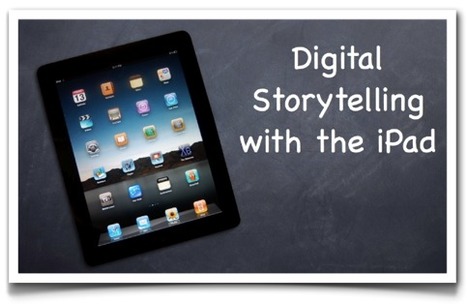
Digital Storytelling can transform your students' writing into a visual masterpiece that is filled with voice and emotion, while enhancing critical thinking skills. The iPad takes digital storytelling to a new level by making the process easier, and even more engaging for students of all grade levels as well as for their teachers. This site will help guide you in what you need for success in the iPad Digital Storytelling classroom.
Scoop.it!

Brad's Part 2... I came home from teaching day 2 of my iPad Boot Camp to find over 70 emails from teachers wanting to know more about how to teach kids with iPads. Many of the emails were full of questions that I hope to answer over the next few posts, and many of you wanted to see the projects that the kids have been working on, so here is a link to the students project (which is being constantly updated)…
Scoop.it!

Love it! You can see over time how Royan modified his ideas on setting up his iPads. Point being-always a work in progress!
|
Scoop.it!

Clever idea from ZDNet-The Great Debate! Take a tech topic with two differing opinions and then have folks for vote for either side.
Scoop.it!

From Shauna Ullman's Blog... Our Grade 3 classes have been immersed in a 1:1 iPad environment for about five months now. At this point in the year the devices are no longer in the spotlight but are a sophisticated tool we use on a daily basis. *Love the idea of a iPad graffti wall!
Scoop.it!

One of the difficult things about finding apps for iOS devices is navigating your way through the app store. It’s not a social experience at all. In fact, Fred Wilson wrote about occupying the App store recently. Apple provides you with useful lists to get started with, such as “new”, “hot”, and top free and paid apps respectively. After those lists though, you’re pretty much on your own to find apps you might like. Today, app developers Imaginary Feet have launched Crosswa.lk, an app discovery network that relies on people to share what apps they’ve downloaded as a springboard to finding worthy apps.
Scoop.it!

Creative APP- titude! This site contains a collection of iPad multimedia apps for creativity and examples of student multimedia projects using the iPad.
Scoop.it!

The blogosphere and the mainstream media is filled with success stories of technology’s successful adoption in education. However, many educators complain that when they try to introduce technological innovation on their campuses, they face obstacles.
Scoop.it!

Great blog from Ian Wilson, a freelance Apple Education Mentor based in the north west of England. He has created pages on his site which list a wide range of useful apps for teaching and learning, listed by subject area. Ian says he will endeavour to keep it update in this ever changing landscape!
Scoop.it!
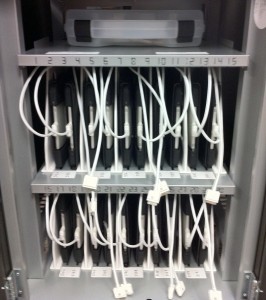
That octopus of a cart is familiar! My quest for the 'management' piece with iPads continues. Lisa Johnson's blog offers lots of great tips~AZ
Scoop.it!

Apple was granted a new patent today, involving a store affiliation system, which may not sound interesting at first glance, but it could potentially bridge the gap between brick-and-mortar and online retailers.
Scoop.it!

Mixel is a social art-making tool for people who don’t think of themselves as artists. The app makes it easy to collage together images from anywhere, in any way you like. You can remix works from others, and see the surprising ways they remix yours. It’s fun, free and incredibly addictive.
Scoop.it!

Brad Flickinger's wonderful blog... A few months ago I took a survey of my elementary kids to see what kind of mobile technology they had at home and it turned out that 53% of my students in 3rd, 4th, and 5th grades had iPads and 82% had iPods! With over half of my students having iPads, there is no doubt that soon they will be bringing these devices to school — so it go me thinking… How do I teach students with iPads?
Scoop.it!

The Gmail trick is a must have for any teacher whose students do not have email accounts. So, that’s the majority of students today. With a little time, you can create student accounts for most web 2.0 sites.
|