The Common Core English Language Arts Standards for Writing focus on building college and career readiness by having students demonstrate the ability to write in a variety of formats. As educators, we need to facilitate authentic experiences for students to practice and take risks during the writing process.
With that in mind, we’re going to discuss several valuable digital tools to help teachers create a more engaging and dynamic writing classroom for students to meet the rigorous demands of the Common Core.
Jim Lerman's insight:
Excellent list of strong digital resources; each with a helpful and informative description.
The Ten Tools were designed to provide teachers with a ‘route’ into the exploration of film and moving image in the classroom. They were assembled especially with inexperienced or beginner teachers in mind, and there is a deliberate attempt to avoid technical jargon wherever possible. They are not prescriptive, but rather should be used selectively and in combinations to suit the teacher and the learners. Each of the Ten Tools is accompanied by a list of potential discussion questions and typical activities. With practice, the teacher should come to know which of them will work best with any particular film text.
"This introduction video is an overview of a discussion about communication through electronic media. It explores and discusses internet communication, text messaging, social networks, and other electronic media: some of their uses, some myths created around them, and some ideas about how they can be used. Some of the video is based on the works of Dr. David Crystal, professor of linguistics and author. "
Jim Lerman's insight:
A succinct summation of the changed communication/information environment in which we live. Nicely done, although a bit Ango-centric.
An interesting little video to spark discussion at a faculty meeting at the beginning of the year. Maybe we assauge the fears of those we are still reluctant because of their own discomfort with the medium.
"At our recent NYC Schools Technology Summit, many participants were using our hashtag #NYCSchoolsTech in Twitter, Instagram, and other social media sites for the first time. Doing so enabled them to discover the following benefits of placing a simple "#" before a carefully chosen descriptor of "NYCSchoolsTech." -Being in touch with the buzz that was being generated via the attendees. -Enabling attendees to have conversation with a network of people who shared interests about what they were seeing and hearing. -Providing participants with an additional level of excitement both at the actual event and in the online community. -Serving as a tool to capture and memorize the day right from those in attendance. -Bringing a community together and strengthening relationships."
Teachers are always searching for tools to make their lives easier. And so are we. That's why we created the Tools for Teachers ebook series, showcasing free online tools for all kinds of classroom environments.
This eBook volume covers tools for writing. You'll find resources for digital storytelling, creative writing, blogs, and websites. Exploring these terrific free tools will help you:
Discover digital storytellng resources Enhance creative writing projects Optimize grammar and readabiltiy Create stunning blogs and websites Enhance creativity and collaboration Make teaching and learning fun!
I dug into my own archives that I've accumulated over my 33 year career in search of organizers that focus on writing. Although I found quite a few, I felt that my collection could be more complete.
With that in mind, I searched thoroughly for graphic organizer ideas wherever I could find them. Although many of the organizers I found were specifically for reading, I adapted and redesigned them to better suit teachers of writing.
The result is what you will see on this page--a collection of 50 graphic organizers designed specifically for teaching writing.
With Slate, Adobe [has launched} a new text- and photo-centric storytelling app for the iPad....
"About a year ago, Adobe launched Voice, its first standalone storytelling app that lets users record their own stories and then illustrate them with images (the Voice app is also getting an update today, by the way). Slate takes a different (and somewhat less experimental) approach and focuses on text and images instead. At its core, it combines the simplicity of the editing side of Medium with the design chops of Adobe.
"Using a set of pre-designed templates, Slate users can create anything from magazine-like travel stories and photo albums to newsletters and reports. As Brian Nemhauser, Adobe’s director of product management for this project, told me, the company is aiming this app at teachers, students, nonprofits, small businesses, corporate employees and anybody else who wants to put together a highly visual presentation that mixes basic text and imagery. Once finished, users can publish their creations on Adobe’s servers and share the link with their audiences. Adobe also allows users to embed their Slate stories on their websites."
Creative writing can be a daunting task for students who struggle to think of story ideas or who don't love the writing process. For kids who have trouble putting pen to paper, there are a handful of fantastic iPad apps that just might inspire them to tell a story. Your students will be able to gather ideas, brainstorm and publish writing straight from their tablet.
For students at all levels, creative writing is an important part of English language arts curriculum. Not only do the Common Core State Standards specifically outline the expectation that students should be able to express themselves through the written word, but this is also an essential real-world skill. Students should have the ability to write narratives that tell a story from their own life or a story that they've imagined. The following apps will inspire young writers and give them a vehicle for sharing their work.
As the 2015 CLMOOC continues through a third Make Cycle, it’s a perfect time to look back at the first few weeks of this collaborative experience and at what’s still to come during the next month. As a reminder, participants can join in at any time—so sign up today to share in the fun!
CLMOOC is a knowledge-building and sharing experience open to anyone interested in making, playing, and learning together about the educational framework known as Connected Learning. CLMOOC provides educators of all types with an opportunity to play with new tools, make projects and friends, and share projects and reflections with colleagues across the country and around the world.
Glasslab Games, the host of Make Cycle #3, will lead a Twitter chat Thursday, July 9, via the hashtag #clmooc at 4 p.m. PDT/7 p.m. EDT/11 p.m. UTC. Make Cycles to come will be led by educators from the San Diego Area Writing Project, KQED Do Now, and the National Park Service. Stay tuned by signing up for the newsletter today.
"Are you interested in integrating media making into your classroom? Making media, such as videos, narrated slideshows and online maps, can be an engaging way for students to demonstrate knowledge and build critical thinking skills. Find instructions, videos, worksheets and rubrics for implementing media-making projects with students. We also have self-paced professional development courses that you can take to learn media production!"
"John Ruskin (February 8, 1819–January 20, 1900) examined the psychology of why drawing helps us see the world more richly in a fantastic piece unambiguously titled Essay on the Relative Dignity of the Studies of Painting and Music, and the Advantages to be Derived from Their Pursuit, penned when he was only nineteen. It is included in the first volume of the altogether indispensable The Works of John Ruskin (public library | free ebook).
It’s a beautiful meditation triply timely today, in an age when we — having succumbed to the “aesthetic consumerism” of photography — are likelier to view the world through our camera phones and likelier still to point those at ourselves rather than at nature’s infinite and infinitely overlooked enchantments. To draw today is to reclaim the dignity and private joy of seeing amid a culture obsessed with looking in public."
Recently I came across this amazing little Tumblr named ‘OtherWordly‘ – itself a play on words. It consists of a collection of strange and lovely words from different languages through different times. What I like most about this selection of consonants and vowels – little meaning-carrying packages of vibration – is that they all try to point to the unspeakable, the transient or the neglected. That which we forget in the busyness of our daily grind. Words have the power to remind us – and therefore we should choose our words carefully so we are reminded of the things that nourish our souls.
Jim Lerman's insight: Quite an interesting list! I consider myself pretty well read, but I had only heard of 3 or 4 of these words before. Nevertheless, each one defines something very specific...in most cases arcane, but specific. Don't know how useful it would be to use any of them in written expression and certainly not in oral -- most people on the receiving end would consider the user to be a show-off.
Do you wonder how to set up an effective, exciting, motivating classroom to teach tech? It’s not difficult–but there are steps you must take that are different from a grade-level or subject-specific classroom. Watch these videos at the start of school and often throughout the year to understand how to integrate tech into your classes and how to help students use tech to get the most from their education adventure. Webinars included:
Set up your tech class How to create a class internet start page–and why How to teach a tech lesson 6 topics to teach in every lesson How to talk to stakeholders about tech Keyboarding in 45 minutes a week Problem solving (that’s tech problems) Presentation Boards (tech problem solving, tech vocabulary, and Google Earth) Digital note taking in the classroom Digital citizenship Blogging in the classroom Differentiation with tech Grading technology Class exit tickets Class warm-ups Flipped classroom Backchannels Digital portfolios
The Seven Basic Plots come from Christopher Booker’s book of that title, in which he argues that every successful narrative ever written is based on a version of one or more of these seven plots. I have summarised them here for ease of reference and converted the summary to PDF format to allow for easy download. The two pages can easily be enlarged or made into a poster for display on your classroom wall.The Seven Plots
A guide to giving inspirational presentations and talks, based on tried-and-true effective storytelling techniques used by the most influential speakers in the
Several summers ago, I wrote 10 Ideas for Creating Literacy Centers in response to a request from a Summer Workshop participant. Over the past few weeks, this post has been re-circulated on Social Media, so I decided that it needed an update.
My original post was inspired by Suzy Brooks’ use of her SMART Board as a learning center. For this update, I would like to credit the fantastic work of Kristen Wideen and Meghan Zigmond. While many of the concepts from the original post are certainly still applicable, here are 10 new ideas for creating learning centers.
Throughout the journey from kindergarten to 12th grade, students are supposed to gain appropriate vocabulary and grammar skills that need to be successfully implemented into essay writing. Here are some effective online tools that can help you make the art of essay writing more attractive for your students.
"Why We Broke Up by Daniel Handler has an interactive Tumblr Blog called The Why We Broke Up Project, where readers can submit their own breakup stories and read those of others. Along with the tumblr, there is also a musical playlist curated by Handler that can be found here. Creating a way for readers to further relate with the characters of the book, Handler’s “Why We Broke Up Project” is as humorous as he is, and also includes replies from him directly to readers.
"Seeking out content that intertwines with your collection can be fun, especially now that so many are taking the leap, but can you create your own transmedia, crossmedia, and immersive experiences for books your teens already know and love? Of course you can! Here’s a few short ideas."
Jim Lerman's insight:
This approach is a great way to get students involved in their reading, and to extend reading into numerous making and transdisciplinary activities. This article is definitely worth reading!
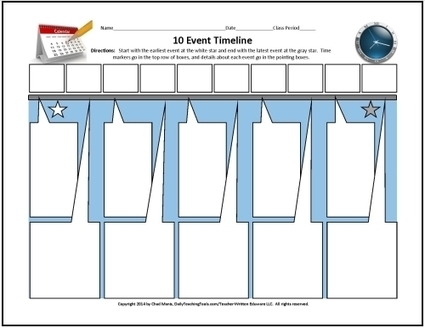
The free graphic organizers that I offer on this page come from the collection of 50 More WRITERizers, the successor of 50 WRITERizers, which has generated loads of interest over the last couple of years—thanks to you and our colleagues.
Draftback is a Chrome extension that lets you play back any Google Doc’s revision history (for docs you can edit). It’s like going back in time to look over your own shoulder as you write.
"Since Draftback is a Chrome extension, your Docs data never leaves your own computer, and, unless you explicitly publish an excerpt, the extension never communicates any sensitive data with any server—it just fetches it over a secure connection from Google. All the computation for rendering the playback is done by your own computer, and it’s stored there, too."
During our conversation, Dr. Beach identified what I consider to be one of the most important educational innovations that digital texts bring to the classroom, namely their dialogic nature. While print texts may inspire dialogue, they exist as static, fixed entities offering one-way communication. Digital texts, on the other hand, can exist in a state of collaboration and change as users create, remix, mash up, or annotate.
More than any other aspect of digital texts, this sense of malleability is what I find most exciting as an educator because it helps us expand the definition of what constitutes writing and it reminds us that writing, just like all forms of creation, is a social practice in conversation with others in the world around us.
A homeless Filipino boy has been overwhelmed with aid after a photograph of him studying on the pavement using faint light from a McDonald's outlet went viral on the internet.
"Nine-year-old Daniel Cabrera will now be able to fulfil his dream of becoming a policeman after donations of cash, school supplies and a college scholarship poured in, his mother, Christina Espinosa, said on Friday."
"The flipped classroom model is a blended learning strategy I use to present my vocabulary, writing, and grammar instruction online. Students watch videos at home where they can control the pace of their learning, then they come to class prepared to apply that information in collaborative student-centered activities.
"One thing I emphasize when I lead professional development for teachers is the importance of flipping and engaging. Instead of simply consuming information, I want students to think critically about that information. This requires that I design flipped lessons that encourage students to ask questions, analyze the information, and discuss concepts with peers asynchronously online to begin making sense of the information they are receiving at home."
"Interactive media lecturer Sandra Gaudenzi shared her theory of balancing audience agency with authorship at the CIJ Summer Conference today, and gave examples of stories across the spectrum"
"Interactivity should offer a degree of agency and participation to the reader, said Gaudenzi, but in doing so the author relinquishes a certain amount of control over where that story goes.
"This "spectrum of interactivity" is being explored more and more by news organisations but journalists and storytellers should always think of what interaction brings to the story and the balance of control between reader and author.
"Using interactivity just for the sake of it is really boring," she said, "So think about what the user might want to do or need to do to feel a part of the story."
"She detailed examples across three parts of the spectrum: keeping the storyteller in control of the story, letting readers shape the narrative, and giving the audience a platform to tell their own stories."
To get content containing either thought or leadership enter:
To get content containing both thought and leadership enter:
To get content containing the expression thought leadership enter:
You can enter several keywords and you can refine them whenever you want. Our suggestion engine uses more signals but entering a few keywords here will rapidly give you great content to curate.


 Your new post is loading...