Your new post is loading...

|
Rescooped by
Jim Lerman
from Into the Driver's Seat
December 2, 2017 8:10 PM
|
In spite of the discouraging aesthetics the platform, ThinkCERCA is full of substance. The potential for it to help students of various reading and writing levels cannot be denied. However, using the platform daily is sure to reduce the novelty and creativity needed to foster great writing.
|
|
Rescooped by
Jim Lerman
from Into the Driver's Seat
November 30, 2017 11:30 PM
|
Writing flashbacks badly can stunt the flow of your story, lose a reader’s interest, create confusion and ruin your book. Here's how to write them well.
Via Penelope, Jim Lerman
|
|
Rescooped by
Jim Lerman
from Into the Driver's Seat
November 30, 2017 8:15 AM
|
When my students do a Hexagonal Learning activity, one of the groups of hexagons I usually use includes the themes of the story we are discussing. However, I have always struggled with how to help students identify the themes. It is difficult for them to discern the difference between theme and main idea. Yesterday, I found this great free video from BrainPop (no subscription needed to watch this one) that explains “Theme” using Star Wars. My 4th graders really enjoyed it. When we finished watching it, they were immediately ready to call out the many themes they observe in Tuck Everlasting. It was surprisingly easy, resulting in my lesson time being half what I had planned. Later, I found this great free printable from Minds in Bloom to help reinforce what they have learned about themes for next week’s class. Jim Lerman's insight: Click on headline or image above to go to actual webpage that has several links to valuable resources on this topic of Themes in students' understanding of literature.
|
|
Rescooped by
Jim Lerman
from Into the Driver's Seat
November 27, 2017 1:22 PM
|
"Does grading a stack of papers feel like shoveling smoke for a weekend? Like the payoff does not equal your effort?
Over the years, I’ve learned strategies to reduce my essay grading time and mental hangover without sacrificing student accountability and the benefits of feedback.
Some of the following strategies will save you days of time every semester. But even if they only save you minutes, that extra time can be used to plan better lessons and remember what your family looks like.
All the recommended tips involve essays submitted on paper. I realize that this is the 21st century, but responding to paper is faster than negotiating digital essays in the cloud."
|
|
Rescooped by
Jim Lerman
from Into the Driver's Seat
November 21, 2017 1:29 AM
|
Student creation of six-word memoirs can help form powerful connections to learning. Discover some technology resources to help them.
“For sale: Baby shoes, never worn” wrote Ernest Hemingway. This six word memoir‘s brevity hints at a deeper tale. In my fifth grade Writers’ Workshop, helping students focus on one aspect of their lives could be challenging. Memoirs can be powerful when reduced to their essence. Let’s take a look at some ways six-word memoirs might find a place in teaching, learning, and leading. Jim Lerman's insight: Some very good ideas and resources here.
|
|
Rescooped by
Jim Lerman
from Know2Day
November 18, 2017 12:45 AM
|
Summary: Using an OREO Planner (Yes, like the biscuit), children learn how to create a persuasive writing text. Children have to brainstorm their own OPINION, REASON, EXPLANATION and then revisit their OPINION to persuade their audience.
Via ke hones
|
|
Rescooped by
Jim Lerman
from Into the Driver's Seat
November 15, 2017 11:27 PM
|
Check The 5 Best Free Digital Magazine Creation Tools for Teachers and How To Use The 5 Best Free Digital Magazine Creation Tools for Teachers.
Via Sarah McElrath, Jim Lerman
|
|
Rescooped by
Jim Lerman
from Feed the Writer
November 15, 2017 11:22 PM
|
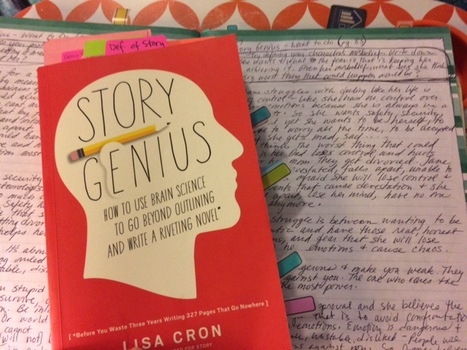
How I'm using Lisa Cron's book Story Genius to harness brain science when revising my novel to increase the tension.
Via Sarah McElrath
|
|
Rescooped by
Jim Lerman
from Feed the Writer
November 15, 2017 11:18 PM
|
Pixar mastermind Andrew Stanton gave a TED Talk called "The clues to a great story." Below, see his golden rules of storytelling, visualized.
Via Sarah McElrath
|
|
Rescooped by
Jim Lerman
from Feed the Writer
November 15, 2017 11:14 PM
|
There are so many tools that will help students with the writing process. Some of these tools help organize research while others help students organize their thoughts or locate grammatical errors.
Via Elizabeth E Charles, Sarah McElrath
|
|
Scooped by
Jim Lerman
November 14, 2017 10:19 PM
|
An explanatory infographic with 40 of the most common symbols used by all types of visual communicators, from filmmakers to designers, and tips on how to use
|
|
Scooped by
Jim Lerman
November 14, 2017 10:15 PM
|
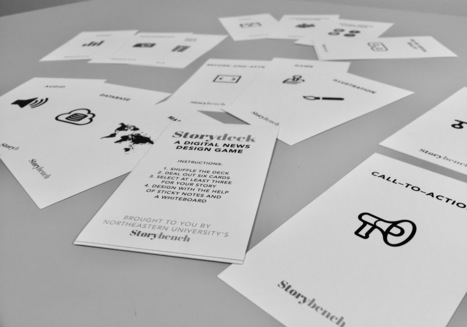
Last weekend, at the Journalism Interactive conference hosted by the University of Maryland, I presented a card game that I have been prototyping for the last year in classrooms from Northeastern to the Nieman Foundation. The game, in a nutshell, helps students conceptualize, scaffold and focus a digital story for a specific topic and a specific user.
The game – which you can download free here – is based on the research we’ve conducted through Storybench and it organizes many of the common ingredients that go into a successful digital news article. Here’s how it works:
|
|
Rescooped by
Jim Lerman
from Into the Driver's Seat
November 14, 2017 10:08 PM
|
While some might argue that the only tools an author really needs are a typewriter and a strong cup of coffee, in today’s increasingly digital society, the number of apps and technological aids available to writers is mind-blowing. Whether you want to brainstorm plot outlines, keep your research notes organised or scare yourself into reaching your daily word count, you can bet there’s an app designed specifically for that purpose. Here is our list of 22 apps and tools that every writer should know about.
|
|
|
Scooped by
Jim Lerman
November 30, 2017 11:48 PM
|
"While publishing student writing online fundamentally hooks students as writers, as teachers we can take advantage of available tools to make our jobs easier. Just as our students have new digital tools, so do we as their teachers.
"A visual narrative (also visual storytelling) is a story told primarily through the use of visual media. The story may be told using still photography, illustration, or video, and can be enhanced with graphics, music, and voice and other audio. (Source) "While publishing student writing online fundamentally hooks students as writers, as teachers we can take advantage of available tools to make our jobs easier. Just as our students have new digital tools, so do we as their teachers. "Here are some tips for creating short content:
|
|
Rescooped by
Jim Lerman
from Into the Driver's Seat
November 30, 2017 7:27 PM
|
|
|
Rescooped by
Jim Lerman
from Into the Driver's Seat
November 30, 2017 7:54 AM
|
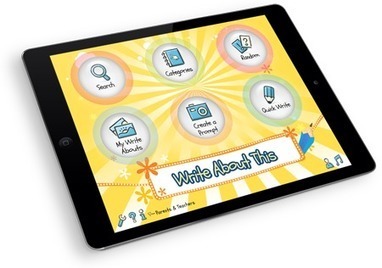
Write About This is a visual writing prompt & creation platform perfect for classrooms and families! With endless ways to respond and the ability to craft custom photo prompts, it will kick-start any writing activity. 125 categorized images & 375 text+voice prompts included!
Via John Evans, Jim Lerman
|
|
Scooped by
Jim Lerman
November 21, 2017 8:31 AM
|
If you want to be an extraordinary writer you need to do extraordinary things.
You can’t just keep on doing ordinary things and expect yourself to live a remarkable life just like that. If life were like that everybody would be living an amazing fulfilling life, and many of us are not.
Forget fear, forget escaping your comfort zone, forget the right skills and strategies and just do. Jump into the fray and start swinging. Write something, anything, and figure out the rest later.
|
|
Rescooped by
Jim Lerman
from Into the Driver's Seat
November 20, 2017 7:55 PM
|
|
|
Rescooped by
Jim Lerman
from Into the Driver's Seat
November 16, 2017 10:40 PM
|
Write & Improve is a free service for learners of English to practise their written English. Submit your written work and receive feedback in seconds, covering spelling, vocabulary, and grammar.
Via Mark E. Deschaine, PhD, Evdokia Roka, Jim Lerman
|
|
Rescooped by
Jim Lerman
from Feed the Writer
November 15, 2017 11:23 PM
|
The best place to find tips, tricks, and hacks about presentations.
Via Sarah McElrath
|
|
Rescooped by
Jim Lerman
from Feed the Writer
November 15, 2017 11:19 PM
|
Help for essay revision: use learning stations to engage your students in a thoughtful approach to the revision and peer feedback process.
Via Sarah McElrath
|
|
Rescooped by
Jim Lerman
from Feed the Writer
November 15, 2017 11:16 PM
|
I can't keep quiet about author/storyteller/educator Kevin Cordi's brainchild, the Top Secret YA Storybox Project. This past Sunday whil
Via Sarah McElrath
|
|
Rescooped by
Jim Lerman
from Cultivating Creativity
November 14, 2017 10:26 PM
|
Description by Common Sense Education "An amazing creation suite for both teachers and students, Adobe Spark is easy to use and offers plenty of inspiring templates to get started. You can browse the Education section of the Inspiration Gallery and filter by project type (Pages, Posts, Videos) to get ideas. The Post tool is great for creating flyers or posters, which can be printed and displayed in your classroom. Students can create collages and graphic images to accompany lessons on any subject. Use the Page tool to design a scrolling, interactive lesson plan or have students create web stories to present their research or bring a narrative to life. The third creation tool, Video, allows teachers and students to select music and record their voices over slides that tell a story, argue a position, or describe a research project. For students, the key is figuring out how to organize and visualize their ideas. These tools offer rich opportunities to demonstrate learning while getting creative with design elements. "The search integration for Creative Commons-licensed photos is a great opportunity for teachers to explain best practices around copyright and fair use. Check out Adobe's webpage for using Adobe Spark in the Classroom to get more ideas from teachers using the tool."
Via Jim Lerman
|
|
Scooped by
Jim Lerman
November 14, 2017 10:18 PM
|
Newsrooms don’t follow a standard playbook. They scramble, they adapt, they make mistakes. But are there some go-to tools and best practices worth adopting, whether you’re a data reporter, newsroom manager, or journalism educator?
Over the last three years, Storybench, a website from Northeastern University’s School of Journalism’s Media Innovation graduate program, has interviewed 72 data journalists, web developers, interactive graphics editors, and project managers from around the world to provide an “under the hood” look at the ingredients and best practices that go into today’s most compelling digital storytelling projects.
There are a bunch of lessons we’ve learned through our interviews – published today in this working paper – that might help chart the way forward, especially for journalism schools. They boil down to three key areas of emphasis: 1) highly networked, team-based collaboration; 2) an ethos of open-source sharing, both within and between newsrooms; 3) and mobile-driven story presentation. Jim Lerman's insight: Download or read the whole paper from this site.
|
|
Scooped by
Jim Lerman
November 14, 2017 10:10 PM
|
Are you teaching writer’s workshop or looking for resources for your ELA classroom? Integrating technology tools into writing is important for so many reasons. Technology tools can energize your writer’s workshop and prepare students for the digital world. From interactive concept maps to online publishing tools, there are a handful of fantastic websites and mobile apps for writing teachers.
As writers, students can benefit from brainstorming in fluid, online spaces and taking notes in documents they can access on any device. Kindergarten students can capture their ideas by snapping pictures and recording their voice while tenth graders can collaborate on a document for a shared writing experience. This list includes a handful of my favorite tools to use in Writer’s Workshop!
|