Your new post is loading...

|
Scooped by
David Anders
March 25, 2013 12:37 PM
|
Features of product * Computer screen, video recording is possible.
* Recording using the built-in video codecs(AVI, MP4, MOV, TS, VOB) and audio codecs(MP3)
* Have large video formats to support more than 4GB.
* Recording sound from your computer as you can.
* Audio recording is made possible without the stereo mix setting.(Windows 7, Vista SP1 or later)
* A variety of sound quality when recording can be selected.
* Screen capture is possible, too.
* Recording area of the keyboard can be easily controlled.
* Can record the full screen and window area.
* During recording, the mouse cursor can be set to be included.
* Bug reporting is available to developers.
* Record the results can be stored in a specific folder, you have the option.
* oCam dual-monitor support.
* Flash in the IE browser, the target area can be selected.
* Preferences from the FPS setting is possible.
* Automatically recording the end of recording timeout function is available.
|
|
Scooped by
David Anders
March 21, 2013 5:38 PM
|
Microsoft goes to great lengths to convince Windows 8 users to log on with an email address, but if your account gets hijacked you could find yourself locked out
|
|
Scooped by
David Anders
March 21, 2013 5:10 PM
|
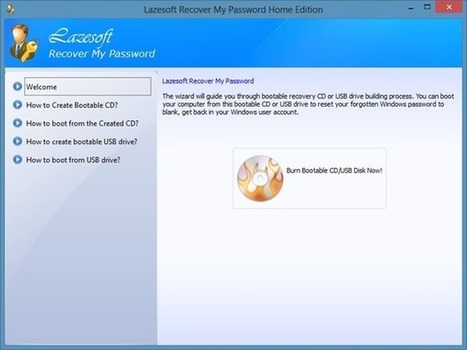
The easiest way to recover your Windows product key from an unbootable PC. Step 1: Get started by downloading Recover My Password Home Edition software on another functioning Windows machine. Yes, the software that lets you reset your Windows password helps you recover Windows product key as well. Note that Recover My Password Home Edition is free for non-commercial purpose only.
|
|
Scooped by
David Anders
March 18, 2013 4:21 PM
|
Cyberknight asked the Hard Drives, NAS Drives, Storage forum if a new flash drive should be formatted in FAT32 or NTFS.
|
|
Scooped by
David Anders
March 18, 2013 4:18 PM
|
Felix Luke needs to back up his entire hard drive. He asked me to explain the differences between cloning and imaging.
|
|
Scooped by
David Anders
March 11, 2013 4:12 PM
|
The Remote Administration Tool is the revolver of the Internet's Wild West. Adam Kujawa, a researcher at security firm MalwareBytes, compiled a list last summer of everything that popular RAT DarkComet could do. It included: Find out all system information, including hardware being used and the exact version of your operating system, including security patchesControl all the processes currently running on your systemView and modify your registryModify your Hosts fileControl your computer from a remote shellModify your startup processes and services, including adding a few of its ownExecute various types of scripts on your systemModify/View/Steal your filesPut files of its own on your systemSteal your stored password
|
|
Scooped by
David Anders
March 5, 2013 2:20 PM
|
Complete listing of all computer company information.
|
|
Scooped by
David Anders
February 28, 2013 11:29 AM
|
Created by amateur hackers, underground crime syndicates and government agencies, these powerful viruses have done serious damage to computer networks worldwide
|
|
Scooped by
David Anders
February 23, 2013 1:57 AM
|
We rank the best online backup services with side-by-side comparisons. Read in-depth reviews and articles regarding these remote backup solutions.
|
|
Scooped by
David Anders
February 15, 2013 10:47 AM
|
When your computer starts behaving erratically or won't boot, one of the first troubleshooting steps is to boot to some media other than your hard drive to see if you can diagnose—or even repair—the problem.
|
|
Scooped by
David Anders
February 6, 2013 11:34 AM
|
Not keen on ponying up the cash for Microsoft's new Office 2013? Check out these free alternatives. Read this article by Jaymar Cabebe on CNET.
|
|
Scooped by
David Anders
February 2, 2013 2:09 PM
|
Why these apps are awful and what you really need to do about your slow PC. Maybe you've seen the ads on the Internet or on TV in the wee hours of the morning. They make lofty promises: get rid of blue screens and error messages! Increase your speed! Clean up your system! But even when these PC cleanup apps aren't just malware in disguise, the things they're doing for your PC are often dubious. Many either replicate tasks that can be handled by built-in utilities or do things that could cause more problems than they solve. To highlight just why you and your loved ones should never let these applications anywhere near your PC, we picked one that we have recently seen ads for: MyCleanPC. It's the archetypal Windows cleanup app—and you probably shouldn't install it.
|
|
Scooped by
David Anders
January 27, 2013 2:49 PM
|
Microsoft introduced the new exFAT file system with Vista SP1. Extended File Allocation Table (exFAT) is the successor to the old FAT32 file system. What are the advanatages and disadvantages to th...
|
|
|
Scooped by
David Anders
March 25, 2013 12:26 AM
|
Are your passwords strong enough to resist an automated attack? If you believe any of several common password myths, they may not be. We can take some comfort in the fact that each additional character in a password increases its strength exponentially. So, if we were to restrict ourselves to just 26 lowercase letters, a 10-character password wouldn’t merely be 10 percent better than a 9-character password — it would be 26 times better! There are over 5 trillion possible passwords consisting of nine lowercase letters (26^9), but make it ten letters (26^10), and there are more than 141 trillion possibilities. That means a system that can crack a 9-character random password in five and a half hours could take over 500 hours to crack a 10-character random password — a huge difference.
|
|
Scooped by
David Anders
March 21, 2013 5:28 PM
|
Download this free software to easily reset your Windows local admin or network admin passwords with a few mouse clicks.
|
|
Scooped by
David Anders
March 21, 2013 11:42 AM
|
Enter your password and find out how long a PC would take to crack it.
|
|
Scooped by
David Anders
March 18, 2013 4:19 PM
|
Nobody likes backing up, but one day, it’ll save your bacon. Here are the most efficient methods of protecting your stuff, no matter what your situation.
|
|
Scooped by
David Anders
March 17, 2013 7:08 PM
|
Dear Lifehacker,
For reasons unknown to me (Physics? Global warming? Witchcraft?), my router’s reach is terrible. My house has all kinds of Wi-F...
|
|
Scooped by
David Anders
March 9, 2013 9:14 PM
|
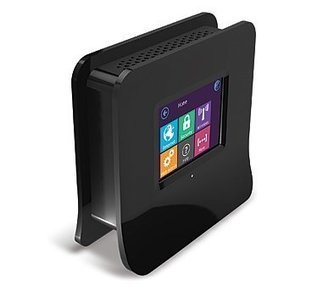
When a Wi-Fi signal is weak, there is still hope. You can try a Wi-Fi range extender. On Amazon, the highest-rated extender at the time I shopped in December was the Securifi Almond. It was billed as the first touch-screen router and range extender, and had strong customer reviews.
|
|
Scooped by
David Anders
March 5, 2013 2:18 PM
|
Whether you were hacked, phished, had malware installed or just don't know what the heck happened but there's somebody all up in your e-mail, here are a few good first steps to take following an incident.
|
|
Scooped by
David Anders
February 27, 2013 3:28 PM
|
Windows only: EASEUS Partition Manager is a hard drive partition utility that bills itself as a free alternative to the popular commercial product, PartitionMagic.
|
|
Scooped by
David Anders
February 19, 2013 6:29 PM
|
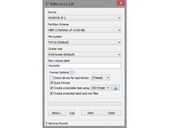
Features Rufus is a small utility that helps format and create bootable USB flash drives, such as USB keys/pendrives, memory sticks, etc. It can be be especially useful for cases where: you need to create USB installation media from bootable ISOs (Windows, Linux, etc.); you need to work on a system that doesn't have an OS installed; you need to flash a BIOS or other firmware from DOS; you want to run a low-level utility. Rufus is significantly faster than similar utilities and it's open source and free. Learn more about Rufus...
|
|
Scooped by
David Anders
February 6, 2013 11:38 AM
|
Everyone knows to have good antivirus software and to run some standard anti-malware when they encounter problems. But what happens when you need a second opinion, or maybe a third? Read this article by Tuong Nguyen on CNET.
|
|
Scooped by
David Anders
February 2, 2013 3:36 PM
|
Comodo Rescue Disk scans entire system for viruses before Windows loads. Download Rescue Disk Software from Comodo for free. Features and benefitsBoot disk that runs Comodo Cleaning Essentials virus scanner in a pre-boot environmentIncludes full AV scanning engine capable of removing rootkits embedded so deeply they cannot be removed with CCE for WindowsAutomatically downloads latest virus signatures prior to executing scan for maximum securityPerfect for ensuring computers are totally clean of threats when troubleshooting problems or setting up a secure network of endpointsAlso includes tools that allow you to explore files, take screenshots and browse the InternetNo installation required – runs direct from USB or CD/DVD
|
|
Scooped by
David Anders
February 2, 2013 1:57 PM
|
In this second installment in the Ars Guide to Online Security, we'll cover the basics for those who may not be familiar with the different types of malware that can affect computers. Malware comes in a variety of types, including viruses, worms, and Trojans. Viruses are programs that can replicate themselves in order to spread from computer to computer, while targeting each PC by deleting data or stealing information. They can also change the computer's behavior in some way. Worms are similar to viruses in that they replicate themselves to spread from machine to machine. Cisco says the main difference is a "worm operates more or less independently of other files, whereas a virus depends on a host program to spread itself." Worms spread easily and are likely to cause harm not just to individual PCs but to entire computer networks. One of the most destructive worms ever unleashed on the Internet was dubbed Slammer, which recently marked its 10-year anniversary. Trojans do not replicate themselves, unlike viruses and worms. They are named after the Trojan horse of ancient Troy because they disguise themselves as legitimate, harmless programs to convince users to install them. "After it is activated, it can achieve any number of attacks on the host, from irritating the user (popping up windows or changing desktops) to damaging the host (deleting files, stealing data, or activating and spreading other malware, such as viruses)," Cisco writes. "Trojans are also known to create back doors to give malicious users access to the system." Certain types of attacks combine attributes of viruses, worms, and Trojans into "blended threats" that may spread more effectively and be harder to defend against. I
|