Your new post is loading...

|
Scooped by
FrancoisMagnan
April 9, 2014 6:43 AM
|
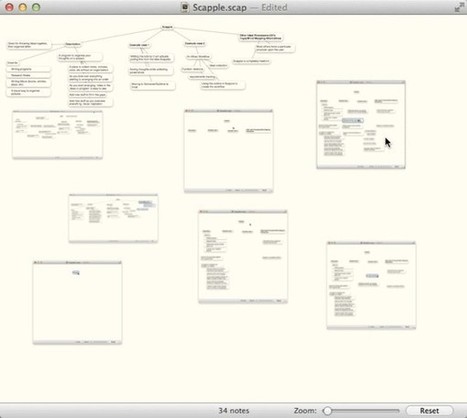
When inspiration comes, it seldom comes orderly. It's usually a collection of random thoughts that require organization to become something useful. Sometimes you can think it though just in your heads, but more than often you need to write things down and sort them out visually. In this tutorial I'll show you how Scapple brings order to your chaos. | Difficulty: Beginner; Length: Medium; Tags: App Training
|
|
Scooped by
FrancoisMagnan
April 6, 2014 4:29 AM
|
I've had Scrivener for awhile now but haven't fully utilized its potential. It's like having a Porsche and just using it to run errands down the street. There's a lot of power under the hood that I have to figure out how to exploit. I'm always searching for different templates...
|
|
Scooped by
FrancoisMagnan
April 2, 2014 5:41 AM
|
Isn’t Scrivener just the best writing app in the world? It is so versatile and reasonably priced. Many different sorts of writers use it for lots of kinds of work. Personally, I’ve got the start of a Young Adult (YA) novel on the go, using the standard novel template that comes with Scrivener. But what I really love to write are children’s picture books. Scrivener doesn’t come with a picture book template and I couldn’t find one online, so I made my own which I’m happy to share with you here on my blog:
|
|
Scooped by
FrancoisMagnan
March 29, 2014 6:46 AM
|
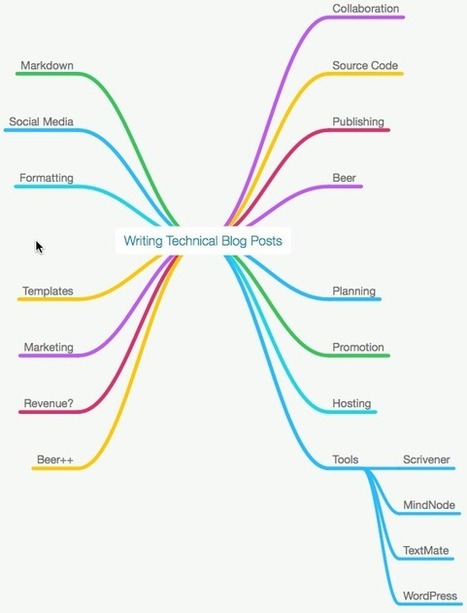
A good technical blog post includes planning, setting objectives and research, which happens before any writing takes place. Here's how I do it.
|
|
Scooped by
FrancoisMagnan
March 28, 2014 4:46 AM
|
Now, Scrivener can also sync using rich text format (RTF) as well as plain text; but as Scrivener’s documentation notes, you pretty much need to use plain text on an iPad, because there are no editors that do rich text and will sync properly with Scrivener. Except that now, there’s Textilus, a rich text editor that (in its paid version) syncs with DropBox and targets integration with Scrivener.
|
|
Scooped by
FrancoisMagnan
March 25, 2014 4:35 AM
|
Learning how to use Scrivener's Split Screen feature.
|
|
Scooped by
FrancoisMagnan
March 19, 2014 3:38 AM
|
So Tim recently suggested that I try out this new writing program that he had been working on to write his technical book. It's called Scrivener and it was recently ported to Windows OS. I was, at ...
Dans la panoplie des outils que j’utilise pour m’assister dans mon processus d’écriture, j’utilise depuis quelque temps déjà un grand oublié: la synthèse vocale ! Il faut dire que jusqu’à très réce...
|
|
Scooped by
FrancoisMagnan
March 12, 2014 4:44 AM
|
Wow. Almost two and a half months of radio silence. Suffice it to say, I ve been busy. During these last few days, when I reviewed all the formatting options, I saw there’s a great deal to cover so to make this easier to understand, I’ve broken this down into two parts.
|
|
Scooped by
FrancoisMagnan
March 9, 2014 10:18 AM
|
As mentioned in a previous blogpost, I use DEVONthink Pro (DTP) as my Information Management system. Basically, this means that I throw all kinds of information, in all kinds of formats, into DTP for indexing and archiving. Be it blogposts, .pdf articles, Word documents, Excel spreadsheets, Powerpoint presentations or plain text files. DTP does it all. This post won’t cover DTP that in-depth, but rather the proces it is part of when actually producing some kind of writing based on, or including, the information I keep in DTP. And that’s going to introduce yet another Mac app favorite: Scrivener produced by Literature and Latte.
|
|
Rescooped by
FrancoisMagnan
from EcritureS - WritingZ
March 6, 2014 7:28 AM
|
|
|
Scooped by
FrancoisMagnan
February 28, 2014 9:23 AM
|
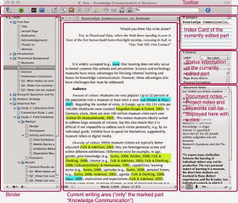
Scrivener is an app for the process of writing — by which I mean that it is structured to assist you as you play with and tentatively commit yourself to ideas and chunks of text — paragraph-, section- or chapter-level chunks of text — move them around, look for associations between them, identify where you are going and gradually discern a shape in the vague swirl of thoughts you started with. Scrivener helps with outlining, storyboarding, keywords, linking draft text with resources and much more. Having worked with Scrivener for a little over a year I am at a loss to see how you can possibly keep track of a major piece of work, be it a novel or a dissertation, in a standard word-processor. Most serious writers maintain boxes of index cards, cork-boards, white-boards, pieces of coloured wool linking the pictures plastered all over the wall of their study .... Scrivener does all that for you.
|
|
Scooped by
FrancoisMagnan
February 21, 2014 7:45 AM
|
Below are some workflows between my typical writing apps, using Markdown as a writing syntax. I can use Markdown to format my notes and texts quickly ready for publishing to my blog, through Scrive...
|
|
|
Scooped by
FrancoisMagnan
April 6, 2014 4:34 AM
|
A while back I wrote about my "tools of trade" — the go-to tools I rely on
to do my work. Not much has changed on that front, and all of those tools
are still a delicious part of my nutritious workday. But I feel like I may
have short-changed a piece of software that I've come to adore, and that I
believe has some value that even the guys who make it may not consider.
|
|
Scooped by
FrancoisMagnan
April 6, 2014 4:28 AM
|
A comparison of MS Word and Scrivener, also a bit about a new app that might make your life a lot easier. By author and editor Jo Michaels.
|
|
Scooped by
FrancoisMagnan
April 1, 2014 5:16 AM
|
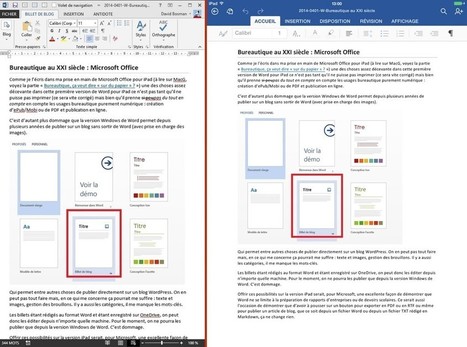
Comme je l’écris dans ma prise en main de Microsoft Office pour iPad (à lire sur MacG, voyez la partie « Bureautique, ça veut dire « sur du papier » ? ») une des choses assez décevante dans cette première version de Word pour iPad ce n’est pas tant qu’il ne puisse pas imprimer (ce sera vite corrigé) mais bien qu’il prenne si peupas du tout en compte les usages bureautique purement numériques : création d’ePub/Mobi ou de PDF et publication en ligne, sur un blog ou directement en HTML. C’est d’autant plus dommage que la version Windows de Word permet depuis plusieurs années de publier sur un blog.
|
|
Scooped by
FrancoisMagnan
March 29, 2014 6:27 AM
|
Having traditionally published two books, I field a lot of questions from writers about how I manage my book projects, what kinds of software I use, and what my schedule looks like. Here’s a brief summary of my process.
|
|
Scooped by
FrancoisMagnan
March 27, 2014 4:15 AM
|
|
|
Scooped by
FrancoisMagnan
March 23, 2014 4:27 AM
|
Qui sont les éditeurs pure players ? D’ou viennent-ils ? Que font-ils ? Comment les éditeurs nativement papier prennent-ils le virage du numérique ? Retrouvez en ligne les principaux enseignements de cette enquête, données chiffrées à l’appui.
|
|
Scooped by
FrancoisMagnan
March 18, 2014 4:50 AM
|
|
|
Scooped by
FrancoisMagnan
March 14, 2014 1:31 PM
|
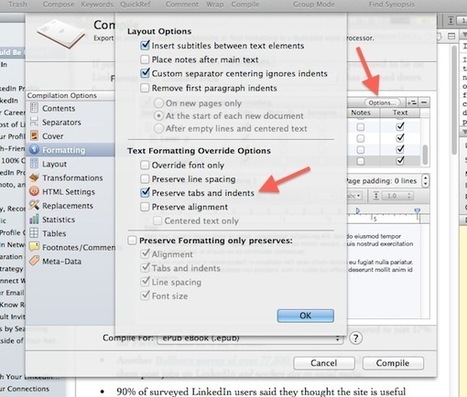
This post explains how to preserve blockquotes when Scrivener compiles to mobi (Kindle) or ePub (iPad, Nook, etc.) file formats.
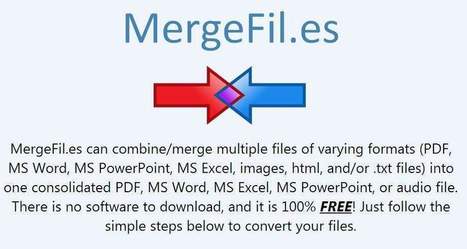
Une application en ligne gratuite pour combiner plusieurs fichiers de types différents en un document final unique. Le fichier final peut être compressé.
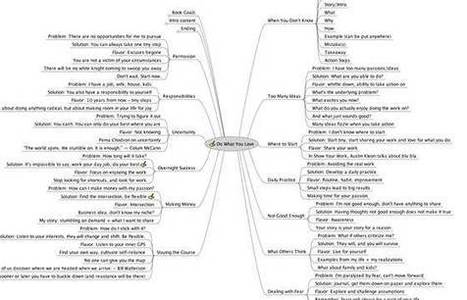
Vous n'en pouvez plus de votre problématique ? Votre mémoire commence à vous sortir par les yeux ? Vous ne voyez plus comment ordonner tout votre matériel ? Ne renoncez pas à votre mémoire, pensez autrement. Pensez "réseau". Voici une petite méthode personnelle qui me correspond bien. J'aime croire qu'une problématique se conçoit en 30 minutes. Petite fabrique de problématique à l'usage de ceux qui se posent bien des questions... Autant le dire tout de suite. Ce n'est pas le moment de vouloir ranger tout ce qui vous dérange en ce début de réflexion. Laissez venir comme ça vient. Et puisque j'y suis, je vous donne un exemple encore frais, lorsque j'ai commencé à écrire mon article sur les entretiens de co-régulation en éducation thérapeutique du patient. 1- Rangez "à plat" les idées qui vous paraissent pertinentes 2 - Allez à la pêche 3 - Gardez les concepts 4 - Faites des liens pour dénouer les difficultés, toutes sortes de liens... 5 - Euréka ! 6 - Le meilleur pour la
|
|
Scooped by
FrancoisMagnan
March 2, 2014 5:35 AM
|
I hang out on the Scrivener forums a lot. Some might say I’m a little compulsive about it, but the forums are where I’ve picked up pretty much all that I know about Scrivener. Today, I’m talking ab...
|
|
Scooped by
FrancoisMagnan
February 21, 2014 9:02 AM
|
Du lundi 08 décembre 2014 au mardi 09 décembre 2014 Cité du Livre - Aix-en-Provence
Véritable studio d’écriture, le logiciel Scrivener est un traitement de texte conçu pour structurer l’écrit, gérer la documentation et les différentes notes liées au travail d’écriture. Conçu pour les auteurs, ce logiciel permet d’écrire sous la forme de multiples notes, de les disposer, comparer, réviser, assembler à volonté, jusqu’à l'établissement du document final. Ses fonctions d’annotations permettent de marquer des passages spécifiques (ceux qui mentionnent un personnage) afin de les trouver facilement. Scrivener rassemble dans un même fichier les écrits en cours, les notes de travail ainsi que la documentation, textes ou images. Il permet de se concentrer sur la seule écriture, en attendant la compilation finale où sera traitée la mise en page.
PUBLICS
Ce stage est organisé par l'Agence régionale du Livre Paca. Il est spécifiquement destiné aux auteurs de la région Provence-Alpes-Côte d’Azur – affiliés ou non à l'Agessa ou à la Maison des Artistes – et pris en charge dans le cadre de la formation professionnelle continue.
FORMATEUR
François MAGNAN : 06 04 49 79 70 / www.francoismagnan.info
|