
Free resource of educational web tools, 21st century skills, tips and tutorials on how teachers and students integrate technology into education
Via Dr. Tom D'Amico (@TDOttawa)

 Your new post is loading...
 Scoop.it! Free resource of educational web tools, 21st century skills, tips and tutorials on how teachers and students integrate technology into education Via Dr. Tom D'Amico (@TDOttawa) No comment yet.
Sign up to comment
Scoop.it!

From interactive whiteboards to educational applications, here are 13 edtech tools for every teacher and student to aid and enhance teaching and learning. Via Guido Knaus
Scoop.it!

"From adding music to a slideshow to adding sound effects to videos to bumper music for podcasts, there are plenty of classroom projects ..." Via Leona Ungerer
Scoop.it!

"Students thrive when their work coincides with their interests. The great benefit of doing research projects is that it provides the opportunity for students to dive into what they are passionate about, while still accomplishing educational goals ..." Via Leona Ungerer
Scoop.it!

Every update we make to Flipgrid is sparked from ideas shared by the amazing and innovative educators in the #FlipgridFever community. We built… � Guest Mode because you wanted an easy way to bring families into Flipgrid. � Disco Library because you wanted to share and explore amazing Flipgr Via Dr. Tom D'Amico (@TDOttawa)
Scoop.it!

Want to make Google Docs do more? Install these useful extensions to supercharge your Google Docs experience. Via Dr. Tom D'Amico (@TDOttawa)
Scoop.it!

Welche der Lizenzen von Creative Commons ist die richtige für mein Werk? Unsere Infografik mit Checkliste hilft bei der Entscheidung. Via Guido Knaus
Scoop.it!

"This is a detailed list of the best Tools to Create Online Quizzes.Englishpost.org is a site dedicated to learning and teaching English ..."
Via Leona Ungerer
Scoop.it!

Free resource of educational web tools, 21st century skills, tips and tutorials on how teachers and students integrate technology into education Via Dr. Tom D'Amico (@TDOttawa)
Scoop.it!

"The 2017 Pixar film Coco may be best known for touching story about family and remembrance, it also makes some interesting points about plagiarism ..." Via Leona Ungerer
Scoop.it!

If you’re anything like me, you’re taking more photos than ever but there’s an important next step which is often overlooked — organizing and archiving.
Scoop.it!
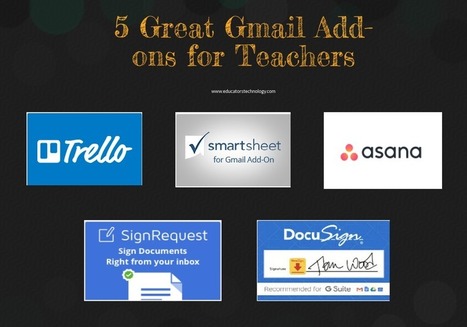
In today’s post, we have curated for you some of what think are good Gmail add-ons relevant to us as teachers and educators. Via Gumersindo Fernández |
Scoop.it!

Fake news is a pretty sensitive topic. It gained a lot of steam around the time of the US election and it’s been plaguing many of us ever since. Via John Evans
Scoop.it!
Earlier this week I answered an email from a reader who had heard someone talk about using QR codes so that people could watch animation Via Dr. Tom D'Amico (@TDOttawa)
Scoop.it!
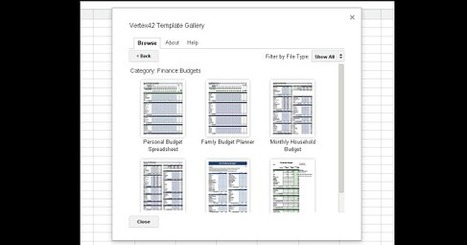
Free resource of educational web tools, 21st century skills, tips and tutorials on how teachers and students integrate technology into education Via Dr. Tom D'Amico (@TDOttawa)
Scoop.it!

Flipped Learning should be standard for Higher Education. If we want HE students to become successful citizens of tomorrow, we need to turn the traditional model of teaching on its head. Via juandoming
Scoop.it!

Sessions at Educause touched on academic technology collaboration, transparency around data collection, transitioning to active learning and more. Via juandoming
Scoop.it!

As an educational technologist, I continue to learn each day. When I develop new presentations or explore a new passion, I create a page of resources. This site will serve as the entry point to these resources, ideas, tips, and tricks. The links to the pages are below.
Scoop.it!
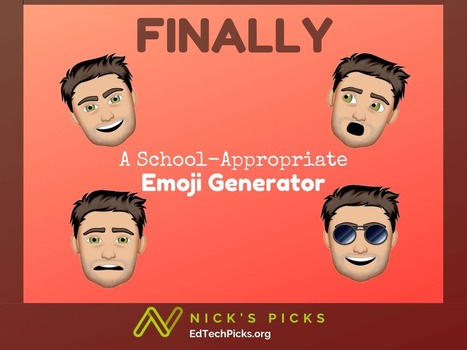
Emoji generators are a great way to increase engagement while students demonstrate understanding in creative ways like #BookSnaps. Via Dr. Tom D'Amico (@TDOttawa)
Scoop.it!

AnyFlip is a cool tool that will convert your PDFs into cool-looking flipbooks. Once you sign up, you can get your online flipbook by simply uploading your pdf Via Dr. Tom D'Amico (@TDOttawa)
Scoop.it!

Every summer, I bought a planner in hopes that this would be the year that I would use it for the entire year. Just like all my New Year’s Resolutions though, I would keep it up for about a week or two, then forget about it. For the rest of the semester, I would write […] Via Dr. Tom D'Amico (@TDOttawa)
Scoop.it!

Earlier this week I answered an email from a reader who had heard someone talk about using QR codes so that people could watch animations made by students. Not having heard that person speak or seen the actual presentation my guess was that the process went like this; students wrote stories, students then made videos about the stories, and finally students made QR codes to link to their videos. Via Gumersindo Fernández |